Search  for anything...

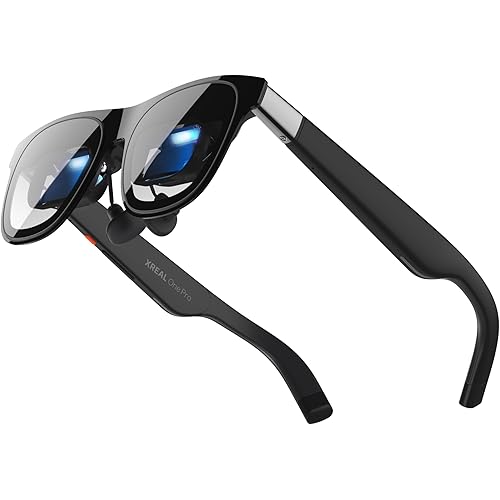
VITURE Luma Ultra AR Glasses, 152'', Full 6Dof Support, AR Hand Gestures, 52° FOV, 1500 Nits,XR Glasses for iPhone 17/16/15, Android, Mac, PC, Switch&Switch 2, World's 1st Real-time 2D to 3D

  • Based on 503 reviews
Condition: Used - Very Good
Checking for the best price...
$509.15 Why this price?
Save $179.85 was $689.00

Buy Now, Pay Later


As low as / mo
  • – Up to 36-month term if approved
  • – No impact on credit to apply
  • – Instant approval decision
  • – Secure and straightforward checkout

Ready to go? Add this product to your cart and select a plan during checkout.

Payment plans are offered through our trusted finance partners Klarna, Affirm, Afterpay, Zip, Apple Pay, and Google Pay. No-credit-needed leasing options through Acima may also be available at checkout.

Learn more about financing & leasing here.

Selected Option

Free shipping on this product

This item is eligible for return within 30 days of receipt

To qualify for a full refund, items must be returned in their original, unused condition. If an item is returned in a used, damaged, or materially different state, you may be granted a partial refund.

To initiate a return, please visit our Returns Center.

View our full returns policy here.


Availability: Only 1 left in stock, order soon!
Fulfilled by Amazon

Arrives Thursday, Oct 22
Order within 21 hours and 13 minutes
Available payment plans shown during checkout

Protection Plan Protect Your Purchase
Checking for protection plans...

Model: Luma Ultra


Features

  • A 1200P ULTRA SHARP DISPLAY YOULL NEVER FORGET EVEN SHARPER THAN VITURE PROStep into a jaw-dropping 152'' virtual screen with revolutionary 1200p resolution that feels like 4K powered by VITUREs proprietary optical secret sauce. Text is razor-sharp, delivering a clarity thats even sharper than the award-winning VITURE Pro, making this the sharpest XR display ever created.
  • INDUSTRY FIRST POWERED BY SONYS LATEST MICRO-OLED DISPLAYVITURE Luma Ultra features never-before-seen ultra displays these advanced panels reduce power consumption by 35%, allowing us to confidently push peak brightness even higher to 1500 nits, while effectively managing heat to maintain a comfortable viewing experience. Additionally, lower power consumption means less strain on connected devices like the VITURE Pro Neckband or your smartphone, helping extend their battery life during use.
  • FRONT RGB CAMERA AND DUAL DEPTH CAMERAS FOR SPATIAL COMPUTING ZERO DRIFT 6DOF & HAND GESTURES SUPPORTThe triple-camera system offers significantly enhanced tracking accuracy and spatial awareness, allowing for more advanced, high-precision 6DoF tracking and spatial interaction. Luma Ultra empowers users to fully engage with spatial content and virtual objects in real-world environments with hand gesture recognition when paired with the VITURE Pro Neckband, enabling precise spatial interactions. Additionally, it offers comprehensive 6DoF support in SpaceWalker across macOS and Windows, with mobile compatibility coming soon.
  • THE BEST JUST GOT BETTER IMMERSIVE 52 FOV & CINEMA-QUALITY COLORSBe immersed in a wider, more natural 52 field of view with industry-leading 1500 nits brightness, a silky-smooth 120Hz refresh rate, and Hollywood-grade color accuracy (DeltaE < 2). Everything looks stunning whether youre gaming outdoors or working under bright lights.
  • PREMIUM TRANSLUCENT DESIGN WITH DYNAMIC LIGHT EFFECTSIlluminate your victory! Sync colors and animations to match your gaming persona or productivity mode, creating a true conversation starter that reflects your style. Customize your vibe (coming soon) with the first programmable RGB lighting ever in XR glasses.
  • HARMAN AUDIO EVOLVED FULLER, RICHER, MORE IMMERSIVEDive into a soundscape crafted by HARMANs audio experts for deeper bass, crisper highs, and a fuller, more immersive audio experience whether battling enemies or taking an important call.
  • INDUSTRY-LEADING SOFTWARE: WORLDS FIRST REAL-TIME 2D-TO-3D CONVERSIONTransform every moment even streaming and gaming into an entirely new dimension with VITURE's Immersive 3D feature. Experience the widely-acclaimed magic now for an unparalleled visual adventure exclusive to all VITURists! **The SpaceWalker app offers multi-screen work modes, immersive 3D content, and regular feature updates. For full details, please visit the official VITURE website.
  • MULTI-SCREEN POWERHOUSE UNLEASH YOUR PRODUCTIVITYTransform any environment into a 152 panoramic workspace with up to three virtual screens from your Mac or PC via SpaceWalker. Horizontal, vertical, or even code mode write, edit, create, and stream without the chaos of constant tab switching. **For VITURE Luma Ultra users:** The XR USB-C Adapter Pro is currently intended for charging only, and expanded XR features are not supported at this time.
  • THE ULTIMATE ECOSYSTEM FOR GAMERSExperience the first-ever immersive XR experience for Switch 2. Featuring the worlds first XR-compatible controller, co-developed with 8BitDo, and officially partnered with PXPlay and XBXPlay. Compatible with all major gaming consoles and devices, VITURE is built with gamers in mind and always pushes the limits to deliver the absolute best for every gamer! NOTE: The Luma Ultra supports an IPD range of 58-70 mm. For an accurate fit, a professional eye exam is strongly recommended.
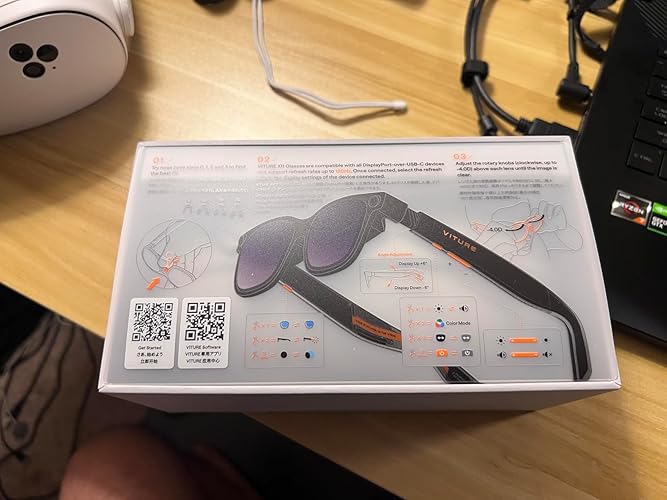
  • ALL THE FLEXIBILITY YOU'LL EVER NEED ELECTROCHROMIC FILM FOR INSTANT IMMERSION & BUILT-IN UP TO -4.0D MYOPIA ADJUSTMENTWith just one tap, activate the electrochromic film to instantly darken the lenses. An optional anti-reflective lens shade is also available, so you can conquer glare anywhere, anytime. And no need to worry about nearsightedness Luma Ultra comes equipped with built-in myopia adjustment up to -4.0 D, providing crystal-clear vision without the need for prescription inserts. Comfort is just as important: flexible arms offer a gentle, adjustable fit, and three pairs of swappable nose pads are included to ensure optimal comfort.

Description

About VITURE Founded by Google & Apple alumni, VITURE has quickly become the leader of the next generation of digital entertainment devices. A benchmark-setting company in the field, we've engineered our XR ecosystem for mass-market appeal by combining true technological innovation with fashion-driven design, enabling users to stream videos, play games, and work anywhere, anytime. Luma Ultra XR Glasses Luma Ultra Winning Combo Luma Ultra Cloud Pack Luma Ultra Dock Pack Is 3DoF or 6DoF supported? 6DoF and hand gesture control need SpaceWalker on macOS/Windows, or the VITURE Pro Neckband (sold separately). They are not supported on iOS or Android. 3DoF: Luma/Luma Pro via SpaceWalker; Beast has hardware 3DoF. Do I need to buy anything else for the features shown on this page? Glasses alone: big screen, HARMAN audio, tint, myopia dial. Free SpaceWalker app adds multi-screen, 3DoF and 2D-to-3D. 6DoF/gestures need Mac/PC or Pro Neckband. Switch, PS5, Xbx and HDMI need a VITURE Pro Mobile Dock. How can I check if VITURE Luma Ultra is compatible with my device? Your device needs USB-C video output (DP Alt Mode). iPhone 16e & Air are NOT compatible. Switch, PS5, Xbx and HDMI need a VITURE Pro Mobile Dock. Older USB-C/HDMI XR Adapters do not support Luma Ultra. Full list: VITURE Store > Compatibility. What are the SpaceWalker and Immersive 3D system requirements? SpaceWalker Windows: Win10 1903+/Win11, 16GB RAM, GTX 1060/RX 580+. macOS: Thunderbolt 3/4 or USB4, Ventura 13+, app v1.7.0+ (no Intel Mac). Immersive 3D is a separate app: Apple Silicon, or 32GB RAM + RTX 2050+. What are the vision and fit limits? Does it correct astigmatism? The built-in dial adjusts myopia up to -4.0D per eye. Astigmatism is NOT corrected; a magnetic prescription lens frame is sold separately. IPD range 57.5-69.5mm, one frame size, 3 swappable magnetic nose pads included.

Brand: VITURE


Color: Luma Ultra XR Glasses


Special Feature: Industry-first micro-OLED display, Spatial computing cameras, Real-time 2D-to-3D conversion, Dynamic RGB lighting See more


Connectivity Technology: USB-C


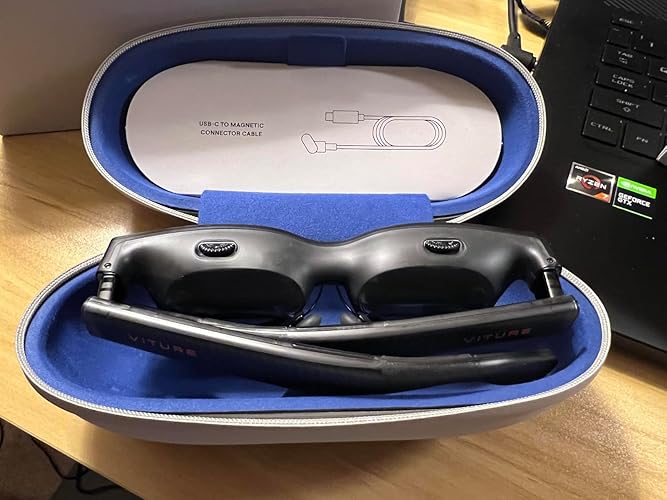
Included Components: Glasses Case x 1, Glasses Cloth x 1, Hair-friendly Cover x 1, Quick Start Guide x 1, Safety Guidline x 1, Swappable Nose Pads x 3, USB-C to Magnetic Connector Cable(1.2m) x 1, VITURE Luma Ultra XR Glasses x 1 See more


Compatible Devices: iPhone, Android, Mac, PC, Nintendo Switch, Nintendo Switch 2


Age Range (Description): Adult


Model Name: Luma Ultra


Operating System: macOS, Windows, Android


Field Of View: 52 degrees


Additional Features: Industry-first micro-OLED display, Spatial computing cameras, Real-time 2D-to-3D conversion, Dynamic RGB lighting


Connectivity Technology: USB-C


Compatible Devices: iPhone, Android, Mac, PC, Nintendo Switch, Nintendo Switch 2


Operating System: macOS, Windows, Android


Field Of View: 52 degrees


Connector Type: USB Type C


Sensor Technology: Camera, Depth Camera


Platform: Android XR


Resolution: 1200p per eye


Display Refresh Rate in Hertz: 120


Screen Size: 152 inches


Display Type: Virtual screen


Controller Type: Button Control


VR Operating Platform Compatibility: Console VR, PC VR, Smartphone VR


Display Resolution Maximum: 1200 pixels


Item Weight: 83 g


Brand: VITURE


Built-In Media: Glasses Case x 1, Glasses Cloth x 1, Hair-friendly Cover x 1, Quick Start Guide x 1, Safety Guidline x 1, Swappable Nose Pads x 3, USB-C to Magnetic Connector Cable(1.2m) x 1, VITURE Luma Ultra XR Glasses x 1


Age Range Description: Adult


Model Name: Luma Ultra


Model Number: Luma Ultra


UPC: 850065033716


Manufacturer: VITURE


Number of Items: 1


Unit Count: 1 Count


Mfr Part Number: V1252


Warranty Description: 2 Years Warranty


Color: Luma Ultra XR Glasses


Frequently asked questions

If you place your order now, the estimated arrival date for this product is: Thursday, Oct 22

Yes, absolutely! You may return this product for a full refund within 30 days of receiving it.

To initiate a return, please visit our Returns Center.

View our full returns policy here.

  • Klarna Financing
  • Affirm Pay in 4
  • Affirm Financing
  • Afterpay Financing
  • Zip Pay in 4
  • Financing through Apple Pay
  • Financing through Google Pay
Leasing options through Acima may also be available during checkout.

Learn more about financing & leasing here.

Top Amazon Reviews

  • Recommend
To be honest, I was a little suspicious of Viture Ultra (Luma Ultra) AR glasses at first, but after actually using it, I was still a little surprised. The most intuitive feeling is that it really feels like carrying a super-large screen with you. Whether you are watching movies or playing games, the picture is large and clear, a bit like watching a "private IMAX", and the immersion is quite strong. And the brightness and color performance are more transparent than some devices I have used before. Of course, there are also imperfections, such as some of its "advanced functions", such as 6DoF space positioning and gesture operation, which sound cool, but in fact, it must be combined with its own developed accessories to experience it. There is also the supporting software (Spacewalker) that is occasionally not very intuitive, and it takes a little time to get used to it. When I use it myself, I feel that it is the most suitable for lying down to watch TV series, go out to play games, or use it as a "large screen" when flying/commuting. In this kind of scene, it's really cool, even a little addictive. But if you expect it to completely replace computer office or multi-window productivity, it is still a bit reluctant at present. Overall, it is more like an "entertainment-first" device. To sum up, if you are a person who likes to taste new things and is interested in technology products, you will find it very interesting. ... show more
Reviewed in the United States on April 26, 2026 by Jacky

  • Very disappointed android user
Wow. Going to start with cons. So software-wise, they completely neglect android users. Their spacewalker app is lousy and there is no immersive 3d app at all. You can watch 3d movies that are on your phone or from YouTube (through the spacewalker app) but that's about it. I tried making use of the 2d to 3d, but it absolutely requires the spacewalker app, and even then, you can only access approved apps when using spacewalker app, there's like 8 - so I tried on the built in browser, couldn't ever find the option (it just pops up randomly on its own accord if you get lucky - seriously, that's how they made it!). I then tried on the internal spacewalker media player. My 2d movies play, when trying to up convert to 3d, the glasses crash and stutter, not coherent at all. OK, so trash. 3d sbs videos play well from internal storage, but it has to be sbs full - partial won't work. The glasses can actually do this natively so there's a plus, can use vcl player and just ignore spacewalker app. So then I thought I'd try gaming. Should be able to upconvert 2d to 3d in the browser through spacewalker app. Gamespass can be played through the browser, so I had hope on this one. First, the option never popped up while I was in the option, so that stinks. Another problem is my Bluetooth Xbox remote (connected to my android phone) controls the phone, but does not control within the spacewalker app or any apps you use within it, so game pass would be unplayable that way as well. These guys literally sell an android neckband, but their support for android is absolute garbage. I don't and won't use apple. Shouldn't have to. I'm also not going to run everything on a pc I shouldn't need powered on just so I can use emmersive 3d on there to then sunshine/moonlight stream to phone to get an up-conversion. I can only imagine the lag. The screen on these glasses flickers randomly or blacks out for a few seconds at a time. They offer decent sound and the highest nits on the market I believe, but they have issues with getting too hot. Heat gathers right off of my right temple which builds up fast - 10min or so. I think this heat is also contributing to the glasses going out at times. This is also probably the reason the plastic is known to fail on the glasses' arm(s). Pros: Now what I CAN do is, like I said, watch 3d sbs (full) movies. That's cool. I can mirror the screen of my phone. Nothing fancy, but that works. Vision is adjustable each eye if your sight isn't perfect, the picture really is sharp and looks good! These make a pretty good screen. They can be bright, sound is fine, they are light enough for travel and not super uncomfortable outside of the heat. The magnetic USB connector is handy. Most reviewers are paid and are showing this always paired with the overpriced neckband. My phone is a Samsung s26 ultra and would blow that thing out of the water anyway. They have been neglecting their android users for years now (check out reddit if you don't believe me). I haven't tried competitors, but if all they are is a screen, maybe look into the ray neos that are under half the price. If you want 2d to 3d, the xreals seem to do that natively for the same price. With my experience, and research after the fact, I think I'd steer clear of viture products until they are willing to deliver on their promises. What would I fix? Metal, sturdy frame, better cooling or focus the heat elsewhere. Rehaul the app, make it easier to use and less restrictive. It should feel like an overlay or background, not a box you just go into to di e. Keep up with the android side of things. As is, it's a hot mess of a product. Do not recommend. ... show more
Reviewed in the United States on March 27, 2026 by Randy Greene

  • VITURE Luma Ultra AR/XR Glasses
The VITURE Luma Ultra enters the increasingly crowded AR glasses market with a clear priority: stunning visuals. While it absolutely delivers on its promise of a premium display, its limited software ecosystem and picky compatibility requirements mean this brilliance is only accessible to a select few. The Display: A Visual Treat The standout feature here is undoubtedly the screen. Leveraging Sony's latest Micro-OLED technology, the Luma Ultra offers a per-eye resolution of 1920x1080. The picture is incredibly sharp, with vivid colors and deep blacks that make watching movies or playing games on the virtual 135-inch screen a genuine pleasure. With a peak brightness of 1500 nits, the display remains clear even in well-lit rooms, something many competitors struggle with. Thanks to the 6DoF tracking, the virtual screen locks into place convincingly, eliminating the distracting "floaty" feeling common in earlier models. The Catch: Software and Compatibility However, a great screen alone does not make a great AR device, and this is where the Luma Ultra stumbles. The selection of dedicated AR apps is disappointingly sparse. Beyond a few basic tech demos, the robust "spatial computing" experience hinted at by the hardware is largely absent. Hand-tracking, while ambitious, feels laggy and inaccurate, making navigation frustrating rather than futuristic. More critically, compatibility is a major gatekeeper. To unlock the full potential of features like the SpaceWalker app, users are essentially required to own an iPhone 15 or 16. Older iPhones or Android devices will work for basic display mirroring, but the unique multi-screen functionality feels locked behind Apple’s latest hardware. This niche focus drastically limits its audience. Final Verdict The VITURE Luma Ultra is a paradox: it houses a premium, high-performance display inside a device with a barebones app store. It is, for now, the ultimate portable monitor for iPhone 15/16 users who prioritize media consumption. For everyone else, or for those hoping to explore true AR applications, it feels like a brilliant piece of hardware waiting for the software to finally catch up. ... show more
Reviewed in the United States on February 24, 2026 by Owen

  • It doesn’t work on iPhone 16e and iPhone air.
Let’s start with the cons and then pros. Keep in mind it’s more of a virtual projector, it needs an iPhone adapter to hook it up with a iPhone, or iPad to see something. Without it, you won’t see anything at all. Having all the accessories adds up. The cons 1. The advertisement said it’ll work for iPhone 17,16, and 15. I was assuming that iPhone 16 includes iPhone 16e but in reality I cannot see anything. I discovered the hard way from reading a manual, it specifically said iPhone 16e and iPhone Air wouldn’t work. Because these doesn’t have a DisplayPort Alternate Mode. I was bummed about that. 2. However, it said it would work on iPad and it did. But as a controller, it felt uncomfortable. It has a “laser pointer” to move the screens around and “touch screen” to select the apps. After 5 minutes, my arms quickly became tired because of its weight and bulky maneuvering. I really prefer to use my iPhone 16e but.. it won’t work. 3. The Viture app’s Spacewalker is a bit of a steep learning curve. It has a Prime but it removes the subtitles. It irks me because I watched a lot of foreign movies and it doesn’t have closed caption for deaf people. But there’s a workaround for this, just go on the internet or Prime’s real app. It works but the caption/subtitle is slightly out of focus but I can still read it fine. 4. There’s no way to tell if I turned it off or on for a first time user. I put it on for second time and learned that the power was already depleted. Maybe add a light signal to indicate that it is still on or off? The Pros 1. The graphic is amazing. It feels like I’m in a movie theater. You can adjust the lighting and sounds to your liking. 2. The customer service is great. I bought the Virture glasses but few days later they added a free controller as a promotional gift. I contacted them and they instantly informed me that it’s on the way. That was nice of them. 3. The original nose pad was too wide. I think it was meant for Asian people. Good thing is the package comes with 3 different sizes. I picked the longer one and it fits perfectly. There’s so much to learn and I have not scratched the surface yet. I have a neck band and haven’t used it on Switch 2, Xbox or computer games. I will update it once I’ve tried them all. It’s expensive but I purchased it for $499 instead of $700 something. ... show more
Reviewed in the United States on November 16, 2025 by Alexander

  • Cool, sharp, with some limitations
Although I am quite familiar with AR glasses like Quest 3 and PSVR2, the Viture XR glasses are nothing like that. It's essentially a small screen (one per eye) integrated in a holder with the looks and ergonomics of glasses. While mentioned AR glasses essentially shut all sensations out and create a 3D visual, the Viture XR glasses feel more like an opening you look into with a screen inside. Meaning, there are some outside distractions. Having a visual reference to the frame not only creates the impression of a tunnel vision, it also makes the supposed 152" screen feel a lot smaller, maybe not just feel as sitting at about 3m distance to my 55" tv appears more like 75% larger, maybe double but certainly not 3x! The glasses are effectively a secondary screen that attaches to devices with USB-C ports. However, it only works with some, like a laptop, iPhone, or iPad. I am not omitting Android devices, but I don't have any to test. I did, however, somehow read the description as if a Nintendo Switch (incl. 2) is natively supported as it has a USB-C port that connects to a tv. However, for that to work, you need the optional Viture Pro Mobile Dock. Just plugging the glasses into the Switch 2 port does not power the glasses and therefore doesn't work. Ironically, the Switch 2 does "recognize" a supposed "camera" when doing so. Not sure if it can use it as such. This might be as the glasses themselves have no batteries and must be powered via the USB-C cable. I am not sure if the Switch 2 provides such power--even if not much is needed. Anyway, if that's your target application, be sure to invest another $100 into the dock. The screen is bright and fairly sharp. That's why I chose these, even if It loses a bit of sharpness towards the outside. The 1200p resolution (where most others offer 1080p) certainly helps. In different reviews, the Viture Luma Ultra were praised as the sharpest (i.e., for text) and I would agree, although I don't have a comparison to other XR glasses. It is, however, significantly sharper than the mentioned Quest3 or PS5VR2, while also having an OLED panel for significantly better Black levels than those VR glasses. The glasses as such don't have image stabilization, and the image is fixed in the glasses. That means when moving/shaking your head (i.e., in transit) the picture moves with your head. I have yet to see what that means for potential motion sickness. Extended screen can be “simulated” on devices supported by the Spacewalker app, but I can’t say I am convinced. It does, however, take head motion into consideration to access the extended screen. I chose the "used - like new" option to save $100. It was indeed in good condition, but the frame is very light and does not feel very sturdy. The included case is lightweight and functional. Note that there is a USB-C to (proprietary) magnetic connector cable included. It's about 3 ft (1 m) and reasonably soft. ... show more
Reviewed in the United States on March 19, 2026 by Thomas T.

  • Amazing glasses everything i've ever wanted in ar glasses
this has exceeded my expectations and blown me away I'm so happy with this purchase so lets start with my first pair of xt ar glasses they were the xreal air the original ones and while these were great the screen wasn't bright the image at the corners of the screen wasn't sharp and would be dull or have some fade to the quality of the image so eventually would cause some minor eye fatigue for me and make my gaming experience not so great on them. This pair though completely and utterly destroys those they are sharp and vibrant edge to edge the quality is incredible and the software they designed free of charge mind you my old set to get the same thing i had to be external devices to do simulated screens is incredible you can use a floating 49" monitor at 120hz and it's flawless took some figuring out the windows commands to zoom it out so you can see the whole screen and not have to whip your head around but having a simulated ultrawide option hooked up to my laptop via a type c cable is unreal i'm able to work now with no problem. the tech they put in these are awesome as well i'm gonna be buying the stand alone neck attachment for trips as well soon to have the "wireless feel" not hooked up to a laptop but for my current trip hooked up to my acer 14.5 inch with a intel 185ai and a 4070 the glasses run unreal and i was able to play diablo the other night no problem ... show more
Reviewed in the United States on January 3, 2026 by xxlionxx5150

  • Promising, just not there yet
Returning these after a week. Great concept, genuinely promising hardware — but not usable in practice. What works: Display colors, contrast, and 3D effect are excellent. Sound is surprisingly good. Build quality and comfort are solid. What doesn't: The fit appears designed for flatter facial profiles. It worked fine for my Korean wife, but with my deeper-set European eyes, the frame edges physically block the corners of the screen and there's no adjustment to fix it. Feels like they pushed the compact design too far without accounting for different face shapes. Video playback stutters on iPhone / iPad — motion looks like dropped frames or skipped steps, even when the source device plays it perfectly smooth. Since media watching is the whole point, this is a deal-breaker regardless of the reason behind it. The app is beyond basic, and most of the features shown in the marketing videos require purchasing expensive additional accessories that aren't included. At the end of the day, I returned them as they were not useful for me — and definitely not as this price tag. I'll keep an eye out for a future version with a more accommodating fit, 4K, and smooth video. The display quality shows real promise — it's just not ready yet. ... show more
Reviewed in the United States on April 25, 2026 by Carlos

  • Beautiful screen, very very good for media consumption. not to be used as normal sunglasses
works great. no complaints at all. i can see the full screen no problem when adjusting glasses to my face. the Spacewalker app (the app that gives extended features to glasses) on android can be a little stupid sometimes and crashes if you have too much going on on your phone, but it is not terrible. also there is no 6dof on android Spacewalker only 3dof when you press "pin" icon. I prefer not to use it but will mess around with it more to see if it can be useful. the 3d mode through the app is really cool too .. 6dof does work on windows and mac through Spacewalker app as far as i know. i haven't connected yet because my computer does not have usb c port, so i have to buy some cables for this. the quality of the screen is incredible. really nice. can watch day or night. the only part of the glasses that get a little uncomfortable after long use is the nose pads. i'm pretty sure they're adjustable but i have been afraid to since i have the screen position perfect. glasses come with 4 different magnetic attachable pad lengths for this purpose. glasses do not get hot, only warm. no problem here. they are decently large and protruding, so wearing these as normal sunglasses is not really an option for me. and i am usually not picky about these kinds of things. i prefer to use them only while sitting down. they're great for when you are somewhere and want to zone out while eating or relaxing, whatever. just mind the cord. best to tuck under jacket or sweater or something like that. sound is very acceptable. borderline good. no complaints. i know the main issue with these is the build quality with the cracks in the plastic. but i have not experienced this yet. i am being very careful with them. i heard they pushed out newer batches that do not have this problem, so hopefully mine are from that batch. overall i am impressed with these. they do not have any major shortcomings and do not feel cheap or gimmicky. they will reproduce any screen you plug them into very well. just know that you will only get a "dumb screen" that is stuck in position when you are plugged into anything but your computer. or unless you have the neckband accessory which i do not have so can't speak on will reemphasize that the screen is beautiful and can get shockingly bright for daytime use if you max the brightness settings i recommend getting the usb c splitter accessory they have for using the glasses and charging the device you are using them with at the same time. the glasses are a decent power suck, so you will need to take charging breaks if you don't get the splitter the glasses do not have a battery of their own so whatever they are plugged into must power the glasses completely. for me this is a positive because you never have to worry about charging them ... show more
Reviewed in the United States on November 30, 2025 by Spencer

Can't find a product?

Find it on Amazon first, then paste the link below.
Checking for best price...