Search  for anything...

SANDISK 64GB iXpand Flash Drive Luxe, Lightning & USB-C Connectors

  • Based on 9,818 reviews
Condition: Used - Like New
Checking for the best price...
$39.99 Why this price?
Save $73.00 was $112.99

Buy Now, Pay Later


As low as $9 / mo
  • – 4-month term
  • – No impact on credit to apply
  • – Instant approval decision
  • – Secure and straightforward checkout

Ready to go? Add this product to your cart and select a plan during checkout.

Payment plans are offered through our trusted finance partners Klarna, Affirm, Afterpay, Zip, Apple Pay, and Google Pay. No-credit-needed leasing options through Acima may also be available at checkout.

Learn more about financing & leasing here.

Selected Option

Free shipping on this product

This item is eligible for return within 30 days of receipt

To qualify for a full refund, items must be returned in their original, unused condition. If an item is returned in a used, damaged, or materially different state, you may be granted a partial refund.

To initiate a return, please visit our Returns Center.

View our full returns policy here.


Availability: In Stock.
Fulfilled by Amazon

Arrives Wednesday, Oct 21
Order within 20 hours and 2 minutes
Available payment plans shown during checkout

Protection Plan Protect Your Purchase
Checking for protection plans...

Size: 64GB


Features

  • Seamlessly move content between your iPhone, iPad Pro and USB Type-C devices, including Android phones.(1)
  • (1) For iPhone, iPad Pro and iPod compatibility, see SanDisk Support ixpand compatibility web page. Android device requires USB Type-C port and On-The-Go (OTG) support; see SanDisk dualdrive-c web page for list of compatible devices.
  • Automatically back up your iPhone photos, videos and more.(2). (2)iXpand Drive app required (except for Android devices). Available for download from the App Store. iOS 13 or higher required. Set up automatic backup within app settings.
  • Password-protect your files across iPhone, PC and Mac.(1), (3). (3)Password protection is supported by iOS 13 and higher, Mac OS X v10.9 and higher, Windows 7, Windows 8 and Windows 10

Description

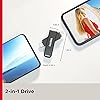
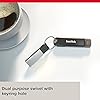
Whether you're creating content for your social sites or vlog or sharing photos and videos with friends, the SanDisk iXpand Flash Drive Luxe is the all-metal casing 2-in-1 flash drive that lets you seamlessly access and move files between your iPhone, iPad Pro, Mac computer and other USB Type-C devices, including Android phones.(1) Just plug in this premium, password- protected(3) drive to free up space on your iPhone or to automatically back up photos, videos, documents and contacts(2), all without the hassle of cables or a slow internet connection. All this plus a stylish dual-purpose swivel design make this the perfect portable storage device for any content creator.|(1)For iPhone, iPad Pro and iPod compatibility, see SanDisk Support ixpand compatibility web page. Android device requires USB Type-C port and On-The-Go (OTG) support; see SanDisk dualdrive-c web page for list of compatible devices.|(2)iXpand Drive app required (except for Android devices). Available for download from the App Store. iOS 10.0.2 or higher required. Set up automatic backup within app settings.|(3)Password protection is supported by iOS 10.0.2 and higher, Mac OS X v10.9 and higher, Windows 7, Windows 8 and Windows 10.

Brand: Sandisk


Memory Storage Capacity: 64 GB


Hardware Interface: USB 3.0


Special Feature: Dual USB Connector


Write Speed: 90 MB/s


Memory Storage Capacity: 64 GB


Hardware Interface: USB 3.0


Additional Features: Dual USB Connector


Write Speed: 90 MB/s


Read Speed: 90 megabytes_per_second


Connectivity Technology: USB


Flash Memory Type: CompactFlash


Hardware Connectivity Technology: Lightning, USB Type C


Compatible Phone Models: iPad, iPhone


Compatible Devices: USB Type-C Android phones, USB Type-C Macs, USB Type-C devices, iPad Pro, iPhone


Color: Gray


Item Dimensions D x W x H: 3.94"D x 5.91"W x 0.39"H


Brand: Sandisk


Model Name: iXpand Flash Drive Luxe


Item Highlight: 2-in-1 USB Flash Drive, For iPhone 14 and older, For iPhone, iPad, PC, Mac, USB Type-C Devices, Swivel Design, Metal, Black


Manufacturer: Sandisk Technologies, Inc.


Unit Count: 1 Count


Number of Items: 1


UPC: 619659181932


Number of Packs: 1


Item Weight: 4.54 g


Item Type Name: Flash Drive


Model Number: SDIX70N-064G-GN6NN


Mfr Part Number: SDIX70N-064G-GN6NN


Warranty Description: 2 year manufacturer warranty


Frequently asked questions

If you place your order now, the estimated arrival date for this product is: Wednesday, Oct 21

Yes, absolutely! You may return this product for a full refund within 30 days of receiving it.

To initiate a return, please visit our Returns Center.

View our full returns policy here.

  • Klarna Financing
  • Affirm Pay in 4
  • Affirm Financing
  • Afterpay Financing
  • Zip Pay in 4
  • Financing through Apple Pay
  • Financing through Google Pay
Leasing options through Acima may also be available during checkout.

Learn more about financing & leasing here.
Top Amazon Reviews


  • A fantastic accessory for your Pad - But Sandisk could have explained it's usage a little better.
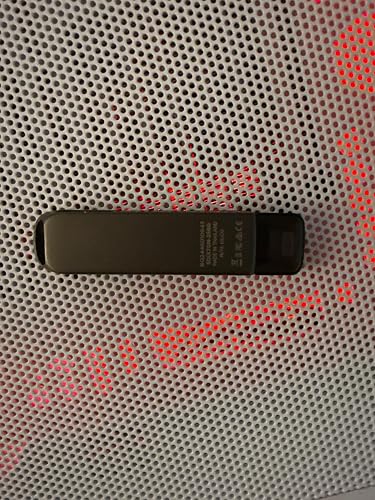
I owned the older version of this Sandisk 256 GB iExpand drive that I used for my ancient old iPad from 2016. I upgraded to the 2022 iPad last year and since the new iPad uses USB-C instead of the old lightning port I had to get this one, the iExpand Luxe model. This one is very nice that it has lightning and USB-C connectors. Also, by using a USB-C to A adaptor you can plug it into your home PC. The construction is very nice high-quality metal, it feels nice and sturdy. Now for the usage clarification, The old Sandisk iExpand drive used the Sandisk iExpand app. Even the packaging on this item says to download the iExpand app to use the drive. I plugged the drive in and proceeded to download the app. I noticed that the drive wasn't recognized by the ipad as in the old one that would automatically launch the iExpand app. I formatted the drive, did a hard off cycle on the ipad, re-downloaded the app and still, the drive didn't show. I was thinking that I had a bad one. I reached out to Sandisk/Western Digital via email and explained the situation and everything I had tried doing to solve the problem. A week later, yes, it took that long, I heard back from a rep telling me that this iExpand Luxe was not compatible with the Sandisk iExpand app and I should use the Apple files app in my ipad. I did so and the iExpand Luxe does show up and then you can transfer files to and from. So just a word to inform users of the old iExpand drive that this new Luxe model works differently. Even though the packaging tells you to download the app the app is incompatible with this drive. And when you go to the files app, this iExpand Luxe drive will show as "untitled" as shown on the picture. ... show more
Reviewed in the United States on June 30, 2023 by A.B.B.

  • Works Great But….
….there are things you need to do to to get the bang for your buck. Thankfully I read reviews otherwise I would have returned this thinking it didn’t work. So here goes: 1) The iXpand Drive app is being retired 4/25 and will be replaced by SanDisk’s MemoryZone app. You’ll need to download both first. 2) Use a lightening device to update the drive otherwise the drive won’t recognize your USB-C iPhone/tablet device 3) Open the app, plug in the drive and magic happens. Follow the set-up prompts. 4) Do not let your phone/tablet sleep or the data transfer will stop 5) Use the eject feature when using the Memory Zone Once I figured out all of the above, using the drive itself is easy peasy. You can rename, delete, and organize your photos. Duplicates are no problem as you can opt keep or override them. Toggling between your device and the drive helps ensure you keep what you want on your phone. Open the app and plug the drive into your device and it will automatically backup new pictures. Once your pictures are on the drive, delete the pictures you don’t want on your phone to free up space. Don’t wait for the 30 day grace period for them to delete. Then check the Cloud to see how much storage you have on your device. Oops! Took a pic off your phone that you need? You can transfer it from the drive back onto your phone. Note: the drive will store music and videos but I don’t see a claim that it will store notes, files or folders. Personally, I use it to backup for my pictures and free up Cloud storage. It’s a small but mighty flash drive with a sleek, metal design. And I’m satisfied. ... show more
Reviewed in the United States on March 21, 2025 by marlaw

  • I will purchase again
Style: Previous Gen. Color: Gray Size: 64GB
Well, unloaded 1200 pictures and it worked perfect a purchase of the product. It didn’t work on my phone 14+.
Reviewed in the United States on June 13, 2026 by Ediberto V.

  • Great choice for those who want a reliable and high-capacity flash drive
The SanDisk 128GB iXpand Flash Drive Luxe is a versatile device that can be used with both iPhones and USB Type-C devices. Its sleek black design is both stylish and functional, making it a great choice for those who want a reliable and high-capacity flash drive. With 128GB of storage capacity, this flash drive offers plenty of space for storing photos, videos, music, and other types of data. It is also easy to use, with a simple plug-and-play design that requires no additional software or drivers. One of the standout features of the SanDisk 128GB iXpand Flash Drive Luxe is its compatibility with both iPhones and USB Type-C devices. This makes it a great choice for those who use multiple devices and need a flash drive that can work with all of them. Overall, the SanDisk 128GB iXpand Flash Drive Luxe is a reliable and high-quality flash drive that is perfect for anyone who needs a lot of storage capacity and wants a device that can work with multiple devices. Pros of the SanDisk 128GB iXpand Flash Drive Luxe: Compatible with both iPhones and USB Type-C devices Large storage capacity of 128GB Elegant black design Allows easy transfer of data between devices Fast transfer speeds Cons of the SanDisk 128GB iXpand Flash Drive Luxe: May be more expensive than similar products with lower storage capacity Requires a separate app for use with iPhones May not be compatible with all devices May not be as durable as some other flash drives May not be as secure as some other data storage options ... show more
Reviewed in the United States on October 30, 2023 by Deac73

  • Good and trusted lightning USB drive but better alternatives (for software exist)
Dude I love this little gadget. Makes backing up photos from my iPhone (8+) and iPad nice. However, the real sucky part is that the app support for the original SanDisk iXP has ended which is a big gut puncher. I used the app for about 1-2 years and there are minimal improvements. I wish the backup feature was smoother and navigation was more intuitive rather than having to manually click through down to the folder and then to find out the parent folder have to manually go up a directory one by one. Maybe this was improved in MemoryZone? However, on the iOS App Store I saw very bad feedback about it compared to the OG app. A slight improvement would be to have it retractable or another tip protector for the other end, since I often throw this in my backpack with other electronics and don't take it out regularly. The thumb drive is durable, future-proof with the neat switch-and-plug for USB-C. It has helped me free up storage and back up important memories prior to upgrading my phone. It can get hot a little when uploading a large amount of photos. The app is what really irritates me sometimes and I have read about more user-friendly and intuitive interfaces from different brands. Otherwise, I find this a real neat purchase that has served me well over the years (given SanDisk app support). ... show more
Reviewed in the United States on July 27, 2025 by Ace

  • Great hardware but the Driving software sucks!
SanDisk is normally a great company, but they really dropped the ball on this one. The thumb drive itself is fine. But what is unacceptable is the software they give you to drive it. I needed a thumb drive where I could literally move pictures off of my phone and onto the thumb drive in order to free up space on my phone. The SanDisk software does not let you do that!! Instead, what it does is copy everything onto the thumb drive, which normally would be OK, except I have literally thousands of pictures and I don’t have time to go in and manually delete them all after a copy. The second thing that’s wrong with this software is it takes forever. The initial estimate of copying things onto the thumb drive is going to take over 30 hours. My battery doesn’t last 20 hours on a good day. And if I try to use a lightning splitter where I can have my charger plugged in at the same time, the thumb drive is not even recognized by the software at all. The third thing wrong with the software is that you cannot use your phone for anything else while the backup is in progress. It does not run in the background mode. So IF you have to take a phone call or a text message, it cancels the back up and you have to start all over again. Who has time for that? These conditions are absolutely unacceptable and I don’t know why they thought they could market something like this and have the public be OK with that, because it’s not ok!!! SanDisk, you ought to be ashamed of yourself for releasing this product onto the market like this. I’m extremely disappointed and frustrated! Whoever thought that this was a useful approach ought to be fired. ... show more
Reviewed in the United States on January 23, 2025 by V. R. Nelson

  • Solves the storage program. Easy to use.
FINALLY. I found it. I've been needing a tool to get the photos and videos off of my Apple phones that is easy, works, doesn't have a monthly charge, and doesn't rely on a USB connection to my Windows computer. THIS IS IT! This flash drive for iPhone works great. Photos and videos transfer reasonably fast (no complaints about speed). The app is easy to use and provides an easy prompt to delete the photos/videos that were just transferred. An easy flip of the drive and it plugs into my PC and I can transfer the photos and have them backed up on a service that I already pay for. The painful part about connecting my phone to my PC was the mysterious timeout that happened between Windows and iOS. When connected to my PC (windows 10 and windows 11) it would transfer about 100 photo/video, then it would stop. After unplugging and re-plugging in my phone, it would transfer another 10 photos/videos then stop. Then it would just stop connecting, even after a re-boot of both devices. I would get a similar experience when using the windows photo transfer tool and when using the file explorer to copy the photo/video straight from the folder. SO FRUSTRATING!!! And I've struggled with this for YEARS on multiple different phones. It was the main reason I was so hesitant to get a new phone, because I knew the PAIN of photo transfer was coming. To make sure it's clear. It was SUPER EASY to transfer about 50GB of photos and videos from my iPhone to my PC. I am SO HAPPY with this device. ... show more
Reviewed in the United States on November 13, 2023 by DIY FAM

  • Works ok But a Very Glitchy!!
Wouldn’t have wanted to go through the trouble of updating firmware on a flash drive but it made it work as promised. Real reason why I’m giving 3 stars is because San Disk( Western Digital) should have handled this better with Apple. I should not have had to use an iPad to update anything. I should’ve been able to use USB-C, Apple Store and the iPhone 16. Almost was a return for me. This review is directed toward San Disk exclusively. This is the reason you spend money on good quality assurance departments. I kept this drive because I need secondary backups but the drive doesn’t copy critical system files. Maybe due to the limitations of the app or legal reasons, I don’t know, but that needs to be worked out with Apple 🍎. A little pricey to be glitchy - $50 for a usb drive- ridiculous at this point, indifferent about the functionality for iPhone (Which didn’t work at first). So what that it worked with the generic files app I need it to work with what you promised it to work with. You can do better next time and not demand so much in cost - for me that will make up for the double the cost price I paid this time. ... show more
Reviewed in the United States on January 10, 2025 by Spindok73

Can't find a product?

Find it on Amazon first, then paste the link below.
Checking for best price...