Prime Day deals end soon! View Deals
Search  for anything...

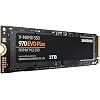
SAMSUNG 970 EVO Plus SSD 2TB NVMe M.2 Internal Solid State Drive w/ V-NAND Technology, Storage and Memory Expansion for Gaming, Graphics w/ Heat Control, Max Speed, MZ-V7S2T0B/AM

  • Based on 60,236 reviews
Condition: Used - Very Good
Checking for the best price...
$299.99 Why this price?
Prime Day Deal · 52% off was $629.99

Buy Now, Pay Later


As low as $50.00 / mo
  • – 6-month term
  • – No impact on credit to apply
  • – Instant approval decision
  • – Secure and straightforward checkout

Ready to go? Add this product to your cart and select a plan during checkout.

Payment plans are offered through our trusted finance partners Klarna, Affirm, Afterpay, Apple Pay, and PayTomorrow. No-credit-needed leasing options through Acima may also be available at checkout.

Learn more about financing & leasing here.

Selected Option

Free shipping on this product

This item is eligible for return within 30 days of receipt

To qualify for a full refund, items must be returned in their original, unused condition. If an item is returned in a used, damaged, or materially different state, you may be granted a partial refund.

To initiate a return, please visit our Returns Center.

View our full returns policy here.


Availability: Only 5 left in stock, order soon!
Fulfilled by New Sun Mart (S/N Recorded)

Arrives Tuesday, Jul 7
Order within 17 hours and 28 minutes
Available payment plans shown during checkout

Protection Plan Protect Your Purchase
Checking for protection plans...

Capacity: 2TB


Style: 970 EVO Plus


Features

  • Always Evolving SSD: The 970 EVO Plus is powered by the latest V-NAND technology and firmware optimization, maximizing the potential of NVMe bandwidth; Comes in storage capacities of up to 2TB, with reliability of up to 1,200 TBW.Computer Platform:PC.Internal Storage : Samsung V-NAND 3-bit MLC. Voltage : 3.3 V 5 % Allowable voltage.Allowable Voltage : 3.3 V 5 % Allowable voltage.
  • Breakthrough Read/Write Speeds: The 970 EVO Plus reaches sequential read/write speeds up to 3,500/3,300 MB/s, up to 53% faster than the 970 EVO
  • Samsung Magician for Data Security: This software provides a suite of user-friendly tools that help you keep your drive up to date, monitor drive health and speed, and even boost performance
  • Superior Heat Dissipation: Samsungs Dynamic Thermal Guard automatically monitors and maintains optimal operating temperatures to minimize performance drops
  • 7 Year Limited Warranty: The 970 EVO Plus provides up to 1200 TBW (Terabytes Written) with 5-years of protection for exceptional endurance powered by the latest V-NAND technology and Samsung's reputation for quality

Description

For intensive workloads on PCs and workstations, the Samsung 970 EVO Plus delivers ultimate performance powered by Samsung's NVMe SSD leadership. It is upgraded to be faster than the 970 EVO. It maximizes the potential of NVMe bandwidth for unbeatable computing that meets the needs of the most demanding tech enthusiasts and professionals. For performance that puts you in command, the 970 EVO Plus combines the next-gen PCIe Gen 3.0 x4 NVMe interface with the latest V-NAND technology to achieve fearless read/write speeds up to 3,500/3,300MB/s, up to 53% faster than the 970 EVO. Samsung’s advanced nickel-coated controller and heat spreader on the 970 EVO Plus Solid State Drive enable superior heat dissipation. The Dynamic Thermal Guard automatically monitors and maintains optimal operating temperatures to minimize performance drops. Advanced drive management made simple, Samsung Magician software will help you keep an eye on your drive. A suite of user- friendly tools helps keep your drive up to date, monitor drive health and speed, and even boost performance. Up to 53% performance increase for sequential write speed for 250GB version. Performance may vary depending on SSD’s firmware version and system hardware & configuration

Specs & Other Info

Specification Details
Storage Capacity 2 terabytes (TB)
Type of Storage Solid State Drive
Interface NVMe (Non-Volatile Memory Express)
Manufacturer Brand Samsung
Compatibility Backwards Compatible with NVMe interface
Form Factor 2.5 inches
Intended for Use In Desktop Computers
Mount Type Internal Installation
Product Line Samsung 970 EVO Plus Series
Model Number MZ-V7S2T0B/AM
Weight 1.9 ounces
Dimensions 0.87 x 0.9 x 3.15 inches
Memory Size 2 TB
Release Date June 3, 2019

Frequently asked questions

The Samsung 970 EVO Plus SSD 2TB provides top-tier performance with its maximal read and write speeds reaching up to 3,500MB/s and 3,300MB/s respectively.

V-NAND technology in Samsung 970 EVO Plus SSD provides higher memory density, efficiency, and reliability compared to older planar NAND architecture, thus boosting the overall performance and longevity of the SSD.

Yes, with its high capacity, exceptional read and write speeds, and V-NAND technology, the Samsung 970 EVO Plus SSD 2TB is ideal for demanding applications like high-end gaming and graphics rendering.

The Dynamic Thermal Guard technology in the Samsung 970 EVO Plus SSD actively monitors and manages the drive's temperature, preventing overheating and maintaining optimal performance.

Top Amazon Reviews

🚀 Abunda's Overview

This is our summary and key points to consider based on customer reviews.


The Samsung 970 EVO Plus SSD is highly rated by users for its speed, performance, and large storage capacity. It is appreciated for its easy installation and its ability to upgrade and prolong the life of both newer and older machines. Game enthusiasts particularly value its rapid loading times and graphic rendering capabilities, which significantly enhance gaming experiences.

Pros

  • 🚀 Exceptional speed and performance
  • 💾 Large storage capacity (1TB and 2TB options)
  • 🎮 Ideal for gaming due to rapid load times
  • 🔧 Easy installation and compatibility with multiple devices
  • 🔥 Efficient heat control mechanism

Cons

  • 📏 May require additional components (like a heat spreader) depending on the specific motherboard setup
  • 💰 Slightly overkill for less intensive users due to its high performance

Should I Buy It?

Yes, the Samsung 970 EVO Plus SSD appears to be a solid investment. Whether for intensive gaming, graphics work, or merely upgrading an older system, users find its high speed, performance, and large storage capacity to be worth the cost.


  • Excellent SSD Upgrade
Capacity: 2TB Style: 970 EVO Plus
Purchased the Samsung 970 EVO Plus SSD 2TB NVMe M.2 for my mid 2015 MacBook Pro (Excellent computers that many people still use and love). For some time Apple played evil by not permitting SSD upgrade other than from one company, which made prices expensive. I used a Sintech adapted (about $12) for the installation. Installation was very easy. It is quite fast and works very well. I am very happy. Installation/Migration recommendations: First, check out the Apple Support Boot to Recovery Options. There are a few way to reload or migrate files after purchasing the SSD upgrade. 1) Not recommended. Cloning the SD with specific cloning apps. I do not recommend. Too much hassle. 2) Mot recommended. Attempting to use an external USB enclosure for the new SSD and using the migration process through Disk tools (reboot to recovery). You will need to format the SSD, load system, and then start migration. Unfortunately, the disk or enclosure will likely not be recognized. You may very well get frustrated. 3) Best method. Create and use and external USB Boot drive. It will take a bit to load the files on the the USB thumb drive, but it is very worth it. This process will work. Make sure you do a little homework on how to make a boot drive and for migration. Then shut down the computer and install the new adapter with the Samsung SSD "internally." Then restart with the external Boot Drive that you just made, and make you way to Disk tools (pretty clear cut). The drive will now appear. Format the SSD and load system. You can now migrate files using either the Time Machine back-up that you should have made, or place the new SSD in the external enclosure and use the Migration tool. I chose to remove the SSD, place it in my external USB/SSD enclosure, and then use the Migration tool. To do that I restarted in Recover Mode (Not the external boot drive) again made my way to Migration. It took a while to migrate all of the data (over night for 900 GB) but it worked very well. You will need to log in to a few apps. You may also need to take care of any cloud services that will re-sync. DropBox may to a a bit of attention. I did not include all of the steps. Do a bit of homework. It is not that hard. But follow the steps. * Be patient and do the migration right. This SSD is very good and will work. ... show more
Reviewed in the United States on March 21, 2023 by T. Catranis

  • Reliable, fast NVMe storage with a strong track record
Capacity: 2TB Style: 970 EVO Plus
The Samsung 970 EVO Plus is still a very strong NVMe SSD for desktops, laptops, external enclosures, and general storage upgrades. The 2TB capacity gives plenty of room for an operating system, applications, games, project files, or backups, and the performance is a major improvement over SATA SSDs or hard drives. Installation was straightforward in a compatible M.2 NVMe slot. This is a PCIe Gen 3 drive, so newer Gen 4 drives can be faster in benchmarks, but for most real-world use it still feels quick and dependable. Samsung drives also have a good reputation for software support and reliability, which matters for storage. I was very satisfied with this drive and would trust it for a main system or high-use secondary drive. ... show more
Reviewed in the United States on May 23, 2026 by Joshua

  • The Unkillable King of PCIe 3.0
Capacity: 2TB Style: 970 EVO Plus
The Samsung 970 EVO Plus 2TB remains the undisputed champion of the PCIe 3.0 era, striking a near-perfect balance between price, performance, and rock-solid reliability that few modern drives can match. While it technically lags behind the newer, flashier Gen 4 drives like the 980 Pro in raw synthetic benchmarks, you would be hard-pressed to notice the difference in real-world tasks like gaming or booting Windows; it still feels snappy and responsive. Its write speeds are impressive, fueled by a generous SLC cache that handles bursty workloads with ease, though heavy power users moving hundreds of gigabytes at once might notice a slowdown if they exhaust it. The only real chink in its armor is its tendency to run toasty under load, so ensuring you have decent airflow or a motherboard heatsink is a smart move to prevent thermal throttling. Ultimately, if you don't have a Gen 4 compatible motherboard or simply want the most reliable "bang for your buck" storage upgrade without paying the "latest and greatest" tax, this drive is still an outstanding choice. ... show more
Reviewed in the United States on December 14, 2025 by Quang N.

  • 5/5 great SSD at an even greater price point(buy m.2 SSD screw install kit)
Capacity: 500GB Style: 970 EVO Plus
This was my first time upgrading and installing an M.2 drive. It’s an incredible drive for an incredible price. Did about a days worth of research, found 3 or 4 that I liked, and landed on this one. Glad I did. Everyone knows the EVO lineup has always been good and a contender, this one doesn’t disappoint. I went from benchmarking about 300-400mbps r/w speeds to a whopping 3350 read and around 2600 mbps write speeds. Loading screens cut in half or better, 4K textures in games load in insanely fast, it’s incredible. I have read that the 250gb version of this SSD has its write speeds limited by a fairly large amount, however. Samsung magician is a neat little app that does work on a lot of non Samsung drives, and it allows to benchmark and compare your drives. As well as doing a little optimization for them. The drive itself is super easy to install, and most motherboards nowadays don’t require you to mess with any settings in your bios to allow the drive to work. If you find yourself booting up windows after installing the drive and you don’t see it in your drive list, don’t fret. Windows won’t recognize your new spiffy drive until you format it, which can be done easily through searching “partition” in your search bar, click “create and format hard disk partitions”, if you’ve just installed a new drive, the following screen will prompt you about your new drive. Right click the box that has your SSD size and says “unallocated” and choose new simple volume, leave the next screen with max and simple volume the same amount(you shouldn’t have to change anything) then next screen choose a new drive letter, you can choose any that are available, next page file type should be NTFS by default, default allocation size, and check perform quick format. You can change the “new volume” to anything you want, as that will be the name of your new drive. Hit next, finish, and boom your new drive will now show up in your file explorer and you can start installing! If you’re looking for an upgrade from a older SSD, and your motherboard has a slot for an M.2 NVMe drive, this is a no brained. It’s also almost as easy to install as a stick of ram, aside from having to lock in with a screw. Oh, yeah so this product doesn’t come with any screws or standoffs to be able to lock it in. You can buy a basic generic “M.2 SSD screw installation kit” for $5 -$6. Comes with like 4 screws, 4 stand-offs, and a tiny little screw driver made just for this. So please don’t forget to pick one up if you don’t have any, cause it’s a sad feeling when you crack open your case and insert the drive only to realize you gotta wait for another delivery or go drive somewhere to find one. Overall 5/5 stars easy and one of the best investments I can recommend. ... show more
Reviewed in the United States on April 9, 2021 by Joe

  • Blazing Fast Storage Upgrade for Power Users
Capacity: 2TB Style: 970 EVO Plus
Blazing Fast Storage Upgrade for Power Users The Samsung 970 EVO Plus 2TB NVMe SSD is everything I hoped for in a high-end storage upgrade. Installation was straightforward—the M.2 form factor slid right into my motherboard slot, and Samsung’s software recognized it immediately. Once set up, the speed difference compared to my older SATA SSD was night and day. Boot times are nearly instant, large files transfer in seconds, and heavy applications (like Photoshop and Premiere Pro) open without hesitation. Gaming performance has also noticeably improved. Load screens that used to take 30–40 seconds now finish in under 10, and I can alt-tab between a game and background apps without stutter. The drive runs cool even under sustained workloads, thanks to Samsung’s thermal control technology, and I haven’t experienced throttling. At 2TB, the storage capacity feels generous—plenty of room for a large Steam library, work files, and media projects without worrying about constant cleanup. Samsung Magician software adds extra convenience, letting me monitor health, update firmware, and benchmark performance. If there’s one thing to note, it’s that you’ll need an NVMe-capable slot on your motherboard. For anyone still running only SATA, this won’t be compatible. Also, while not the cheapest option, the performance and reliability justify the price in my opinion. Bottom line: The Samsung 970 EVO Plus 2TB delivers blazing NVMe speed, stable thermals, and ample space, making it a fantastic choice for gamers, creators, and anyone wanting to future-proof their system. ... show more
Reviewed in the United States on August 29, 2025 by Everyday Reviews

  • Blazing Fast NVMe Drive – Perfect as Extra Cache
Capacity: 500GB Style: 970 EVO Plus
The Samsung 970 EVO Plus 500GB NVMe SSD (MZ-V7S500B/AM) has been an excellent upgrade for my system. I use it as extra cache with PrimoCache, and the performance difference is night and day. Transferring large files is effortless — I can move 20GB files between drives in under 30 seconds, which is seriously impressive. The drive is powered by V-NAND technology and a solid NVMe interface, which ensures top-tier speed and reliability. Installation was simple, and Samsung’s Magician software makes it easy to monitor drive health and update firmware. Even under heavy workloads, it stays cool and stable. ✅ Pros: Blazing fast NVMe speeds for file transfers and caching Works seamlessly as PrimoCache storage 500GB capacity is perfect for system cache or high-speed storage Backed by Samsung reliability and software support Consistently stable and cool under load ❌ Cons: 500GB fills up quickly if used as a primary storage drive Pricier than SATA SSDs (but the speed is unmatched) 💡 Tips: Perfect for cache acceleration with tools like PrimoCache. Pair it with a larger HDD to balance capacity and speed. Update firmware via Samsung Magician for best performance. Make sure your motherboard supports NVMe M.2 before buying. Bottom Line: The Samsung 970 EVO Plus 500GB is a lightning-fast, reliable NVMe SSD that excels as a caching drive or high-speed storage solution. For anyone working with large files, gaming, or boosting system responsiveness, this drive is a rock-solid investment. ... show more
Reviewed in the United States on September 6, 2025 by Kenny Campbell

  • The best storage on the market!! The best storage on the market!!
Capacity: 500GB Style: 970 EVO Plus
Just finished my first PC build and couldn't be happier Build Sheet will also be a review (same review posted on each item for simplicity Case: NZXT H5 Elite The case has a wonderful design that is elegant and sleek the air flow is amazing considering the size. This case comes with X2 140MM RGB DUO NZXT Fans and an RGB Controller, over all 5/5 zero issues. ( This was not purchased on Amazon but as an open box at Best Buy (saved 45 bucks) PSU: Cosair 750w modular Honestly not much to say Cosair makes great products and this fits that bill!! All the wires you could possibly need for a 750w system, definitely has great vaule and looks 5/5 MOBO: GIGABYTE X670E It can be difficult these days to find a white motherboard, but the X670E definitely fits the bill. The board looks great and the built in RGB next to the panel connectors is awesome. This board has 4 NVMe slots Which is great for heavy storage of either games or other files. The GPU Pcie slot is also reinforced to help reduce some of the bigger 40 graphics cards from sagging. Definitely would recommend 5/5 CPU: AMD Ryzen 7700x Overall, a great CPU not really much to say it's a 16 thread 8 core CPU that pairs very well with the 4070 T.I.Super The AM5 design ensures that support for this specific CPU will be around for a while. Some people say the CPU gets hot on under load. I have yet to see any instances of that. 5/5 GPU: Aero OC 4070 Ti Super (16GB) The look and design of this GPU fits my build exactly the way I wanted it to the little R. G. B sign that's on the front of the graphics card. It's a nice touch. This is the OC Addition, which is unlocked from factory to enable overclocking, but with the 16 GB of V.Ram that's on this graphics card with it being the T.I super. overclocking is not required for games Just quite yet, maybe in the future It will but that's what I bought this so I'm semi future proof. 5/5 Ram: T Force RGB DDR5 6000mhz (32GB) Again, sort of like my CPU not really much to say here. The R GB is controllable through the gigabyte control app. Once you set up your p, c, so you could set any custom color and sort of wave pattern that you like. DDR 5 is definitely the way to go nowadays. With the increase speed that you can get on larger sets of Ram. These Ram sticks have a really nice. Metal shell casing on it, which also acts as a heat dissipator which is really great because these chips can get a little hotter at the higher speeds but overall no issues and the RGB looks great 5/5 CPU Cooler: Noctua DH15 Not much to say here.This is the best air cool.Ed around to market the rise in 7700X CPU Runs a little hotter than most other Amd Chipsets but this cooler has zero issues keeping it under control 5/5 Secondary Display: WOWNOVA 5" Computer Display I was entirely impressed with the design look and feel of this 5 inches display .It comes preloaded with presets that you're able to customize to your liking and you can upload your own as well!!. This is a very nice aesthetic touch inside the computer and also allows you to keep track of whatever information you're looking to keep track of as where it comes to the system functions of your pc Storage: Samsung 970 Pro (500GB) (STRICTLY FOR OS) Storage: Samsung 980 Pro (2TB) Game Storage This is pretty self-explanatory and the NVME storage or PC i.e. Gen. 5 storage is some of the best way to store games and run operating systems from .All other storage forms are a thing that have passed.This is going to get you the max performance when it comes to storing or running your OS 2TB bought at best buy Fans that came with case: X2 140MM NZXT DUO RGB X1 120MM NZXT Toliet Fan These fans came with the NZXt H5 elite.I've had 0 issues with them.Their great fans That NZXT makes a great product to keep positive airflow Fans Purchased : X4 120 MM NZXT DUO RGB I purchased all 4 of these on Amazon as open boxes as these specific fans are not in stock with NZXT currently, the open box was in very good shape and the fans have been functioning with 0 issues very impressed with the open box item I received this time. The RGB on these fans are absolutely amazing. One thing I will note though is NZXTs RGB controllers only control 3 fans per controller. So for every 3 fans that you have in your case, you will need an additional controller. TOTAL COST $2348 Bench Marks MW3 Max settings Consistent 160 to 180 FPS @1440P SPIDER MAN REMASTERED/ God Of War Ultra/Max Settings Consistent 130 FPS@1440p ... show more
Reviewed in the United States on April 6, 2024 Reviewed in the United States on April 6, 2024 by Matt The Man

  • M.2 NVMe Storage is phenomenal...
Capacity: 1TB Style: 970 EVO Plus
First, I am kicking myself for buying a motherboard in 2016 that supported NVMe storage and NOT buying one. I got an SSD storage device instead. After reading this, you will KNOW you need to get and use NVMe. Here is a brief non-technical description of the 3 storage devices out there with there evolution. This is generalized to give you an idea of the technology involved. It is by no means intended to cover all things. I'm also keeping it basic. BRIEF AND SIMPLE EXPLANATION 1). The first is the spinning disk drive we've all used for decades. It stores information on a metallic platter that spins with an arm that reads said information off the surface of the spinning disk. Effective in its day and was the commonly used storage device of time. It's slow... though, for its day, it did the job. 2). The second is the SSD. It stands for Solid State Drive and, basically, the moving parts of the old spinning disk drive were replaced with circuitry that 'emulated' the spinning disk drive. Why? This allowed an SSD to be put into motherboards without completely redoing the architecture. SSDs continued to use the AHCI standard (not all of them) which has been around and evolving for awhile. Basically, without the moving parts, and by using persistent, rewritable memory, the speeds of 'diskless' storage improved dramatically. It is quite fast. 3). The new technology is NVMe and it requires a certain type of motherboard (or a riser card using one of your PCI slots) in order to even install (see note below). Simply put, the architecture of the new motherboards support the M.2 standard for INSANELY FASTER 'drive' speeds. The new storage is inserted into a special slot that has INSANE bandwidth (remember, I'm keeping this simple) and uses the INSANELY fast M.2 NVMe memory. HOW FAST? I replaced my SSD that I used with this NVMe storage and went from 30 second boot times to 10 seconds. You might say that's not terribly fast, but I'm talking about the moment I press the power button on my desktop computer to the moment I get the Windows 10 log in screen. Most of that time is the BIOS power up process which I cannot speed up, period. So, roughly 5 seconds to boot from 25 seconds previously. Also, EVERYTHING loads and saves faster. This is the most advancement in performance I've ever experienced since the first computer I got that used an 8086 CPU. NOTE: If you don't have a motherboard that natively supports NVMe, you might be tempted to get an adapter card that will use one of the slots on your PCI motherboard. You would install the NVMe chip into the adapter card and then install that to motherboard slot. I can't speak for how much that will improve your storage performance, but it certainly can't compare to using the new M.2 technology on a MB with the right architecture. THIS TECH IS INSANELY FAST AND WELL WORTH THE PRICE. 1TB is cheap! I'm going to get a second one and try them in RAID 0 or 10 format. No idea if it will work or if it will be better. GET THIS TECHNOLOGY! :) ... show more
Reviewed in the United States on November 9, 2020 by Nick Braker

Can't find a product?

Find it on Amazon first, then paste the link below.
Checking for best price...