Search  for anything...

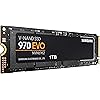
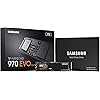
SAMSUNG 970 EVO SSD 1TB - M.2 NVMe Interface Internal Solid State Drive + 2mo Adobe CC Photography with V-NAND Technology (MZ-V7E1T0BW), Black/Red

  • Based on 37,515 reviews
Condition: New
Checking for the best price...
$339.90 Why this price?

Buy Now, Pay Later


As low as / mo
  • – Up to 36-month term if approved
  • – No impact on credit to apply
  • – Instant approval decision
  • – Secure and straightforward checkout

Ready to go? Add this product to your cart and select a plan during checkout.

Payment plans are offered through our trusted finance partners Klarna, Affirm, Afterpay, Apple Pay, and PayTomorrow. No-credit-needed leasing options through Acima may also be available at checkout.

Learn more about financing & leasing here.

Selected Option

Free shipping on this product

30-day refund/replacement

To qualify for a full refund, items must be returned in their original, unused condition. If an item is returned in a used, damaged, or materially different state, you may be granted a partial refund.

To initiate a return, please visit our Returns Center.

View our full returns policy here.


Availability: In Stock.
Fulfilled by Nationwide Tech Biz

Arrives May 16 – May 22
Order within 10 hours and 1 minute
Available payment plans shown during checkout

Protection Plan Protect Your Purchase
Checking for protection plans...

Capacity: 1 TB


Features

  • ADOBE MEMBERSHIP: Get a two-month membership of Adobe Creative Cloud Photography plan on us when you purchase and register an eligible 1TB or 2TB Samsung SSD*
  • INNOVATIVE V NAND TECHNOLOGY: Powered by Samsung V NAND Technology, the 970 EVO SSDs NVMe interface (PCIe M.2 2280) offers enhanced bandwidth, low latency, and power efficiency ideal for tech enthusiasts, high end gamers, and 4K & 3D content designers
  • BREAKTHROUGH READ WRITE SPEEDS: Sequential read and write performance levels of up to 3,500MB/s and 2,500MB/s, respectively; Random Read (4KB, QD32): Up to 500,000 IOPS Random Read
  • PERFORMANCE OPTIMIZATION AND DATA SECURITY: Seamless cloning and file transfers with Samsung Magician Software, the ideal SSD management solution for performance optimization and data security with automatic firmware updates
  • SUPERIOR HEAT DISSIPATION: Samsungs Dynamic Thermal Guard automatically monitors and maintains optimal operating temperatures to minimize performance drops. Secure Encryption
  • 5-YEAR LIMITED WARRANTY: 5-year limited warranty or 600 TBW (Terabytes Written)

Description

The Samsung 970 EVO SSD continues to lead industry standards with V-NAND technology for reliable and superior performance. The SSD that goes further, the 970 EVO accelerates into next-gen computing by transforming high-end gaming and streamlining graphic-intensive workflows with the new Phoenix controller and Intelligent TurboWrite technology. Get stunning sequential read/write speeds of 3,500/2,500MB/s (up to 32% faster writes than the previous generation). With breakthrough speeds, best in class reliability, and a broad range of capacity options up to 2TB, this Solid State Drive enhances high-end gaming and 4K & 3D graphic editing.

Digital Storage Capacity: 1 TB


Hard Disk Interface: NVMe


Connectivity Technology: NVMe


Brand: Samsung


Special Feature: Alcohol-Free


Hard Disk Form Factor: 3.5 Inches


Hard Disk Description: Solid State Hard Drive


Compatible Devices: This drive is compatible with servers and arrays that accept M.2 2280 PCIe drives


Installation Type: Internal Hard Drive


Color: Black/Red


Digital Storage Capacity: 1 TB


Hard Disk Interface: NVMe


Connectivity Technology: NVMe


Additional Features: Alcohol-Free


Hard Disk Form Factor: 3.5 Inches


Compatible Devices: This drive is compatible with servers and arrays that accept M.2 2280 PCIe drives


Hard Disk Rotational Speed: 3500


Specific Uses For Product: personal, gaming, business


Read Speed: 3400 Megabytes Per Second


Media Speed: 2500 megabits_per_second


Cache Memory Installed Size: 1


Data Transfer Rate: 550 Megabits Per Second


Form Factor: M.2


Hardware Connectivity: Solid State Drive


Hard-Drive Size: 1 TB


Item Weight: 1.92 ounces


Item Dimensions L x W x Thickness: 3.15"L x 0.87"W x 0.09"Th


Number of Items: 1


Unit Count: 2.2 Pounds


Brand: Samsung


Model Number: MZ-V7E1T0BW


Hard Disk Description: Solid State Hard Drive


Built-In Media: Instruction Manual, Solid State Drive


Model Name: 970 EVO


Manufacturer: Samsung Electronics DAV


Global Trade Identification Number: 98


UPC: 887276261898


Mfr Part Number: MZ-V7E1T0BW


Item Type Name: Samsung 970 EVO Series - 1TB PCIe NVMe - M.2 Internal SSD (MZ-V7E1T0BW)


Warranty Description: 5-Year Limited Warranty


Installation Type: Internal Hard Drive


Color: Black/Red


Enclosure Material: Nand


Frequently asked questions

If you place your order now, the estimated arrival date for this product is: May 16 – May 22

Yes, absolutely! You may return this product for a full refund within 30 days of receiving it.

To initiate a return, please visit our Returns Center.

View our full returns policy here.

  • Klarna Financing
  • Affirm Pay in 4
  • Affirm Financing
  • Afterpay Financing
  • PayTomorrow Financing
  • Financing through Apple Pay
Leasing options through Acima may also be available during checkout.

Learn more about financing & leasing here.
Top Amazon Reviews


  • Great! Fast!
Capacity: 1 TB
Figured I'd write a review to maybe help someone. I bought two 1Tb versions of these, had some buyer's remorse, and was really worried about compatibility. The whole 2 lane PCIE 3.0 vs. 4 lane PCIE 3.0 had me spooked in terms of system stability and performance/cost. My first system, a Dell Optiplex 5070, I am so happy to report, is lightning fast with this SDD. The 3060 and 5060's have been reported to have only 2 lane support and Dell's documentation is useless - but user complaints of less than optimal performance on NVME M.2 SDD's are everywhere. Well, Dell must've updated that system because CrystalDiskMark shows the 3,000 MB/s+ of a four lane system. I used the Samsung Data Migration tool to image the OS from Dell included 500GB 7200RPM have drive no problem. But I also have a Dell 7480 (i5) laptop. I just bought it new- the price was good and I needed a compact laptop to carry around. There was no question it is 2 Lane - being older, I didn't even have to guess. So the quandary was, would the Samsung 970 EVO be backward compatible, stable, and the speed worth the additional $70 over a Crucial SATA SDD? The system came with a 128GB SATA M.2 SSD. First of all, transferring the image was pretty hard - and I'm very familiar with imaging hard drives. Many Dell laptops will not see this SSD until the BIOS settings are changed from RAID to AHCI. This is first and foremost otherwise this SDD won't be seen. I've seen this reported with many motherboards. Second, I have a USB to M.2 NVME and a USB to M.2 SATA adapter. (There's only one SSD slot in the laptop so no choice...) Even with the Samsung installed directly in the laptop, the SSD firmware updated, and the Samsung SSD driver installed, Samsung Data Migration will not recognize this drive. I suspect it's the 2-lane thing. And it definitely will not see it in the USB adapter because it see's the adapter controller, not the SSD's. In a nutshell, I resorted to mounting both SDD's in those USB adapters, and plugging them in my Optiplex (another computer), one then the other. I first took and image or the original Dell SATA using Macrium Reflect. Then I plugged in the Samsung and restored the image. This takes some knowledge of Macrium (and a little math) to resize the C: (OS) partition to the new drive. Using a separate computer is the only way I could get this to work. But it worked perfectly. And I transferred all partitions no problem, expanding C: at the same time. As far as it being worth it, I'm getting 1,500 MB/s on the laptop 2 lane. This is still 3X the speed of an M.2 SATA SSD. So Yes! In a nutshell, don't count on the Samsung Data Migration tool. Do load the Samsung SSD driver from their website and install it. Do look in your BIOS to change RAID to AHCI if the computer doesn't see the new SSD in the NVME slot. Macrium Reflect is free and works most of the time. And it is compatible with 2 Lane PCIE 3.0 - if you see 1,500 MB/s Read speeds, that's why. ... show more
Reviewed in the United States on August 7, 2019 by Ted J. Wheeler

  • Nice Improvement
Capacity: 500 GB
The drive works very well and is much faster than the hard disk I was using. Everything about my system seems faster since installing this drive. I've heard you should keep 25 percent of an SSD/NVME drive empty for best performance and lifespan so keep that in mind when determining what capacity drive you want. It is not designed to have a heat sink installed. Some info for people who have no experience with NVME type drive setup/install in place of your C drive aka windows 10 boot disk. 1. this drive does not come with the screw to hold it in place. It is a very tiny screw and they can be different for every brand of computer so make sure you find a screw to fit that NVME standoff on your motherboard. My HP Pavilion is 3 years old and has no screw in the hole so I got one from a friend with an extra on his board. If you don't have one you may have to order an NVME screw kit. 2. There are 3 or 4 different downloads you need to do from the Samsung website. A. Samsung Magician app - info and diagnostics for the new drive and very basic info on all drives in system. B. Samsung Data Migration app - use to clone your C drive (Windows 10 boot drive) so you can boot off the new SSD drive. You most likely want this because it will greatly speed up most everything you do. The cloning is simple but do not do it until you have installed the latest firmware and replace the windows 10 default NVME driver with the Samsung one. C. firmware update that would be installed to the new drive - my EVO 970 had the latest firmware and did not need this. D. Windows Driver - you need this and Samsung wants you to install it before doing any operations on the drive. So you would 1. make sure you have the screw to hold the NVME drive in place. 2. physically install the drive 3. start up your computer and press X and Windows key and select Disk Management. You should see the new drive as unallocated space - initialize it as GPT (not MBR). You can format as NTFS also if you want - I did but I think the clone software might do all that anyway. Now install the Samsung driver, magician and data migration apps and also update your drive's firmware if needed. Restart and go into the Magician software and to the second window - I think its drive properties or similar and it should list the Samsung NVME driver is in use - good to verify. Next go into the data migration and clone your old hard disk onto the new drive - how long it takes depends on how much space you have used. Mine took about half an hour or so for about 200 GB. Once that is done then you want to shut down, go into your computer and physically unplug the data cable from you old hard disk. Turn the computer on and go into the bios setup and ensure the boot order shows you new NVME as number one. Now your PC should load windows from the new M.2 NVME drive. Note: Because one is a clone, now your new drive and old one have the same ID. Not good. If both drives are plugged in it will boot from the old hdd regardless of bios settings. Fix this by: 1. Shut down and connect the data cable back to your old HDD. Boot up - it will boot from hdd, not m.2. Use X + windows key to run command prompt as administrator. type: diskpart then type: list disk - identify your new drives number and type: select (space) the drive number then type: online then type: uniqueid then type: exit. Reboot, go into bios, disable boot security and enable legacy boot. Make sure the M.2 is the first in the boot order. That should be all you need to do to keep your old drive and boot from the new one. You can delete everything off your old hard disk if you want but you don't have to - you can leave it as a bootable windows disk. That's what I did. For anyone with an HP Pavilion 570-P0x0 from 2017 or later with Lubin motherboard I can tell you that this drive will work for you. Also, I did not have to update my computer bios for this to work. BTW - this drive is about 20 times faster than the drive it replaced. Apps now pop onto the screen almost instantly, even web pages seem to load a lot faster. ... show more
Reviewed in the United States on November 8, 2020 by Tacaño Anciano

Can't find a product?

Find it on Amazon first, then paste the link below.
Checking for best price...