Search  for anything...
HP

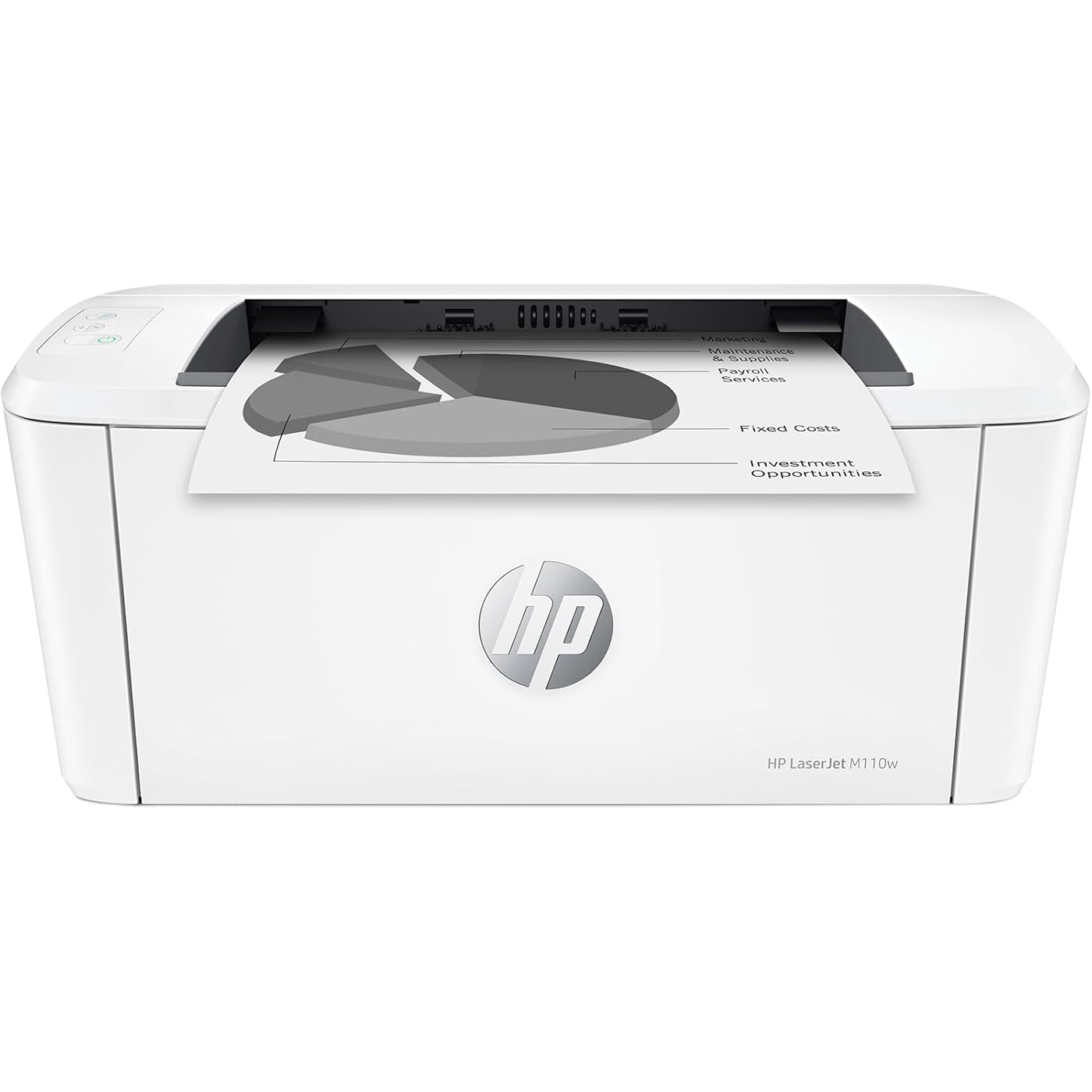
HP LaserJet M110w Wireless Black & White Printer, Print, Fast speeds, Easy Setup, Mobile Printing, Best-for-Small Teams
  • Based on 2,027 reviews
Condition: New
Checking for the best price...
$169.00 Why this price?
Save $0.99 was $169.99

Buy Now, Pay Later


As low as $28.17 / mo
  • – 6-month term
  • – No impact on credit to apply
  • – Instant approval decision
  • – Secure and straightforward checkout

Ready to go? Add this product to your cart and select a plan during checkout.

Payment plans are offered through our trusted finance partners Klarna, Affirm, Afterpay, Zip, Apple Pay, and Google Pay. No-credit-needed leasing options through Acima may also be available at checkout.

Learn more about financing & leasing here.

Selected Option

Free shipping on this product

This item is eligible for return within 30 days of receipt

To qualify for a full refund, items must be returned in their original, unused condition. If an item is returned in a used, damaged, or materially different state, you may be granted a partial refund.

To initiate a return, please visit our Returns Center.

View our full returns policy here.


Availability: Only 5 left in stock, order soon!
Fulfilled by Electronic Express

Arrives Tuesday, Jul 28
Order within 11 hours and 7 minutes
Available payment plans shown during checkout

Protection Plan Protect Your Purchase
Checking for protection plans...

Style: HP LaserJet M110w Wireless


Features

  • FROM AMERICA'S MOST TRUSTED PRINTER BRAND – Perfect for small teams printing professional-quality black & white documents and reports. Perfect for 1-3 people
  • WORLD'S SMALLEST LASER IN ITS CLASS – Precision laser printing that fits anywhere
  • FAST PRINT SPEEDS – Up to 21 black-and-white pages per minute single-sided
  • WIRELESS WITH SELF-RESET – Helps you stay connected
  • PRINT FROM ANY DEVICE – Wireless printing from any mobile device, PC or tablet. Works with Microsoft, Mac, AirPrint, Android, Chromebook and more
  • HP SMART APP – Eliminate steps in repetitive tasks, scan to the cloud and print or copy from your smartphone using HP Smart app
  • This printer is intended to work only with cartridges with original HP chips or circuitry and will block cartridges using non-HP chips or circuitry. Periodic firmware updates will maintain the effectiveness of these measures.

Description

The world's smallest laser printer in its class, the HP LaserJet M110w is perfect for printing black & white forms and documents. It offers high-speed printing, seamless setup and reliable connectivity.

Printer Type: Laser


Other Special Features of the Product: Auto Power On, Energy Star


Printer Output Type: Black & White


Item Weight: 9.02 Pounds


Item Dimensions D x W x H: 745"D x 13.63"W x 6.26"H


Controller Type: Amazon Alexa, Android


Print media: Card stock, Envelopes, Labels, Paper (plain)


Scanner Type: Flatbed


Maximum Copy Speed Black and White: 21 ppm


Compatible Devices: Laptops, PC, Smartphones, Tablets


Warranty Type: limited warranty


Ink Color: Black


Additional Printer Functions: Scan


Control Method: App, Touch


Compatible Cartridge: HP Pre-installed black LaserJet


Number of Trays: 1


Number of Drivers: 1


Resolution: 600 x 600


Maximum Media Size: 8.5 x 14 inch


Maximum Sheet Capacity: 150


Paper Size: 4.13 x 5.83 to 8.5 x 14 Inches


Printer Connectivity Type: USB, Wireless


Hardware Interface: USB


Total Usb Ports: 1


Dual-sided printing: No


Duplex: Automatic


Brand: HP


Model Name: LaserJet M110W


Model Number: 7MD66F#BGJ


Built-In Media: HP LaserJet M110w Printer; Preinstalled HP Original Introductory Black LaserJet Toner Cartridge; Getting Started Guide; Setup Poster; Support flyer; Warranty guide; Power cord


Model Series: 110


Specific Uses For Product: Office, Small Teams


UPC: 194850676994


Manufacturer: HP Inc.


Warranty Description: One-year limited hardware warranty.


Item Type Name: Black and White Laser Printer


Unit Count: 1.0 Count


Best Sellers Rank: #1,810 in Office Products (See Top 100 in Office Products) #5 in Laser Computer Printers


ASIN: B09J7946RJ


Customer Reviews: 4.1 4.1 out of 5 stars (2,027) 4.1 out of 5 stars


B&W Pages per Minute: 21 ppm


Initial Page Print Time: 8.3 Seconds


Color: White


Color Depth: 1 bits_per_pixel


Maximum print Resolution Color: 600 x 600


Maximum Print Resolution Black and White: 600 x 600 Dots Per Inch


Power Consumption: 2.3 Watts


Wattage: 2.3 watts


Maximum Copy Resolution Black and White: 600 x 600 dpi


Frequently asked questions

If you place your order now, the estimated arrival date for this product is: Tuesday, Jul 28

Yes, absolutely! You may return this product for a full refund within 30 days of receiving it.

To initiate a return, please visit our Returns Center.

View our full returns policy here.

  • Klarna Financing
  • Affirm Pay in 4
  • Affirm Financing
  • Afterpay Financing
  • Zip Pay in 4
  • Financing through Apple Pay
  • Financing through Google Pay
Leasing options through Acima may also be available during checkout.

Learn more about financing & leasing here.

Top Amazon Reviews


  • B/W is quite alright for me
Very compact. Easy to use - not a bunch of confusing settings etc. I’ve replaced a fairly new yet dinosaur sized printer and sooo glad I found this one. Truly the simplest printer I’ve owned - can send from my phone easily and quickly and can’t be happier. That’s it.
Reviewed in the United States on June 1, 2026 by Limeywife

  • Quality brand Quality brand
Love this printer. We run a small business, so need to have a decent printer for printing up our bids & invoices. We’ve had now a couple months & no issues so far. No jamming, easy to use. Was easy to set up. Ink lasts awhile. Seems like it will ne reliable. Nice small compact size, is perfect for our small office area! Paper is so easy to load on this one, i love that you don’t have to pull a tray out like most of the others. Go for it. I don’t think you’ll be disappointed:) ... show more
Reviewed in the United States on May 31, 2026 Reviewed in the United States on May 31, 2026 by L. Jackson

  • Worse junk than the last one
I bought this HP printer to replace a previous printer that would no longer connect wirelessly, stopped scanning, and got erratic about feeding paper. The one prior to that had also gotten to the point it was erratic about feeding paper but it was about 9 years old so no serious complaint about that one. Since I also bought a color printer which scanned, I bought this basic printer. It will not connect wirelessly and it locks up print jobs. If I wait 10 minutes it will start the print job about half the time. The rest of the time I have to go in and try to pause, restart or cancel the job and usually shut off the print spooler. That works about half the time. The rest of the time I have to shut down the printer and the laptop and restart everything in order to clear the print job. And yes, I know how to set up a printer wirelessly - I've done it several times. Frankly I have been quite disappointed in HP products of late. I won't buy another and when I use up the print cartridges I have I will probably just junk this one and buy a competitor product. One star is too high a rating for this product. Edit to add that it not only was refusing to print again without a 20 minute fight, my other printer (HP8010) decided that it could no longer connect which took about a 1/2 hour of fooling with to rectify but then decided it wasn't going to allow the document feeder to work which I just gave up on. Definitely no more HP printers. Edit to add I just junked this one. The other HP printer decided it doesn't want to do a good job either. If this Epson I just bought only works half right it will HP beat all to hell. ... show more
Reviewed in the United States on March 5, 2025 by Tom

  • Works great with Macs, iPads, iPhone, etc. Install using AirPrint, no drivers needed.
This is a great little B/W printer. Super fast, small footprint, great printouts. No fancy extras, but good at what it does.
Reviewed in the United States on June 18, 2026 by Box4Studio

  • Great for an Occasional User!
I waited to try out my printer first to see how well it functions. Well, I'm here to tell you that all printers are not Wi-Fi friendly. And neither is this one. I did experience a paper jam and was able to fix it. I also bought an extra long USB cord to connect my printer, since I have poor WIFI connection anyways. The print color is not dark in color or with black and only, but It gets the job done. I'm an occasional user for important documents. The buttons are small and hard to see or read. Set up is easy and appears to be working fine. I would use it a lot more, but would rather save on ink. ... show more
Reviewed in the United States on May 21, 2026 by GLORIA S

  • If you're on the fence, buy it!
Small, compact and prints super fast. The quality of the prints is excellent! I was hesitant because it doesn't have a scanner but the HP software has a phone app to use your phone as the scanner and it works really well. Bring monochrome is fine, too, because I didn't print in color and grayscale images are fine. I bought this because I seldomly print and was tired of having to buy ink cartridges each time I went to print. This has solved that perfectly and at a great price point. I always read the reviews prior to a purchase and all of the negative ones for this are unfounded. I had this setup in literally 5 minutes. There are no issues with Wi-Fi printing. If there are, it's with the Wi-Fi, not this printer. I highly recommend this printer! ... show more
Reviewed in the United States on February 2, 2026 by MTuersley

  • Looks and works great - and very small! Looks and works great - and very small!
I just got this printer and am thrilled with how small it is, what it looks like, and how great it works! I originally had another laser printer that broke (another brand) that had more fax and scanning, but I really don’t need those functions anymore. This printer weighs 9 lbs, compared to my old one which weighed 25! I always buy laser printers, because I don’t print too often and sometimes the ink dries up. I was going to put the printer in a closet, but I don’t think it looks too bad in my kitchen - a plus because it’s very convenient. I am so glad I bought this - you can see in the pics how nice it looks and how small - can’t beat it for the size and price! ... show more
Reviewed in the United States on June 10, 2026 Reviewed in the United States on June 10, 2026 by Caryn T

  • Anti consumer sentiment at HP is so unfortunate
My 28 year old HP LaserJet 5L hit end of life (well, actually the cartridges did). During my research I saw lots of misinformation and negative, emotional rhetoric about HP. Some was true, some wasn't... This is one small printer--smaller than my old one. And it's a lot faster. Now for the bad stuff... You can tell it's made a lot cheaper than the 5L. I think I spent ~ $600 back in the mid 90s for the 5L. What's that in todays dollars--a grand? I quickly noticed HP had two very similar model numbers for some printers: ones with an 'e' at the end and ones without it. A "no e" printer costs more. In fact this printer is about 50% more than it's 'e' counterpart. HP's website was very unclear about this. So unclear, flags went up. After many hours of digging into this, I wanted to pay more for the "non e". Why? Because it comes without all the "crap": HP+, mandatory HP Smart, mandatory HP account, (I think) mandatory internet connection, mandatory HP ink subscription. And data mining. One website (PC Week?) had a nice article clearing things up. Again, HP, not so much. HP tries to market all the above stuff as Value Added, but then why does it cost more to NOT get it? It's more like Annoyance Added. I read about the alleged lawsuit(s). What a toxic atmosphere. In the end, I was very close to skipping HP altogether and getting a Brother, but I invested so much time separating fact from fiction--I just couldn't abandon all that effort. Plus, I couldn't ignore the fact my printer lasted so long! Next time though, if I see any of the deceptive practices I saw this time, I will skip HP. No USB cable. You'll need a male USB A to male USB B cable. I don't do wireless. It can be problematic and frankly, I don't need a electromagnetic radiator that close to me. Unfortunately, it always powers up with it on and I have to manually turn it off every time. A pain. NOTE: the install guide says to "...install the required HP Smart software". ('required' is in bold). This is NOT true! Windows already has a driver (I'm running Win 10, 64 bit). Just plug in the USB cable and you're good to go. Why be deceptive, HP? Somehow, Windows installed HP Smart. I uninstalled it. It's part of their online/cloud "experience". I'm concerned it's also part of tracking what you're printing and datamining you. To be fair, I'm going to share some facts about two HP LaserJet printers I looked at. They directly conflicts much of the misinformation out there. I don't know if the misinformation was caused by the bad consumer sentiment towards HP, or perhaps some of the bad stuff had been true and got changed recently. First, you CAN buy aftermarket cartridges. Some have chips, some don't, so be careful. And (I think) some require you to remove the chip from your current cartridge (not a simple task & you can buy a tool to help) and glue it on the aftermarket. Aftermarket is important. While I always buy OEM, the aftermarket acts as a check & balance. Without it, HP could simply decide "You've had that printer for three years. Time to make you buy another one". Then they stop making the cartridges. It also helps keep the prices in check--especially once HP stops making the cartridges. You CAN disable the (anti aftermarket cartridge) chip requirement (it's in the firmware settings of the printer--you need to connect over the Ethernet or (I think) with a special tool that can do it over USB. I was going to buy a different (HP) model. It was on sale and priced close to this one. It had duplex printing and looked like a more robust printer. But, it had auto firmware updates. Firmware updates are important for them to keep the cartridge's chip working/from being hacked. My guess is they include blacklisted encryption keys and updated keys, like how the Blu Ray players work. Anyways, there was a setting for this so it could be disabled, but frankly, I was sooo tired of vetting all the crap with HP printers, I got this one--firmware update is a manual process. Hurray. It's a shame that a simple printer purchase turned into such a trying experience that monopolized many hours of my time. I'm glad it's over. ... show more
Reviewed in the United States on November 21, 2023 by Jim

Can't find a product?

Find it on Amazon first, then paste the link below.
Checking for best price...