Search  for anything...

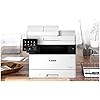
Canon imageCLASS MF452dw All-in-One Wireless Monochrome Laser Printer |Print, Copy, Scan and Fax|5" inch Color Touch LCD with One Pass Duplex Scan

  • Based on 86 reviews
Condition: New
Checking for the best price...
$587.53 Why this price?

Buy Now, Pay Later


As low as / mo
  • – Up to 36-month term if approved
  • – No impact on credit
  • – Instant approval decision
  • – Secure and straightforward checkout

Ready to go? Add this product to your cart and select a plan during checkout.

Payment plans are offered through our trusted finance partners Klarna, Affirm, Afterpay, Apple Pay, and PayTomorrow. No-credit-needed leasing options through Acima may also be available at checkout.

Learn more about financing & leasing here.

Selected Option

Free shipping on this product

30-day refund/replacement

To qualify for a full refund, items must be returned in their original, unused condition. If an item is returned in a used, damaged, or materially different state, you may be granted a partial refund.

To initiate a return, please visit our Returns Center.

View our full returns policy here.


Availability: Only 1 left in stock, order soon!
Fulfilled by Bella Notte Electronics (We Record S/N)

Arrives Tuesday, Mar 17
Order within 7 hours and 34 minutes
Available payment plans shown during checkout

Protection Plan Protect Your Purchase
Checking for protection plans...

Style: Desktop


Features

  • One Pass Duplex Scan allows you to obtain a 2-sided scan with one pass through the automatic document feeder
  • Print up to 34 pages-per-minute with a first print out of time of less than 6 seconds (letter)
  • WiFi Direct Connection enables easy connection to mobile devices without a router
  • Print on-the-go with Canon PRINT Business, Apple AirPrint and Mopria Print Service
  • High capacity toner option keeps up with your printing needs and limits toner replacement interruptions

Description

The imageCLASS MF452dw is designed for small office environments where black- and-white all-in-one capability is needed, and productivity, ease of use and large toner and paper capacity are priorities. This model has expandable paper capacity of up to 900 sheets and is backed by Canon's Service and Support network.

Brand: Canon


Connectivity Technology: Ethernet, USB, Wi-Fi


Printing Technology: Laser


Special Feature: Auto Document Feeder, Display Screen, Double Sided Scanning, Network-Ready, Touch Screen


Color: White


Model Name: imageCLASS MF452dw


Printer Output: Monochrome


Max Printspeed Monochrome: 34


Item Weight: 35.7 Pounds


Product Dimensions: 17.8"D x 18.3"W x 15.4"H


Controller Type: Android


Maximum Media Size: 8.5 x 14 inch


Included Components: MF452dw Product, Cartridge 057 Black Standard, Approx. 3,100 Page Yield, Power Cord, User Software DVD-ROM, Starter Guide, Warranty Card


Print media: Card stock, Envelopes, Glossy photo paper, High-resolution paper, Paper (plain)


Scanner Type: Sheetfed


Max Input Sheet Capacity: 250


Compatible Devices: Smartphones


Sheet Size: 4.1 x 5.8, 8.5 x 14, 3 x 5 Inches


Maximum Black and White Print Resolution: 600 x 600 Dots Per Inch


Warranty Type: Limited Warranty


Dual-sided printing: Yes


Maximum copies per run: 250


Wattage: 1 watts


Max copy resolution black-white: 600 x 600 dpi


Duplex: Automatic


Hardware Interface: Ethernet, USB


Ink Color: Black


Additional Printer functions: All In One


Control Method: Touch


Number of Trays: 2


Processor Count: 1


Number of USB 2 Ports: 1


Total USB Ports: 1


Model Series: imageCLASS


Specific Uses For Product: Office


UPC: 013803352320


Printer Ink Type: toner


Supported Media Sizes: 3 x 5 inches, Half Letter (5.5 x 8.5 inches), Legal (8.5 x 14 inches)


Memory Storage Capacity: 1 GB


Product Dimensions: 18.3 x 17.8 x 15.4 inches


Item Weight: 35.7 pounds


Item model number: 5161C012


Date First Available: April 26, 2022


Manufacturer: Canon


Frequently asked questions

If you place your order now, the estimated arrival date for this product is: Tuesday, Mar 17

Yes, absolutely! You may return this product for a full refund within 30 days of receiving it.

To initiate a return, please visit our Returns Center.

View our full returns policy here.

  • Klarna Financing
  • Affirm Pay in 4
  • Affirm Financing
  • Afterpay Financing
  • PayTomorrow Financing
  • Financing through Apple Pay
Leasing options through Acima may also be available during checkout.

Learn more about financing & leasing here.

Top Amazon Reviews


  • Nice Printer.
I was surprised that the printer did not print in color. My oversight. Ink cartages are differently made and you have to buy separately if you print a lot. The original cartage, that comes with printer, prints up to 3000 words before refill. A lot of MUST reading before ready for action, so beware.
Reviewed in the United States on June 2, 2023 by Amazon Customer

  • Product Assembly
While functionally no issues thus far, There maybe some mechanical issues down the road. The Printer Functions Navigation panel is mounted on the printer slightly crooked, as if it is overtightened on the plastic Printer housing/case on one side! With no noticed functional issues, while not returning, I hope there is no premature failure and the panel does not break off sooner! ... show more
Reviewed in the United States on January 16, 2023 by BP

  • Great home/Small office all in one
Wife had to start working from home which required some scanning and printing. This thing was super easy to set up. My wife loves it and honesty the price for what you get is wonderful. It's very confusing because there is a bunch in this series of printers 45xxxx if you go to cannon site they are all the same except some have the fax function and some print at 40ppm and some like this is 34ppm the extra money to me wasn't worth it because I was not looking for speed. Had a few issues setting up scan to email from machine which is something my wife and I both use for work. Found lots of videos but not on this specific printer and software that's on this. Most videos tell you to change the port on the printer itself but for me I had to change it in software on PC. ... show more
Reviewed in the United States on December 14, 2022 by Bravo36niner

  • Multi copier
Versatile and works well
Reviewed in the United States on April 14, 2024 by Linda

  • Avoid this printer.
I have had this printer for over a year and it has been a headache. A printer has one job... to Print. This thing, both in a wired LAN situation and wirelessly does not print consistently. In fact it just printed out some tax forms I was trying to print...last week...Sometimes it prints, other times it wont do anything and I have to load what I want from the PC onto a thumb drive and walk it over to the printer to get it to print from that menu. Speaking of the menus.... they are not intuitive. The touch screen is wonky and is either too sensitive or not sensitive enough. Also... it prints only in black and white. This thing is a 400 dollar headache or a 400 dollar paperweight. Avoid at all costs. ... show more
Reviewed in the United States on February 14, 2024 by Michelle Oliger

  • I HATE It.
Before I begin, a simple fact: The user's manual PDF is 689 pages. Really??? Background: I was a middle school teacher for almost 20 years. If you've ever dealt with the stifling rules of a school copy room, much less the dolts who run them, you know having your own personal laser copier/printer is a lifesaver. NOT an inkjet - you'll go broke. I started with a Canon 300 series, that served me for over a decade before I replaced it with a similar model. I also added a 4100 ImageClass all-in-one in my 5th year that did two sided printing. Those machines saved my rump throughout my teaching career. They were simple to use, I rarely had to consult the 20-page user's manual, and they ran fine on refurbished cartridges. After I retired, I planned on replacing my home HP inkjet (because HP won't let you use refurbished cartridges, and you can't print ANYTHING if one of your 4 color cartridges is "empty.") However, I lost the paper tray during the move, so I bought this one. It's been one frustration after another. I have NO IDEA what I did during setup, but I can't print/copy from the paper trays with the copies off-center. I've tried all the paper options, no luck. I have to print from the pull-out tray. I was also able to print envelopes until one day, after printing an envelope, I got a "paper mismatch" error message every time I tried to print another one. I didn't change a thing. I also hate the menu. You keep getting strings of choices that don't make any sense, and then sometimes you can't get back to the HOME screen without turning off the printer. Positives, it scans okay to my desktop, though I can't figure out how to get it to scan to my laptop. Fax works well, too. In short, this machine is WAY too complicated for me. I used to LOVE my Canons, but now not so much. Just give me something that does the job and is simple and intuitive to operate. Is that asking too much? ... show more
Reviewed in the United States on January 16, 2026 by Lars Ragnarsson

  • Fast printer. It seems to be very well-built and likely to last a long time.
I purchased this product based on some online reviews that rated this printer near the top for small business printers. Very impressed with the print quality and speed, and features.
Reviewed in the United States on March 9, 2023 by R. D. Archer

  • This is not as great as I expected. It took a lot of troubleshooting to get it to print.
It is not user friendly but the print quality was good.
Reviewed in the United States on September 20, 2023 by R.A.

Can't find a product?

Find it on Amazon first, then paste the link below.
Checking for best price...