Search  for anything...

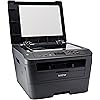
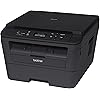
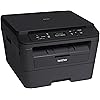
Brother DCPL2520DW Wireless Compact Multifunction Laser Printer and Copier, Amazon Dash Replenishment Ready

Based on 571 reviews
Condition: Used - Very Good
Checking for the best price...
$289.29

Buy Now, Pay Later


As low as $48.22 / mo
  • – 6-month term
  • – No impact on credit to apply
  • – Instant approval decision
  • – Secure and straightforward checkout

Ready to go? Add this product to your cart and select a plan during checkout.

Payment plans are offered through our trusted finance partners Klarna, Affirm, Afterpay, Zip, Apple Pay, and Google Pay. No-credit-needed leasing options through Acima may also be available at checkout.

Learn more about financing & leasing here.

Free shipping on this product

This item is eligible for return within 30 days of receipt

To qualify for a full refund, items must be returned in their original, unused condition. If an item is returned in a used, damaged, or materially different state, you may be granted a partial refund.

To initiate a return, please visit our Returns Center.

View our full returns policy here.


Availability: Only 1 left in stock, order soon!
Fulfilled by 88printers

Arrives Monday, Nov 16
Order within 8 hours and 46 minutes

Available payment plans shown during checkout

Protect Your Purchase

Easy claims online, fast replacements, no fees

Checking for protection plans...

At a glance

Condition
Used - Very Good
Model
DCPL2520DW
Dimensions
15.7"D x 16.1"W x 10.5"H
Weight
21.2 lb
Color
black
Printing Technology
Laser
Special Feature
Wireless
Works with
Smartphones

Features 5

  • Fast high quality printing and copying up to 27 ppm
  • Automatic duplex printing
  • Wireless networking
  • Standalone copying

Description

Monochrome laser multifunction copier. Connect via wireless networking or USB. Print/ copy speed up to 27 ppm. Scan to a variety of destinations. Adjustable 250 sheet capacity tray. Auto duplex printing, mobile device printing over wireless network.

Specs 49

Brand Brother
Connectivity Technology USB, Wi-Fi
Printing Technology Laser
Special Feature Wireless
Color black
Model Name DCP L2520DW
Printer Output Monochrome
Maximum Print Speed (Color) 5.15

Frequently asked questions

If you place your order now, the estimated arrival date for this product is: Monday, Nov 16

Yes, absolutely! You may return this product for a full refund within 30 days of receiving it.

To initiate a return, please visit our Returns Center.

View our full returns policy here.

  • Klarna Financing
  • Affirm Pay in 4
  • Affirm Financing
  • Afterpay Financing
  • Zip Pay in 4
  • Financing through Apple Pay
  • Financing through Google Pay
Leasing options through Acima may also be available during checkout.

Learn more about financing & leasing here.

Top Amazon Reviews


I didn't need the Fax availibility and didn't really need the copy/scan plate but it's a nice feature to have if ever needed
Style: DCPL2520DW
I've had this for about a day. I just went through 3 HP printers that were not compatible with El Capitan 10.11.3, regardless of what they tell you. It took approx. 20-30 mins to set up this Brother printer. But that is only because I took time to download latest drivers/firmware. It printed a test page perfectly within 5 minutes but I needed to set up the wireless connection and wanted to make sure I had the latest of the latest firmware, especially after reading about many other Brother printers having an issue with sleep mode running on El Capitan. It arrived in it's retail box which at first glance is REALLY big but once inside you can see it's just well protected. I didn't need the Fax availibility and didn't really need the copy/scan plate but it's a nice feature to have if ever needed. It came with a power cord attached so make sure you have the proper USB cord before it arrives. That's it, there is nothing else in the box except for the toner which installed in less than a minute. This printer did go into sleep mode rather quickly but I did not adjust any settings. I downloaded the Brother iPrint app on my iPhone 6Plus and after connecting the printer to my wireless network, I printed from my iPhone within a couple minutes. I then left the house for about an hour. When I came back I printed an email from my Macbook Pro (2014) / AirPrint, from the main floor of the house (printer upstairs in a bedroom) and it printed within seconds. Then about 10 minutes ago, after about 8 hours of no printer use, from downstairs, I printed another email from my laptop. When I first pressed PRINT, it showed the printer was offline but within about 2 seconds that disappeared and I heard the printer humming along. It was perfect. So far so good, so if you have read any of my other comments/complaints about the HP printers, or read any issues with other Brother printers, you can rest easy if you purchase this one. Just take the time to download the firmware FIRST, then connect to your network and you will be good to go. I will update in a few weeks. Ease of setup is about 9/10 if you have computer knowledge, probably 7/10 if you are VERY limited. Seriously, just go slow and it will work out. One piece of advice is to go to the Brother's Mac support page and save it before the printer arrives and even download the Iprint app fro Brother on iTunes for your phone or tablet, and read through the instructions so you are ready when the printer arrives. It is not difficult. It's just not a simple plug 'n play like many Windows printers but MUCH easier and less tedious than setting up a Windows computer/laptop for the first time. It COULD a simple plug 'n play if you are ONLY using a USB to Computer connection but I would still highly recommend the latest firmware that was posted by Brother near the end of 01/16. ... show more
Reviewed in the United States on March 15, 2016 by Peter G.

Absolutely love this printer! Highly recommend for home use.
Style: DCPL2520DW
I print only a few pages a month, don't need color, and have wasted a LOT of money & ink on inkjet printers. Decided to look for a home size laser printer at a reasonable price and chose this Brother model. Some reviews said they had problems with it not waking from deep sleep mode, but I have never had this problem. It says it's in "deep sleep" most of the time, but when I hit "print" it wakes right up and prints, no hesitation, no re-starting. This model has a footprint about the same size as my 15-year-old Dell AIO. Toner does NOT dry up like ink so this will save a ton of money over time. Refills don't cost much more than ink refills and will print LOTS more pages per cartridge (it comes with a starter cartridge which will last several months, for me). Set-up was fairly easy as I recall (it's been a few months and I have a bad memory), but I've never set up the wireless connection since I already had a cable, so I can't speak to any problems there may be with that...my guess is, there aren't any. ... show more
Reviewed in the United States on December 30, 2017 by Doris

Good Printer, Problem with Wireless Printing [UPDATED]
Style: DCPL2520DW
I wanted a reliable laser printer to use at home. I always used inkjet printers in the past, but became increasingly disappointed in my last one that would constantly smear and smudge ink and have paper jams. After doing some research I settled on this Brother DCPL2520DW wireless laser printer/scanner/copier. The printer itself is rather large, but fit comfortably on my desk. It prints quickly and the print quality is sharp. Also, since it uses toner, the print doesn't smudge. Setup was fairly easy and involved simply downloading the drivers for my MacBook, using the menu on the printer to connect it to my wireless network, and then added the printer in my Mac's settings. Once it was connected, it showed up immediately as an AirPrint printer on my iPhone. However, connecting it to the network initially and keeping it on that network are two different stories. I've found that when the printer enters Deep Sleep mode, it's very hit or miss as to whether or not it will respond to a print job from my Mac, and it doesn't show up at all as AirPrint printer on my phone. The only way I've found to rectify this is to restart the printer; then it immediately picks up the job in the queue and begins printing, and also shows up again on my phone. For that reason, I've knocked it down two stars. PROS - Great price for a laser printer/scanner/copier - Easy setup - Prints quickly and beautifully CONS - Complete gamble as to whether or not you'll be able to print wirelessly from your computer or phone *****UPDATE***** After updating the printer's firmware using the firmware tool from Brother (which I had to restart the printer for it to pick up), I can now report that I no longer have a problem with wireless printing after the printer enters deep sleep. For this reason, I've increased my star count to 4. ... show more
Reviewed in the United States on March 12, 2016 by Nick K

BLM !
Style: DCPL2520DW
Love the speed - scans really fast Love the speed - prints really fast Much much better than those Epson machines - so nicer and professional ethereal looking too it is a BROTHER! So far so good, I noticed some users had expressed difficulty in setting up Wi-Fi - I found it to be best practice to simply do the "full" install and then go back in and uninstall any app features you don't want to use - but other than that - Wi-Fi setup in no time and the software running on both my laptops Did I mention this thing prints and scans fast! I don't mind the warm up period I love hearing the sound of the printer going and then it shoots out a nice clean clear crisp black document - amazing - will make printing out documents so much easier in my home office. Should have made this investment a long time ago ... show more
Reviewed in the United States on October 12, 2017 by Dr.Jé

this is the home printer to have
Style: DCPL2520DW
not only is it multi purpose, but super user friendly, i don't like configuring the wifi because that' seems annoying, and i like to have my printer by my computer anyway, it just feels more reliable. anyway, i love it, and i always recommend a laser printer and a brother printer, my sister, asked me one day, hey girl, what kind of printer should i get, because i used to be the it manager of a big city department, and i said, always get a laser printer, i will never speak to you again if you get an idiotic ink jet printer, hells, no, always get a laser, this one isn't color but i was looking to save money at the time and i always recommend brother, so reliable and easy to use, and laser, did you hear me? always get a laser printer, as an IT manager the worst thing you can do is call me to come over and install those ignorant laser cartridges that i abhore, they're a pain in the aRSE and you have to calibrate and all that, with lasers, no calibration needed except at the beginning and it’s way easier. i'm pretty sure i had to to almost nothing. it's always easier to get a brother and a laser printer and this is all of that and more. My sister bought an HP printer and I was annoyed but at least it was a laser. She’s rich so she got the color. ... show more
Reviewed in the United States on December 9, 2020 by CHULA Comedy

Excellent Printer
Style: DCPL2520DW
Excellent printer. My Canon died and after much research on printers compatible with Apple Print and energy efficiency this was my choice. (I don't print photos or color so was finding myself wasting time on printers with lots of flash I never used with color ink cartridges I did not want but needed to buy to make the printer run). This is double-side print, the scanning to computer function works amazing, the Apple Print feature is flawless (I was using printopia before on my old printer and needed to run my computer for that. This just connects to the network and is always available). Print all the time off the iPad, iPhone, Macbook, and Mac Mini without issue. LOVE the fact that you get so much printing out of the ink cartridge. I'm still on the sample one it came with (unbelievably) and have done tons of printing. All double-sided, all draft. Print speed is super fast, even double-sided. Copying is simple (no massive screen to click through five million times like on my old canon). Really happy with its simplicity and functionality. Printing has become fun, because it's easy. ... show more
Reviewed in the United States on December 19, 2014 by Sarah

Headache producing, frustrating printer I don't want to ever deal with again!
Style: DCPL2520DW
I have a Canon Pixma MG7120 which does a Great job, but as others have commented drinks ink like an alcoholic on a blackout binge. Figured in the long run a B&W laser would give me less wallet despair. Did research and thought this would answer my needs. Should have remembered the Brother laser B&W printer I had years ago which was ALSO a headache to set up and never thrilled me...the intricate maze of finding the "proper" settings for needs lead to hours-long fiddling (for me anyway). I really wanted 2-sided ability, but discovered I had to change at printer when I wanted 1 sided printing...doesn't seem to honor the request on the computer side. Then the itsy-bitsy, teeny-tiny screen doesn't help at all!... I finally got 2 Macs and 1 PC hooked up wirelessly to this printer. Numerous times, a computer would go to "print" and the computer couldn't find this printer, so I would go to the Canon to get the document. Deep Sleep must be modeled after Sleeping Beauty with no Prince in sight. Hours later, Lo and Behold, the missing documents would finally be printed. ..This even after going into set up menu again and reconfirming my WiFi network settings. Why should I have to do that numerous times when other printer(s) are always recognized? So on a whim, I started researching printers again and came up with the Epson Workforce WP3620. It had things that were appealing...2-sided, great ink usage for an inkjet, wireless, etc. etc. and good reviews...Do I trust reviews? Ever the optimist, yes. So yesterday at Costco I saw the up-graded WF3640, I had been looking at with the WF3620. On a whim I bought it, set it up in minutes (all computers) and was good to go. EVERYTHING about it is so much easier, better, headache free after just a day. All computers recognize it instantly and the document is spit out in seconds. After trying again this morning to print on the Brother printer and it couldn't be found, I threw in the towel and am sending it back. Brother, you need to check out features in the competition...I will never purchase a Brother again. This is first Epson I have owned. ... show more
Reviewed in the United States on March 8, 2015 by Kindle Customer

OK, choose the Feeder model for better efficiency
Style: DCPL2520DW
When the machine arrived I was mad at myself for making the mistake of not buying the printer with the feeder. Oh well, I just place the pages manually. However, when I needed to scan multiple pages into 1 PDF file, the only continues scan instructions I found were though the ControlCenter on the computer. Since my scanner and computer are not in the same room, after each page I had to go to my computer push the continue button, go to the scanner, change the page and again for the next page. Highly inefficient. I searched for this function on the machine, since you can choose PDF, JPEG, color, no color, but no continues scan. Set up was not that difficult and I had it hooked up and synced with my wireless network in less than 30 minutes. Getting the wireless to sync was a bit of a challenge. It printed fine from my computer. The pages don't come out very far, so it feels like I have to reach into the machine to pull out the pages. I have had it for a little while,but have not used it a lot. So far, I think it is an ok printer, scanner is cumbersome. It seemed to copy ok, when I accidentally used it instead of scanning. ... show more
Reviewed in the United States on November 20, 2016 by S. Moss
Checking for best price...