Search  for anything...

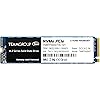
TEAMGROUP MP34 4TB with DRAM SLC Cache 3D NAND TLC NVMe 1.3 PCIe Gen3x4 M.2 2280 Internal SSD (Read/Write Speed up to 3,500/2,900 MB/s) Compatible with Laptop & PC Desktop TM8FP4004T0C101

  • Based on 495 reviews
Condition: New
Checking for the best price...
$599.99 Why this price?

Buy Now, Pay Later


As low as / mo
  • – Up to 36-month term if approved
  • – No impact on credit to apply
  • – Instant approval decision
  • – Secure and straightforward checkout

Ready to go? Add this product to your cart and select a plan during checkout.

Payment plans are offered through our trusted finance partners Klarna, Affirm, Afterpay, Zip, Apple Pay, and Google Pay. No-credit-needed leasing options through Acima may also be available at checkout.

Learn more about financing & leasing here.

Selected Option

Free shipping on this product

30-day refund/replacement

To qualify for a full refund, items must be returned in their original, unused condition. If an item is returned in a used, damaged, or materially different state, you may be granted a partial refund.

To initiate a return, please visit our Returns Center.

View our full returns policy here.


Availability: Only 2 left in stock, order soon!
Fulfilled by GeekTown (we record product serial number)

Arrives Aug 8 – Aug 10
Order within 11 hours and 18 minutes
Available payment plans shown during checkout

Protection Plan Protect Your Purchase
Checking for protection plans...

Size: 4TB


Style: Movement


Features

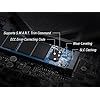
  • NVMe PCIe Gen3x4 High Speed Interface - Sequential read/write speed can reach up to 3,500/2,900 MB/s which reduce the delays of the operating system and game/software, and deliver the finest and smoothest experience without any lag
  • Ultra High Performance - Transfer performance is 5 times higher than the SATA III interface. Capable of reading and writing large amounts of game data, complex graphics and motion processing algorithms, or loading heavy duty video/graphics editing software
  • M.2 2280 Specification - Uses new generation of 3D flash memory. Supports the next-generation platforms of Intel and AMD. Suitable for both desktop and notebook
  • Reliable Advanced Technology - Supports S.M.A.R.T. function and its built-in smart algorithm management mechanism has functions are able to ensure operation efficiency, prolong the service life of the SSD and bring it to its maximum performance. Meanwhile, the powerful Wear-Leveling technology and ECC (Error Correction Code) function improve the accuracy of data transfer and durability
  • Warranty: 5-year or TBW (Terabytes Written) limited warranty. Free Technical Support and Customer Service on TEAMGROUP official website.

Description

MP34 supports the latest ultra-fast PCIe Gen3x4 and NVMe1.3 interface. In addition, equipped with DRAM Cache that delivers superior performance, it is capable of reducing operational delays from operating systems and software, while delivering top-notch gaming experience. In an era when speed matters, shifting to develop PCIe interface has become a trend for M.2 solid state drive. The MP34 with the support of PCIe bus bandwidth, can offer a transfer speed at least 2000MB/s, or up to over 3000MB/s, which is 5 times higher than the SATA III interface. The system communicates with it through PCIe bus and connects to the built-in PCIe controller of the chipset or processor, so the signal transfer is as simple, precise as point to point, that offers you a pleasant high-performance transfer experience, without a bit of lag or delay. MP34 supports S.M.A.R.T. function,built-in smart algorithm management mechanism has functions are able to ensure operation efficiency,bring it to its maximum performance. The powerful Wear-Leveling technology and ECC improve the accuracy of data transfer and prolong the service life of flash memory. With up to 4TB large capacity and up to 3,500 MB/s high speed. The high speed performance without any lag even reading/writing large amounts of game data, complex graphics and motion processing algorithms, or loading heavy duty video/graphics editing software. Crystal Disk Mark: IOPS: Terabyte Written: Refer to the latest version on the official website. In case of discrepancies, the official website prevails. • Supporting SLC Cache enhancing work efficiency drastically. • Diversified optimization technology for stability, durability, and enhanced reliability. • Supporting the latest NVMe 1.4 / 1.3 standards. • S.M.A.R.T. monitoring software. • Trustworthy and reliable service Visit the Store 1. First, please turn off the computer and unplug the power cord 2. Find the M.2 SSD slot on the motherboard Since each motherboard is designed differently, please refer to the user manual of the motherboard for exact location 3. Insert the M.2 SSD Due to differences in motherboards, before installing the M.2 SSD product, please remove the heat spreader or screws on the motherboard *(Note 1), and make sure the M.2 SSD matches the slot interface Please remove all screws from the M.2 SSD slot and make sure there is no other interference When installing the SSD, please carefully hold the left and right sides of the M.2 SSD product and align the product connector with the slot notch, then insert into the M.2 Slot at a 20-degree angle and screw into the mounting holes on the motherboard 4. Complete assembly & start up the computer Before starting, please check that no screws, parts, or foreign objects falling on the motherboard Precautions: *Avoid direct contact with PCB parts during installation to avoid damage caused by static electricity *When screwing, be careful to avoid colliding with the IC parts on the motherboard and causing them to fall off

Digital Storage Capacity: 4 TB


Hard Disk Interface: PCIE x 4


Connectivity Technology: PC / Mac / Linux


Brand: TEAMGROUP


Special Feature: Portable


Hard Disk Form Factor: 2280 Inches


Hard Disk Description: Solid State Drive


Compatible Devices: Desktop, Laptop


Installation Type: Internal Hard Drive


Color: Multicolor


Digital Storage Capacity: 4 TB


Hard Disk Interface: PCIE x 4


Connectivity Technology: PC / Mac / Linux


Additional Features: Portable


Hard Disk Form Factor: 2280 Inches


Compatible Devices: Desktop, Laptop


Specific Uses For Product: Business


Read Speed: 3500 Megabytes Per Second


Media Speed: 2900 megabits_per_second


Cache Memory Installed Size: 4


Data Transfer Rate: 3500 Megabits Per Second


Form Factor: P


Hardware Connectivity: PCI Express 3.0


Hardware Platform: PC, laptop


Installation Type: Internal Hard Drive


Color: Multicolor


Enclosure Material: Metal


Brand: TEAMGROUP


Model Number: TM8FP4004T0C101


Hard Disk Description: Solid State Drive


Built-In Media: Internal Hard Drive


Model Name: MP34 M.2 PCIe SSD


Manufacturer: TEAMGROUP


UPC: 765441055148


Mfr Part Number: TM8FP4004T0C101


Warranty Description: 5-year or TBW (Terabytes Written) limited warranty. Free Technical Support and Customer Service on TEAMGROUP official website. Definition and conditions of TBW are based on the JEDEC standard.


Hard-Drive Size: 4 TB


Item Weight: 9 Grams


Item Dimensions L x W x Thickness: 3.15"L x 0.87"W x 0.14"Th


Number of Items: 1


Customer Package Type: FFP


Frequently asked questions

If you place your order now, the estimated arrival date for this product is: Aug 8 – Aug 10

Yes, absolutely! You may return this product for a full refund within 30 days of receiving it.

To initiate a return, please visit our Returns Center.

View our full returns policy here.

  • Klarna Financing
  • Affirm Pay in 4
  • Affirm Financing
  • Afterpay Financing
  • Zip Pay in 4
  • Financing through Apple Pay
  • Financing through Google Pay
Leasing options through Acima may also be available during checkout.

Learn more about financing & leasing here.

Top Amazon Reviews


  • TEAMGROUP MP34 4TB PCIe 3 m.2 SSD: incredible when I got it, still great now
Bang for buck king of 4TB m.2 SSD's in late 2023 when I got it. Went for around $165. The price has creeped up since then but its still a solid bargain here in early 2024. Uses the Realtek RTS5762 controller (low cost but decent performance) with Hynix TLC flash (decent price, performance, and durability for a consumer drive at .5 DWPD) and has 128MB of DRAM to act as a buffer. Some of the TLC flash is ran in a pseudo "SLC cache" mode to improve performance which is how this thing performs so well despite using lower cost components. That performance will drop pretty hard if you get the drive near full because of that. So don't try to fill up more than 75% of the way if you want high performance. At 4TB though that still leaves plenty of space so IMO its not a big deal. It will still certainly beat the heck out of a lot of the QLC trash drives that are usually what sell for this price in this capacity range even when near full though. The supported PCIe gen is "only" 3.0 but that is still --perfectly-- fine, really quite good IMO, for almost anything you would need out of a consumer SSD in 2023/2024 and probably 2025 or 2026 at least as well. The generation of PCIe only effects max data transfer rates (that is linear reads/writes) which hardly matters at all for most desktop use cases once you get to PCIe 3.0 speeds. ===Its low queue depth random read/write performance that matters for desktops.=== Yes even in gaming. And this SSD does pretty well there thanks to its caching scheme despite the cheaper controller. To get significantly better performance than this drive you would have to step up to buying a Optane SSD (getting harder to find in late 2023 and still fairly expensive if you want more than 2TB, probably will need u.2 adapter as well.......) or a MUUUCH higher cost enterprise class SSD like a Kioxia CD8P or CM7, or the Solidigm P5810, or a Memblaze PBlaze7 7940 drives. Which are also not m.2 and did I mention how terribly expensive they are?? Note that this MIIIIIGHT change if Microsoft's Direct Storage ever really takes off among software developers. Right now that easily seems years away at best though. I think only 1-2 games support it as of early 2024. At least 1 of which sucks fairly badly (Forspoken) and the other has some serious bugs that making playing irritating. And this drive will still benefit a whole lot from software that properly uses Direct Storage anyways so you don't have to worry about it for a long long time. ... show more
Reviewed in the United States on January 4, 2024 by synonomnomnom

  • Works great with my M2 Mac Mini, no mystery values in DriveDX
Using with an Acasis TBU405 enclosure, definitely not 40Gbps but fast enough for my needs and no issues when checking the SMART status with DriveDX. I guess if I had more money than I knew what to do with I'd get the premium brands, but I don't and this has delivered wonderfully for the price. Sitting idle at 38C, after 10 minutes of BlackMagic testing with 4GB files it's up to 44C. ... show more
Reviewed in the United States on September 11, 2023 by Mister B.

  • Wish they were cheaper nowadays
Great performing drive at great price. Look for TeamGroup over name brands. Bought this before drive prices skyrocketed...those were the says. 🤣 Dont forget to dete the drivers for your previous drive in Drive Manager or else there will be a conflict and your computer will crash.
Reviewed in the United States on May 30, 2026 by Richie Rich

  • Caused nothing but headaches
I bought 3 of these 4 TB MP34 drives to use as external storage with my MacBook Pro. I'm sorry to say that they have caused nothing but headaches. Once I inserted this into my laptop, I was able to transfer about 1-2 TB of data onto it. Then, the disconnects started. Every single minute the drive would unmount and remount MULTIPLE times. My first MP34 drive had around 500 power on counts, despite my having plugged it in a maximum of around 10 times. What I tried to fix this issue: 1. Formatting the drive again and again 2. Using a massive heatsink with a thermal pad and a fan pointed directly to it 3. Formatting as exFAT and APFS instead of APFS (encrypted) 4. Trying to transfer data via Windows 5. Directly connecting it to the NVMe slot in my PC 6. Updating the firmware of the NVMe to the latest found from the TeamGroup website 7. Using a different USB C cable with my enclosure 8. Using a different USB enclosure altogether 9. Using another MP34 NVMe I bought Sadly, the same issues were experienced every single time. Since this happened on two different drive, it seems like to me that it's fundamentally an issue with the firmware and/or the drive itself. I didn't even bother opening the third drive since I knew I would be returning them. I went back and forth with TeamGroup's customer support and asked them to have an engineer look at it. They either didn't understand or refused, and told me to file an RMA or return it to Amazon. Since this same issue was happening on two different new drives, I decided to do the latter and return all three to Amazon. The few positive things I want to say are that 1. It's pretty cheap for a 4 TB drive 2. This seems to have TLC storage, so sustained write speeds theoretically should not decrease to below 1TB/s 3. It seems to have a little bit of extra storage (4.1 TB instead of just 4.0 TB) I really wanted this to work, but at the present moment they are unusable. I'll stick with my T7 Shields for now. ... show more
Reviewed in the United States on January 19, 2024 by 🌿 Vine Reviewer

  • Excellent Product
The speeds are superb, and its ease of installation could not be better. I cannot comment on the gaming aspect of this product because I do not use it for that. However, if my present performance of this internal hard drive is an indicator, then it should be fantastic for gaming. A buyer cannot go wrong with the purchase of this hardware. ... show more
Reviewed in the United States on February 18, 2024 by Kent Nickel

  • Great big SDD storage but, Linux OS often hanging. (now fixed later during kernel updates)
I successfully installed SSD module into USB-based UGreen enclosure. I installed Ubuntu 23.10 on it. However, it often hung when disk activity is in effect. It causes filesystem to go into read-only mode without any warning. Also, it causes extremely hot when touch it. It only worked fine with Windows system. I tried to update firmware to it, but firmware updater can't see it through USB interface. I have two TeamGroup MP34 modules on other USB enclosures, but firmware updater can't see both. Update: I got Ubuntu updates. When kernel was updated to version 6.5, all problems went away. No more crashes. I updated to 5 stars! Great job!! ... show more
Reviewed in the United States on October 17, 2023 by Sword7

  • Installed this "4TB" m.2 Storage on an i9 9900k, no big deal.
It took about three hours to finish installation, mostly because I'm out of practice in upgrading classic style PC's. I had mixed up the screws of the old m.2 and the Nvidia Graphics card, so I was trying to put too big a screw to hold down the new m.2, any way, eventually I found that it needed the smallest screw, after re installing the graphics card, I attempted to power on, and after about ten minutes of wondering what went wrong, I found that I had accidentally unattached the power on and reset button wires, so I had to look up my ASRock MoBo Front Panel pin or plug settings and after about fifteen to twenty minutes it , I had installed properly. Anyway, for installing Windows 10, I soon learned as I used my same old Microsoft outlook account, I didn't have to pay for new Windows software, it's covered. Then I began to download and install my most used and planned for software, also I have to uninstall some of the things I don't use, such as phone app and Xbox software and turn off several of the background softwares... Strangely enough, since I used my old Microsoft outlook account, it remembered the Nvidia Control Panel, the main thing I was concerned with, so I didn't have to install that, The network setup was enough. After all the main software installations, all except Microsoft Visual Studio, the storage usage is something like 128GB. Leaving about 3.59 TB of Free space out of 3.72TB. If we can use a simple set top like this to learn about AI, I would be surprised. I think that an AGI would use something like 10,000 exabytes of onboard SoC RAM. We are a long way off, and learning circuitry is like making soup; It's only so much. ... show more
Reviewed in the United States on January 19, 2024 by J. Hicks

  • Decent TB/$, lackluster performance, runs HOT
I got this on sale for $157, which feels right. It's quite spacious and so long as it lasts the advertised 5 years or 2400 TBW, I'll be happy. However, the performance is far from what I expected. In synthetic benchmarks, it hits the advertized speeds, but in real world workloads, I'm getting around 375MB/s read speeds for sequential loads. Perhaps it's throttling? I'm not sure, but I find it odd that it would throttle that far down and still run at 75°C. That's 55°C above ambient (outside the case) temperatures. The inside of the case shouldn't be too hot as there are no compute heavy tasks (CPU or GPU) running. Since performance wasn't actually a deciding factor, I'm not too disappointed, but 75°C is outside normal operating limits for the drive, which is worrying. ... show more
Reviewed in the United States on July 14, 2023 by nstgc

Can't find a product?

Find it on Amazon first, then paste the link below.
Checking for best price...