Search  for anything...
HP

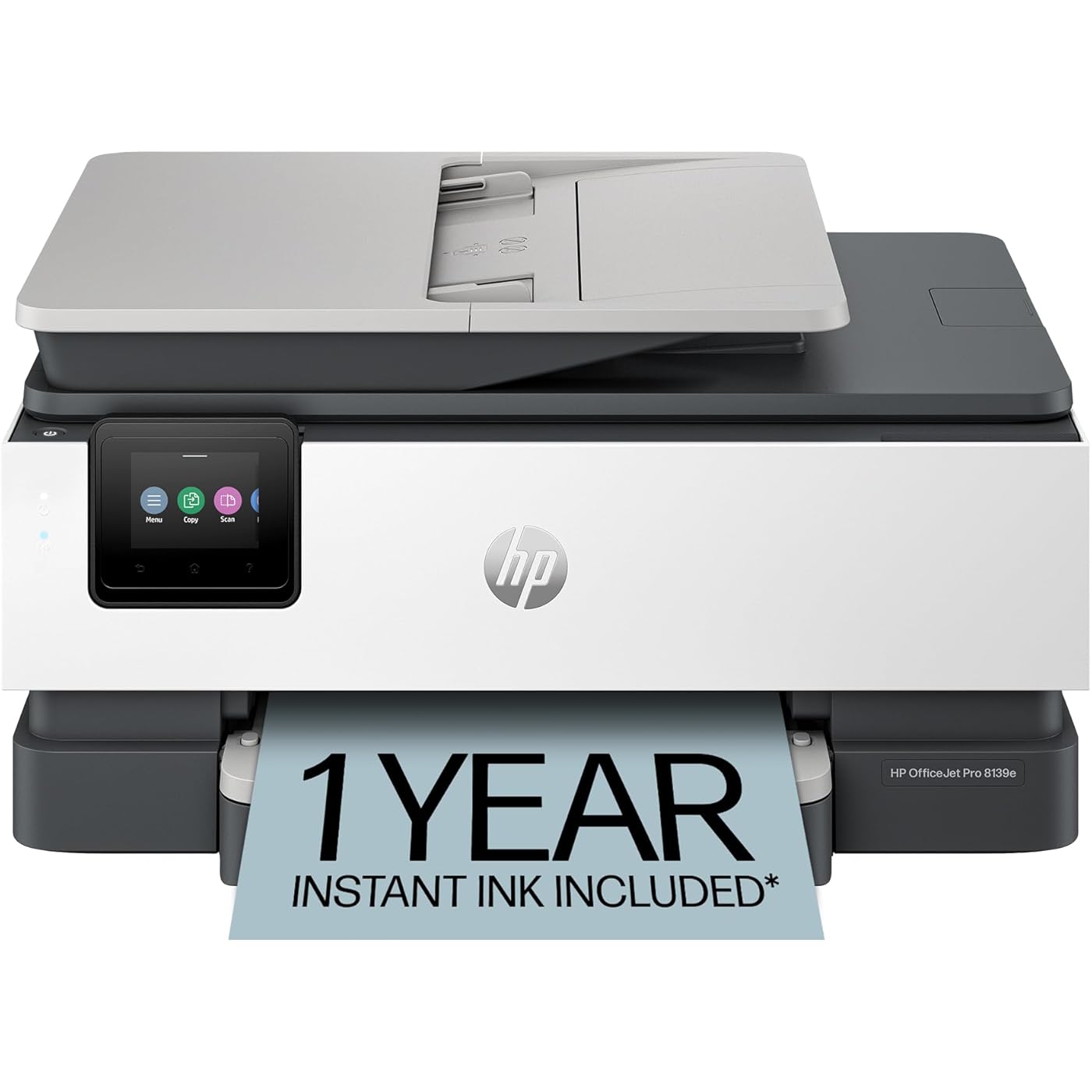
HP OfficeJet Pro 8139e Wireless All-in-One Color Inkjet Printer, Print, scan, copy, fax, ADF, Duplex printing Best-for-home office, 1 year Instant Ink trial included, AI-enabled (40Q51A)

  • Based on 1,407 reviews
Condition: New
Checking for the best price...
$179.99 Why this price?
Save $100.00 was $279.99

Buy Now, Pay Later


As low as $30.00 / mo
  • – 6-month term
  • – No impact on credit to apply
  • – Instant approval decision
  • – Secure and straightforward checkout

Ready to go? Add this product to your cart and select a plan during checkout.

Payment plans are offered through our trusted finance partners Klarna, Affirm, Afterpay, Apple Pay, and PayTomorrow. No-credit-needed leasing options through Acima may also be available at checkout.

Learn more about financing & leasing here.

Selected Option

Free shipping on this product

FREE 30-day refund/replacement

To qualify for a full refund, items must be returned in their original, unused condition. If an item is returned in a used, damaged, or materially different state, you may be granted a partial refund.

To initiate a return, please visit our Returns Center.

View our full returns policy here.


Availability: Only 4 left in stock, order soon!
Fulfilled by Amazon

Arrives Tuesday, Jun 2
Order within 7 hours and 1 minute
Available payment plans shown during checkout

Protection Plan Protect Your Purchase
Checking for protection plans...

Style: New Version


Features

  • The OfficeJet Pro 8139e is perfect for home offices printing professional-quality color documents like business documents, reports, presentations and flyers. Print speeds up to 10 ppm color, 20 ppm black.
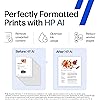
  • PERFECTLY FORMATTED PRINTS WITH HP AI Print web pages and emails with precisionno wasted pages or awkward layouts; HP AI easily removes unwanted content, so your prints are just the way you want
  • UPGRADED FEATURES Fast color printing, scan, copy, fax, auto 2-sided printing, auto document feeder, and a 225-sheet input tray
  • WIRELESS PRINTING Stay connected with our most reliable dual-band Wi-Fi, which automatically detects and resolves connection issues
  • 1 YEAR OF INSTANT INK WITH HP+ ACTIVATION Subscribe to Instant Ink and create an HP+ account to get ink delivered directly to your door before you run out. After 1 year, monthly fee applies unless cancelled.
  • HP APP Print, scan, copy, or fax right from your smartphone, PC, or tablet with the easiest-to-use print app
  • PROTECTS YOUR DATA HP Wolf Essential Security bolsters security and helps keep your network protected from cyber threats
  • 2.7-INCH TOUCHSCREEN Quickly navigate your printer with a large color touchscreen and a phone-like user interface
  • SUSTAINABLE DESIGN Made with more than 45% recycled plastic
  • This printer is intended to work only with cartridges with HP chips or circuitry and will block cartridges using non-HP chips or circuitry. Periodic firmware updates will maintain the effectiveness of these measures.

Description

The HP OfficeJet Pro 8139e delivers fast color printing, 225-sheet paper capacity, and scan, copy and fax capabilities. It includes wireless and printer security features to keep your multifunction printer up to date and secure.

Brand: HP


Connectivity Technology: Ethernet, USB, Wi-Fi


Printing Technology: HP Thermal Inkjet


Special Feature: Forest First product with HP+; FSC Certified Packaging; Contains ocean-bound recycled plastic; 45% post-consumer recycled plastic; Recyclable through HP Planet Partners, HP Instant Ink eligible; Automatic document feeder; Touchscreen; Quiet mode; Print over VPN with HP+ See more


Color: Light Cement


Model Name: 8139e


Printer Output: Color


Maximum Print Speed (Color): 10 ppm


Max Printspeed Monochrome: 20 ppm


Item Weight: 17.6 Pounds


Printer Type: HP Thermal Inkjet


Other Special Features of the Product: Forest First product with HP+; FSC Certified Packaging; Contains ocean-bound recycled plastic; 45% post-consumer recycled plastic; Recyclable through HP Planet Partners, HP Instant Ink eligible; Automatic document feeder; Touchscreen; Quiet mode; Print over VPN with HP+


Printer Output Type: Color


Item Weight: 17.6 Pounds


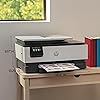
Item Dimensions D x W x H: 13.29"D x 18.12"W x 9.17"H


Controller Type: Android


Print media: Paper (plain)


Scanner Type: Flatbed, 1-sided ADF


Maximum Copy Speed Black and White: 12 ppm


Compatible Devices: Laptops, PC, Smartphones


Warranty Type: One-year limited hardware warranty with option to extend to two-years with acceptance of HP+ Offer. For more info please visit us at support.hp.com .


EU Spare Part Availability Duration: 1 Years


Maximum Copies Per Run: Up to 99 copies


Ink Color: Black, cyan, magenta, yellow


Additional Printer Functions: All In One


Control Method: App


Number of Trays: 1


Resolution: 4800 x 1200


Display Type: touchscreen


Maximum Media Size: 8.5 x 11.7 in


Maximum Sheet Capacity: 225


Paper Size: 8.5 x 11;8.27 x 11.7;8.5 x 14;7.16 x 10.12; Inches


Output sheet capacity: 60


Printer Connectivity Type: Ethernet, USB, Wi-Fi


Hardware Interface: Ethernet, USB


Number of Ethernet Ports: 1


Total USB 2.0 Ports: 2


Total Usb Ports: 2


Maximum Copy Resolution Color: Up to 600 dpi


Maximum Copy Resolution Black and White: 1200 x 1200 dpi


Brand: HP


Model Name: 8139e


Model Number: 40Q51A#B1H


Built-In Media: HP 923 Setup Black Ink Cartridge; HP 923 Setup Cyan Ink Cartridge; HP 923 Setup Magenta Ink Cartridge; HP 923 Setup Yellow Ink Cartridge; Power Cord; Regulatory Flyer; Ink Caution Flyer; Setup Poster; Reference Guide


Model Series: 40Q51A#B1H


Specific Uses For Product: Office


UPC: 197029817341


Manufacturer: HP


Warranty Description: One-year limited hardware warranty with option to extend to two-years with acceptance of HP+ Offer. For more info please visit us at support.hp.com .


Item Type Name: Inkjet printers


Unit Count: 1.0 Count


Color Pages per Minute: 10 ppm


B&W Pages per Minute: 20 ppm


Initial Page Print Time: 18 Seconds


Color: Light Cement


Color Depth: 24 Bits


Maximum print Resolution Color: Up to 4800 x 1200 optimized dpi on HP Advance Photo Paper 1200 x 1200 dpi input Dots Per Inch


Maximum Print Resolution Black and White: 1200 x 1200 rendered dpi Dots Per Inch


Power Consumption: 4.45 Watts


Wattage: 100 watts


Dual-sided printing: Yes


Duplex: Automatic (standard)


Frequently asked questions

If you place your order now, the estimated arrival date for this product is: Tuesday, Jun 2

Yes, absolutely! You may return this product for a full refund within 30 days of receiving it.

To initiate a return, please visit our Returns Center.

View our full returns policy here.

  • Klarna Financing
  • Affirm Pay in 4
  • Affirm Financing
  • Afterpay Financing
  • PayTomorrow Financing
  • Financing through Apple Pay
Leasing options through Acima may also be available during checkout.

Learn more about financing & leasing here.

Top Amazon Reviews


  • Best Home Printer
I've owned HP home (and office) printers for as long as I can remember and I've stayed with them for a reason. This particular printer I love. This model was the easiest to get up and running in no time. It prints beautifully in color and B&W. It connected to my Wi-Fi effortlessly. I signed up for the free ink for a year (I don't plan on subscribing). I've printed and scanned over 100 pages since I got this printer and there have been NO paper jams. It does 2-sided printing with ease although I use 1-sided the most. The feeder tray works without issue and makes large volume scanning, copying, and printing a breeze. This printer has a USB port which is important. This printer meets all of my home printer needs. I highly recommend! ... show more
Reviewed in the United States on May 17, 2026 by AdoreInVegas

  • Worst Printer I Have Ever Owned!
This is the worst printer I have ever owned. It is very disappointing because the one previous to this I had for about 14 years and it was HP. It worked like a charm until I think the Wi-Fi got too advanced for it and it just didn’t always air print. So I searched through the reviews and did a bunch of research to buy this one. I’m so disappointed because when I got it, I almost returned it that day because it wouldn’t set up. You set this up on an app and it does it wirelessly versus pressing any buttons on the actual printer. I tried for about two hours and it just wasn’t working well Then all of a sudden I finally had a breakthrough and got it to set up. However, from that point on it was touch and go on whether it was going to actually print from my iPhone or my iPad. I had a good run where I didn’t have many problems at one point. I would occasionally have to unplug it, power it off and reset the Wi-Fi, but that generally would make it print again. However, over the last couple months, it just stopped working and then I spent four hours on the phone with product support. This printer only has like a one year warranty and so I knew that in a couple months I wouldn’t be able to call to get support on it not printing. I just don’t have the time to sit there and try to make this printer work. The second guy I got on the phone said that it was my Wi-Fi service and I needed to contact my Internet provider to get help. However, I’ve never heard of such a thing because everything else that I have that is Wi-Fi works completely fine. I basically have a smart home with over 80 devices attached to the Internet. This is the only one that doesn’t function properly. So… The only thing that doesn’t work consistently is this printer. I got so frustrated that I boxed this thing up, and I put it in the donation pile to send to paralyzed veterans. I then bought a competing brand which oh by the way is working perfectly and printed right off the bat. It also set up like a charm. I read some other reviews to see if other people had problems with printing from my iPhone and iPad. It looks like over the reviews online that this problem I was experiencing is not just one that I had. It may be the Internet provider or it could be the actual compatibility with iPhone and iPad products. I am not sure exactly because you don’t get all that information in the reviews of others to be able to distinguish if it’s just one factor. I have AT&T as an Internet provider and I can tell you that I had real troubles with this particular model. I know that I set up the Wi-Fi 1 million times. I also defaulted it back to the original settings. I deleted the app. I reinstalled the app. I let it be unplugged. I did everything trying to make this work. I spent probably 40 hours or more trying to get this printer to work so take this information as you would like to make an informed decision for yourself. I’m trying to save others from wasting their money on this printer. ... show more
Reviewed in the United States on June 15, 2025 by Elleindeed19

  • Good printer
Good printer for home office. Good quality printing. Easy set up.
Reviewed in the United States on May 11, 2026 by Ronald Phillips

  • Happy with this purchase!
I've been using this printer for a few weeks now and it's been very reliable. The price was right, being reduced from the original probably only because it's not the most recent model. It took a bit to connect it wirelessly. I had to call for help but the agent was patient and finally got it working! Also, since it came with the Instant Ink offer, I was able to get 12 months of free ink which will be another huge savings! ... show more
Reviewed in the United States on September 24, 2025 by Graceful Giraffe

  • Its ok. some features does not work as expected. not able to add additional scan to email.
Its ok. some features does not work as expected. not able to add additional scan to email.
Reviewed in the United States on February 26, 2026 by JBwireless Inc.

  • Not easy to set up on a Mac
While this printer is very nice, it seems that it favors Windows computers and was a real hassle to set up on my mac. I have parallels installed on my computer for windows applications, but only a few of them print on this machine. I love it and most things print, but I may need professional help to get it to print on the Windows stuff since it is set up for Mac. ... show more
Reviewed in the United States on April 12, 2025 by K Hancock

  • Do not recommend. Find another Printer.
I’m a big HP user. Always had HP printers. Both at home and work. But Suggest you look at another HP printer. Or least find an older one that is still built and works right. This thing does not do wifi printer well. Cant ever find it on AirPrint via mobile devices. MAC has to reset HP app to even print. It shows “ready” online but have to power down and restart every other item. * Very very slow too. * Timed at 55-62 secs. * One minute per page. Normal simple page. Not a book page full of words. Specs call for 18secs. Old printer was under 10secs. The paper tray is small and very cheap. Hard to get out and hard to get in. Keeps jamming paper. On the pull through. The double side won’t work. I don’t like using it but once in awhile you need it and have to manually print side 1 and then refeed side1 into tray and print side2. Our previous HP was a mule. Worked fine since 2017, until HP discontinued support and no more updates. Can’t use instaInk, and no more scanning. HP support can’t help much but turn on/off, reset, reinstall. One tech said HP having problems with this model. Shame. Thank you HP. This unit was closest and supposed to replace our current printer, per reviews and HP direct. Yes, HP bashing. But can’t say this is a good printer if it doesn’t work. Look else where. ... show more
Reviewed in the United States on September 10, 2025 by DIYopa

  • Great Printer
A nice reliable all in one printer. Very easy to set up wirelessly.
Reviewed in the United States on May 11, 2026 by Lefty58

Can't find a product?

Find it on Amazon first, then paste the link below.
Checking for best price...