Search  for anything...
HP

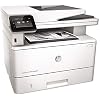
HP LaserJet Pro M426fdn All-in-One Laser Printer with Built-in Ethernet & Double-Sided Printing, Amazon Dash Replenishment Ready (F6W14A)

Based on 212 reviews
Condition: Used - Like New
Checking for the best price...
$294.00

Buy Now, Pay Later


As low as $49.00 / mo
  • – 6-month term
  • – No impact on credit to apply
  • – Instant approval decision
  • – Secure and straightforward checkout

Ready to go? Add this product to your cart and select a plan during checkout.

Payment plans are offered through our trusted finance partners Klarna, Affirm, Afterpay, Zip, Apple Pay, and Google Pay. No-credit-needed leasing options through Acima may also be available at checkout.

Learn more about financing & leasing here.

Free shipping on this product

This item is eligible for return within 30 days of receipt

To qualify for a full refund, items must be returned in their original, unused condition. If an item is returned in a used, damaged, or materially different state, you may be granted a partial refund.

To initiate a return, please visit our Returns Center.

View our full returns policy here.


Availability: Only 5 left in stock, order soon!
Fulfilled by GreatPrinterDeals

Arrives Nov 24 – Nov 26
Order within 17 hours and 12 minutes

Available payment plans shown during checkout

Protect Your Purchase

Easy claims online, fast replacements, no fees

Checking for protection plans...

At a glance

Condition
Used - Like New
Model
M426fdn
Weight
28.4 lb
Color
Grey
Printing Technology
Laser
Special Feature
Auto Document Feeder
Printer Output
Monochrome
Warranty
1 year
Works with
Laptops, PC

Features 8

  • Speed through more tasks. Keep data protected. Scan digital files directly to email, USB, network folders, and the cloud with preloaded business apps.
  • Breeze through multipage documents with two-sided printing thats faster than the competition. Grab pages and gowithout waiting around. This MFP wakes up and prints faster than the competition.
  • More. Pages, Performance, and Protection. Get the most prints for your moneywith Original HP High Yield Black Toner cartridges with JetIntelligence.
  • Count on professional quality at high speeds with precision black toner. Help ensure youre getting the authentic HP quality you paid for with innovative anti-fraud technology.

Description

Fast print, scan, copy, and fax performance plus robust, comprehensive security built for how you work. This MFP finishes key tasks faster and guards against threats. Original HP Toner cartridges with JetIntelligence give you more pages. Class 1 laser product, 0mW power output

Specs 49

Brand HP
Connectivity Technology USB
Printing Technology Laser
Special Feature Auto Document Feeder
Color Grey
Model Name M426fdn
Printer Output Monochrome
Maximum Print Speed (Color) 40 ppm

Frequently asked questions

If you place your order now, the estimated arrival date for this product is: Nov 24 – Nov 26

Yes, absolutely! You may return this product for a full refund within 30 days of receiving it.

To initiate a return, please visit our Returns Center.

View our full returns policy here.

  • Klarna Financing
  • Affirm Pay in 4
  • Affirm Financing
  • Afterpay Financing
  • Zip Pay in 4
  • Financing through Apple Pay
  • Financing through Google Pay
Leasing options through Acima may also be available during checkout.

Learn more about financing & leasing here.
Top Amazon Reviews


Great value, great printer
It has performed perfectly so far. Setup on 4 computers, 2 Win7 (64bit), 1 Win 8.1 (64bit) and 1 Win 10 (64bit). One note on the setup. I had gone to HP's website and downloaded their latest version of the full software to install on all of the computers. The printer is directly wired to the router via Ethernet and assigned a static IP address. When trying to install from the downloaded software, on 3 separate computers all hard wired to the same router, the software would not find the printer automatically, specifying the IP address, specifying the Host name or using the hardware (MAC) address. At the same time I tried searching using the exact IP address and it failed I was able to open the printers web page in IE by using the static IP address in the URL. There is a PROBLEM with the downloaded software's discovery routine. And, yes, I had turned off all firewalls in the computers. The software on the shipped CD ROM in every case found the printer without a problem. Another problem I have seen in comments is about lines in the scans when scanning through the ADF. I serviced Xerox machines as a Xerox employee for 35+ years. 99.9% of the time this is caused by a SPOT on the glass. The MFP 426 has 2 separate glasses that it uses when doing ADF scans. It does not use the large glass when scanning from the ADF. The smaller glass to the left of the main glass is one side of a double sided scan and the small glass in the document feeder that you can see when you open the document feeder to see the glasses is the other side of ADF scanning. The easiest way to confirm that it is an ADF glass spot is to scan the same document on the main platen. If it is indeed a dead pixel in the scanner, you will still get a line from the platen glass. Other than those comments the printer seems to perform flawlessly. I use the TWAIN driver and scan into PaperPort. It scans over the network and the TWAIN driver works great. 3/3/2017 Update. I like to install both a PCL and Postscript version of each printer because the different RIPs can produce different results. Today I installed the HP Universal Postscript Driver (from their website). It appeared to work fine. Then I started having problems with some things not launching correctly, including Windows Update, Civilization 5 and Samsung Magician (for my Samsung 850EVO SSD). After a couple of hours doing virus scans, running Windows System File checker and removing the Postscript Printer from Devices and Printers, I did a system restore from a restore point yesterday. That fixed my problems. I would highly recommend that anyone considering installing HP's Universal Postscript driver create a restore point BEFORE they install it so you can recover if it causes you a similar problem. My system is an I7-4790, 16gig, Samsung 850EVO 1tb, NVIDIA GTX980. I have been building systems and programming since 1980. This was very disappointing. ... show more
Reviewed in the United States on March 2, 2017 by L. Scott

For a refurbished printer, I am very happy
Setup out of the box and configuration easy and worked the 1st time. Changed to fixed IP address, connected via ethernet to network and configured with 2 Windows 11 computers. No problems. I had to update the firmware on the printer, which was easy to do and improved the quality of the print to a nice sharp image. The toner cartridge that came with the unit had slight cloudiness with the printing and when I changed to a new/different cartridge, that solved the issue. (I'll us the cloudy one when I want to print documents where quality is not needed 100 percent). Otherwise, scan, copy and print work fine. I don't use the fax feature. ... show more
Reviewed in the United States on March 30, 2026 by Chuck

Nice Family Office upgrade
UPDATED: August 29th, 2017 I brought this All-in-One Laserjet printer as an upgrade to my HP LaserJet Pro 400 M401dne Monochrome Printer (CF399A) (Discontinued By Manufacturer) which has been and still working like a champ to this day. We needed a scanner & copier for my family's office and school needs which is why I invested in this particular model and so far it has fit that bill perfectly. Pros: - Like the current Enterprise solutions this All-In-One model has it to were you are not bound to the provided software that in the past would have could have been used from your PC and most functions can be done directly from the device itself. - Nice 3 inch color touch pad which you can scan, copy, or print directly from the device itself. - Great built in Website for advance configuration for your All-in-Device (I.E. Scan to Print, Scan to E-mail, Scan to network Share etc...) - The supplied Software with the Device was easy to install and use on your Computer (Please also see cons), The software was supplied in the box with the device but can also be download from HP Support as well. - Able to setup a network location for scanned documents to be accessed anywhere on your Network and can also be setup to have the scanned items e-mailed to you (Please Also see cons) - Came with a 3100 rated ink cartridge (Please Note since I got this through Amazon Warehouse Deals it was a generic cartridge not a genuine HP cartridge but it does work well). While on a whole it has been a great addition to our family office environment there was 3 small cons worth noting to be on the outlook for (One has been Solved)... 1. The Supplied software did not work on one of my Windows 10 PC's and would only print once the software was installed.Even though it said it loaded all included software the Scan Software features would not load. I was able to circumvent this for the one Windows 10 machine by loading it onto a Windows 7 VM (Virtual Machine), however like I said in to pros it can also be done from the device itself but for the advance features you will need the software. Amazingly enough however it did work on my other Windows 10 machine's. SOLVED: You can only have one OCR Software on your PC at a time (Does not matter what version of Windows you are using), if the installer detects other OCR software (Scanning Software, I had my Epson Scan Software at the time on my PC as well) it will only install the printer driver. Again to circumvent if you want both OCR Software installed on the same PC just use a VM. 2. No matter how much I tried to get the correct SMTP setting from MSN to configure the the scan to e-mail feature to work, it would reject it and error out every time which is a little bit of a let down. This is a nice feature that I would like to see working one day. Please note it may still work for other commercial e-mail provided servers. UPDATE: 29AUG2017: Still No luck with this feature with either MSN or GMAIL, At this point this could be an ISP issue or this feature does not work with commercial SMTP Servers (I.E. MSN, GMAIL, Yahoo, etc...). 3. If you want to print double sided it is a Manual Duplex only instead of Auto Duplex, essentially you have to turn the documents over from the tray and re-feed them back in. While in a pinch this can be done it is VERY inconvenient. Overall this is a great All-in-one LaserJet for the buck I would highly recommend it. Included with Device: - AC Power Cord - 3100 Rated print job Black Ink cartridge - HP Drivers, Scan Software, and Documentation CD Supported Operating Systems: - Windows XP SP3, Vista, 7, 8 (and 8.1) and 10 - Windows Server 2003 SP2, 2008 (and R2), 2012 (and R2), and 2016 - Mac Operating Systems (Drivers and Software Must be download from HP) - Linux Operating Systems (Drivers and Software Must be download from HP) - Apple and IOS Devices *** Please NOTE: that this model of HP Laserjet All-In-One Printer DOES not have a built-in WiFi adapter, However it can be connected to a WiFI Router to support this option through its 1GB Ethernet Plug to use the Air Print capabilities. ... show more
Reviewed in the United States on April 5, 2017 by ITBeast

Keep on looking you don't want this one!
The Duplex document feeder did not work. I tried to duplex copy a 5 page document and after the first 2 pages were scanned it pulled the other 3 into the scanner at the same time. So I only got 4 pages scanned not 9 (front and back). I thought I was doing something wrong so I kept trying for about an hour and gave up. It did have good print quality but the whole purpose of buying a device like this is to be able to use a document feeder that actually works with no issues. This one does not! I requested a refund and promptly sent it back to Amazon. Amazon's customer service is great had no problem getting my free return shipping and refund. ... show more
Reviewed in the United States on February 3, 2018 by Howard F Parsons JR

Good value for monochrome workgroup AIO
Replaced my aging scanner and dying printer with this AIO. I'm a big fan of monochrome laser printers for home office/small office use since the majority of the print jobs are documents that do not require color. For the occasional color print, I can do it at my local copy shop. Used this for approximately 6 weeks now. Prints nice sharp text and produces pages very fast. Scanning from the Automatic Document Feeder, while not very high resolution, suffices for the intended purpose. When scanning from the ADF, I'm usually scanning a stack of documents that require clear legible text--not art prints. If I need high resolution color scans, I wouldn't be feeding them through the ADF anyway. The flatbed produces results as good as my previous scanner, if not better. Relatively easy to configure the address book and scan-to-email function. Exported a CSV using the web configuration page, edited it as needed, and imported it back in. Haven't use any of the USB functions as I primarily use this as a network printer and scanner. I have a client that has one of these as their main workgroup printer and also utilizes the fax functions, which works just fine for them. Still too early to vouch for it's long term durability, but all laser printers suffer from the same issues after a while (fuser/heater, drum, and/or rollers need replacing). HP print cartridges have the drum built in, so the drum is replaced every time you replace the toner cartridges. As for other parts, HP printers are generally easy to find parts for when the unit is out of warranty and assuming you actually go through the trouble of fixing vs replacing. While the machine is in warranty, I wouldn't worry. I've dealt with HP for warranty repairs on other items in the past and can say with confidence that HP support is easy enough to deal with and they will honor the warranty without too much hassle. You can even negotiate cross/shipment replacement in certain cases. I have dealt with other manufacturers that are a pain to deal with and I steer clear of them. I would recommend this to others and would buy again if I need to deploy more in a similar environment ... show more
Reviewed in the United States on January 11, 2017 by PBnJedi

This is a great monochromatic printer - highly recommended
I bought this printer to replace an HP Laser printer that was at least 15 years old. I wanted an monochromatic only printer that was fast and ink efficient. I am running a small network with two Macs (Yosemite and Sierra) and an ancient PC (Windows 7 home edition.) The mac set up with completed in seconds. With the PC, I had to run the install from the disk included. I had some challenges setting up the Scan feature that allows you to scan to a network folder. Once I had the permissions on the Mac correctly set up I was able to scan to the folder. The printer is so fast, especially when you compare it to my older one. It is noisier than my old printer, but I am getting used to it. I am using this printer for my internet business, printing invoices, labels and mailing labels. So far, I am totally pleased with my purchase. ... show more
Reviewed in the United States on February 11, 2018 by DebB

High Quality, Fast, and Easy To Use
I love this printer! I've been struggling with color inkjet printers for the past many years and finally decided to go black&white "laser." Couldn't be happier with my decision! This HP LaserJet Pro was easy to set up (I did it, myself, without any help) and is lightning fast compared to my previous inkjet printers. The print quality is excellent, too. Color ink cartridges are very expensive and don't last very long. A laser cartridge is expensive, too, but lasts a long, long time -- especially for someone like me who only uses it for personal printing at home. I just wish I had made the switch to HP laser printing a long time ago. I mean . . . WOW!!! ... show more
Reviewed in the United States on May 3, 2019 by Marilee L.

Excellent HP Printer!
Excellent printer. Using this on the latest version of macOS with no problems. Very fast and the software is clean and easy to use, not bloated and quirky like some of the competitors (Canon I'm looking at you). ADF and duplex printing work surprisingly well.
Reviewed in the United States on March 19, 2017 by Picard
Checking for best price...