Search  for anything...
HP

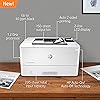
HP LaserJet Pro M404dn Monochrome Printer with Built-in Ethernet & 2-Sided Printing, Works with Alexa (W1A53A)

  • Based on 2,665 reviews
Condition: New
Checking for the best price...
$499.99 Why this price?

Buy Now, Pay Later


As low as / mo
  • – Up to 36-month term if approved
  • – No impact on credit to apply
  • – Instant approval decision
  • – Secure and straightforward checkout

Ready to go? Add this product to your cart and select a plan during checkout.

Payment plans are offered through our trusted finance partners Klarna, Affirm, Afterpay, Apple Pay, and PayTomorrow. No-credit-needed leasing options through Acima may also be available at checkout.

Learn more about financing & leasing here.

Selected Option

Free shipping on this product

This item is eligible for return within 30 days of receipt

To qualify for a full refund, items must be returned in their original, unused condition. If an item is returned in a used, damaged, or materially different state, you may be granted a partial refund.

To initiate a return, please visit our Returns Center.

View our full returns policy here.


Availability: Only 1 left in stock, order soon!
Fulfilled by State Toner

Arrives Sunday, May 3
Order within 16 hours and 20 minutes
Available payment plans shown during checkout

Protection Plan Protect Your Purchase
Checking for protection plans...

Model: M404dn


Style: Printer


Features

  • Built to keep your business moving forward: Print consistently high-quality documents with the HP LaserJet Pro M404dn, A monochrome laser printer designed to let you focus on growing your business
  • HP WOLF PRO SECURITY Protect company data and safeguard against cyberattacks with protection built into the printer hardware, firmware and OS
  • Speed through tasks: stay productive with automatic 2 sided printing, A 250 sheet input tray, fast first page out time, and Print speeds of up to 40 pages a minute from this Black and White laser printer
  • Share resources on your network: easily access, Print, and share resources with built in Ethernet capabilities
  • Enhanced energy efficiency: designed with the environment in mind, the HP LaserJet Pro M404dn saves up to 18 Percent energy over prior products, with technologies that help reduce paper waste
  • Compact size: make the most of your office space with a compact printer that conveniently fits into your shared work area
  • Toner Cartridges you can trust: avoid reprints, wasted Supplies, and service calls by using original HP 58a/58x toner cartridges designed for your monochrome laser printer
  • One year limited hardware warranty: get help with 24 hour, 7 days a week FREE HP web support. See Specification sheet for terms and conditions
  • This printer is intended to work only with cartridges with original HP chips or circuitry and will block cartridges using non-HP chips or circuitry. Periodic firmware updates will maintain the effectiveness of these measures. More at

Description

It's built to keep your business moving forward—the HP LaserJet Pro M404dn keeps up with how you actually work, collaborate, and get things done. With fast print speeds, best-in-class security, and built-in Ethernet capabilities, this monochrome laser printer is designed to let you focus your time on growing your business and staying ahead of the competition. This black and white laser printer is also designed with the environment in mind; save up to 18% energy over prior products with HP EcoSmart black toner, and help save paper right out of the box with the default paper savings mode.

Brand: HP


Connectivity Technology: Networkable, USB


Printing Technology: Laser


Special Feature: 550-Sheet Optional Paper Tray, Auto-Duplex, Compact Design, Display Screen, Easy Cartridge Replacement, Fast First Page Out, HP Auto-On/Auto-Off Technology, HP EcoSmart Black Toner, Network-Ready, Simple Out-of-Box Setup See more


Color: White


Model Name: Old Version M404dn


Printer Output: Monochrome


Max Printspeed Monochrome: 40 ppm


Item Weight: 8.7 Kilograms


Product Dimensions: 8.5"D x 14.06"W x 15"H


Printer Type: Laser


Other Special Features of the Product: 550-Sheet Optional Paper Tray, Auto-Duplex, Compact Design, Display Screen, Easy Cartridge Replacement, Fast First Page Out, HP Auto-On/Auto-Off Technology, HP EcoSmart Black Toner, Network-Ready, Simple Out-of-Box Setup


Printer Output Type: Monochrome


Item Weight: 8.7 Kilograms


Item Dimensions D x W x H: 8.5"D x 14.06"W x 15"H


Print media: Card stock, Envelopes, Glossy photo paper, High-resolution paper, Labels, Paper (plain)


Scanner Type: Sheetfed


Maximum Copy Speed Black and White: 40 ppm


Compatible Devices: Laptops, PC


Warranty Type: limited warranty


Ink Color: black


Resolution: 600 x 600


Additional Printer Functions: Scan


Control Method: Voice


Processor Count: 1


B&W Pages per Minute: 40 ppm


Color: White


Maximum Print Resolution Black and White: 600 dpi


Power Consumption: 495 Watts


Wattage: 495 watts


Is Electric: Yes


Dual-sided printing: Yes


Duplex: Automatic


Brand: HP


Model Name: Old Version M404dn


Model Number: M404dn


Built-In Media: Getting started guide, HP LaserJet Pro M404, Power cord, Preinstalled HP 58A Black LaserJet Toner Cartridge (yield ~3,000 pages), Regulatory Flyer, Support flyer, Warranty guide


Model Series: LaserJet Pro


Specific Uses For Product: Office, business


UPC: 192018902909 192018902886 192018895157 192018902855 192018902893 192018902862 192018902916 192545283168 192018895140 192545283144 192018902879 192018895133 192545283151


Global Trade Identification Number: 55


Item Type Name: Laser Printer


Manufacturer: HP


Unit Count: 1.0 Count


Warranty Description: One-year Bench/Depot Repair warranty.


Maximum Media Size: 8.5 x 14 inch


Maximum Sheet Capacity: 350


Paper Size: 3 x 5 to 8.5 x 14, Letter, Legal, Envelope


Output sheet capacity: 150


Printer Connectivity Type: Networkable, USB


Hardware Interface: Ethernet, USB 2.0


Total USB 2.0 Ports: 1


Total Usb Ports: 1


Maximum Copy Resolution Black and White: 600 x 600 dpi


Frequently asked questions

If you place your order now, the estimated arrival date for this product is: Sunday, May 3

Yes, absolutely! You may return this product for a full refund within 30 days of receiving it.

To initiate a return, please visit our Returns Center.

View our full returns policy here.

  • Klarna Financing
  • Affirm Pay in 4
  • Affirm Financing
  • Afterpay Financing
  • PayTomorrow Financing
  • Financing through Apple Pay
Leasing options through Acima may also be available during checkout.

Learn more about financing & leasing here.

Top Amazon Reviews


  • Buy this LASER JET and not those cheap bubble jet printer !
Best deal you can get. Do not get those cheap "bubble jet" printers. HP will try to kind of force you to buy the ink or the printer cartridge will stop working. This LASER jet has excellent quality, can use HP or compatible ink cartridge, and "does support WIFI printing" from mobile phone or PC if you configure it right. Toner cartridge lasts long long time. I used the same one for many years and still print like new. I am a very happy customer ! ... show more
Reviewed in the United States on November 19, 2025 by Jack T

  • Incredible Laser Printer Value!
For black-and-white-only printing you can't beat the value of this HP laser printer. Its cost-per-page is MUCH lower than that of comparable inkjet printers and it prints up to 38 pages per minute (a page every 1 - 2 seconds!). The printer comes equipped with every network configuration setting known to man so it is appropriate for the smallest business or home office and the largest enterprise. HP has done a great job of securing the Web server that comes standard with the printer that is used for configuring its settings. This is a small printer that fits in tight spaces but performs like much larger, more expensive, competitive printers. ... show more
Reviewed in the United States on August 31, 2019 by Bill Vallance

  • HP LASER JET PRO
HP LASER PRINTER loved love love this printer it is quick easy to load the paper has great color and was super easy to set up.
Reviewed in the United States on January 28, 2026 by Amazon Customer

  • Fast - toner expensive but maybe not per page
Had a many years old HP 5 that served well for many many years. This new HP LaserJet Pro M404dn is much faster when printing. There is a pause after clicking the print key while the printer figures out what to do. Then when it starts to print it is fast. So far so good. This printer does NOT have wifi. I don't want wifi in my house because of the EMF radiation. (Beware 5G) Con: I give it 4 stars because I copy images from pictures and put them on pages in Word files about subjects and resize them on the page by dragging the corners. 80% of the time when printing the page the printer will not print the page as you see it after resizing. (What you see is what you get - WYSIWYG.) It will print the page with the picture as it was before being resized. If it originally was a large picture that won't all fit on the page it will print the page with just a portion of the picture on the edge of the page and the rest of the picture is lost. If anyone knows how to fix this please reply and let me know. Thank you. Otherwise I am happy with the printer. ... show more
Reviewed in the United States on December 27, 2019 by Ralph

  • Windows 7 might give you an issue.
I love the output of this product and the speed. The specific customer I installed this for is still using Windows 7 (no worries, they're on the extended service) and ran into occasional output problems. I was able to resolve the issue by connecting the printer to the LAN and printing to it via network connection (instead of the USB port.) Not sure why this fixed the issue, but I'm taking the win. I'd imagine the USB printing problem does not exist with Windows 10, but cannot confirm. ... show more
Reviewed in the United States on June 7, 2020 by WinterMute Technologies, LLC

  • Great Printer...When It Works (HOW TO FIX "OFFLINE" ISSUE)
I have to say, my experiences with this printer have mostly been positive, but the printer occasionally has network connectivity issues, and the most recent bout with these issues had me thinking the printer was finally done for. Thankfully, that wasn't the case, but I'll use this opportunity to (hopefully) help you fix that seemingly permanent "offline" printer status when you're using this printer over a network. I'll assume you're using a Windows PC. I'm unsure whether these instructions work on other platforms. Of course, these steps assume that your network isn't the problem and that the printer is turned on. First, get a USB printer cable. Disconnect the ethernet cable from the back of the printer if you haven't already done so. See the part marked [OPTIONAL?] below? Skip it for now if you want to potentially save time. If this guide doesn't work without the [OPTIONAL?] steps, then start from the beginning and do every step, including the [OPTIONAL?] ones. [OPTIONAL?] Remove the printer from Printers & Scanners within Settings in Windows. Connect the printer to your PC using the USB printer cable. Go to https://123.hp.com/laserjet to download drivers for the printer. Run the setup program and follow the steps to set up the printer over USB. When installation completes, try printing a page to ensure the printer works. Disconnect the USB printer cable from your PC. [OPTIONAL?] Remove that copy of the printer from Printers & Scanners within Settings in Windows, as this copy of the printer will only work over USB. Plug the ethernet cable back into your printer. [OPTIONAL?] Run the setup program again and follow the steps to set up the printer over ethernet. Try printing a page. The printer should be working now. [OPTIONAL?] Stoop down in front of the printer so you're at eye level, then lean in toward it so your face is close to the front of the printer. Now, sternly say to the printer, "Now, don't you EVER do that again!" as you point your index finger authoritatively at the printer. Aggravating? Very much so. Will the "offline" issue pop up again? Probably. Printers gonna printer. They're all ultimately junk, and they'll all ultimately break, and there's nothing anyone can do about it. This printer's quite good when it works, though. Honest. ... show more
Reviewed in the United States on August 21, 2024 by Shamrock Ranch

  • Works well for infrequent print jobs.
We rarely need or want to print anything. 99 percent of the time we need or want to print something B/W is either what we want or acceptable for the use. We had an inexpensive color inkjet printer that did what we needed, but the cartridges were drying up before we were using up the ink. For that reason I wanted to get a laser printer. I also use various versions of Linux OS. This HP printer works natively with the Linux versions that I use. No need to install drivers. It just worked with all of our OS very easily. This printer continues to work well for us after several months. It works well for us. ... show more
Reviewed in the United States on April 28, 2021 by Stephen

Can't find a product?

Find it on Amazon first, then paste the link below.
Checking for best price...