


Search  for anything...

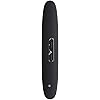
[DISCONTINUED] Samsung T1 Portable 500GB USB 3.0 External SSD (MU-PS500B/AM)

  • Based on 726 reviews
Condition: New
Checking for the best price...
$128.00 Why this price?

Buy Now, Pay Later


As low as $21.33 / mo
  • – 6-month term
  • – No impact on credit to apply
  • – Instant approval decision
  • – Secure and straightforward checkout

Ready to go? Add this product to your cart and select a plan during checkout.

Payment plans are offered through our trusted finance partners Klarna, Affirm, Afterpay, Apple Pay, and PayTomorrow. No-credit-needed leasing options through Acima may also be available at checkout.

Learn more about financing & leasing here.

Selected Option

Free shipping on this product

30-day refund/replacement

To qualify for a full refund, items must be returned in their original, unused condition. If an item is returned in a used, damaged, or materially different state, you may be granted a partial refund.

To initiate a return, please visit our Returns Center.

View our full returns policy here.


Availability: 19 left in stock
Fulfilled by eDoves

Arrives May 12 – May 18
Order within 6 hours and 13 minutes
Available payment plans shown during checkout

Protection Plan Protect Your Purchase
Checking for protection plans...

Capacity: 500 GB


Features

  • Super fast read-write speeds of up to 450 MB/s driven by Turbo Write Technology.
  • Easy Password Protection - Embedded AES 256 bit encryption for cutting edge data security
  • Slim compact shape, combining style and portability featuring laser patterning and black chrome metalized finish
  • Small and sleek up to 1TB storage, but weighs only 1 Oz.
  • Supports USB 3.0 Interface Up to 10X Faster than USB 2.0
  • 3-Year Limited Warranty

Description

The powerful performance of an internal SSD with cutting edge security in a compact, stylish case.

Digital Storage Capacity: 500 GB


Hard Disk Interface: USB 2.0/3.0


Connectivity Technology: USB


Brand: Samsung


Special Feature: Portable


Hard Disk Form Factor: 0.85 Inches


Hard Disk Description: Solid State Drive


Compatible Devices: Laptop


Installation Type: External Hard Drive


Color: Black


Digital Storage Capacity: 500 GB


Hard Disk Interface: USB 2.0/3.0


Connectivity Technology: USB


Additional Features: Portable


Hard Disk Form Factor: 0.85 Inches


Compatible Devices: Laptop


Specific Uses For Product: Storage


Read Speed: 450 Megabytes Per Second


Media Speed: 450.0 megabytes_per_second


Cache Memory Installed Size: 500


Data Transfer Rate: 5 Gigabits Per Second


Form Factor: Portable


Hardware Connectivity: USB 3.0


Installation Type: External Hard Drive


Color: Black


Brand: Samsung


Model Number: MU-PS500B/AM


Hard Disk Description: Solid State Drive


Model Name: T1 Portable


Manufacturer: Samsung Electronics


Global Trade Identification Number: 90


UPC: 887276066790


Hard-Drive Size: 500 GB


Item Weight: 0.07 Pounds


Number of Items: 1


Frequently asked questions

If you place your order now, the estimated arrival date for this product is: May 12 – May 18

Yes, absolutely! You may return this product for a full refund within 30 days of receiving it.

To initiate a return, please visit our Returns Center.

View our full returns policy here.

  • Klarna Financing
  • Affirm Pay in 4
  • Affirm Financing
  • Afterpay Financing
  • PayTomorrow Financing
  • Financing through Apple Pay
Leasing options through Acima may also be available during checkout.

Learn more about financing & leasing here.
Top Amazon Reviews


  • The Samsung SSD T1 Portable 250GB is an excellent product
Capacity: 250 GB
The Samsung SSD T1 Portable 250GB is an excellent product, not cheap, but not too expensive, I would perhaps have liked to opt for the 500GB, but the cost I would not allow, however I am fully convinced that it was an excellent purchase, since this device is characterized by multiple aspects. The first mobility is designed to be compact and lightweight allows us to carry it to wherever and although some may not like, I do charm out of plastic and making it extremely lightweight (I know, some will say for the price it would be best an aluminum body, like her sister T3, I on the contrary think that plastic requires less care, especially if it falls to the floor or if or if shares space with car keys, and the T1 will not suffer from scratches and chipped) The second is its design is compact, very compact, fits in any pocket, and design made on the surface laser is hypnotic, touch me seems fine, perhaps the only thing he had asked Samsung is a color palette more espacious. Thirdly, connectivity, although this formatted by default in exFAT, works with Windows, MacOS X and Linux, so we will not have connectivity problems, also has the USB 3.0 standard which results in a copy speed excellent , here it I have to complain because the cable which is very small and has later than early positions as incomodad in which we need to put this cable log. Finally something worth noting is its encryption software, a plus (which however will lose support Linux operating system officially unsupported) simply remain encrypted and therefore our files safe voyeurs or worse offenders. For this the Samsung T1 SSD is an excellent buy. ... show more
Reviewed in the United States on March 23, 2016 by GIBAALAV

  • Best Portable Device Ever!!
Capacity: 250 GB
It says for it self. Its very very light didn't know anything can be inside of the plastic shell, just thought it was a very expensive hollow plastic shell and it holds true to the speeds given. Tested this on my 2013 DIY desktop and my Surface Pro 3 and the speeds were crazy, I put a copy of Louis CK new show (3.58 GB) and in 10 seconds it was already in the device and it only took 12 seconds to put it on my surface pro 3. Since the video was a large file I also put in 2 smaller files (~500MB) and it took on avg. 12-15 secs on both devices as with smaller files the speed decreases but with usb 3.0 and a ssd. I think it did alright or more than decent since each device has its limitations regardless whether they're brand new or a few years old and I love samsung products for pcs and now for potability this is a must have, like for large file uploads or a portable backup for your computer. Pros: High Speeds -Need to have USB 3.0 or connect to one Nice value for price Short Cable is good if you like the distance Very light weight -The box that it came in is heavier than ~6 of these T1's - Also the box is thicker due to the doc it came with and the safety of the cable Cons: Cable is short so go get a longer one -I suggest StarTech B00KTKTBLU for price keeping and length of cable Since its new when you register it must be on or after Feb. 1 2015 and not before (unless you purchase it sometime this month) -Also no product support for awhile since samsung is probably doing it at the moment Also if you have norton 360 it finds the app as a [SONAR.Heuristic.120] and it won't run properly so I advise if you currently have norton 360 wait until a fix comes in (check the site for the app version change) for the miss hap or disable sonar until the app is installed. ... show more
Reviewed in the United States on February 2, 2015 by Daniel

  • Fast, Arrogant, Iffy (EDIT: and Broken)
Capacity: 500 GB
EDIT 4: I assume this will be my final edit. As a follow-on to what I reported in the Edit's below, I just got a refurbished version back from them today. Same problem: the drive might or might not connect. I can't come up with any way to pinpoint the problem. It happens with multiple computers, multiple cables, multiple operating systems, multiple USB ports, and now, multiple drives. At this point, I guess I'm just going to consider it a total loss and accept that I threw over $200 down the toilet. If you do buy one of these and it starts to give you issues connecting, don't wait and see if it gets better. Return it if you can. EDIT 3: Over the last three months, the intermittent connection problem I noted, below, has extended itself from the initial drive setup, past a 50% successful connection rate in regular use, and into a definite connection struggle. This morning, in Linux, Windows 10, and Windows 8.1, I ended up trying multiple USB ports and finally rebooting the machine with the drive connected to get it to connect. Initially, I thought this was a problem with the Windows drivers. But, since it's also happening on Linux, happens with different USB ports, different machines, and different cables, and is getting worse, I'm now saying the drive is bad. So, I'll try contacting Samsung (1-800-SAMSUNG) and see what they'll say. Also, I'm dropping my rating from my initial 4 stars all the way down to 1 star. EDIT 2: No. The connection problem, at least in my case, doesn't appear to be a problem with the cable. I got my AmazonBasics USB 3.0 Cable - A Male to Micro B - 6 Feet (1.8 Meters) and tried to connect from various ports. Same problem: sometimes it connected and sometimes it didn't. CrystalMark gives about the same speed results. EDIT 1: I've seen several reviews running back to January 2015 about the possibility that the cable (which is ridiculously too short) is the cause of these connection problems. I'm going to see if a replacement cable will work and do a little talkin' to Amazon and Samsung about this. ORIGINAL REVIEW: I'm very happy with the speed of this "Samsung T1 Portable 500GB USB 3.0 External SSD (MU-PS500B/AM)." My primary use for it is for backup files across multiple machines. For my first test, I had Windows 10 Build 10130 store a System Image to this drive. With my old WD40EZRX drive in an external enclosure attached to the same USB 3.0 port, that usually took about 25 minutes. With this T1, it took four (4) minutes. I sure can't complain about that. I also ran CrystalDiskMark 4.0.3 x64 on it and got the following: Seq Q32T1: Read = 435.0 MB/s, Write = 418.4 MB/s 4K Q32T1: Read = 146.8 MB/s, Write = 136.7 MB/s Seq: Read = 406.4 MB/s, Write = 389.1 MB/s 4K: Read = 24.24 MB/s, Write = 40.90 MB/s Very roughly speaking those non-4K results are about 80% of each of my internal (SATA 3) SSDs, while the 4K Q32T1 test is about 40% of them, the 4K Read is about 70% of them, and the 4K Write is about 30%. I really have no idea about those benchmarks (I've included them in case someone's interested). But, I assume the difference in speed is due to the differences between the SATA 3 and USB 3.0 interfaces. Alright. I'm happy with the performance. But, I've got issues with the arrogance of Samsung regarding how they've packaged this drive. When you first plug it in, it runs some software that lets you name the drive and decide about encryption. There's no way around that. If your machine can't run that utility, your drive doesn't work. Once that utility runs, it's not needed any more. Yet, it sits there staring at you from the System Tray. There's no obvious way to turn it off and there's no entry for it in Programs & Features, so you can't uninstall it. Even more fun, it turns out that Samsung's utility sticks this software under the hidden "ProgramData" folder. So, to get rid of it, you first have to bring up your Task Scheduler, find Samsung_PSSD_Registration there, End it, Disable it, and Delete it (that's what I did, anyway). Then you can delete (or move to an archive somewhere) the "Samsung Apps" folder under "ProgramData." This is just plain arrogant. The drive should just work as soon as it's plugged into any USB 3.0 port on any computer of any flavor. If Samsung wants to have a utility to rename and encrypt the drive, then they should just give us a normal download on their site. And, finally, I've got my "iffy" section. It took me 5 tries across two machines to get that utility to run. On my Windows 10 Build 10130 machine, plugging the drive into a front USB 3.0 port resulted in nothing. Zip, zero, nada, etc.. The OS didn't even recognize that anything had been plugged in. On a Windows 8.1 machine, I got the same result. Eeek. Next, I tried plugging it into a rear USB 3.0 port. On the Windows 10 machine, I got a beep that indicated the OS had recognized something had happened. But, nothing else. On the Window 8.1 machine, I got the same beep and an OS notification that the device was being installed, but nothing else. Back on the Windows 10 machine, I again tried that USB 3.0 rear port and, finally, the OS recognized it and the Samsung installation utility ran. So, I'm a bit worried about the drive. It seems to be running fine and everything tests out OK. But, I'm just wondering about why it took all those tries to get things working. Also, my Windows 10 machine will not "Safely Remove the Hardware...." I've run SysInternal's Process Explorer and looked for anything accessing the drive. But, there's nothing. This could very well be a Windows 10 issue, though. Without the mandatory, hidden Samsung utility and without my initial connection problems, I'd have given this a full 5 stars. But, because of them, I'm knocking a star off and rating it at a Very Good 4 stars out of 5. ... show more
Reviewed in the United States on June 8, 2015 by illiandantic

Can't find a product?

Find it on Amazon first, then paste the link below.
Checking for best price...