





$225.99
Save $23.00
was $248.99
Buy Now, Pay Later
As low as
$37.67
/ mo
Learn more
- – 6-month term
- – No impact on credit to apply
- – Instant approval decision
- – Secure and straightforward checkout
Ready to go? Add this product to your cart and select a plan during checkout.
Payment plans are offered through our trusted finance partners Klarna, Affirm, Afterpay, Zip, Apple Pay, and Google Pay. No-credit-needed leasing options through Acima may also be available at checkout.
Learn more about financing & leasing here.
Selected Option
Free shipping on this product
30-day returns
Learn more
FREE 30-day refund/replacement
To qualify for a full refund, items must be returned in their original, unused condition. If an item is returned in a used, damaged, or materially different state, you may be granted a partial refund.
To initiate a return, please visit our Returns Center.
View our full returns policy here.
Availability:
In Stock.
Arrives
Friday, Oct 30
Recently Viewed


At a glance
- Condition
- New
- Style
- New Model
- Model
- 6354C019
- Dimensions
- 22.5"D x 22.8"W x 22.1"H
- Weight
- 27.6 lb
- Color
- White
- Ink Color
- black
- Warranty
- 1 Year Manufacturer
- Works with
- Printer
Features 5
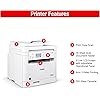
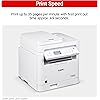
- Print up to 35 pages-per-minute with a first print out of time of less than 4.9 seconds (letter)
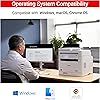
- Print on-the-go with Canon Print App, Canon PRINT Business, Apple AirPrint and Mopria Print Service
- High capacity toner option keeps up with your printing needs and limits toner replacement interruptions
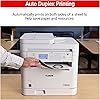
- Duplex print saves paper and related costs
- High speed scanning. Single-sided: up to 15/21 ipm (BW/Color)
Specs 34
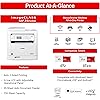
| Model Name | imageCLASS MF284dw |
|---|---|
| Brand | Canon |
| Ink Color | black |
| Page Yield | 1000 |
| Special Feature | LED Indicator |
| Compatibility Options | OEM |
| Color | White |
| Manufacturer | Canon |
| Cartridge Type | Genuine |
| Ink Colour | black |
| Other Special Features of the Product | LED Indicator |
| Display Type | LCD |
| Additional Printer Functions | Copy, Scan |
| Compatible Cartridge | Canon Genuine Toner 072 Standard / 072 High Capacity |
| Item Dimensions D x W x H | 22.5"D x 22.8"W x 22.1"H |
| Item Weight | 27.6 pounds |
| Maximum Copy Speed Black and White | 35 ppm |
| Number of Trays | 2 |
| Print media | Paper (plain) |
| Printer Output Type | Monochrome |
| Printer Type | Laser |
| Scanner Type | ADF |
| Warranty Type | Limited |
| Item Highlight | Print, Copy, Scan, 2-Sided Printing, Auto Doc Feeder, Mobile Printing, 35 PPM |
| Number of Items | 1 |
| Unit Count | 1 Count |
| UPC | 013803372274 |
| Number of Packs | 1 |
| Built-In Media | Toner Cartridges |
| Item Type Name | Laser Printer |
| Model Number | 6354C019 |
| Model Series | imageCLASS MF |
| Mfr Part Number | 6354C019 |
| Specific Uses For Product | Office |
No specs match.
Frequently asked questions
If you place your order now, the estimated arrival date for this product is:
Friday, Oct 30
Yes, absolutely! You may return this product for a full refund within 30 days of receiving it.
To initiate a return, please visit our Returns Center.
View our full returns policy here.
To initiate a return, please visit our Returns Center.
View our full returns policy here.
- Klarna Financing
- Affirm Pay in 4
- Affirm Financing
- Afterpay Financing
- Zip Pay in 4
- Financing through Apple Pay
- Financing through Google Pay
Learn more about financing & leasing here.
Similar Products







Top Amazon Reviews
Quality, great price. Newer than my model Canon too.
Style: New Model
Ordered for my son's new place. It works fine. Newer model of what I have in the home office. Canon printer products I find to be very good quality, and for the price (this 3 years newer model was ~$70 less than the model I bought!) it's hard to beat. Set up is easy and he's AirPrint-ing just fine.
Reviewed in the United States on August 31, 2026 by jmk63
Not the unit you want if going to be used primarily a wireless printer.
Style: New Model
I rate this low, specifically for the units inability to hold wifi only connectivity in the new wireless climate. You think new, you get nearly legacied level equipment. Plain and simple. This was never going to be tethered via ethernet, so keep that in mind. Im sure it would work fine if ethernet was used, though I wonder how well as the options to disable "eco mode" would affect long term service. Every time the eco mode would kick in, the unit woukd kick into sleep mode, and eventually drop. Just a pain in the arse. Dealt with it until it became untenable and the return window had closed. Fast forward to mid April and contacted Canon directly. No bouncing around ir extended wait times or unmanned AI run around...git an actual person immediately, and not in another country. Lenovo has similar as well, and was immediately helped with awesome troubleshooting and instructions. Seemed to hold but even Canon tech, Dave, worked it may or may not hold, so seemed like a known issue [and come to find out, this unit has been around for awhile as there have been 4 builds past this exact base model. It didnt hold after 4 days and dumped from network and shuts off. Call Dave back [yes, stated to ask for him by name] and he picks up, states he will qualify this for warranty replacement with a new unit. New unit arrives quickly and with prepaid label to attach to the box this arrives in [original box gone]. I then notice the build number is actually 3 or 4 builds higher and alot of the "bloat" is gone and its more precise, "direct connect" to network is clear and fast--- [versus the PIA key log in] You get full touch screen ability and input when tethered to a laptop, on the network, which saves so much time and aggravation! Love this replacment unit...love the tech support...just this unit purchased is old/legacied and probably is better suited in a ethernet tethered network versus pure wireless environment. Yes, I did try a static IP so router would "remember" the printer---NOPE, dropped. The one purchased on Amazon was the ImageClass MF284DW....the one I received is the ImageClass MF287DW. NIGHT and DAY as far as quality and perfect for wireless only situation. Hopefully this saves someone that hassle and aggravation I incurred. Amazon isn't going to be able to help in this situation and Canon stands begins its product awesomely!
...
show more
Reviewed in the United States on April 27, 2026 by S&J
Easy to set up. Works on Chromebook without Play Store!
Style: New Model
I had to replace my 15+ yo Canon MFP. I chose this printer because it supports ethernet and Chromebook. It was very easy to set up. After going through the menu on the printer to get it on the network, it showed a URL to go to from your devices. I selected the printer model, and it detected the printer and the operating system and installed the necessary drivers. This worked flawlessly on Windows 10 and 11. What surprised me was, on my Chromebook, it said I needed to install an app from the Play Store, which I don't have enabled (my preference). There was also a link on how to print from Chromebooks, which was just to print, and selecting the printer. And it worked! I saved the printer and set it as the default. It only takes a few seconds to start printing, and the quality is as expected. Some inside plastic parts feel a bit flimsy, but this is not a commercial printer. I like the paper cassette - it's an actual drawer that you open to load the paper into (my old printer was not like this). I have not tried scanning or printing from a phone.
...
show more
Reviewed in the United States on March 30, 2025 by KT
Excellent printer for small business use
Style: New Model


The Canon MF284dw is an excellent all-in-one printer for home or small office use. I've been using it for a few weeks now and have been consistently impressed by its fast print speed, sharp text quality, and reliable wireless connectivity. Setup was straightforward, and the touchscreen interface is intuitive and easy to navigate. The duplex printing and scanning features save time and paper, which is a big plus. It's also relatively quiet during operation. My only minor complaint is that it's a bit bulky, but the performance more than makes up for the size. Overall, it's a solid investment for anyone needing a dependable, high-quality monochrome laser printer.
...
show more
Reviewed in the United States on July 7, 2025 by Katarina
A dependable, efficient black-and-white workhorse
Style: New Model
The Canon imageCLASS MF284dw is a fast, reliable monochrome laser all-in-one for small offices and home setups. It prints up to 35 ppm, produces crisp text, and supports duplex printing to save paper. A 250-sheet tray, 35-sheet ADF, and wireless, Ethernet, and USB connectivity make it versatile. Mobile printing is supported via AirPrint, Mopria, and the Canon PRINT app. Pros: - Quick first print (~5 seconds) - Compact design with solid build - Cost-efficient high-yield toner - Easy operation with a clear LCD Cons: - No manual feed for envelopes - Basic, non-touch display - Occasional wireless setup quirks Bottom line: A dependable, efficient black-and-white workhorse ideal for everyday business printing and scanning.
...
show more
Reviewed in the United States on August 15, 2025 by David K.
Easy to set up, configure, and use. Excellent value.
Style: New Model
I recently wrote a somewhat unfavorable review for a different printer (not a Canon), which I found extremely difficult to set up, and which I ended up returning. However this printer was relatively easy to set up and configure. Copying either single or multi-page documents is very straightforward. Configuring the wireless/network connection was easy. The control panel display and buttons are clear and reasonably intuitive. Setting up the scanning feature required a bit more effort - it was necessary to download the scanning software for the computer (I have Mac OS Sequoia) from the Canon website, but again, once installed the software was easily able to detect the device on the network. The multi-page document feed is really useful, and is a feature not found on many similarly priced machines. Overall I am very satisfied with this purchase, and it is excellent value.
...
show more
Reviewed in the United States on October 24, 2025 by Rob L.
What's beyond "abysmal"?
Style: New Model
Since 2008, I have had a trusty, problem-free Canon MF4150. This is the heir-apparent, and a logical choice when upgrading my laptop and scanner-copier-printer MultiFunction device. After hours upon hours of trouble-shooting, and being unsuccessful in installing the scanner portion (the heaviest duty portion for me) of the software, this MF284dw made a U-turn back to Amazon. Amazon would not do an exchange, only a refund. I believe the 284 I received was faulty, with a glitch in the circuitry between the MF's USB-B port (port worked fine for local *printing*) and the scan hardware. In Windows' Device Manager, the 284 did not show up on either of two laptops (Win 10 on one, Win 11 on the other) when directly connected via USB-A to USB-B (working cables x 2 as proved by printing). The scan did work wireless, but with about a 20- to 30-sec lag for each page, totally unworkable for me. Because Amazon would not do an exchange, I ordered a competitor product through Sam's for exactly the same price to the penny. Oh My Fair Godmother (as they say in Disenchanted, another word that describes my 284 experience), what a difference. Installation for that was almost as simple as download the software and press one-button for complete WiFi installation. Scanning so fast it's like the old "Lucy" clip where she can't keep up trying to get the pies off the conveyor belt. This new machine connects via 5G. The 284 only has the ability to connect at 2.4G. The new one has a separate feeder for odd sizes in addition to the paper drawer, the more traditional setup. For the same $$, the other (new) one is much superior. Am so glad I ended up with the new one, hopefully for the next 15-20 years.
...
show more
Reviewed in the United States on June 17, 2025 by RagsToRags
Lousy scanner
Style: New Model
Nice copier, but if you want a reliable scanner don't get this one. We've owned for about a year and have had nothing but complicated problems with this scanner. Bought it because of less expensive ink cartridges, but we never had trouble with any of the other scanners like we do with this one. Very inconsistent functionality. We have even called customer service a few times, but continue to have problems. It takes an hour if you need to scan 8 pages. Also didn't realize that this was only a black and white unit ( which if that was the only issue I could live with it ) very, very dissapointed
...
show more
Reviewed in the United States on August 26, 2026 by d bakker