Search  for anything...

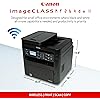
Canon imageCLASS MF264dw II - Monochrome Duplex Wireless Laser Printer, Multifunction with Scanner, Copier, Auto Document Feeder, Mobile Ready, 30 PPM, Black

Based on 388 reviews
Condition: New
Checking for the best price...
$375.99
Holiday Deal Ā· 30% off was $540.99

Buy Now, Pay Later


As low as / mo
  • – Up to 36-month term if approved
  • – No impact on credit to apply
  • – Instant approval decision
  • – Secure and straightforward checkout

Ready to go? Add this product to your cart and select a plan during checkout.

Payment plans are offered through our trusted finance partners Klarna, Affirm, Afterpay, Zip, Apple Pay, and Google Pay. No-credit-needed leasing options through Acima may also be available at checkout.

Learn more about financing & leasing here.

Selected Option

Free shipping on this product

This item is eligible for return within 30 days of receipt

To qualify for a full refund, items must be returned in their original, unused condition. If an item is returned in a used, damaged, or materially different state, you may be granted a partial refund.

To initiate a return, please visit our Returns Center.

View our full returns policy here.


Availability: In Stock.
Fulfilled by Best Way Tech (We Record SN)

Arrives Nov 18 – Nov 24
Order within 10 hours and 57 minutes

Available payment plans shown during checkout

Protect Your Purchase

Easy claims online, fast replacements, no fees

Checking for protection plans...

At a glance

Condition
New
Style
Old Model
Model
5938C020
Dimensions
15.9"D x 15.4"W x 14.8"H
Weight
27.3 lb
Color
Black
Cartridge Type
Genuine
Warranty
1 year
Works with
Laptops

Features 8

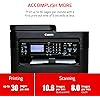
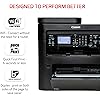
  • Wireless 3-in-1: print, scan, copy
  • Print Up to 30 Pages Per Minute (BW, Letter)
  • First Print Out Time of Approximately 6 Seconds (Letter)
  • Uses Canon Genuine Toner 051 / 051 High Capacity Toner - high capacity toner option keeps up with your printing needs and limits toner replacement interruptions

Description

The imageCLASS MF264dw II is designed for small office environments where black-and-white all-in-one capability is needed, and productivity, ease of use and large toner and paper capacity are priorities. This model is backed by Canon's Service and Support network.

Specs 38

Model Name imageCLASS MF264dw II
Brand Canon
Ink Color black
Page Yield 1700
Special Feature Auto Document Feeder, Auto-Duplex, ENERGY STARĀ® Certified, EPEAT Silver, LED Indicator, Network-Ready
Compatibility Options Genuine Toner 051 / 051 High Capacity Toner
Color Black
Manufacturer Canon

Frequently asked questions

If you place your order now, the estimated arrival date for this product is: Nov 18 – Nov 24

Yes, absolutely! You may return this product for a full refund within 30 days of receiving it.

To initiate a return, please visit our Returns Center.

View our full returns policy here.

  • Klarna Financing
  • Affirm Pay in 4
  • Affirm Financing
  • Afterpay Financing
  • Zip Pay in 4
  • Financing through Apple Pay
  • Financing through Google Pay
Leasing options through Acima may also be available during checkout.

Learn more about financing & leasing here.
Top Amazon Reviews


Such a big box but SO reliable and amazingly priced
Style: Old Model
We got so sick of HP ink jet printers with the constant paper jams and ink-clogging and wasting. We only print like once a week, so we needed a printer that can go thru long periods of non-use then work perfectly. So the criteria was: Laser printer, name brand, and NOT HP. We found this and managed to get it for approx. $160. We LOVE it. We have had it 9 months now, ZERO problems, and haven't even had to change the toner yet. As a bonus, we are enjoying the copier & scanner features, and especially love the 2-sided printing capability. The only negatives would be: 1) It is a gigantic box that takes a lot of desk space. (Fortunately we have a huge desk.) It seems like overkill to have an "office grade" printer in the home for such occasional use, but its reliability is SO worth it, and we got such a good deal on it it's sure to pay off soon in not having to buy $50 ink jet cartridges all the time. 2) Obviously it only prints in black & white. We mostly print homework assignments and work documents so rarely miss the color. The reliability benefits far outweigh the loss of color. ... show more
Reviewed in the United States on November 24, 2023 by C. North

Great! Easy set up! iPhone and Samsung print works!
Style: Old Model
My husband tried to use his Mac for the set up, haha! Following the included instructions he put the disc in and it doesn't recog the AOS, he doesn't use his Mac anyways to print, he uses his iphone. He thought I needed the disc for my Dell per instructions... nope, I don't have a disc on my Dell (The instructions told my husband NOT to plug in direct to computer.) The next day I took over! šŸ˜ After turning the printer on, I followed the electronic instruction on small digital screen on the printer (didn't even pull out the included instructions or disc.). Set up the time zone and wifi. Plugged my Dell directly into the printer, haha! šŸ‘©šŸ’» Went to add printer and it already recognized the printer, did a quick test paper. The printer said there was no paper even though there was. I looked on the screen and it wanted me to pick the type of paper. I hit the down button 2 times... BINGO! šŸ˜šŸ‘Printed. Pulled up a test page from a pdf on my computer to check it again. Printed just fine. Then pulled up a pdf on my Samsung cellphone selected print, this took me to Canon app download. Downloaded it. Went back to pdf to print! Printed great! My whole experience took maybe 8 mins. Asked my husband to try his iphone... he pulled up a pdf, hit print, and it printed! He didn't have to download anything! He has been printing all morning... 🤭. This is one set up that the instructions make it way harder than it really is. 🤯 ... show more
Reviewed in the United States on May 3, 2023 by Reg

Very buggy. I hate this printer so much.
Style: Old Model
I think this might be the worst printer i have ever owned. Initially i already had some issues with the driver for this printer. My desktop had issues connecting with this printer via USB. I have not even attempted to use the wifi feature. Sometimes the desktop did not recognize the printer or only saw it as a scanner. I have had to reinstall the driver many times using the disk that came with it because it was very difficult to find all the drivers for this printer. Each feature of the printer has a different driver. DO NOT LOSE THE DRIVER DISK Out of the 3 laptops in my home, only one is able to print with this printer (not using wifi feature. This is all physical connection via USB port). The other two cannot even recognize the printer when it is plugged in and when it does recognize the printer, the printer is always in error mode. The latest issue is that the printer is showing a "no paper" error when it is stacked full of paper. I have tried turning it off and on, unplugged from power for 5min, taken paper out and putting it in again. Nothing has worked. It is not even trying to pick up the paper. The error shows immediately after print job is sent. I have reverted back to using my old HP printer from 2005. My old printer jams a lot and has issues picking up the paper, but at least i can print, i can fix the paper jams easily, and if the printer tries enough times it will eventually pick up paper to print. ... show more
Reviewed in the United States on March 1, 2024 by micah nguyen

Overkill for a home machine but still great bang for the buck
Style: Old Model
I purchased this for my home. I tend to go overkill (reasons below) and wanted to get more than I'll need for a while. The setup was mostly easy. Mostly. Printing is super fast and easy right from the box. As soon as it was connected to my WiFi, my computer saw it and was able to print. Print quality is good. Pretty much what you expect from a greyscale laser. Standard office machine style fare. Copying is about as simple as you would think as well. Lift the lid and place paper facing down or use the ADF. Scanning... This is the weak spot. Using the ADF to scan was one reason I went with this one. I wanted to digitize my files for better storage. However, the scan to PC button is trash. I can't seem to get it to work and as many people here have had issues with support, I won't bother with them. BUT....I found the scanner just fine using a basic Windows scanner utility and am able to trigger and receive scans just fine using that. I still have more work to do on learning how to optimize it and get results I prefer, but that's on me. Why go overkill? Simple. I wanted duplex printing and ADF scanning. I wanted a laser since I don't print with any real frequency, but I want it to always work (no dried up ink cart heads...) Most importantly, and I can't stress this enough....I despise starter cartridges. This one comes with a standard toner cartridge, and being made for small offices, it's going to last me a good while. I don't want to but another printer or more toner/ink for a while. This should fill that requirement without issue. Just wish the scanning was a better experience. ... show more
Reviewed in the United States on February 23, 2023 by P. Moody

Wireless features and troubleshooting is an awful pain
Style: Old Model
Edit: Something must have been updated because it synced with my iPhone and MacBook without any input in my end. Notnhavinrr get color cartridges is the greatest thing about laser printers. Good quality prints for documents. When you try to scan to computer it tells you to connect the computer even though it is already connected. Troubleshooting is practically nonexistent. I have a canon printer that is about ten years old and it was so much easier than this one. ... show more
Reviewed in the United States on January 5, 2025 by J. Johnson

Priced right.
Style: Old Model
This works well as a printer, i don’t use the other functions. Very good for the price.
Reviewed in the United States on April 29, 2026 by mike

Good printer
Style: Old Model
I got sick of replacing ink cartridges in my inkjet printer. If I didn’t print a couple of times a week the nozzles would clog and I’d have to do a cartridge clean. A waste of time and money. I thought about it and decided I really didn’t need to print in color anymore. I looked at reviews and prices and selected this one. It was easy to set up and I was able to use it with all my Apple devices via WiFi. The print is fast. Copies and scans came out well. The feed tray on top is very useful. I like the two sided print capabilities. And the ability to combine multiple scanned sheets into one document automatically is great. For a B/W laser printer it does everything I need it to. ... show more
Reviewed in the United States on July 29, 2023 by EN

Canon ImageClass MF264dw II Died after 1 year
Style: Old Model
Update November 2025: One year after purchase this printer stopped printing. Nothing I did could bring it back. I got frustrated with it and threw it out. I purchased a Brother wireless instead and after 1 month it is doing fine. Hopefully it will last longer than this Canon did. Sept 2024: This is my second Canon laser printer. My first is 15 yrs old and still working fine. It just isn't Wifi capable. It is heading to DAV to find a new home. This printer after three weeks works great. I needed a Wifi laser printer so I could print and scan from my laptop. After watching a few youtube videos I was able to hook it up with no problem. One thing not covered by the directions or the videos was obtaining the "MF scan utility". It's automatically downloaded from the internet with the main driver so you only have to look for it and make a shortcut on your desktop. I use it to scan documents from my laptop. It also works on my desktop. But then I found that this new printer scans from the printer and you can direct which computer the scans are sent to using the printer control panel! However, the scan utility works much better, has more options and gives you more control, and makes all the pages of a scan into a single pdf document. I haven't figured out how to do that using the printer control panel. I have also used the "print on both sides" function a lot. Really handy. The automatic paper feeder works also. I very much recommend this printer. Amazon was very gentle in delivery and Canon packed it super-well. It's a keeper. ... show more
Reviewed in the United States on October 3, 2024 by tyrone
Checking for best price...