Search  for anything...

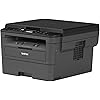
Brother Monochrome Laser HLl2390DW, Wireless Networking, Duplex Printing Refresh Subscription with Free Trial and Amazon Dash Replenishment Read

  • Based on 4,477 reviews
Condition: New
Checking for the best price...
$394.20 Why this price?

Buy Now, Pay Later


As low as / mo
  • – Up to 36-month term if approved
  • – No impact on credit to apply
  • – Instant approval decision
  • – Secure and straightforward checkout

Ready to go? Add this product to your cart and select a plan during checkout.

Payment plans are offered through our trusted finance partners Klarna, Affirm, Afterpay, Apple Pay, and PayTomorrow. No-credit-needed leasing options through Acima may also be available at checkout.

Learn more about financing & leasing here.

Selected Option

Free shipping on this product

30-day refund/replacement

To qualify for a full refund, items must be returned in their original, unused condition. If an item is returned in a used, damaged, or materially different state, you may be granted a partial refund.

To initiate a return, please visit our Returns Center.

View our full returns policy here.


Availability: Only 1 left in stock, order soon!
Fulfilled by ETech-Electronics

Arrives Monday, May 18
Order within 20 hours and 2 minutes
Available payment plans shown during checkout

Protection Plan Protect Your Purchase
Checking for protection plans...

Style: New Model: HLL2390DW


Features

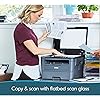
  • Engineered for productivity: Brothers latest technology is infused into the HL L2390DW. Equipped with a flatbed scan glass for convenient copying, this monochrome laser printer is engineered to scan directly from mobile devices
  • Print more, wait less: Developed to optimize efficiency, this replacement for the DCPL2520DW produces a robust and class leading print speed of up to 32 pages per minute (1)
  • New, user friendly features : This new Brother monochrome laser printer includes a 250 sheet paper capacity, which helps improve office efficiency with less refills. The HLL2390DW also handles legal and letter sized paper
  • Flexible printing: Print envelopes, card stock, and multiple sized paper through the easy to access manual feed slot, allowing you to create professional looking documents with higher resolution
  • Wireless printing & exceptional support : The easy to link wireless technology allows you to submit print jobs from your laptop, smartphone, desktop, and tablets (2). We provide free online, call, or live chat support for the life of your printer. At Brother, we want to ensure that your experience with us is exceptional
  • Ensure optimal and uncompromising performance: When its time to replace your toner, be sure to choose Brother Genuine TN730 Standard or TN760 High-Yield replacement cartridges. And with Refresh EZ Print Subscription Service, youll never worry about running out of toner and youll enjoy savings of up to 50%* on Brother Genuine Toner. Get started with Refresh today with a Free Trial.*

Description

Infused with Brother’s latest technology and designed to enhance office efficiency, the Brother HL L2390DW is a reliable, robust, and affordable monochrome laser printer with copying and scanning capabilities that is perfect for the home or small office. The modern and updated replacement for the reliable Brother DCPL2520DW is built with a flatbed scan glass that provides convenient copying and scanning. It has also been updated with new features that allow users to scan and print directly from mobile devices, including tablets, and cloud based accounts. The HL L2390DW has been upgraded to optimize printing to meet the evolving needs of modern business. With lightning quick precision, the Brother monochrome laser printer features a class leading print speed of up to 32 pages per minute. You can easily connect via built in wireless network and USB interfaces and print wireless from your mobile devices. The automatic duplex printing feature helps save paper, and using Brother Genuine high yield replacement toner (TN 760) can help lower print costs (also compatible with TN 730 replacement toner cartridge). The tray with the capacity to hold up to 250 sheets helps improve efficiency with less refills and handles both letter and legal sized paper. Brother is dedicated to superior customer service and stands by our products by offering a 1 year limited warranty on this new monochrome laser printer. We also provide free online, call, or live chat support for the life of your printer. At Brother, we want to ensure that your experience with us is exceptional. If you have been looking for an exceptional monochrome laser printer with fast printing capacity and multiple user friendly features, add the Brother HL L2390DW to your Amazon shopping cart today. (1) Based on competing in class monochrome laser printers under 200 dollars. Print speed specifications gathered from manufacturer websites as of 1/9/2017.(2) Requires connection to a wireless network.(3) TN 760 High Yield vs. TN 730 Standard Yield. Up to two times more prints and lower printing costs based on yields and MSRP. Standard Yield and High yield cartridges sold separately.(4) Approx. toner cartridge yield in accordance with ISO/IEC 19752 (letter/A4).(5) Reprinted from PCMag with permission. Copyright 2017 Ziff Davis, All Rights Reserved.(6) The mobile device must have NFC capability and run Android OS 4.4 or later. Compatibility : ITU T Super Group 3.

Brand: Brother


Connectivity Technology: Ethernet, USB, Wi-Fi


Printing Technology: Laser


Special Feature: Auto-Duplex


Color: Black/Grey


Model Name: HLL2390DW


Printer Output: Monochrome


Maximum Print Speed (Color): 10


Max Printspeed Monochrome: 32 ppm


Item Weight: 22.7 Pounds


Printer Type: Laser


Other Special Features of the Product: Auto-Duplex


Printer Output Type: Monochrome


Item Weight: 22.7 Pounds


Item Dimensions D x W x H: 40"D x 16.1"W x 23"H


Print media: Card stock, Envelopes, Paper (plain)


Scanner Type: document


Maximum Copy Speed Black and White: 32 ppm


Display Type: LCD


Compatible Devices: Laptops, Smartphones, Tablets


Warranty Type: limited warranty


Ink Color: Black


Resolution: 1200


Additional Printer Functions: All In One


Control Method: Voice


Number of Trays: 1


Maximum Media Size: 8.5 x 14 inch


Maximum Sheet Capacity: 250


Paper Size: 8.5 inch x 14


Output sheet capacity: 250


Printer Connectivity Type: Ethernet, USB, Wi-Fi


Hardware Interface: USB


Total USB 2.0 Ports: 1


Total Usb Ports: 1


Maximum Copy Resolution Black and White: 600 x 600


Brand: Brother


Model Name: HLL2390DW


Model Number: HLL2390DW


Built-In Media: Brother HLL2390DW, Starter toner cartridge (700 page yield est), DR730 Drum (12,000 pages), Quick set up guide, Installation CD-ROM (MAC OS available from download links), AC Power cord


Model Series: HLL


Specific Uses For Product: Home, Office, business


UPC: 012502649670


Global Trade Identification Number: 70


Item Type Name: HLL2390DW Monochrome Laser Printer with Convenient Flatbed Copy and Scan Duplex and Wireless Printing (Replacement Model for DCPL2520DW)


Manufacturer: Brother Printer


Unit Count: 1.0 Count


Warranty Description: limited warranty


Color Pages per Minute: 10


B&W Pages per Minute: 32 ppm


Color: Black/Grey


Maximum Print Resolution Black and White: 2400 dots_per_inch


Power Consumption: 420 Watts


Wattage: 420 watts


Dual-sided printing: Yes


Duplex: Automatic


Frequently asked questions

If you place your order now, the estimated arrival date for this product is: Monday, May 18

Yes, absolutely! You may return this product for a full refund within 30 days of receiving it.

To initiate a return, please visit our Returns Center.

View our full returns policy here.

  • Klarna Financing
  • Affirm Pay in 4
  • Affirm Financing
  • Afterpay Financing
  • PayTomorrow Financing
  • Financing through Apple Pay
Leasing options through Acima may also be available during checkout.

Learn more about financing & leasing here.

Top Amazon Reviews


  • No hassle printer
Style: New Model: Hl-L2390DW
I purchased this printer because I don't actually print very often and my inkjet's ink kept drying out between prints. This printer is ideal because other than the power cord, it's completely wireless, so I can hide it away out of sight. I can print to it from any computer or device on the network and that makes it extremely useful for my no-office lifestyle. It was pretty easy to set up. The hardest part was typing in the wifi network key using the buttons and tiny screen--which took some trial and error. My laptop automatically found and installed it as soon as it popped up in the network. The print quality is much better than my old inkjet, and I doubt I'll miss the color that much (especially the cost of ink that dries up before I use it up). I believe I will be very happy with this printer but will update this review if I have any issues. ... show more
Reviewed in the United States on January 4, 2018 by Eve Franklin

  • WIFI setup easy, prints/scans great, no USB Type A/B cable included!
Style: New Model: Hl-L2390DW
The media could not be loaded. I dug through the box looking for the required/recommended USB Type A/B cable, it's not included. This is the only con to this awesomely priced high function laser printer. After the no cable debacle, I went ahead trying out the wireless printing option (which has been an uphill battle on other printers I've had), it was super easy, even with my overly complex WIFI password which includes special characters. After connecting the printer to my router wireless, I first tried printing from my Android phone, it worked great (dog photo). I then added the printer on my Windows 10 computer, equally easy, and it prints great. Prints fast, minimal surge (440-470 watts at initial surge). The print quality is good for the price, great even. I'm super satisfied! (Video) Cons: No USB Type A/B Cable Included Pros: Everything else ... show more
Reviewed in the United States on December 15, 2018 by Cody

  • Nice to get a good printer
Style: New Model: Hl-L2390DW
I got this in a few days ago to replace this printer I got 3 months ago, it was horrinle. Canon MX492 Wireless All-IN-One Small Printer with Mobile or Tablet Printing, Airprint and Google Cloud Print Compatible .. This brother is a black and white, no fax laser printer. Setup was simple, I don't use the manual to setup, its that easy. printing forms and checks have been outstanding. Its quiet, very fast and hold alot of paper in the tray. Don't let the word compact fool you, their idea of compact is different then canon's, but in a good way. It does not feel cheap, its actually a little heavy and twice the size of my cheap canon compact printer. Overall I would recommend for a good office type printer. ... show more
Reviewed in the United States on February 22, 2018 by Hope

  • Good Experience Here
Style: New Model: Hl-L2390DW
I saw some people had problems with wifi and this printer. Wifi issues do not necessarily mean it's the printer's fault. My wifi is stable and I set the wifi type to DHCP, so that if for whatever reason it drops wifi that the printer will pick up an ip again. Others have stated that the printer goes into a deep sleep and they can't wake it. On the Brother web site it states that the printer will do just that if it loses wifi connection and can't reconnect. I've had no problems with sleep issues and I reiterate my wifi is stable and the signal strength is sufficient. In my opinion, for the price, you can't go wrong with this printer. ... show more
Reviewed in the United States on December 4, 2018 by An old soldier

  • Would not recommend, too many issues with this printer.
Style: New Model: Hl-L2390DW
2ND UPDATE: Purchased the Chromebook 15, same issues with using this printer, printer works with iphones and ipads, but still having issues even printing with the new Chromebook. I think HP has better customer support so we'll probably look for a different brand after the holidays. UPDATE: This printer is a huge waste of money. It is constantly going off-line, completely stopped printing with my chromebook a few months ago, but we were able to print from our iphones, ipad and husbands old computer. Now, it will not print with any device. We have to unplug machine, reset everything, set it back up with wifi and then sometimes it prints, sometimes it doesn't until we power off or unplug and start all over again. The power button works when it feels like it, sometimes we have to unplug it to get it to go off so we can start all over again. All it is now is basically a copier, copying only things we put on the glass itself, that's it. I have totally had it with Brother products and I really hate their product help sites. It takes a very LONG time to get to what you are looking for. We will definitely be going with other brands for any future printing needs. Invest your money in a more expensive brand/printer, I will be. OLD REVIEW: This review is for the "Printing" part of this model. I am currently trying to figure out the "scanning". The wireless set up is VERY easy with an iphone/ipad. Both found the printer immediately and we were able to begin printing right away, it also worked on an older ipad. With our Mac Books, they needed a one time set up with the USB cord we had from our last printer. Once we connected the USB cord to the MacBooks, it was very easy set up from there. Setting up my Acer Chromebook took a little more work and research. I googled how to have it recognize the printer because it wasn't finding the new one, but after reading a few recommendations, I was able to connect to the printer with my Chromebook and was able to print quickly from it. It comes with a set up disc, but we only needed it for my husband's older laptop, all the rest of our devices connected without using it. You need a little patience setting up and keying in passcodes and other info, it is not the one with the touchscreen and the cord could be slightly longer. Print quality is nice and crisp, It's pretty quiet and doesn't throw off as much heat as our old Brother printer. We are pretty satisfied with this purchase so far. We also purchased the 3 year Protection Plan for just over $7. As of right now, I am trying to figure out how to scan to the Chromebook, also, it doesn’t seem to be picking up on any of our laptops when we tried to scan to a file. We’ve got 5 different laptops, and the printer keeps saying “No Pc to Scan to”. I CONTACTED BROTHER AND THEY ONLY OFFER SUPPORT FOR "PRINTING" WITH GOOGLE CLOUD PRINT, THEY SAID THEY DO NOT OFFER SUPPORT ON HOW TO SCAN TO A CHROMEBOOK. This is one of the reasons we purchased this printer, it sounded like it would be easy to use all functions with the Chromebook. Will update when we figure it out. ... show more
Reviewed in the United States on January 18, 2018 by LD

  • Wireless issues
Style: New Model: Hl-L2390DW
This printer was purchased for business use at home. We were not able to get the wireless connection working and called the support. They escalated the issue to the department who turned off the firewall on F-Secure PSB anti-virus program and sent an invoice for $150. I find it unfair and frustrating. The second issue is that the toner cartridge that was sent with the printer barely printed 100 copies and had to be replaced. Only one page at the time can be copied or scanned because there is no auto-feeder on this printer. I would not recommend this printer to anybody for any kind of use. ... show more
Reviewed in the United States on November 8, 2018 by Lemana Saran

  • Completely satisfied...
Style: New Model: Hl-L2390DW
I just purchased this Brother Laser Printer and have to comment on the ease of setup as well as quality black and white printing. The printer connected to my WiFi without an issue. The scanner and copier work great! It seems to be well worth the $ spent!
Reviewed in the United States on December 10, 2017 by Edward B

Can't find a product?

Find it on Amazon first, then paste the link below.
Checking for best price...