Search  for anything...

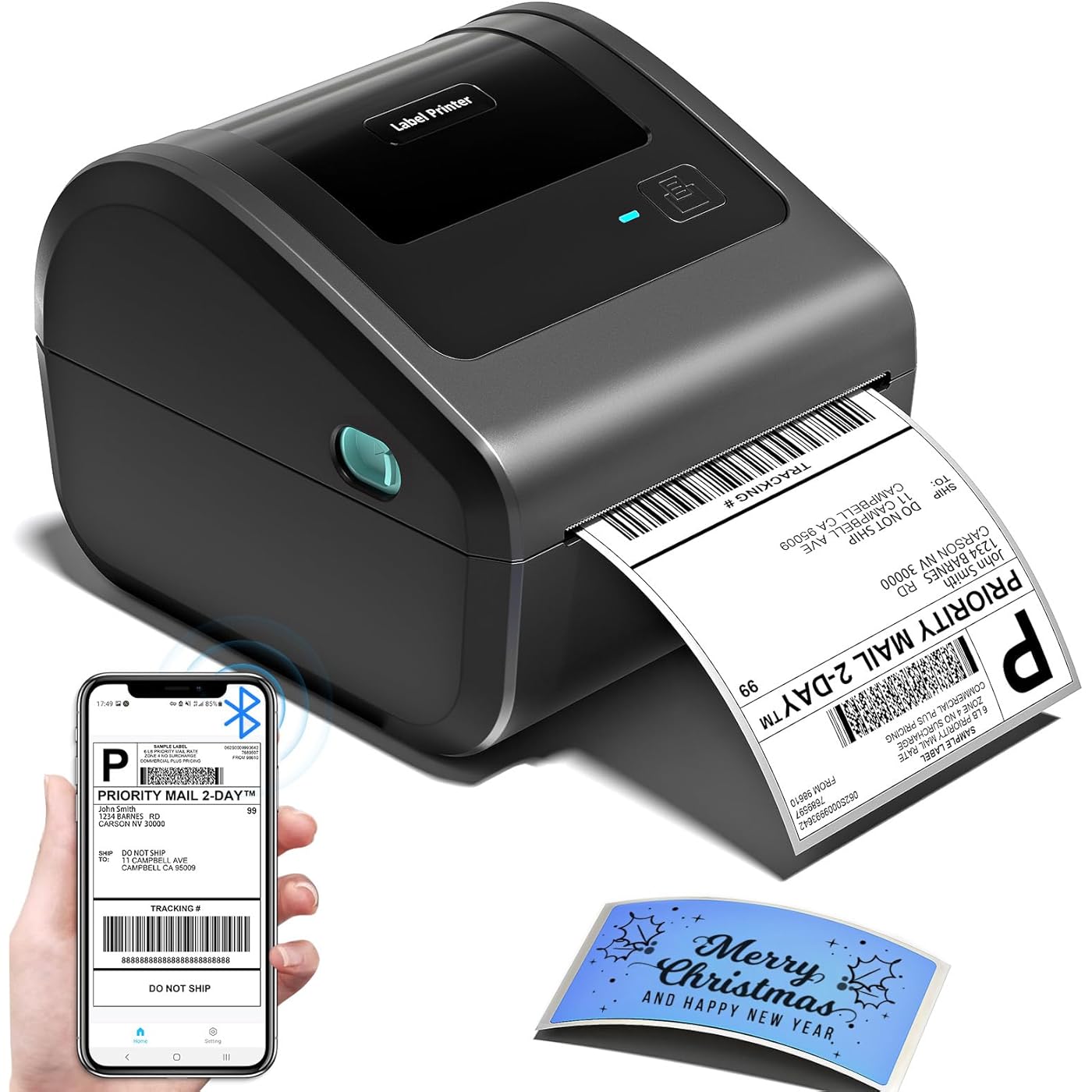
Bluetooth Shipping Label Printer with Built-in Label Bin | D450BT 4x6 Thermal Label Printer for Shipping Packages, Thermal Printers Compatible with Android, iPhone, Windows, macOS, UPS

  • Based on 1,192 reviews
Condition: New
Checking for the best price...
$69.98 Why this price?
Labor Day Deal · 27% off was $95.99

Buy Now, Pay Later


As low as $11.66 / mo
  • – 6-month term
  • – No impact on credit to apply
  • – Instant approval decision
  • – Secure and straightforward checkout

Ready to go? Add this product to your cart and select a plan during checkout.

Payment plans are offered through our trusted finance partners Klarna, Affirm, Afterpay, Zip, Apple Pay, and Google Pay. No-credit-needed leasing options through Acima may also be available at checkout.

Learn more about financing & leasing here.

Selected Option

Free shipping on this product

FREE 30-day refund/replacement

To qualify for a full refund, items must be returned in their original, unused condition. If an item is returned in a used, damaged, or materially different state, you may be granted a partial refund.

To initiate a return, please visit our Returns Center.

View our full returns policy here.


Availability: In Stock.
Fulfilled by Amazon

Arrives Monday, Sep 7
Order within 3 hours and 30 seconds
Available payment plans shown during checkout

Protection Plan Protect Your Purchase
Checking for protection plans...

Color: Grey


Set name: 1 Printer


Features

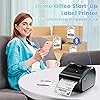
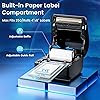
  • [Incredible Compact Thermal Printer] - Brilliant design! The D450BT shipping label printers ingenious built-in compartment holds internal roll paper (up to 250 4x6 labels) and rear-loaded folded papersaving you the cost of extra holders. At just 7.2x6.3x5.3 inches, this thermal label printer uses half the space vs. other thermal shipping label printer, freeing up your desk to keep daily tasks organized and clutter-free
  • [Embrace Wireless Printing via Bluetooth] - The D450BT bluetooth shipping label printer boasts reliable Bluetooth, pairing instantly with Android/iOS, Windows/macOS/Linux, and ChromeOS. Print labels wherever you aretotal freedom! This label printer also supports USB for all major systems, making shipping label printing super simple and hassle-free for your busy schedule
  • [Strong Helper for Commercial and Home Use] - This label printer 4x6 handles 1-4.6 inch widths, perfect for shipping, mailing, barcode labels and more. Whether for package shipping, product labeling, logistics, warehouse management, organization or pricing, this thermal label printer 4x6 acts as your versatile assistant, replacing the need for multiple devices
  • [More Cost-Effective & Time-Saving Option] - Smart thermal printing means the 4x6 thermal label printer needs zero ink/tonerjust thermal labels. Loaded with the latest AF chip and Japanese thermal print head, it produces 203DPI clarity, 72 labels/min speed, and auto-alignment to stop paper waste, helping your business grow fast and profitably

Description

Support both Bluetooth and USB connection, use our APP to print with Bluetooth to make running a business only with a smartphone or tablet possible. Now, Windows & Mac also support printing via Bluetooth More Powerful Features to Help to Simplifies Your Work Step 1: Download the app mentioned in the guide from Google Play or the App Store Step 2: Turn on your smartphone's Bluetooth and search for the printer in the app Step 3: Import the printed PDF into the app and start your printing Please Note: Do not connect via your phone's Bluetooth settings, must connect directly in the app Step 1: Download and run the driver, then select the printer model – "D450 Printer" Step 2: Choose “Bluetooth Connection” to finish the driver installation Step 3: Open the Bluetooth settings on the computer, add the printer model "D450BT-Z" Step 4: Edit labels & start printing Step 1: Download and run the driver, then select the printer model – "D450 Printer" Step 2: Choose “Bluetooth Connection” to finish the driver installation Step 3: Open the Bluetooth settings on the computer, add the printer model "D450BT-Z" Step 4: Edit labels & start printing Step 1: Download the software mentioned in the guide from the Official Website Step 2: Go to "Wireless Connections" in the software, select your printer, and click "Connect" Step 3: Edit labels in the software & start printing Step1: Adjust paper guide Step2: Insert label, ensure it is straight and smooth Step3: The label printer will move the label back and forth to learn the gap size and other properties of your label Automatic Label Recognition: D450‑BT label printer can automatically detect and identify the type and dimensions of the label as soon as it is inserted into the thermal printer Restore Factory Setting: Turn off the printer, press and hold the Feed Button, and turn on the printer at the same time. Then the red light flashes 5 times, release the Feed Button Pause & Resume Printing: When the printer is printing, press the Feed Button once. After stopping, click the button again to resume printing D520BT Label Printer D520BT & 500pcs Labels D550Pro Label Printer 4x6 Roll Thermal Labels 4x6 Roll Thermal Labels Clear Thermal Labels 4x6 4x6 Fold Thermal Labels A phone will be enough to handle your business We always want to make printing more easier, we spend a lot to do tests and researches to achieve it. Our Bluetooth label printer supports USB connection and Bluetooth connection, satisfy your different needs.

Brand: Omezizy


Connectivity Technology: Bluetooth, USB


Printing Technology: Thermal


Special Feature: Bluetooth and USB Connection, Compatible with Mobile Phone & PC, Thermal Printing, No ink No toner, Auto Detection,Built-in Paper Bin See more


Color: Grey


Model Name: D450-BT


Printer Output: Monochrome


Max Printspeed Monochrome: 127 pages_per_minute


Product Dimensions: 7.3"D x 6.3"W x 5.35"H


Controller Type: Android, iOS


Printer Type: Thermal


Other Special Features of the Product: Bluetooth and USB Connection, Compatible with Mobile Phone & PC, Thermal Printing, No ink No toner, Auto Detection,Built-in Paper Bin


Printer Output Type: Monochrome


Item Dimensions D x W x H: 7.3"D x 6.3"W x 5.35"H


Controller Type: Android, iOS


Print media: Labels


Maximum Copy Speed Black and White: 72 pages_per_minute


Compatible Devices: IOS & Android Phone, Pad, Mac OS, Windows system, Chrome OS, Linux system


Warranty Type: printer


Ink Color: black


Additional Printer Functions: Print Only


Control Method: App


Number of Trays: 1


Processor Count: 1


Number of Drivers: 1


Resolution: 203 x 203 DPI


Maximum Media Size: Paper Width 1"-4.6" (25.4-117mm)


Maximum Sheet Capacity: 250


Paper Size: 4 inches


Output sheet capacity: 250


Printer Connectivity Type: Bluetooth, USB


Hardware Interface: Bluetooth


Maximum Copy Resolution Black and White: 203 dpi


Brand: Omezizy


Model Name: D450-BT


Model Number: D450BT


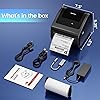
Built-In Media: Built-in label holder, D450-BT Label Printer, Labels, Power Adapter & Cable, USB Cord & Type C Convertor


Series Number: 450


Model Series: D450-BT


Specific Uses For Product: printer


Unit Count: 1 Count


Item Type Name: Sofabed


Manufacturer: Omezizy


Warranty Description: 2 Years


B&W Pages per Minute: 127 pages_per_minute


Color: Grey


Color Depth: 1 bpp


Maximum print Resolution Color: 203 dots_per_inch


Maximum Print Resolution Black and White: 203 dots_per_inch


Duplex: Simplex


Frequently asked questions

If you place your order now, the estimated arrival date for this product is: Monday, Sep 7

Yes, absolutely! You may return this product for a full refund within 30 days of receiving it.

To initiate a return, please visit our Returns Center.

View our full returns policy here.

  • Klarna Financing
  • Affirm Pay in 4
  • Affirm Financing
  • Afterpay Financing
  • Zip Pay in 4
  • Financing through Apple Pay
  • Financing through Google Pay
Leasing options through Acima may also be available during checkout.

Learn more about financing & leasing here.

Top Amazon Reviews


  • Fantastic Customer Service
Color: Grey Set name: 1 Printer
I've had this printer for about a year, and at some point the USB connection failed. I emailed the after-service team and they replaced the printer for free. They were very helpful, and quick. The printer itself is great. Easy to set up, it's not complicated at all. I've been using it print out stickers for art projects. ... show more
Reviewed in the United States on July 24, 2026 by George

  • Perfect Shipping Printer — Fast, Easy, Reliable
Color: Grey Set name: 1 Printer
Love this printer! I was worried it would be complicated, but setup was ridiculously easy. The app is simple, the Bluetooth connects instantly, and the labels come out perfect every time. It’s small enough to keep on my desk without taking up space, and it prints way faster than I expected. If you ship packages regularly, this is a game‑changer. ... show more
Reviewed in the United States on July 24, 2026 by Jamie

  • Easy set up
Color: Grey Set name: 1 Printer
Great quality and very easy to set up and use. You can easily adjust the label size and print directly without having to resize it in another app. I use it with my phone, and the print quality is excellent. Highly recommended!
Reviewed in the United States on July 27, 2026 by SYu

  • After six months, it fails with a purple blinking LED on every print job.
Color: Grey Set name: 1 Printer
UPDATE 7/12/2026: I hadn't printed a label recently until today. While it was working in the past, it no longer does. Now it just blinks purple whenever I send a print job to it. I have tried factory reset, verifying label feed, changed USB ports, uninstalled driver and reinstalled... all without any change. I give up. I'm moving to a new printer and taking the loss with this one. I just don't have time to spend diagnosing it. UPDATE 2/24/2026: After using this printer a few times, I've become disenchanted with the software. It was better than the software on the other printers I tried before this, but has run into some issues that the support team was unable to resolve. To their credit, they did respond in a timely fashion to my questions, but were ultimately unable to fix the issue. The Labelife software that came with it was version 3.12 and worked well. One of my favorite features (compared to the other printers I tried) was that it let me use my existing installed Windows fonts. The others had a fixed set of fonts you had to choose from. However, I've noticed that version 3.12 now pops up a window every time its started that prompts me to update to beta version 5.1. This can be closed each time without updating, but it's annoying. There's no way to disable the popup permanently. Every time I tried to perform the update, it would fail. Support ultimately gave me a direct link to download the beta version 5.1 update, which I installed. It was quite different looking, but seemed to work well at first glance. The downside was that this version now prompts you to register at startup every time. If you don't want to register with your personal information, you have to close this box every time you start the app; the same issue I had with the older version. Support was unable to provide a solution to avoid having this popup box every time. Eventually I relented and registered to get rid of the popup. Now the software ran without annoyance, but today I tried to print my first label with the new version. I quickly realized I no longer have access to my personal fonts when trying to format text on a label. They provide a handful of their own fonts, but many in the list include a "Pro" icon, meaning you can't even use those unless you pay for a "Pro" subscription for $48/year. I don't want a subscription for a label maker that I use once or twice a month. I just want to print labels using the fonts already installed on my computer. This feels like yet another company looking to nickel-and-dime customers on subscriptions for a product that has no business being associated with a subscription. So I have reverted back to the old version of the software just to have access to my fonts, and will have to deal with closing the "upgrade" popup every time I start the app. I can only hope they don't find a way to disable the old version at some point. If they do, I'll be forced to purchase another printer. As a result, I can no longer recommend this printer, unfortunately, simply due to the software the company provides. I'm dropping my rating to two stars. They still get two stars for the physical device, which does seem to be well-made. ORIGINAL REVIEW: I tried two other label printers prior to this one. Each one was returned because they either didn't print anything or the software was cumbersome or annoying. This was the third try, and thank goodness it worked the way it should. Software setup was easy; the printer was detected by Windows just like any other printer, as expected. The software has a more intuitive design and works well. The printer is well made, and even accepted my leftover 2x4 labels from my 20-year-old Dymo label maker that stopped working. I've only printed a few labels, but so far I'm very pleased with it. ... show more
Reviewed in the United States on January 23, 2026 by vdawg

  • Fast Printing for Labels - Must Buy!
Color: Pink Set name: 1 Printer
I just got my first label printer after being so tired of printing shipping labels on my regular printer, cutting them out, putting them in sleeves, constantly buying ink, and dealing with all the hassle that comes with it. I was so over it! Now I have this cute pink label printer, and I absolutely love it! It’s amazing and sooo fast. I’m honestly so happy with this purchase and only wish I had bought it sooner. If you ship a lot of packages, this is definitely a must-buy. Save yourself the time and headache and get one! ... show more
Reviewed in the United States on July 22, 2026 by Stevie

  • 5 star printer
Color: Grey Set name: 1 Printer
I have gone through about 6 different label printers in my tenure and this is the best one. We use MAC and it's as simple as installing the driver then plug and play. I have three for different label sizes and they all run on a MAC USB converter strip (which has complicate some other printers) without any issues. We are also working in a small area and these are significantly less clunky than most mainstream models. The lid allows a mess free, crisp, centered print job. Very happy with this product-- and price too! ... show more
Reviewed in the United States on August 5, 2026 by WW

  • Works great. Better with the app on Mac
Color: Grey Set name: 1 Printer
Perfect printing and I really like the different settings you can use for detailed pack slips and barcode reading. Very fast and quiet. I do wish that there was a way to easily see how many labels are left or a counter on it so you dont need to always open the door but it's a small thing. Outside of that, perfect so far. I am using it with a macbook and I find that it's far easier to use it through the app for it than through the printer selection in the computer. ... show more
Reviewed in the United States on June 30, 2026 by Axilla

  • Works Great!
Color: White Set name: 1 Printer + 3 Roll Labels
Great item, was easy to set up and works great with the marketplaces I use. There was a minor issue I ran into with the connection, but their support was very responsive in assisting with the issue.
Reviewed in the United States on July 24, 2026 by Maddy

Can't find a product?

Find it on Amazon first, then paste the link below.
Checking for best price...