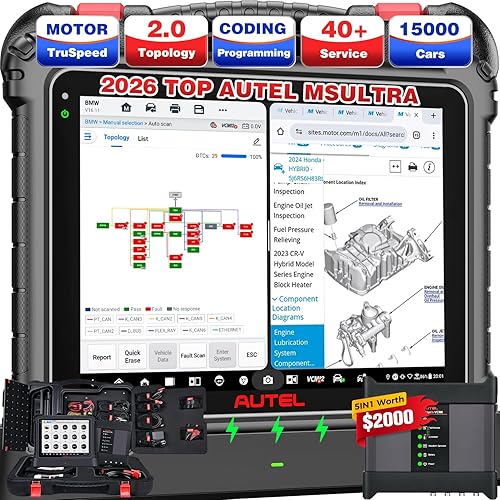
Autel MaxiDiag Advanced MD808 (MD808 Pro) All System OBDII Scanner (Combination of MaxiCheck Pro and MD802) for Oil and Battery Reset Registration, Parking Brake Pad Relearn,SAS,SRS,ABS,EPB,DPF,BMS


Buy Now, Pay Later
- – 6-month term
- – No impact on credit to apply
- – Instant approval decision
- – Secure and straightforward checkout
Ready to go? Add this product to your cart and select a plan during checkout.
Payment plans are offered through our trusted finance partners Klarna, Affirm, Afterpay, Zip, Apple Pay, and Google Pay. No-credit-needed leasing options through Acima may also be available at checkout.
Learn more about financing & leasing here.
Selected Option
30-day refund/replacement
To qualify for a full refund, items must be returned in their original, unused condition. If an item is returned in a used, damaged, or materially different state, you may be granted a partial refund.
To initiate a return, please visit our Returns Center.
View our full returns policy here.
Recently Viewed


At a glance
- Condition
- New
- Size
- One Size
- Model
- MD808P
- Weight
- 12 oz
- Power Source
- Battery Powered
- Operating System
- Android 4.4
- Language
- English
- In the box
- Diagnostics/Service Tool
Features 4
- Read and clear trouble codes
- Support oil service reset
- Diesel particulate service including forced regeneration
- Storage Temperature- (-20C) to 70C (-4F to 158F)
Description
TROUBLESHOOTING : Vehicle Linking Error A communication error occurs if the scan tool fails to communicate with the vehicle’s ECU (Electronic Control Unit). Please follow the instructions below to check up: Verify that the ignition is ON Check if the scan tool’s connector is securely connected to the vehicle’s DLC Turn the ignition off and wait for about 10 seconds. Turn the ignition back to on and continue the testing Verify the control module is not defective . Operating Error If the scan tool freezes, then an exception occurs or the vehicle’s ECU (Electronic Control Unit) is too slow to respond to requests. Please follow the steps below to reset the tool Reset the scan tool. Turn the ignition off and wait for about 10 seconds. Turn the ignition back to on and continue the testing. Scan tool doesn’t power up If the scan tool won’t power up or operates incorrectly in any other way, Please follow the instructions below to check up Check if the scan tool’s connector is securely connected to the vehicle’s DLC; Check if the DLC pins are bent or broken. Clean the DLC pins if necessary. Check vehicle battery to make sure it is still good with at least 8.0 volt. Operating Humidity: 5% - 95% non- condensing, Memory: 32MB, 166 MHz
Specs 16
| Brand | Autel |
|---|---|
| Power Source | Battery Powered |
| Operating System | Android 4.4 |
| Language | English |
| Automotive Fit Type | Universal Fit |
| Brand Name | Autel |
| Unit Count | 1 Count |
| Number of Items | 1 |
| Global Trade Identification Number | 48 |
| Manufacturer | Autel |
| Item Type Name | Diagnostics/Service Tool |
| Item Weight | 12 ounces |
| Model Number | MD808P |
| Manufacturer Part Number | MD808P |
| Manufacturer Warranty Description | 1 yr warranty on material and workmanship |
| Native Resolution | 800x480 resolution |
No specs match.
Frequently asked questions
To initiate a return, please visit our Returns Center.
View our full returns policy here.
- Klarna Financing
- Affirm Pay in 4
- Affirm Financing
- Afterpay Financing
- Zip Pay in 4
- Financing through Apple Pay
- Financing through Google Pay
Learn more about financing & leasing here.