




64GB - Bootable USB Drive 3.2 for Windows 11/10 / 8.1/7, Install/Recovery, No TPM Required, Included Network Drives (WiFi & LAN),Supported UEFI and Legacy, Data Recovery, Repair Tool




Buy Now, Pay Later
- – 4-month term
- – No impact on credit to apply
- – Instant approval decision
- – Secure and straightforward checkout
Ready to go? Add this product to your cart and select a plan during checkout.
Payment plans are offered through our trusted finance partners Klarna, Affirm, Afterpay, Zip, Apple Pay, and Google Pay. No-credit-needed leasing options through Acima may also be available at checkout.
Learn more about financing & leasing here.
FREE 30-day refund/replacement
To qualify for a full refund, items must be returned in their original, unused condition. If an item is returned in a used, damaged, or materially different state, you may be granted a partial refund.
To initiate a return, please visit our Returns Center.
View our full returns policy here.


![LOYALHEARTDY 2017 2018 2019Toyota corolla[L/LE/LE ECO] LED Projector Front Headlight, Passenger Side Headlamp Right Headlight (RH)](https://m.media-amazon.com/images/I/51R16MBpf1L._AC_US500_.jpg)

Features
- Please Disable "Secure Boot" in Bios , then boot from this USB Drive
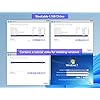
- Beginner watch video instruction ( image-7 ), tutorial for "how to boot from usb drive", Supported UEFI and Legacy
- Bootable USB 3.2 for Installing Windows 11/10/8.1/7 (64Bit Pro/Home ), No TPM Required, key not included
- ( image-4 ) shows the programs you get : Network Drives (Wifi & Lan) , Hard Drive Partitioning, Data Recovery and More, it's a computer maintenance tool
- USB drive is for reinstalling Windows to fix boot issues (blue screen/crash), "Automatic Repair" is not supported, Existing Windows cannot be kept.
- Some computers normally require network drivers to connect to the internet after Windows is installed. Drivers and tutorials are included on the USB.
- When installation errors occur, the issue is usually related to the hard drive. Please contact our technician for diagnosis and to resolve the problem.
- The USB drive has been fully scanned by antivirus software, no viruses, no malware
Description
1. this USB Drive is for reinstall windows to fix your boot issue, not for "Automatic Repair" 2. you can install network driver — this is the most important feature. ( Support Win11/Win10 ) (normal recovery usb drive cannot connect to the Internet after reinstalling Windows, and you have to download the network drivers manually) 3. you can access the hard drive and backup data to prevent data loss during Windows installation. ( normal recovery usb drive does not have a backup function ) 4. Reset Windows password. 5. Partition the hard drive and create custom partitions. 6. Test hard drive to see if it’s damaged 1)Insert the USB driver to your computer; 2)Power on; 3)Press Boot Menu Key immediately : F12 / ESC / F9 / F11 / F8"; ( Find boot Key in "instruction paper card ) 4)Choose UEFI USB Option from Boot Menu; 5)Click icon "instruction“ from desktop; (In this step, you will see a video tutorial. Follow the video to install Windows.) 6)Click icon "windows setup"; 7)Choose "Custom:install windows only"; ( Backup data befor install windows ) 8)Choose a partition which lager than 52GB Free Space; 9)Click "Next", Start installing Windows
Brand: Xtssui
Memory Storage Capacity: 64 GB
Hardware Interface: USB 3.2 Gen 1
Special Feature: 64GB
Write Speed: 20
Memory Storage Capacity: 64 GB
Hardware Interface: USB 3.2 Gen 1
Additional Features: 64GB
Write Speed: 20
Read Speed: 200 megabytes_per_second
Connectivity Technology: USB
Flash Memory Type: USB
Hardware Connectivity Technology: USB Type A
Compatible Phone Models: PC/Laptop
Compatible Devices: PC/Laptop
Color: black
Item Dimensions D x W x H: 0.4"D x 0.82"W x 0.4"H
Brand: Xtssui
Manufacturer: Xtssui
Unit Count: 1 Count
Number of Items: 1
Number of Packs: 1
Item Weight: 15 g
Model Number: 64GB
Mfr Part Number: 64GB
Warranty Description: 3 YEARS Guarantee
Frequently asked questions
To initiate a return, please visit our Returns Center.
View our full returns policy here.
- Klarna Financing
- Affirm Pay in 4
- Affirm Financing
- Afterpay Financing
- Zip Pay in 4
- Financing through Apple Pay
- Financing through Google Pay
Learn more about financing & leasing here.



Top Amazon Reviews
