



Search  for anything...

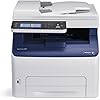
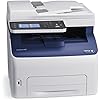
Xerox WorkCentre 6027/NI Wireless Color Multifunction Printer

  • Based on 695 reviews
Condition: New
Checking for the best price...
$686.99 Why this price?
Save $141.42 was $828.41

Buy Now, Pay Later


As low as / mo
  • – Up to 36-month term if approved
  • – No impact on credit
  • – Instant approval decision
  • – Secure and straightforward checkout

Ready to go? Add this product to your cart and select a plan during checkout.

Payment plans are offered through our trusted finance partners Klarna, Affirm, Afterpay, Apple Pay, and PayTomorrow. No-credit-needed leasing options through Acima may also be available at checkout.

Learn more about financing & leasing here.

Free shipping on this product

30-day refund/replacement

To qualify for a full refund, items must be returned in their original, unused condition. If an item is returned in a used, damaged, or materially different state, you may be granted a partial refund.

To initiate a return, please visit our Returns Center.

View our full returns policy here.


Availability: Only 1 left in stock, order soon!
Fulfilled by planet technology (we record SN)

Arrives Friday, Mar 13
Order within 7 hours and 24 minutes
Available payment plans shown during checkout

Protection Plan Protect Your Purchase
Checking for protection plans...

Features

  • Print from anywhere. Connect without the need for network cabling with standard built-in Wi-Fi, featuring one-touch setup. Simply press the WPS button on the color LED printer, then the WPS button on your Wi-Fi enabled router, and then work and print from anywhere.
  • Connectivity Simplified. With Wi-Fi Direct, mobile phones, tablets, and laptop computers can make a secure connection directly to the color LED printer even if you don't have an existing wireless network.
  • Color Touchscreen. The large, intuitive 4.3 inch color touchscreen user interface makes complicated tasks simplified.
  • Apple AirPrint. Stay mobile with built-in support for Apple AirPrint. Print emails, photos and important office documents directly from your Apple iPhone or iPad.
  • Total Peace of Mind. Outstanding Xerox Service and Support, with a standard one-year warranty

Description

Xerox WorkCentre 6027NI Color LED MFP (18 ppm) (525 MHz) (512 MB) (8.5" x 14") (1200 x 2400 dpi) (Duty Cycle 30 000 Pages) (p/s/c/f) (USB) (Ethernet) (Wireless) (Energy Star) (150 Sheet Input Tray). The compact WorkCentre 6027 Color Multifunction Printer excels in small office environments where high- impact color speed Wi-Fi connectivity and ease of use are priorities. With efficient print copy scan fax and email functions on one device you can get your work done quickly without a second thought. Xerox WorkCentre 6027NI Color LED MFP (18 ppm) (525 MHz) (512 MB) (8.5" x 14") (1200 x 2400 dpi) (Duty Cycle 30 000 Pages) (p/s/c/f) (USB) (Ethernet) (Wireless) (Energy Star) (150 Sheet Input Tray). Color Laser.

Brand: Xerox


Connectivity Technology: Wi-Fi, USB, Ethernet


Printing Technology: Laser


Special Feature: Auto-Document Feeder


Color: Black And White


Model Name: 6027/NI


Printer Output: Color


Maximum Print Speed (Color): 18 ppm


Max Printspeed Monochrome: 18 ppm


Item Weight: 44 Pounds


Controller Type: β€ŽAndroid


Printer Media Size Maximum: β€Ž8.5 x 14 inch


Power Consumption: β€Ž330 Watts


Included Components: β€ŽLaser Printer, Single Function Laser Printers


Print media: β€ŽEnvelopes, Paper (plain), Labels


Scanner Type: β€ŽSheetfed


Max Input Sheet Capacity: β€Ž15


Max Copy Speed (Black & White): β€Ž18 ppm


Compatible Devices: β€ŽSmartphones, PC, Tablets, Laptops


Maximum Color Print Resolution: β€Ž1200 x 2400 dpi


Sheet Size: β€Ž8.5 inch x 14 Inches


Maximum Black and White Print Resolution: β€Ž1200 x 2400 dpi


Warranty Type: β€Žone-year warranty


Dual-sided printing: β€ŽYes


Wattage: β€Ž330 watts


Max copy resolution black-white: β€Ž600 dpi


Duplex: β€ŽAutomatic


Hardware Interface: β€ŽUSB


Ink Color: β€ŽCMYK


Additional Printer functions: β€ŽCopy, Scan, Fax


Control Method: β€ŽRemote


Output sheet capacity: β€Ž150


Number of Trays: β€Ž1


Processor Count: β€Ž1


Total USB Ports: β€Ž1


Model Series: β€Ž6027


Specific Uses For Product: β€ŽOffice


UPC: β€Ž095205867961


Resolution: β€Ž1200 x 2400 dpi


Display Type: β€ŽLED


Global Trade Identification Number: β€Ž61, 18


Memory Storage Capacity: β€Ž512 MB


Manufacturer: β€ŽXerox Office Products


Item Weight: β€Ž44 pounds


Product Dimensions: β€Ž21.25 x 22 x 20.5 inches


Item model number: β€Ž6027/NI


Is Discontinued By Manufacturer: β€ŽNo


Material Type: β€ŽPlastic


Number of Items: β€Ž1


Manufacturer Part Number: β€Ž6027/NI


Date First Available: February 17, 2015


Frequently asked questions

If you place your order now, the estimated arrival date for this product is: Friday, Mar 13

Yes, absolutely! You may return this product for a full refund within 30 days of receiving it.

To initiate a return, please visit our Returns Center.

View our full returns policy here.

  • Klarna Financing
  • Affirm Pay in 4
  • Affirm Financing
  • Afterpay Financing
  • PayTomorrow Financing
  • Financing through Apple Pay
Leasing options through Acima may also be available during checkout.

Learn more about financing & leasing here.

Top Amazon Reviews


  • Ideal compact Multi-Function Printer for a small home office environment
For reference, I have a home office network with mixed Apple and Windows computers. I connected the MFP via Ethernet to the router. With this I got full functionality across the different platforms. A few pointers: although Xerox tried to make a complex installation as straightforward as possible, you still have to know something about networks and how they operate. I ended up with several drivers on my computers, one for network, PCL6 and USB for example. I also found that it was simpler to set up my printer network settings from my PC than the Mac. One thing I discovered is that scan to email only works over USB to a PC. To get around that limitation for Macs, you can scan to a thumb drive in the MFP and then port that to your Mac. As old as Fax is, it is still used for legal documents. The fax function worked well over Comcast's VoiP phone system. Comcast has clarity in their phone lines and this is what you will need for reliable fax. I had a large 30 page fax sent from the IRS and it printed without a hitch. The color touch panel is very nice and the menus are easy to navigate through. If you are a long time Phaser user you will be in a completely familiar environment. I like the quietness of the LED print heads, there is no whine from the spinning Laser mirror. The toner cartridges come pre-installed and they are simple and hassle free to replace. I believe that my starter cartridges are full ones because we printed a lot and the gages are still up...very nice, thank you Xerox! We use our printer infrequently, but when we do we don't want to fiddle with missing ink jets. The toner based "laser" printer wins on this point, toner doesn't dry out. The prints are crisp with good character detail. Color is very nice, but don't expect photographic quality. The WorkCentre 6027 is ideal for a small office and meets my expectations, that is why I gave the MFP 5 stars. It is a very nice package. ... show more
Reviewed in the United States on December 23, 2016 by Kathy

  • I'm glad it broke after a year so I can throw it in the dumpster!
1 Year Update: Worst color laser multi-function printer I've ever purchased. I can't even express the intensity of the frustration I've received from my coworkers over my choice to purchase this printer. It now sounds like a JACKHAMMER while printing. I'm purchasing an HP or Brother printer next. UPDATE: Using genuine toner has the printer functioning again. It still is a frustrating printer. I'm purchasing my second $275 bundle of toner because the yellow is low. Why? Because even when I'm printing documents that are primarily line-art, it uses all of the colors to print black, if I'm printing any color at all. Why in 2018 is this printer so terrible? I thought we had these wasteful toner practices done away with a decade ago. That was indeed the case with the HP and Brother Machines I've used for the past 15 years or so. I should have put up with the replacement part requirements of those machines because it was considerably less expensive than the toner cost of this one. Original Review: I had high hopes for this, having used high production Xerox machines in the past. In my current office, we've been using Brother printers for some time. Every four years or so, they need replacing, so I thought I would try something that I hoped would have better longevity. This printer does not. The first problem is that it is painfully slow. Printing reports or checks that take seconds with a Brother machine (or an HP, I have one of those that works well) take MINUTES PER SHEET!!! My office manager would glare at me every time she needed to print something! Then, it wouldn't fuse completely on the right edge of the paper; it would place a lighter copy of the text on repeat down the side, making it useless for pretty much anything. The third problem is that it uses all four colors when I print black and white! It burnt through the toner that comes with it like a wildfire. So I ordered some third-party replacement cartridges. That was the end of the line. It started throwing an error code, and when the service technician came out, he said I would have to put genuine Xerox toner in it for him to fix it. The set of toner is currently $50 more than the printer itself. While I wait for this toner to arrive, I am left to ponder how terrible this printer is. ... show more
Reviewed in the United States on February 21, 2018 by Amazon Customer

  • Excellent full color MF laser printer at a fantastic price!
As a former Xerox researcher for several years I was well aware of the high quality product that Xerox puts out. So, when shopping for a new home office color laser printer I did put Xerox at the top of my shop and compare list. I was surprised to find this unit for such a reasonable price. I received in the typical high quality packing that Xerox uses and immediately set up in my home office. Yes it was a little big - compared to the MF inkjet printers and simple monochrome laser printers I had used in the past - but it’s a fully multifunctional and I add - quite high speed 4 color laser printer. In less than an hour I had it set up, connected to my home network and was wireless printing to it from my laptop and iPhone. So far have printed couple hundred pages. Fast and excellent print quality! Very impressed! In fact so much so that I have been telling friends and family about it Hell I even told a guy I bumped into in one of the office stores that was looking at much higher priced competitive office printers - and shared with him the model and link on Amazon. (I think I pissed off the salesperson in the office store πŸ˜„ )! Great printer - good bye crappy ink jet printers! ... show more
Reviewed in the United States on February 15, 2020 by Dale Mashtare

Can't find a product?

Find it on Amazon first, then paste the link below.
Checking for best price...