Search  for anything...

Xerox Phaser 3330/DNI Monochrome Printer, Amazon Dash Replenishment Ready, Gray

  • Based on 84 reviews
Condition: New
Checking for the best price...
$374.99 Why this price?

Buy Now, Pay Later


As low as / mo
  • – Up to 36-month term if approved
  • – No impact on credit
  • – Instant approval decision
  • – Secure and straightforward checkout

Ready to go? Add this product to your cart and select a plan during checkout.

Payment plans are offered through our trusted finance partners Klarna, Affirm, Afterpay, Apple Pay, and PayTomorrow. No-credit-needed leasing options through Acima may also be available at checkout.

Learn more about financing & leasing here.

Free shipping on this product

This item is eligible for return within 30 days of receipt

To qualify for a full refund, items must be returned in their original, unused condition. If an item is returned in a used, damaged, or materially different state, you may be granted a partial refund.

To initiate a return, please visit our Returns Center.

View our full returns policy here.


Availability: Only 3 left in stock, order soon!
Fulfilled by Adorama

Arrives Dec 28 – Jan 1
Order within 9 hours and 3 minutes
Available payment plans shown during checkout

Protection Plan Protect Your Purchase
Checking for protection plans...

Features

  • Powerful, Built-In Productivity and Ready-To-Go Reliability, Designed to boost productivity with easy connectivity, day-in and day-out dependability, and transformative features, The 3330/DNI is ready to work
  • Stay Secure, Keep sensitive documents away from unintended recipients with the latest security features, including IPsec, SNMPv3, IP Filtering and Secure Print
  • Upwardly Mobile, With support for Apple AirPrint, Google Cloud Print, Xerox Print Service Plug in for Android and Mopria, users can print emails, photos and important documents from a wide range of mobile devices, instantly, and without complicated setup
  • Total Peace of Mind, Outstanding Xerox Service and Support, with a standard one-year warranty

Description

The affordable Phaser 3330 is built for fast, nimble small offices that depend on mobile computing and need a black and white printer that can keep up with them. Built in wireless and WiFi Direct functionality let you print directly from the Cloud, smart phones, or tablets. And with the most powerful processor and largest max memory in its class, it can print up to 42 ppm.


Product Dimensions: 14.4 x 14.4 x 11.4 inches


Item Weight: 23.4 pounds


Item model number: 3330/DNI


Is Discontinued By Manufacturer: No


Date First Available: August 30, 2016


Department: Printers


Manufacturer: Xerox


Frequently asked questions

If you place your order now, the estimated arrival date for this product is: Dec 28 – Jan 1

Yes, absolutely! You may return this product for a full refund within 30 days of receiving it.

To initiate a return, please visit our Returns Center.

View our full returns policy here.

  • Klarna Financing
  • Affirm Pay in 4
  • Affirm Financing
  • Afterpay Financing
  • PayTomorrow Financing
  • Financing through Apple Pay
Leasing options through Acima may also be available during checkout.

Learn more about financing & leasing here.

Top Amazon Reviews


  • Horrible!
Style: Printer
Holy cow! What a horrible machine. Surprised it's managed to garner even 3 stars on Amazon. So to name one out of a multitude of issues, say your WiFi password contains a special character like, an "=" equal sign. Well you're outta luck, can't connect to your WiFi. Change your password according to Xerox. Ha!. Oh, and Xerox customer service, was utterly horrendous, and I'm being charitable. Would rather use a low end dot matrix printer from the early 1990s than this thing. ... show more
Reviewed in the United States on October 10, 2019 by El Cubano

  • Terrible printer...
Style: Printer
Have had this printer only for a few months and the toner went out...and the drum started imprinting black spots. Had to buy a new toner and drum...and it like is super expensive to purchase drum and toners for this thing. Really wish I would have went with a Brother...have had nothing but great results with them. Never buy another Xerox product again... ... show more
Reviewed in the United States on September 26, 2018 by CosmoZap

  • I didn't take the bad reviews seriously, worst printer i've ever had
Style: Printer
I tried very hard to like this printer. I'm a graphic designer specializing in print and I've used and installed many printers in my career; I'm not technically inept! But this printer had me stumped so many times, I'm ready to give up on it and recreate the printer scene from The Office. At first it wasn't so bad; it seemed to print solid black graphics and text well and very quickly. The control panel on the printer is a bit archaic. The printer constantly prints 'configuration pages' that list the specs, and printer job pages for each thing you send. You can shut them off but you have to go through a lot of settings. I use the bypass tray a lot, and it prompts you to confirm paper size, paper type, and paper color every time you send something to print, but it does save the previous settings. I noticed the print never quite lined up properly on paper, and though it did bother me, I brushed it off as it hadn't been too important. As far as I can tell, there are no self-cleaning programs on the printer either. One day my house lost power while I had the printer in sleep mode, on a surge protector, and I was plagued by a DHCP server error and couldn't print a thing. I had to finally venture into the "Centreware Internet Services" page in the hopes that I can restore it to factory settings, where it immediately prompted me for a password. What password?? I searched the manual and it says '1111' is default, so I used that.. and didn't work. I googled and found on a forum to use the printer serial number.. I used that, and it also didn't work. I couldn't do anything without this mystery password. Finally I called customer service and she was very helpful after going through the usual prompts to make sure I was doing the basics correctly. Apparently I locked myself out after too many attempts (which it didn't tell me) so she guided me through a reset on the printer control panel and it finally reset and it was all good for another little while. I'm currently trying to use the printer on invitations. Though the Phaser has a decent amount of installed paper sizes, it doesn't have 5x7". It does claim you can add custom sizes but again, this is way more difficult than it needs to be. The printer bypass tray and the printer window needs to have the same paper size, type, and color, otherwise it won't print. No matter what I did to align the print properly, it was never correct. I finally manually corrected the graphics on the page with InDesign and it finally worked! On the 22nd test print! But.. when I went to print it on a 5x7" that had been printed on with color already, it went completely bananas and shifted everything up on the paper. It did this TWICE, it wasn't a fluke. Whyyyy??? I suppose my downfall was assuming this printer would fit my needs but I think it would be better just being used as an office printer. I'm so frustrated, and I bought this in April and its way past the return window. ... show more
Reviewed in the United States on November 9, 2021 by Angela

  • I hated this printer!
Style: Printer
I did not like this printer. It would not connect to my network, and when I added paper to it, the tray wouldn’t line up correctly and kept saying it was out of paper. I threw it in the floor and busted it to pieces. Do not buy this printer unless you have nerves of steel and are a patron saint!
Reviewed in the United States on June 18, 2020 by If I like it... I review it!

  • Annoying in an Understatement
Style: Printer
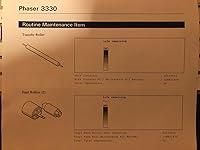
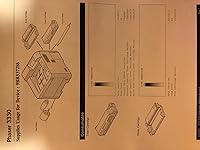
Like all my Xerox laser printers, this one is a bit on the unreliable side of the spectrum, but unlike the other Xerox printers I own, this one has a whole set of different problems. First off when I received it, the drum cartridge (not the toner cartridge), as expected, had been pre-installed, but it wasn't installed properly and had a noise until properly seated. There was no instruction easily available to find out how to do this. Also, the printer randomly disconnects from the network and has to be restarted. It also cannot wake itself up for print jobs without first hitting some buttons on the actual printer to wake it up. Please see the 2 attached photos. This printer requires extra parts that have to be replaced every once in a while including transfer rollers, feed rollers, and drum cartridges. These 3 items have a finite life as you can see by the "life remaining" meter in the photo. ... show more
Reviewed in the United States on March 9, 2018 by SouthernBoy SouthernBoy

  • Frustrating machine, but does what it's supposed to
Style: Printer
It's my own fault I didn't research more thoroughly, but I didn't realize until after I'd received it that there is no glass plate to scan or copy from anything other than standard copy paper which can be fed through the machine. This means I can't copy from books, I cannot copy or scan business cards, identification, etc. Bummer! Also, the software is extremely irritating. Settings don't stay put. The copier attempts to print a "cover sheet" for every "job" wasting a lot of paper. Each time I print, I have to scroll down to select a different title for the same printer, otherwise it prints this cover sheet - but there is no way to select that title as a default. Ggrrrr. If all you want to do is send print jobs for lots of black & white pages, it does that job very well, and it will print two-sided, if you ask it nicely. ... show more
Reviewed in the United States on March 8, 2021 by JD LOVE

  • dinosaur
Style: Printer
The product is from a bygone era of home networking. They send you a cd rom for setup and a usb cable (modern mac's have neither) and its like it assumes that people are going to plug it in to their router rather than use wifi. Job A1A of any modern installation should center on getting the device connected to wifi. It's an optional afterthought for the folks at Xerox. The other giant issue is that the thing that looks like a nice tight professional paper tray drawer in the picture doesn't fit 8.5 x 11" paper! For actual paper printing you need to fold out a janky tray on the front. When finally did get mine connected despite those two major issues, it would spit out multiple pages of blank paper rather than the single page test document I sent to it. What a total disaster this thing is. I will never own another Xerox product. If you work at Xerox, it's comical that you think this is a serviceable product and its my assessment that you should take a hatchet to your entire organizational structure. Time to clean house gentlemen. Unacceptable. ... show more
Reviewed in the United States on December 27, 2020 by Tommy

Can't find a product?

Find it on Amazon first, then paste the link below.
Checking for best price...