Search  for anything...

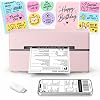
Thermal Shipping Label Printer 4x6 Bluetooth Label Maker for Small Business

Based on 2,167 reviews
Condition: New
Checking for the best price...
$59.94
Holiday Deal · 10% off was $66.65

Buy Now, Pay Later


As low as $9.99 / mo
  • – 6-month term
  • – No impact on credit to apply
  • – Instant approval decision
  • – Secure and straightforward checkout

Ready to go? Add this product to your cart and select a plan during checkout.

Payment plans are offered through our trusted finance partners Klarna, Affirm, Afterpay, Zip, Apple Pay, and Google Pay. No-credit-needed leasing options through Acima may also be available at checkout.

Learn more about financing & leasing here.

Selected Option

Free shipping on this product

FREE 30-day refund/replacement

To qualify for a full refund, items must be returned in their original, unused condition. If an item is returned in a used, damaged, or materially different state, you may be granted a partial refund.

To initiate a return, please visit our Returns Center.

View our full returns policy here.


Availability: In Stock.
Fulfilled by Amazon

Arrives Sunday, Nov 15
Order within 1 hour and 45 minutes

Available payment plans shown during checkout

Protect Your Purchase

Easy claims online, fast replacements, no fees

Checking for protection plans...

At a glance

Condition
New
Color
Pink
Model
Y813 Thermal Label Printer
Dimensions
8.07"D x 4.72"W x 6.89"H
Weight
0.53 kg
Printing Technology
Thermal
Printer Output
Monochrome
Warranty
2 year

Features 4

  • HighQuality, EnergyEfficient Thermal PrintingThe NULLTONEX shipping label printer uses direct thermal technology, eliminating the need for ink or toner and reducing maintenance and replacement costs. It delivers crisp 203 DPI resolution for sharp barcodes, text, and addresses that scan easily, with print speeds up to 150mm/s (72 labels per minute). Ideal for highvolume small business shipping, it minimizes downtime during peak hours and boosts operational efficiency.
  • Bluetooth & USB Dual Connectivity Connect seamlessly to your phone, laptop or PC via Bluetooth or USB. Download the free "FlashLabel Pro" app for quick Bluetooth pairing to create and print labels wirelessly. Also, simply use the USB cable to connect directly to your laptop for a steadier, interferencefree office workflow
  • UserFriendly Operation Easy setup and a dedicated FlashLabel Pro app offer 1,800+ customizable templates, 300+ fonts, and multiple editing tools for everything from daily home organization to express waybill printing. Offline capability allows local storage of templates and designs, so you can start printing immediately without waiting for cloud downloads perfect for busy small businesses
  • Durable, Compact & Ready to Use Featuring a special matte finish with reinforced coating and a spacesaving design that fits neatly on any desk. Builtin printhead overheat protection ensures stable longrun performance. The package includes the thermal printer, power cord, USB cable, and 25 sheets of 4"6" thermal labels everything you need to start efficient printing right out of the box

Description

Why am I printing blank labels? "1.Use thermal labels. 2.Ensure labels are placed with the printed side facing" Why is the label print faint/unscannable? "For light barcodes: Print as PDF (avoid PNG/JPG). If text is unclear: Increase density and reduce speed. If issues persist Clean the printhead with alcohol wipes." Why isn't the printer working after I installed the driver? For US priting Make sue he priters uned on and Ccornected toyou computer before nstallg he drver If vant y uninslingthe drer nd installng with the prite propery comected Why can't I connect via Bluetooth? For mobile phones: Download the latest Flashlabel Pro application from the app store and connect to Bluetooth. For PC: Connect to Bluetooth through downloaded drivers.Note:Bluetooth must be connected through an app or application! Why does Bluetooth show "Driver Unavailable" on Windows? This normal notification occurs because USB/Bluetooth handle print jobs differently. No action required. Shipping Label Printer Shipping Label Printer Shipping Label Printer Shipping Label Printer Tattoo Stencil Printer Thermal Shipping Labels

Specs 40

Brand NULLTONEX
Connectivity Technology Bluetooth
Printing Technology Thermal
Special Feature Durable Compact Design Energy-Efficient Thermal Printing Bluetooth & USB Dual Connectivity User-Friendly App Wide Platform Compatibility Perfect for Small Businesses
Color Pink
Model Name Y813
Printer Output Monochrome
Maximum Print Speed (Color) 72 ppm

Frequently asked questions

If you place your order now, the estimated arrival date for this product is: Sunday, Nov 15

Yes, absolutely! You may return this product for a full refund within 30 days of receiving it.

To initiate a return, please visit our Returns Center.

View our full returns policy here.

  • Klarna Financing
  • Affirm Pay in 4
  • Affirm Financing
  • Afterpay Financing
  • Zip Pay in 4
  • Financing through Apple Pay
  • Financing through Google Pay
Leasing options through Acima may also be available during checkout.

Learn more about financing & leasing here.

Top Amazon Reviews


Great little printer — easy setup and works perfectly!
Color: Black
I’m extremely happy with this thermal printer! Setup was super simple, and connecting it to my phone was quick and easy. I was honestly surprised by how fast I had it up and running. The labels print quickly and come out clear and crisp every time. I’ve used it for multiple orders already and haven’t had any issues with connection, alignment, or printing. I also love not having to worry about buying ink! If you ship a lot of packages or sell online, this is definitely worth it. It has made printing shipping labels so much faster and easier. Easy to connect, easy to use, and works exactly as it should. Highly recommend! ... show more
Reviewed in the United States on September 28, 2026 by Dorothy Guillen

Super easy from the start and does exactly what I hoped!
Color: Pink
Absolutely the best money I’ve ever spent!! After having one problem after another with a new HP printer, I decided to give this a shot as all I really need to print are shipping labels. I print directly from my iPhone via blue tooth and it was pretty straight forward right out of the box. The compact size and cute color options were a bonus. Love this thing!!! ... show more
Reviewed in the United States on October 5, 2026 by Dani J. Majewski

Excellent so far!
Color: Black
This is a legit review. I was not offered a coupon or gift for writing this review. So far so good, was literally unboxing and printing within minutes. Setup was easy and without issue. I have only used the print from phone option using the app. I don’t have a need to print from a PC. App works pretty well and this appears to be the only option to print from a mobile device as the printer does not appear in my phone’s native printer options. I have confirmed the printer will only connect to one device at a time. Disconnecting and reconnecting to swap and print from another device is quick and easy. I included an image of one of the shipping labels I printed to display the print quality. This was in medium darkness and the lowest resolution offered. These settings are just fine standard shipping labels. I installed this 10/9/2026 and if you are not seeing an update that means it is still performing well. I will update this review if/when it fails. I will use this printer 8 to 12 times a month. ... show more
Reviewed in the United States on October 10, 2026 by Wouldn't know...

Works perfectly with my iMac via USB cord. Print quality is good, runs quietly.
Color: Black
Basic Information: I am using this label printer with an iMac desktop computer running OS Ventura 13.7.8 at the moment. I am using the printer to generate 4x6 shipping labels, usually a dozen or so at time. I'm also using the printer to print 2x1 ASIN barcodes ship cases of mixed products Amazon. I have been using a Dymo 4XL for over a decade, and wanted something that I could replace it with and have a similar print speed and quality. When I set the printer up, I used the provided USB cable, after reading the product information page mentioning that a Mac needed to be connected by cable, rather than Bluetooth. I installed the driver from the website provided in the directions, and within two minutes I was connected. I selected the appropriate label sizes and saved them so they could be picked according to the print job. I really like how easy it is to switch between label sizes. There is a mechanism inside the printer to center the labels, and even a single label can be printed, by simply placing it in the printer and closing the lid. As I started using the printer, I was impressed with the speed. It actually prints a little faster than the Dymo 4XL, and prints much quieter. The print quality is more than adequate for printing shipping labels, although the lines aren't as fine as I see with the Dymo. That is due to me not being able to figure out how to make adjustments for print density using the Mac, so if you are able to use Bluetooth and the printing app, that can be adjusted as well. Overall, I'm very happy to have chosen this printer. It does he job very well, and costs very little compared to others. Finding supplies is also very easy, with loads of options for inexpensive labels. I tried several bulk packs of generic labels, and they all seem work perfectly, and save me a fortune on labels when compared to Dymo labels. There really isn't anything I've found about this printer that I do not like, aside from not finding a way to adjust density in the Mac OS driver. I certainly recommend this printer to anyone looking to print labels. ... show more
Reviewed in the United States on May 12, 2026 by D M

Pretty good printer
Color: Black
Printer is super fast and works well. I only print one shipping label at a time, when I do the printer feeds 3-4 blank labels behind the one I put into the printer. But other than that totally a good buy. No issues with the Bluetooth connectivity with my phone and super quick and easy to setup.
Reviewed in the United States on August 29, 2026 by Amanda A.

Magic Printer - A Must Have
Color: Black
This label printer is literally life changing. I used to have to print out and tape labels on, but this just prints out an immediate label and it doesn't need ink!! It feels magical. It is super simple to use, the app works well and works on my android phone. The printer has never jammed or had any issues and I've printed probably 20ish labels at this point. This is one of my best purchases I've made in a long time. Can't recommend this enough. ... show more
Reviewed in the United States on August 30, 2026 by Tyler

Label Printer
Color: Green
I absolutely love this label printer. I am a teacher, and I like having students use interactive notebooks. This cuts down on cutting and gluing, which takes time we typically don’t have in class. I print pictures, and the kids pull them off like stickers and stick them into their interactive notebooks. I can print graphic organizers from these pictures, and they’re a good size for composition notebooks. It also prints a class set in less than a minute. So, if I forget to print something, I can do it in less than two minutes without interrupting class instruction. I love this as a teacher. It saves a lot of time, and it’s also a great tool for labeling things in the classroom. It’s quick and easy to use. I highly recommend it to anyone who wants something quick and efficient, especially teachers! ... show more
Reviewed in the United States on October 16, 2026 by Cristina Feliciano

10/10 recommend
Color: Green
I absolutely love this! Super easy to use! Never have to replace anything besides the labels and they are wonderfully priced. I love the color. The only downfall I see is sometimes I have to print something an additional time because the label will have lines in it, but that’s not that big of a deal. The app is wonderful as well. ... show more
Reviewed in the United States on September 23, 2026 by Sarah Watson
Checking for best price...