Search  for anything...

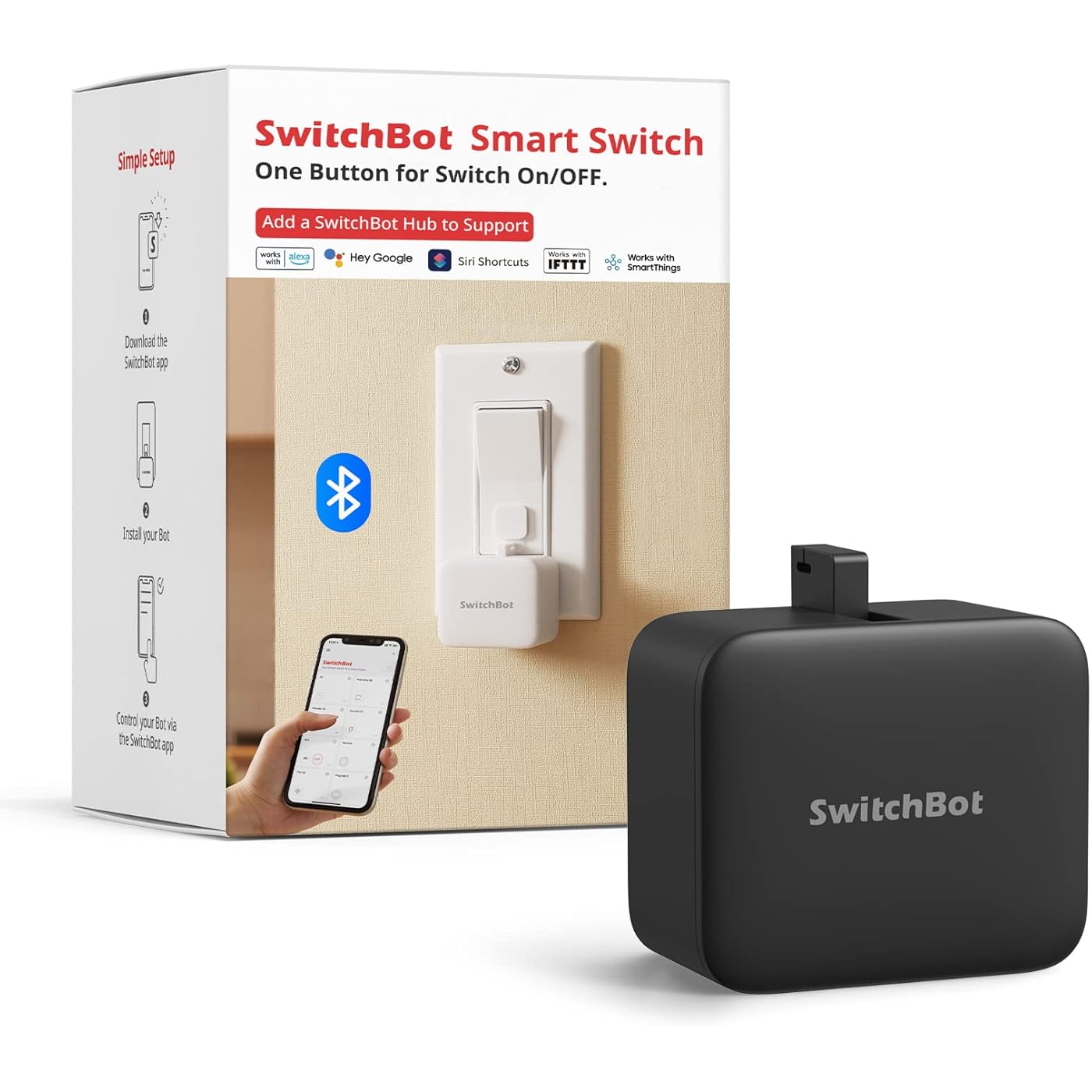
SwitchBot Smart Switch Button Pusher - Bluetooth Fingerbot for Rocker Switch/One-Way Button, Automatic Light Switch, Timer and APP Control, Works with Alexa When Paired with SwitchBot Hub (Black)

  • Based on 33,399 reviews
Condition: New
Checking for the best price...
$24.65 Why this price?
Holiday Deal · 18% off was $29.99

Buy Now, Pay Later


As low as $6 / mo
  • – 4-month term
  • – No impact on credit
  • – Instant approval decision
  • – Secure and straightforward checkout

Ready to go? Add this product to your cart and select a plan during checkout.

Payment plans are offered through our trusted finance partners Klarna, Affirm, Afterpay, Apple Pay, and PayTomorrow. No-credit-needed leasing options through Acima may also be available at checkout.

Learn more about financing & leasing here.

Selected Option

Free shipping on this product
This item's return window has been extended for the holiday season: FREE refund/replacement until Jan 31, 2026

To qualify for a full refund, items must be returned in their original, unused condition. If an item is returned in a used, damaged, or materially different state, you may be granted a partial refund.

To initiate a return, please visit our Returns Center.

View our full returns policy here.

Availability: In Stock.
Fulfilled by Amazon

Arrives Monday, Dec 15
Order within 3 hours and 28 minutes
Available payment plans shown during checkout

Protection Plan Protect Your Purchase
Checking for protection plans...

Style: Bot Black


Features

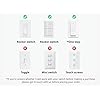
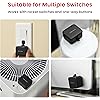
  • Universal Compatibility The SwitchBot Bot works with most rocker switches and one-way buttons, helping automate coffee machines, air conditioners, garage doors, and more. Supports Rocker, Rocker (Button Type), and One-way switches. Does not support toggle switches, mini switches, touchscreens, or overly hard/aged buttons. If your Bot loses connection, please check the battery level, update the SwitchBot App & firmware, or contact our support team.
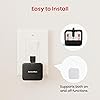
  • Easy to Install and UseMount next to any supported switch with the included 3M adhesive in secondsno tools required. Control via Bluetooth using the SwitchBot App, or add a SwitchBot Hub for Wi-Fi & cloud control (sold separately). Battery lasts up to 600 days based on twice-daily usage. (Use a standard 3V CR2 battery for optimal pushing force.)
  • Built-in TimersCreate on/off schedules in the SwitchBot App that run independently without your phone or Hub. Automate lights, fans, or applianceseven when youre not at home.
  • Works Even Better with SwitchBot HubWhen paired with a SwitchBot Hub (sold separately), SwitchBot Bot supports remote control from anywhere, and voice control through Alexa, Google Assistant, Siri, and IFTTT (2.4 GHz Wi-Fi required). Before linking with a Hub, please ensure your SwitchBot App is up to date, both the Bot and Hub Mini/Hub 2/Hub 3 are added to the App with the latest firmware installed, and Cloud Service is enabled within the Bots settings, as these are required for Hub connectivity.
  • Now Supports HomeKit via MatterSwitchBot Bot now supports Apple Home when used with SwitchBot Hub 2 (2nd Gen) via Matter. Enjoy smoother integration and improved smart home automation.
  • Part of the SwitchBot EcosystemUse Scenes in the SwitchBot App to link with other SwitchBot products or integrate through SwitchBot API to build a customizable smart home system.
  • Additional Notes on Switch Mode & Installation SwitchBot Bot supports Press Mode for button pressing and Switch Mode for pushing or pulling rocker switches (Switch Mode requires an add-on). If you need the Bot to stay on or keep a switch in position, please make sure you are using Switch Mode, not Press Mode. You can switch modes anytime in the App. For best adhesion, ensure the mounting surface is clean and dry, apply the adhesive firmly, and allow 24 hours for full bonding. Detailed instructions and diagrams are available in the user manual.

Description

Sometimes magical things happen when you least expect it. One night, before going to sleep, our CEO realized that he needed to get out of bed again, turn off the lights, and close the curtains. And it’s then, at that very moment that the idea of SwitchBot started.

Operation Mode: ON-OFF-ON


Current Rating: 1 Amps


Operating Voltage: 3 Volts


Contact Type: Normally Open


Connector Type: Clamp


Brand: SwitchBot


Terminal: Screw


Item dimensions L x W x H: 1.67 x 1.44 x 0.94 inches


Circuit Type: 1-way


Actuator Type: Push Button


Is Discontinued By Manufacturer ‏ : ‎ No


Product Dimensions ‏ : ‎ 1.67 x 1.44 x 0.94 inches; 1.48 ounces


Item model number ‏ : ‎ Switchbot S1


Batteries ‏ : ‎ 1 Lithium Metal batteries required. (included)


Date First Available ‏ : ‎ March 7, 2018


Frequently asked questions

If you place your order now, the estimated arrival date for this product is: Monday, Dec 15

Yes, absolutely! You may return this product for a full refund within 30 days of receiving it.

To initiate a return, please visit our Returns Center.

View our full returns policy here.

  • Klarna Financing
  • Affirm Pay in 4
  • Affirm Financing
  • Afterpay Financing
  • PayTomorrow Financing
  • Financing through Apple Pay
Leasing options through Acima may also be available during checkout.

Learn more about financing & leasing here.

Top Amazon Reviews


  • There is Still No Better Alternative to Old Reliable
Style: Bot Black
I purchased my first Switchbot Bot back in 2021 so that I could automate my garage door (I have a camera in the garage to verify if it is up or down, and use the bot on either the push button in the garage or a space remote). It worked perfectly for this function at all three of my rental houses since then, allowing me to automate something that is typically not included with the rental, while easily removing it when I leave. Since I have a two door garage setup now, I purchased an extra bot to automate both doors, since it was simply the most cost effective, reliable way to do this as compared to doing wiring, installing other apps, or some other invasive install that I would have to remove the next time I move (I am in the military, so frequent moves are a way of life). It's a no-brainer since I already have a Switchbot Hub. ... show more
Reviewed in the United States on December 8, 2025 by Alfred M.

  • Easy to set up
Style: Bot White
Fantastic item. Works as designed. Easy to set up
Reviewed in the United States on December 1, 2025 by Edward M. Edward M.

  • Pretty good, but there might be better options
Style: Bot Black
For nearly 4 years my garage door opener hasn't worked properly. It's an older model and it keeps getting unpaired with the remote. Garage door repair person said we need a new system, but we are going to remove the garage doors entirely in the next couple years so we didn't want to waste money. Welcome the Switchbot Smart Switch. Instead of paying hundreds on a new garage door opener, we spent around 30 or so for a swith to press the garage door button for us. It works pretty well. The app is not the easiest thing to use, but once you download it, the switchbot will automatically get detected as long as your bluetooth is on. From there, you can set up a password for it, then you'll need to input the password again it's set to connect to the system. At one point, something went wrong and I couldn't get it to connect, there's a little button on the inside of the switchbot to reset the bot back to default. I pressed it, but it didn't actually reset the password, but it did get me to a point where I could connect it back up to my phone. This is just a heads up, in case you do need to reset the unit back to default, you may need to hold that button a little longer, I'm really not sure since the reset didn't work for me out of the box. The second issue I had was getting the bot into position for my garage door button. I setup a metal bracket across the garage door opener, and zip tied the switchbot to it. Once in position, I activated the switchbot and a little arm swung out, but fell short of actually touching the garage door button. There is no way to lengthen this arm, so my fix was to take a small adhesive pad and cut it to size. Once I did that and stuck it onto the unit, I was able to have the switchbot hit the button, and the rest is history. It works like a charm, and I can open my garage door from anywhere inside and outside of the house, once again giving my garage door the functionality I had been missing for so long. Some other issues, though, you can't simply connect this unit up to alexa. The unit needs a switchbot hub, which is an additional cost. In the app it gives you the opportunity to turn on alexa integration, but if you don't have it connected to the hub, this selection is grayed out. That means that I can't tell alexa to open the garage. I'm not wasting money on a hub. The battery it uses isn't a common size. It has only been a few weeks of daily use and I haven't had issues with the battery dying yet, but I don't know how long it will last. So far this unit has worked for me, but there are others that have adjustable arms. Had I not found a fix to make this work, I would probably have returned it and gone with one of those, but I'm not going to complain. Just keep in mind what you're planning on using it for, and make your decision based on that. ... show more
Reviewed in the United States on January 5, 2022 by Deksam

  • Add smart functionality to an intercom!
Style: Bot White
I bought this product to be able to unlock my apartment complex front door remotely because I often forget my keys. This product works PERFECTLY, but a small caveat--it does not have WiFi connection. You need bluetooth. Boo. In other words, I had to buy a bridge in order to make this work remotely.
Reviewed in the United States on December 3, 2025 by Dan K.

  • NOT remote!
Style: Bot Black
See below for my original review. I originally left a 1 star review as I felt the item title and listing did not accurately depict that this is not a fully "smart" object on it's own. It does allow you to operate the device within bluetooth range, but you can not operate it fully remotely, without either an additional device from the company or building your own and using their API. So rather than $30, you will need to spend $95 (at current prices on Amazon) to remotely push a button when away from home (or wherever else you are using the switchbot). Customer service reached out to me after seeing the original review and offered to send me, free of charge, the device that turns this into a truly remote button pusher. I received it promptly, set up was easy, and it works smoothly and as expected. The customer service rep also said they had made some changes to the listing to try making it a little more clear what this device can and can't do. I still think it's a bit confusing, and again, am disappointed the company does not make the Switchbot fully remote from the start, again, especially considering you can get smart outlets and lightbulbs that are fully remote, integrate with homekit/etc. for $10 or even less (vs. $95). I hope they can update this product in the future so that 2 devices are not needed to do what these other devices can do in just 1 device. ___ I assumed this would be like any other “smart” item where you can control the device from the app, wherever you are. Not so. This item should really be called “Bluetooth button pusher,” not smart button pusher. It ONLY works via Bluetooth. Meaning, it can only operate when you are in the vicinity of the device. If you are looking for something to push or switch a button remotely (in my use case- turning on a PC while away from home), as I imagine most folks who purchase this are- you’re out of luck. Turns out you must separately buy a $40 hub to enable that functionality. Or if you’re handy, you can program your own hub with a raspberry pi. But even that turns what should’ve been a simple, works right out of the package purchase into something a lot more time intensive. “Smart” lightbulbs, smart outlets, etc. are $10 these days and operate *truly* remotely out of the box. SwitchBot has no excuse for not doing the same for this device, and it comes off as a bait and switch by not being clear that this is merely a Bluetooth device, and forcing you to pay a total of $70 for the functionality you expected with the original purchase. ... show more
Reviewed in the United States on November 22, 2022 by Amazon Customer

Can't find a product?

Find it on Amazon first, then paste the link below.
Checking for best price...