


Search  for anything...

seenda Wireless Keyboard and Mouse Combo, Slim Full-Size Design

  • Based on 10,227 reviews
Condition: New
Checking for the best price...
$29.99 Why this price?
Save $4.00 was $33.99

Buy Now, Pay Later


As low as $7 / mo
  • – 4-month term
  • – No impact on credit to apply
  • – Instant approval decision
  • – Secure and straightforward checkout

Ready to go? Add this product to your cart and select a plan during checkout.

Payment plans are offered through our trusted finance partners Klarna, Affirm, Afterpay, Zip, Apple Pay, and Google Pay. No-credit-needed leasing options through Acima may also be available at checkout.

Learn more about financing & leasing here.

Selected Option

Free shipping on this product

FREE 30-day refund/replacement

To qualify for a full refund, items must be returned in their original, unused condition. If an item is returned in a used, damaged, or materially different state, you may be granted a partial refund.

To initiate a return, please visit our Returns Center.

View our full returns policy here.


Availability: In Stock.
Fulfilled by Amazon

Arrives Monday, Aug 24
Order within 21 hours and 42 minutes
Available payment plans shown during checkout

Protection Plan Protect Your Purchase
Checking for protection plans...

Color: Silver and White


Features

  • Easy Setup and Stable Connection--Get started in seconds. Use a seamless wireless keyboard mouse combo with just one USB receiver from the mouse, offering easy installation by simply plugging into your computer port for instant operation. Enjoy a stable, lag-free connection up to 33 feet away with no complicated software or drivers needed.
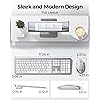
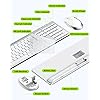
  • Sleek and Full Size Design--Elevate your workspace with a stylish, ultra-slim profile. This combo features dedicated media/FN keys for quick shortcuts. Perfect for home office workers, accountants, and data entry professionals who rely on a numeric keypad. Plus, the included silicone cover protects the keyboard from dust and liquid damage.
  • Work Quiet Anywhere--This combo offers a low-noise typing experiencesignificantly quieter than traditional or mechanical keyboards. Work late or study in shared spaces without disturbing others. Ideal for home office users, students in dorms, or night owls who need a quiet environment.
  • Adjustable DPI --3 adjustable DPI levels (800/1200/1600) allow you to easily change cursor sensitivity and track smoothly across different surfaces. No more sluggish responses, which helps improve your productivity.
  • Intelligent Sleep for Saving Power -- Intelligent sleep mode automatically activates after 10 minutes of inactivity to conserve battery life. Wake both devices instantly in under 3 seconds by pressing any key or mouse button. Spend less on batteries and more on workideal for minimizing downtime.(Note:batteries not included)

Description

What to do if unable to connect / connection is intermittent? 1. Try replacing the batteries and confirm whether the keyboard/mouse can be turned on and whether the battery level is sufficient. 2. Insert the USB receiver into your device (try a different one if necessary). 3. It can be used properly What to do if some keys not working/key input delay/automatic key input? 1. Please replace the batteries and then try to re-pair. 2. If only one or a few specific keys are problematic, press the non-working key firmly for 5-7 seconds to see if it starts working normally. How do I confirm that the keyboard is at low battery? The power indicator on the keyboard will flash when the power is too low, until it is turned off. And problems such as response delaying, keys sticking may occur when in low battery. Where is the USB receiver? It is inserted on the back of the mouse What devices is this keyboard and mouse set compatible with? This set is primarily designed for Windows systems and is not fully compatible with Mac systems.

Brand: seenda


Color: Silver and White


Connectivity Technology: Usb


Special Feature: Full-size, Ultra-thin


Compatible Devices: Compatible with USB-enabled Computers, Laptops runs of Windows systems


Connectivity Technology: Usb


Other Special Features of the Product: Full-size, Ultra-thin


Compatible Devices: Compatible with USB-enabled Computers, Laptops runs of Windows systems


Movement Detection: Optical


Power Source: Battery Powered


Keyboard Layout: QWERTY


Compatible Operating System Family: Windows


Hand Orientation: Ambidextrous


Operating System: Windows 7


Number of Keys: 104


Color: Silver and White


Brand: seenda


Keyboard Description: Multimedia


Antenna Location: Keyboard and Mouse for home, office use


Manufacturer: seenda


Model Number: B07L2LS9SK


Mfr Part Number: B07L2LS9SK


Warranty Description: 2-Year Warranty


Frequently asked questions

If you place your order now, the estimated arrival date for this product is: Monday, Aug 24

Yes, absolutely! You may return this product for a full refund within 30 days of receiving it.

To initiate a return, please visit our Returns Center.

View our full returns policy here.

  • Klarna Financing
  • Affirm Pay in 4
  • Affirm Financing
  • Afterpay Financing
  • Zip Pay in 4
  • Financing through Apple Pay
  • Financing through Google Pay
Leasing options through Acima may also be available during checkout.

Learn more about financing & leasing here.

Top Amazon Reviews


  • I am IMPRESSED beyond words!!!!!
Color: Silver and White
This combo is a must have. I love the layout and the fact that it looks like an apple keyboard (To Me) I love the fact that it is white and has the ten key punch functionality. I am not a gamer so I cannot validate that it is good for gaming. I am a college student and being able to use the key punch while calculating is a must and prevents me from having to use my iPhone or an external calculator. The connectivity and the compatibilty to my Mac and my MacMini was easy, once you add it there is no need to keep adding it. I like the way it feels, the keys are silent with sound, they press with ease and are very soft to the touch - the keyboard comes with a cover that can be removed if you feel that it makes the feel of the keys to stiff (A very good addition). It will certainly keep your keyboard free from dust, dirt, and food crumbs (If you eat while working) I highly recommend this Keyboard and mouse combo - I promise you will not be disappointed with this purchase. ... show more
Reviewed in the United States on October 18, 2025 by Surface Pro User

  • Beautiful green sturdy keyboard and mouse
Color: Green
I just got the keyboard and mouse today. So I might have to update this later with more Pros or cons. It was very easy to set up and it came well packaged. I do like how thin it is but still very well made and very sturdy. I like that the keys do not stick up really high like my old keyboard and the mouse is very sensitive and not too bulky. I think the best thing I like about it is the keyboard cover that comes with it because all of my other keyboards letters would rub off and I would have to order extra stickers from Amazon to stick on the keys. ... show more
Reviewed in the United States on June 3, 2026 by JN25

  • Great purchase. Fantastic quality for the price. Definitely recommend!
Color: Silver and White
I bought the keyboard and mouse set to use with my standing desk. quality is superb. I worried about cheap plastic; it looks anything but. The soft touch keys are great for working from home so you can quietly type. Both, mouse and keyboard, have a sleep mode and an on off button so you can save on battery when not in use. I switch them off as soon as i'm done so I can elongate the life of my battery. The pairing usb is super tiny and conveniently out of the way once plugged into your laptop. It pairs up wonderfully. I've never had trouble pairing after switching on and off. The only thing I'd say is the mouse kinda disappears a bit if you've unplugged the usb. The fix is easy, i lift it up and click once in the air, voila, it's back. There's also one tiny quirk in the keyboard: the right click button types in a character if you're in a type-able app, like word, pages, notes etc. It doesn't actually right click from the keyboard. I simply use the mouse instead. The ergonomics of both are quite fantastic. I use them for hours on end to type. No discomfort or pain or any such thing. They're both low profile so they're great on your wrist. I got the silver white combo. It even came with a silicon cover for the keyboard. Because I cook a lot, use hand lotion etc, I keep the silicon pad on even when I type; it protects the keyboard from discoloration and it's an easy wipe off. They're both super sleek. I absolutely love this purchase and recommend it quite highly. I waited to use it for a good month before writing this review. ... show more
Reviewed in the United States on March 29, 2021 by M_A_cust

  • Consider something more reliable...
Color: Green
These keyboards look nice, and we like the way they type with the quieter keys, however, I would never suggest anyone purchase these. You have to make sure you turn it off when you are not using it b/c it will drain the battery super fast. It will also have a bit of a delay in typing, and it will have sticky keys. So all of the sudden when you are typing you will seeeeeeeeeeeeeeeee a bunch of letters. The mouse it also annoying, because if you don't use it for like a min, the mouse will freeze, and you have to click it to use it again. Well, that click will actually work, so you have to be careful what you're cursor is on. AND you can't tell because goes away. ... show more
Reviewed in the United States on July 31, 2026 by thammy

  • F12 key placement. Function key
Color: Black&Blue
I have to agree with Avril Patterson review. At first about hearing about his review, I thought it was a little much of an overreaction. But once I got the keyboard and started working with it at work, I’ve realized that he is totally correct on the function key and the F12 key. It is really hard to adjust to it so unless you have no adjustments to computers are using the F12 key. I say hi you recommend as a keyboard is awesome and it has a nice field to it low sound. But if you’re using the F keys or the function keys repeatedly as I do, I would not recommend. ... show more
Reviewed in the United States on January 26, 2026 by P. Magana

  • Great Customer Service
Color: Rose Gold & White
We ordered two of these for our office and we had a minor issue with them which I emailed the companies support team about and they were so responsive and helpful. I would order these products again simply because the customer service was wonderful and I am confident if anything else were to come up I would be taken care of. They keyboards are great and the mouse is silent when clicking on things which I find to be the best part! They even come with a keyboard cover which I think is a nice feature if you were in a medical office. ... show more
Reviewed in the United States on June 11, 2026 by Wenzon Family Dental

  • For the price, you can't beat this.
Color: Silver and White
I got this to replace an Apple keyboard and mouse that have died on my old computer which we just use for web browsing and printing these days. I didn't want to sink another $300 into Apple branded replacements (which are admittedly much higher quality) so I gave this a shot. No regrets. This isn't bluetooth - which is perfect because bluetooth has a tendency to need to be "woken up" all the time. Instead there is a single USB-A adapter that you plug in and then connects you to both the keyboard and the mouse. The responsiveness of these is as close to wired as you can get and I notice no different in response time between this and my Apple keyboard and mouse. The other thing I like about this is that the WIN key is in the "right" spot in comparison to the Apple keyboard's option key, so I don't have to fiddle with key mappings to make the keyboard work as I expect (coming from an apple keyboard). The mouse is low profile, which I also like because I don't like cupping my hand around a mouse. But this could be something that bothers people whose hand sits on the mouse all the time. I'm a programmer so my hands are on the keyboard most of the time and I only go to the mouse when I have to, so low and out of the way is a plus for me. All that said, it's cheap, so the build quality feels a little cheap as well. I don't know that I'd want this as my primary keyboard and mouse for 8-10 hours a day. But for a couple hours a day, this duo is spot on. ... show more
Reviewed in the United States on February 5, 2025 by C. Steele

  • Beware of Latency...
Color: Black & Grey
I bought this wireless keyboard so I could use my laptop with an External High Resolution monitor. It seemed like the perfect keyboard from all the reviews, and for the most part it works fine. But, if you are a fast keyboarder - like I am - you may find it frustrating to use. After hooking up the keyboard, I started to have issues with missing keystrokes as I was typing. I figured it was just me until I had a friend looking over my shoulder. I was entering an Excel function and the entry got screwed up because the was no "=". I could have sworn I hit an "=", and my friend verified that I indeed did press the "=", but it just didn't take. Since then I've noticed a distinct latency between when I hit the key and it shows up on the screen. I some extreme cases I can go two, or even three keystrokes before they all appear on the screen in a "fast forward" type fashion. I've never experienced anything like this before in my 50+ years of using computers. Some of the features I like are a Caps Lock LED, as well as a Function and Numeric Lock LED. The feel of the keys is really nice. I'm back on the hunt for a decent wireless keyboard. After using this one, I do have some suggestions for anyone else looking to hook up a keyboard to their laptop: 1. I didn't realize the convenience of having the Function Key row default to being a function. This keyboard defaults to the special purpose of the key, such as Volume Up/Down, etc. Having to continually verify the Function Lock is pressed is annoying at best. 2. My next keyboard is going to have the Caps Lock LED in the Caps Lock key. Diverting my attention to the upper right hand corner slows down my entries. My Laptop keyboard had this feature, and I didn't realize how important it was to how I use the computer. Over the years I've just developed the habit of looking down at the Caps Lock as I need to enter Upper & Lower case characters. To be fair, this is more an issue with me than it is with the keyboard. This keyboard looks great, and again the touch and feel of the keys is very good. But, if you are a fast keyboarder, like me, you may be frustrated by the latency between when you press a key and it shows up (if at all) on the monitor. ... show more
Reviewed in the United States on February 11, 2024 by Laurance Scott

Can't find a product?

Find it on Amazon first, then paste the link below.
Checking for best price...