




Switchbot Smart Switch Button Pusher (Bluetooth) – Fingerbot for Rocker Switch/One-Way Buttons, App Timer Control, No Wiring, Hub Included for Voice/Remote, White




Buy Now, Pay Later
- – 6-month term
- – No impact on credit to apply
- – Instant approval decision
- – Secure and straightforward checkout
Ready to go? Add this product to your cart and select a plan during checkout.
Payment plans are offered through our trusted finance partners Klarna, Affirm, Afterpay, Zip, Apple Pay, and Google Pay. No-credit-needed leasing options through Acima may also be available at checkout.
Learn more about financing & leasing here.
Selected Option
FREE 30-day refund/replacement
To qualify for a full refund, items must be returned in their original, unused condition. If an item is returned in a used, damaged, or materially different state, you may be granted a partial refund.
To initiate a return, please visit our Returns Center.
View our full returns policy here.
Recently Viewed


At a glance
- Condition
- New
- Style
- Bot 3 packs+Hub Mini
- Model
- W0202200-HBWT
- Dimensions
- 92.5 x 35.4 x 23.6 in
- Color
- White
- Material
- Plastic
- Operation Mode
- ON-OFF-ON
- In the box
- SwitchBot Bot 3 Pack & SwitchBot Hub Mini 1 Pack
- Works with
- Alexa, Google Home, IFTTT
Features 5
- Make any supported switch smart without rewiring Control rocker switches & one-way buttons from your phone for bedroom lights, fans, or appliances you dont want to get up to reach not for toggle/mini switches, touch panels, or stiff/aged buttons.
- App control + built-in timers that keep running Set on/off schedules for morning coffee routines or nightly shutoffs schedules run in the SwitchBot app without needing your phone nearby or a hub once set.
- Bluetooth control included; Hub adds voice + away control Use Bluetooth for local control, or add a SwitchBot Hub (Hub Included) for remote control + voice control (Alexa/Google Assistant/Siri) and IFTTT 2.4 GHz Wi-Fi required for hub features.
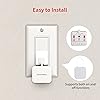
- Fast, tool-free install with stronger hold when you prep right Stick it on in seconds with included adhesive for best results, mount on clean, dry, smooth surfaces and allow 24 hours for full bonding before heavy use.
- Choose the right mode for the job Use Press Mode for button presses; use Switch Mode for pushing/pulling rocker switches (Switch Mode requires an add-on) plus scenes and ecosystem automation via the SwitchBot app and API.
Description
SwitchBot is your simple switch to a smart home. With easy setup, we help you to create a comfortable home with innovative smart home products. Install in 3 seconds. Note: Built-in CR2 battery. Before the first use, please remove the plastic battery isolation tab. Just tape it next to a button or switch with no tools required. Turn switch or button ON/OFF in the App. Push by the arm inside and pull by the Add-on. Note: Please use a regular brand 3V CR2 battery, otherwise the arm may not push and pull. Place it on a coffee machine or light switch and set a schedule to automatically turn it on or off. Want to set a press-hold action at a certain interval repeatedly? Reach our team for a Beta version via Feedback in App. *Note this feature accelerates battery consumption and wears out the Bot arm. Works with just about any rocker switch and button of any appliance. Extreme power-saving BLE technology allows 600 days of use powered by a replaceable battery. At selected locations, return to a bright room after get off work in the evening. SwitchBot is compatible with most rocker buttons and one-way switches, but not toggle switches and touch screen buttons. Not support overly hard or aged buttons. Space for the sticker requires more than 1cm (0.4 inches), and better to wait 24 hours after being stuck. In the case of applying an add-on to a rocker switch, the surface should be clean, flat, and has enough room. The Bot clicks down with a force strong for most, and still gently for not to break things. The max swing angle of SwitchBot is 135 degrees. Make sure the Bot is on a surface where the arm could reach the switch or button when pushing down. By adding the SwitchBot Hub Mini or SwitchBot Hub2 (sold separately), you can control your Bot when you 1000 miles away from home! No need to operate your phone & voice control, just push the SwitchBot Remote(sold separately) button to turn off the light. Just say the words. With a SwitchBot Hub(sold separately), the Bots can be voice-controlled by Alexa, Google Assistant, Siri, and SmartThings. Enjoy the hands-free experience by saying "Alexa, turn off the light", "Hey Google, a cup of coffee please", or "Hey Siri, open the garage door". SwitchBot Bot is supported via Matter when using SwitchBot Hub2 (sold separately), which in turn helps make your device supported via HomeKit. Now add SwitchBot Bot to Apple Home for an even better smart home experience.
Specs 30
| Operation Mode | ON-OFF-ON |
|---|---|
| Current Rating | 1 A |
| Contact Type | Normally Open |
| Connector Type | Hub |
| Brand | SwitchBot |
| Switch Type | Push Button |
| Terminal | Blade |
| Material | Plastic |
| Item dimensions L x W x H | 92.5 x 35.4 x 23.6 inches |
| Circuit Type | 1-way |
| Mounting Type | Surface Mount |
| Actuator Type | Push Button |
| Number of Positions | 3 |
| Control Method | App, Voice |
| Connectivity Protocol | Wi-Fi |
| Control Type | Remote and Voice Control |
| Color | White |
| Item Dimensions | 92.5 x 35.4 x 23.6 inches |
| Unit Count | 3 Count |
| Number of Items | 3 |
| Material Type | Plastic |
| Contact Material | Plastic |
| International Protection Rating | IP54 |
| Specification Met | Ip54 |
| Brand Name | SwitchBot |
| Model | W0202200-HBWT |
| Manufacturer | Wonderlabs |
| UPC | 850043739586 |
| Item Type Name | SwitchBot Bot 3 Pack & SwitchBot Hub Mini 1 Pack Set |
| Part Number | W0202200-HBWT |
No specs match.
Frequently asked questions
To initiate a return, please visit our Returns Center.
View our full returns policy here.
- Klarna Financing
- Affirm Pay in 4
- Affirm Financing
- Afterpay Financing
- Zip Pay in 4
- Financing through Apple Pay
- Financing through Google Pay
Learn more about financing & leasing here.


