Search  for anything...

SwitchBot Hub 2 (2nd Gen), Work as a WiFi Thermometer Hygrometer, IR Remote Control, Smart Remote and Light Sensor, Link SwitchBot to Wi-Fi (Support 2.4GHz), Alexa, Google Home, Apple Home Compatible

  • Based on 11,439 reviews
Condition: New
Checking for the best price...

Buy Now, Pay Later


As low as $10.00 / mo
  • – 6-month term
  • – No impact on credit to apply
  • – Instant approval decision
  • – Secure and straightforward checkout

Ready to go? Add this product to your cart and select a plan during checkout.

Payment plans are offered through our trusted finance partners Klarna, Affirm, Afterpay, Zip, Apple Pay, and Google Pay. No-credit-needed leasing options through Acima may also be available at checkout.

Learn more about financing & leasing here.

Free shipping on this product

FREE 30-day refund/replacement

To qualify for a full refund, items must be returned in their original, unused condition. If an item is returned in a used, damaged, or materially different state, you may be granted a partial refund.

To initiate a return, please visit our Returns Center.

View our full returns policy here.


Availability: In Stock.
Fulfilled by Amazon

Arrives Sunday, Aug 16
Order within 18 hours and 38 minutes
Available payment plans shown during checkout

Protection Plan Protect Your Purchase
Checking for protection plans...

Features

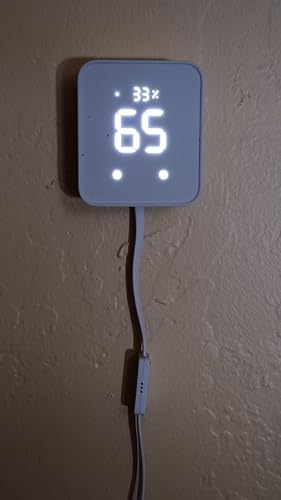
  • Smart WiFi Thermometer Hygrometer: The SwitchBot Hub 2 features a built-in industrial Swiss-made chip (accuracy up to 1.8% RH/0.36F) in its cable. Additionally, the panel comes equipped with a light sensor, which enables the screen brightness to adapt to the environment seamlessly. The WiFi functionality allows you to monitor your home's temperature, humidity, and light data, as well as their variations, anytime, anywhere.
  • Helps Consolidate All Your Infrared Remotes: With Smart Learning, our smart home hub can help you add tons of home appliance infrared remotes to our app to help make home life simple. You'll then be able to control appliances such as TVs, Air Cons, and more using Voice Commands (e.g. Alexa) or even using our app or your Apple Watch.
  • Use with Scenes and Geo-fencing Temperature, humidity, and light detected by SwitchBot Hub 2 (2nd Gen) can be used as triggers for automatic scenes to control devices like air conditioners. Configure ON/OFF functions strategically when using the Learn Buttons method to ensure your air conditioner operates intelligently based on environmental changes.
  • 2 Smart Buttons Included: Our device comes with two buttons to allow you to set up household appliances or automation scenes to be controlled when using our app. Just simply tap lightly and enjoy a host of different home automation possibilities, especially suitable for the elderly or children who cannot use smart phones or voice commands.
  • Supports Matter: SwitchBot Lock, Curtains and Blind Tilts are supported via Matter when using SwitchBot Hub2 (2nd Gen), which in turn helps make your device supported via HomeKit (support across other devices will come shortly after). Our hub also allows you to use third-party smart assistants such as Alexa, Google Home, and Apple Home for an even better smart home experience.

Description

SwitchBot Hub 2 (2nd Gen) is a 4-in-1 smart home hub that allows you to monitor temperature and humidity, can consolidate infrared remote controls and features Wi-Fi to allow you to control SwitchBot devices remotely. Temperature, humidity, and lighting data are all presented as intuitive graphs. View indoor temperature and humidity data remotely to help understand your home environment better. Uses Swiss-made sensor chip for higher data accuracy. Get push notifications when temperature and humidity exceed your set comfort range. SwitchBot Hub 2 (2nd Gen) is compatible with over 80,000+ infrared appliances, with a larger signal area that allows you to cover the whole room. And with Smart Learning, your hub can learn and imitate remote controls in just 5 seconds. Even if your local network is down, you can control appliances like air conditioners locally by using our app via your smartphone. SwitchBot Hub 2 (2nd Gen) supports Alexa, Google Assistant, Homekit, Siri Shortcuts, SmartThings, and more. Get rid of all your outdated infrared remote controls and control your appliances directly using our app. Helping to make home life simple, and tidy! Trigger preset Scenes set via our app directly from your hub to control multiple devices at the same time. You can even control devices using smartwatches that run Apple WatchOS. Suitable for people who love sports or those that don't carry smartphones. Use Geo-fencing to enable your home to perform tasks like automatically turning on your air conditioner and lights for you in advance when you are close to home. Set the temperature as a Scene condition to automatically control your air conditioner depending on room temperature to make sure you're always kept in a comfortable environment. SwitchBot Hub 2 can be used as the foundation for all our products to give you a better smart home experience. You can also use Scenes to help make life even more simple thanks to automation. You can set timers to control appliances according to times that suit you, great for making simple tasks easy, and it also helps save energy! When connected to SwitchBot Hub 2 your existing SwitchBot Bot, Lock, Curtains, and Blind Tilts will now become Matter-enabled, allowing you to control them using Apple Home. You can also control IR remotes you've added to Hub 2 via smart learning in Apple Home. (App Version: 7.4) Hub 2 (2nd Gen) Meter Pro+Outdoor Meter Outdoor Meter*3 with Hub Outdoor Meter 3 Packs Outdoor Meter Hub Kit Outdoor Meter with Hub

Manufacturer: ‎Wonderlabs


Part Number: ‎W3202100


Item Weight: ‎6.7 ounces


Product Dimensions: ‎3.15 x 2.76 x 0.91 inches


Item model number: ‎W3202100


Size: ‎80 × 70 × 23 mm (3.1 × 2.8 × 0.9 in.)


Color: ‎White


Material: ‎ABS


Power Source: ‎Ac/DC


Item Package Quantity: ‎1


Measurement Accuracy: ‎± 0.2℃ / ± 1.8% RH


Mounting Type: ‎Tabletop


Special Features: ‎Equipped with a light sensor, that helps your device adapt to the local environment, Supports HomeKit via Matter, The Gateway of SwitchBot Products, link SwitchBot to Wi-Fi (Support 2.4GHz), WiFi Smart IR Remote Control, WiFi Thermometer Hygrometer


Included Components: ‎2m temperature and humidity data cable*1, 3M adhesive*1, 5V 2A adapter*1, Hub 2*1, User Manual*1


Description Pile: ‎No batteries required


Warranty Description: ‎2 years


Date First Available: November 14, 2022


Frequently asked questions

If you place your order now, the estimated arrival date for this product is: Sunday, Aug 16

Yes, absolutely! You may return this product for a full refund within 30 days of receiving it.

To initiate a return, please visit our Returns Center.

View our full returns policy here.

  • Klarna Financing
  • Affirm Pay in 4
  • Affirm Financing
  • Afterpay Financing
  • Zip Pay in 4
  • Financing through Apple Pay
  • Financing through Google Pay
Leasing options through Acima may also be available during checkout.

Learn more about financing & leasing here.

Top Amazon Reviews


  • Makes my dumb AC smart!
Working well with my switchbot "finger" to control my "dumb" AC. I also bought the Pro Thermostat that comes with an outdoor thermostat. I use this as a hub only and have the Pro mounted on the wall in my bedroom. Now I can control my central AC to turn on/off based on the temperature in my bedroom which has really helped me sleep more comfortably at night. The "outdoor" thermostat sits on top of my central AC control unit so I can monitor the reading from the central AC right from my bedroom. I originally set it up to read from the Hub 2 which is mounted in the living room during the day and from the Pro thermometer in my bedroom at night which sometimes caused issues when it switched between them. But the routine itself worked. We are renters and did not have the option to simply install a smart thermostat like the Google Nest. This isn't the cheapest thing to set up, but it solved a huge problem for us and deserves 5 stars. We have a 1 bedroom apartment, so in hindsight, we probably could have just bought the Hub 2 and the switch bot and saved some money, but I am satisfied with our purchases and feel like the Pro smart thermostat and outdoor weather sensor were very good value. It also looks great on our wall without the wires the Hub 2 needs. Software wise, I have a separate 2.4 GHz network set up in my home so it was very easy to get the Hub up and running. This is essential FYI! For best results, keep your phone on the 2.4 GHz wifi network during set up. After set up is complete, it doesn't matter which wifi network your phone is on. The scheduling works well and I can easily enable and disable my routines in the Switchbot app. It was also very easy to share access with my partner using a QR code (if I remember correctly). She was able to make her own account so we don't need to share passwords. It is also compatible with Google home which was easy to get working with it as well. I tried creating routines in Google home, and while they work, I felt the switch bot app allowed for more fine tuning and it can read the temperature up to a tenth of a degree which Google home cannot do. In Google home, you are limited to whole degrees. I was waiting to own it for a while before writing a review, and the Hub 2 has worked flawlessly since day 1 with no down time. Just make sure to update the firmware immediately. ... show more
Reviewed in the United States on August 6, 2026 by Amazonion

  • UPDATED: Perfect control for a mitsubishi mini split AC
Update: Company was quick to reach out and send a replacement unit. So far everything has worked flawlessly and connection issues seem to have been resolved. The downside to a mini split is that a normal "smart" thermostat does not work with it, and there is no real scheduling options. Not only does this device allow control of the AC from your home automation system (Alexa, Google Home), but it also allows you to set up profiles and themes to control it to warm up before you climb out of bed, drop temperatures when you leave for the day, and again cool or heat your house prior to arriving home again. It has been running flawlessly now for about 2 months, was easy to set up, and perfect for remote operation or monitoring. UPDATE: After running for several months now, this unit seems to have issues maintaining a wifi connection (and disconnected "remote" no longer works). Wifi disconnects a minimum of 2 times per day, often throwing off the heat schedule (ie: it is cold when we get home from work), rebooting often results in bot being able to connect to ANY wifi network. My desire to recommend this is quickly waining! ... show more
Reviewed in the United States on December 25, 2024 by Andalusian W.

  • Easy setup, great features
Installed Jan 6, 2024 - I bought this Switchbot Hub 2 primary as an IR blaster to control an electric fireplace and an older Samsung TV in my bedroom to use my iPhone as the remote. Short story - works well, good app. Bonus: There are 2 physical buttons on the front you can use to trigger devices/scenes. Longer story for enthusiasts: Based on reviews of competing products, I am happy I chose this one, easily worth the extra money. Using the native hub automation you can use the built in temp sensor and set a threshold and corresponding action. Ultimately I plan to do automation via HomeKit but assumed it would take some time before matter functionality worked. So for the short term, using Switchbot hub2 as the automation engine is simple and intuitive. Also the app works with Apple shortcuts on IOS. Widget sort of works, only scenes (switchbot scenes) show up so far, not devices. These are native switchbot devices/scenes, not to be confused with Apple home. Apple HomeKit and Matter- I have done no research on matter, I keep hearing it is coming. I don’t care to promote or consult on it, I’ll use it when it’s ready. That said, I am pretty impressed so far: Upon pairing with HomeKit (read the included directions, they are far better than average) the temp and humidity icons show up immediately in the IOS Home app. Matter seems to be working. It takes a very long time for IR devices to show up in the IOS Home app. Several hours. I have fairly old Apple TV series 4, this could be why it takes a while? Again, it’s worth reading the instructions. Far superior than typical instructions from other device manufacturers. I am pleasantly surprised by this device. I never heard of them before yesterday! ... show more
Reviewed in the United States on January 7, 2024 by Brucet

  • Works Great With HomeKit and Alexa!
There's was a lot of buzz last year about the HomeKit compatible infrared blaster the Nature Remo Nano. It looks like a great product but unfortunately it is only for the Japanese market. The Switchbot Hub 2, however, beat it to the American market! And I have to say it's great! The update to change the IR blaster over to Matter was seamless and easy. The blaster works like a charm too! If there is anything to nit-pick about, I'd say that the Switchbot's phone app simply doesn't have very many pre-programmed templates to control various devices. Not that they are necessary. The Switchbot's ability to learn IR codes and button from current remote controls is fantastic and easy. As long as you have the remote, Switchbot can learn it! For all the devices I wanted to control, I ended up just creating my own templates using the "Others" category under "IR Appliances". Works great! A note note Apple TV users. Although Switchbot support will tell you it's impossible to control an Apple TV with Switchbot, that's just not true. It controls it fine. ALL Apple TVs can be controlled using IR signals from IR remote controls. You don't even have to mess with settings in the Apple TV. It just works out of the box. The hurdle to overcome, however, is to get a IR remote control for the Apple TV. Only a bluetooth remote comes with the Apple TV 4 and later, not an IR remote. Apple TVs gen 1-3 had IR remotes. You can still buy these older model remotes and Switchbot can learn them just fine, but the gen 4 and later Apple TVs added a new Home button which is not on the older remotes. The new Home button is how you put the Apple TV 4s and later to sleep. Luckily, there are many cheap ($10) 3rd party IR remote controls for the Apple TV 4 and later that have the new Home button. Just buy one of those, and you can use it to teach Switchbot how to control your Apple TV. Switchbot uses Siri Shortcuts to allow Siri to control an Apple TV. Would be nice if it had built in support for Siri, but using Siri Shortcuts works fine. Amazon's Alexa voice assistant can also control the Apple TV with Switchbot. So best of both worlds! I highly recommend Switchbot if you want to use it with Apple's HomeKit. It's not like we have much of a choice in any case. As far as I could tell, Switchbot is currently the ONLY smart home IR blaster in the American market that is compatible with HomeKit. But at least you know it works, and works well! :) ... show more
Reviewed in the United States on June 26, 2024 by Aguaman

  • Great remote thermometer!
Excellent, easy to use remote temperature gauge, enabled me to monitor the temperature in our northern home while in Florida for the Winter, over wifi/internet.
Reviewed in the United States on July 29, 2026 by Danno

  • Great solution for my needs.
I bought the hub with 4 sensors. Setup was pretty straight forward. Hub integrated easily onto my Wifi network and Alexa environment. I have one sensor in my pump house with an alarm when the temperature drops near freezing. A second is inside a freezer watching for temperatures above 10 degrees. This sensor does not update very often, I think the Bluetooth signal has a hard time getting out. However all I need to do is open it and I have the history of it's performance. The third sensor is inside my small wood drying kiln I use for bowl blank. Here the humidity sensor is very useful. The 4th is inside my workshop so I know what issues I will face with glues and finishes. There are issues with the speed of the updates, probably caused by the distance from the hub, but the data is updated eventually. However the fact that each sensor records readings about every 2 seconds and stores those results helps remediate the slow updates. The data is there. Like I said it fulfills my needs. The app is well designed, robust, and provides a good set of tools to review this recorded data. All in all I would recommend this to anyone who doesn't need instantaneous temperature reading and alarms. ... show more
Reviewed in the United States on January 17, 2024 by Cyber Woodsmith

  • No to Smart Home Automation triggering
I was told this was a reliable device for sending automation triggers on my Smart Home environment. It is not. I started on Google Home. Well we all know that's unreliable, so I tried alternatives. From Home Assistant, to Node-Red, then Python, OpenHab, Domoticz, platform after platform Switchbot either refused to hook up to it because of recent "security roadblocks," or simply would not trigger any automation. I finally switched to an Alexa Echo Dot and went to the Alexa platform, because of its internal thermometer, but I still needed a humidity reader, and Switchbot won't work with THAT! Basically I've gone through a ton of agonizing trouble for no result, which means I purchased an extremely expensive thermometer that'll tell me the temperature, and that's not what I wanted. I would like to return this device. Do not count on it for Smart Home automation triggering. It simply will not deliver, and I resent being told so. ... show more
Reviewed in the United States on August 6, 2026 by Ray RedSpider

  • Pretty reliable hub
Been using the SwitchBot Hub2 for a few weeks now, and overall, it’s honestly pretty great. i’ve got it linked with my smart curtains and blinds, so yeah, my mornings are kind of bougie now. the curtains open, and boom, sunshine while I wake up. love how easy it was to set up, but l wish it had ethernet support. Wi-Fi’s fine most of the time, but when the connection gets wobbly, the hub gets cranky. ... show more
Reviewed in the United States on May 29, 2026 by J. Huster

Can't find a product?

Find it on Amazon first, then paste the link below.
Checking for best price...