Search  for anything...

SmartSee Anycast HD Wireless Display Adapter WiFi 1080P Mobile Screen Mirroring Receiver Dongle for iPhone Mac iOS Android to TV Projector Support Miracast Airplay DLNA

  • Based on 0 reviews
Condition: New
Checking for the best price...
$19.98 Why this price?
Save $69.99 was $89.97

Buy Now, Pay Later


As low as $4 / mo
  • – 4-month term
  • – No impact on credit to apply
  • – Instant approval decision
  • – Secure and straightforward checkout

Ready to go? Add this product to your cart and select a plan during checkout.

Payment plans are offered through our trusted finance partners Klarna, Affirm, Afterpay, Apple Pay, and PayTomorrow. No-credit-needed leasing options through Acima may also be available at checkout.

Learn more about financing & leasing here.

Free shipping on this product

FREE 30-day refund/replacement

To qualify for a full refund, items must be returned in their original, unused condition. If an item is returned in a used, damaged, or materially different state, you may be granted a partial refund.

To initiate a return, please visit our Returns Center.

View our full returns policy here.


Availability: Only 10 left in stock, order soon!
Fulfilled by Amazon

Arrives Thursday, Apr 23
Order within 6 hours and 3 minutes
Available payment plans shown during checkout

Protection Plan Protect Your Purchase
Checking for protection plans...

Features

  • Wireless display: SmartSee Wireless display adapter can mirror the screen of phone, tablet, laptop, pc to your TV/projector/monitor wirelessly. Share videos, photos, movies, files to a big screen easily. What shows on your screen can shows up on another big display. Cast a small screen to a large one. Make your TV a smart TV.
  • Easy to use: No App or drivers required. 3 steps to enjoy media on large screen: Plug->Connect->Mirroring: Plug the dongle into the HD port of your TV, projector, or monitor>Power it using the included USB WiFi antenna>Select the correct HD channel. The Anycast UI will show up, recognize your IP address and match your local language automatically. Connection steps differ by system,follow the User Manual based on your device type.
  • Wide Usage Scenarios (Professional & Everyday Use): Business & Office-Mirroring screen to projector, share PPT, mail, documents and other content wirelessly. Education & Training-Mirroring screen to big screen, share teaching content, classroom teaching, live demos, and workshops wirelessly. Home Entertainment- Watch with your family at home. Mirroring screen to TV, share photos, videos, movies wirelessly. Travel & Mobile Work- Carry it while travelling, share your phone to TV anytime. Retail & Exhibitions-Product demos, promotional videos, and catalogs. etc.
  • Usage Notes & Practical Tips: Anycast dongle is built-in 2 Modes-AirPlay Mode: For all iOS devices; Miracast Mode: For Android and Windows devices. A built-in mode switch button allows switching between AirPlay Mode (iOS) and Miracast Mode (Android & Windows) to match your device system. Press and hold the button for 3-5 seconds to restart the dongle(resolves most connection issues). Note: Always ensure the display is set to the correct HD input. Detailed connection please check the detailed description below or the User Manual according to your device system.
  • Regular OTA Update: This adapter supports automatic OTA (Over-The-Air) firmware updates directly from the cloud. Once connected to WiFi, the dongle upgrades itself to ensure ongoing compatibility with the latest iOS, Android, and Windows versions.

Brand: SmartSee


Connectivity Technology: Wireless


Connector Type: HD


Special Feature: Airplay, DLNA, Miracast


Resolution: 1080p


Supported Internet Services: Browser, Skype, YouTube


Controller Type: Wireless


Form Factor: TV Stick


Color: Black


Model Name: STCD0073JP


Connectivity Technology: Wireless


Connector Type: HD


Other Special Features of the Product: Airplay, DLNA, Miracast


Resolution: 1080p


Supported Internet Services: Browser, Skype, YouTube


Controller Type: Wireless


Form Factor: TV Stick


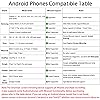
Compatible Devices: Television, android phone/Windows 8+ devices, iPad, iPhone, macbook


Memory Storage Capacity: 128 MB


Video Output Resolution: 1920x1080 Pixels


Video Codec: H.264


Item Weight: 0.06 Kilograms


Item Dimensions L x W x H: 2.56"L x 1.38"W x 0.59"H


Brand: SmartSee


Model Number: STCD0073JP


Model Name: STCD0073JP


UPC: 612068893656


Mfr Part Number: STCD0073JP


Manufacturer: SmartSee


Color: Black


Frequently asked questions

If you place your order now, the estimated arrival date for this product is: Thursday, Apr 23

Yes, absolutely! You may return this product for a full refund within 30 days of receiving it.

To initiate a return, please visit our Returns Center.

View our full returns policy here.

  • Klarna Financing
  • Affirm Pay in 4
  • Affirm Financing
  • Afterpay Financing
  • PayTomorrow Financing
  • Financing through Apple Pay
Leasing options through Acima may also be available during checkout.

Learn more about financing & leasing here.

Top Amazon Reviews


  • Highly recommended!
I recently purchased this adapter, and its performance is simply flawless! Setting it up is incredibly simple—just plug it in, connect to Wi-Fi, and my laptop or phone screen is instantly mirrored. The picture is crisp and sharp, with no lag or flicker, making it perfect for video playback, presentations, and even casual gaming. I also love its compact portability, making it easy to take to meetings or use in different rooms of the house. The connection is consistently stable, and it handles multiple devices effortlessly. For anyone looking for a reliable, high-quality wireless display solution, this HD wireless display adapter is definitely worth the money. Highly recommended! ... show more
Reviewed in the United States on February 26, 2026 by Marilyn Bader

  • Does not work as described -requires WiFi to barely function
I purchased this device because the description said that it works without local WiFi. Unfortunately it will not allow streaming of any videos that I was able to find through the devices WiFi. After 15 minutes the device was incredibly hot to the touch. Audio only seems to cast fine. It sort of works without local local WiFi but there is a significant lag between the audio and video. It does require an external USB power supply so if you’re going to buy this you’ll want to purchase a USB extension cord for setup. ... show more
Reviewed in the United States on November 28, 2025 by B. C.

  • great wireless mirroring solution.
This dongle works flawlessly with both my Android phone and my MacBook. It’s perfect for streaming movies or sharing presentations on a big screen without messy cables. The connection is stable and the resolution is excellent. Highly recommend it! The 1080P video looks great and it connects very fast. It's a fantastic and affordable way to make any TV smart ... show more
Reviewed in the United States on January 28, 2026 by taxamelo

  • Works good with android, BUT
Works very good with my Samsung android phone. Haven't tried Windows laptop yet but probably be the same. Problem is that Airplay is the default. I had it plugged into usb on the TV for power. When I turn off the TV, it loses power and defaults back to Airplay. Then you have to reach behind the TV and find the tiny button to switch it back to android. So now I have a usb type power supply plugged into a short extension cord for power because the supplied cord isn't quite long enough to reach the outlet. In my opinion, it would have been much smarter to put a switch on it, instead of a tiny button so it would stay in android mode if wanted it to. ... show more
Reviewed in the United States on November 6, 2024 by Carl

  • It works. Documentation is awful. And won't work for all applications.
I bought it to be able to cast live streaming (football games on Fox Sports, etc.) from my iPhone, via cellular data, to a flatscreen TV at my deer lease during hunting season. Testing first at home showed how that particular use won’t work. The Good: • Plug it in, enter the password, and it simply works. • You don’t need Wi-Fi. Your mobile device communicates directly with the little Wi-Fi dongle that plugs into the device which then plugs into the HDMI port on your TV. The Bad: • Documentation , printed and online, is awful. • No advance warning that you need a 5V DC USB power supply to power the device. • The required password (12345678) is documented nowhere. However, if you are quick to catch it in a Chinese YouTube video, it works. The Other: • Many online video resources prevent casting streamed content to an external display. I guess they want to prevent bars from circumnavigating paying big licensing fees for rebroadcasting; this means my intended use won’t work. ... show more
Reviewed in the United States on October 15, 2025 by fresnel

  • Easy to connect
Great for casual screen mirroring, but setup could be easier.” I’ve been using this SmartSee Anycast wireless display adapter for a few weeks now to mirror my phone and laptop to the TV. When it works, the picture looks clear in 1080P, and it’s super handy for showing photos, videos, and presentations on a bigger screen. I like that it supports AirPlay, Miracast, and DLNA, so it connects with both my iPhone and Android devices without needing extra cables. ... show more
Reviewed in the United States on January 21, 2026 by Christine

  • Doesn’t work just buy Crome cast
Total garbage doesn’t work at all. Forces you to use a different Wi-Fi so then you can’t actually use it. Don’t buy this stupid thing.
Reviewed in the United States on January 14, 2026 by SiGo

  • Sorta Works Sometimes
Will this connect a screen to a non-smart TV? Maybe, sometimes. Will it have a good connection from less than 5 ft a way with little screen lag? No. Will your screen lag, flicker, or otherwise be an inconvenience? Almost Always. Setup is easy when it works and infuriating when it doesn't. There is no support for this item and the direction it has given no trouble shooting. Plug it in, and either it will work or it won't. Good luck, maybe just buy a really long HDMI cable instead. ... show more
Reviewed in the United States on June 26, 2025 by Bryan Balcom

Can't find a product?

Find it on Amazon first, then paste the link below.
Checking for best price...