Search  for anything...

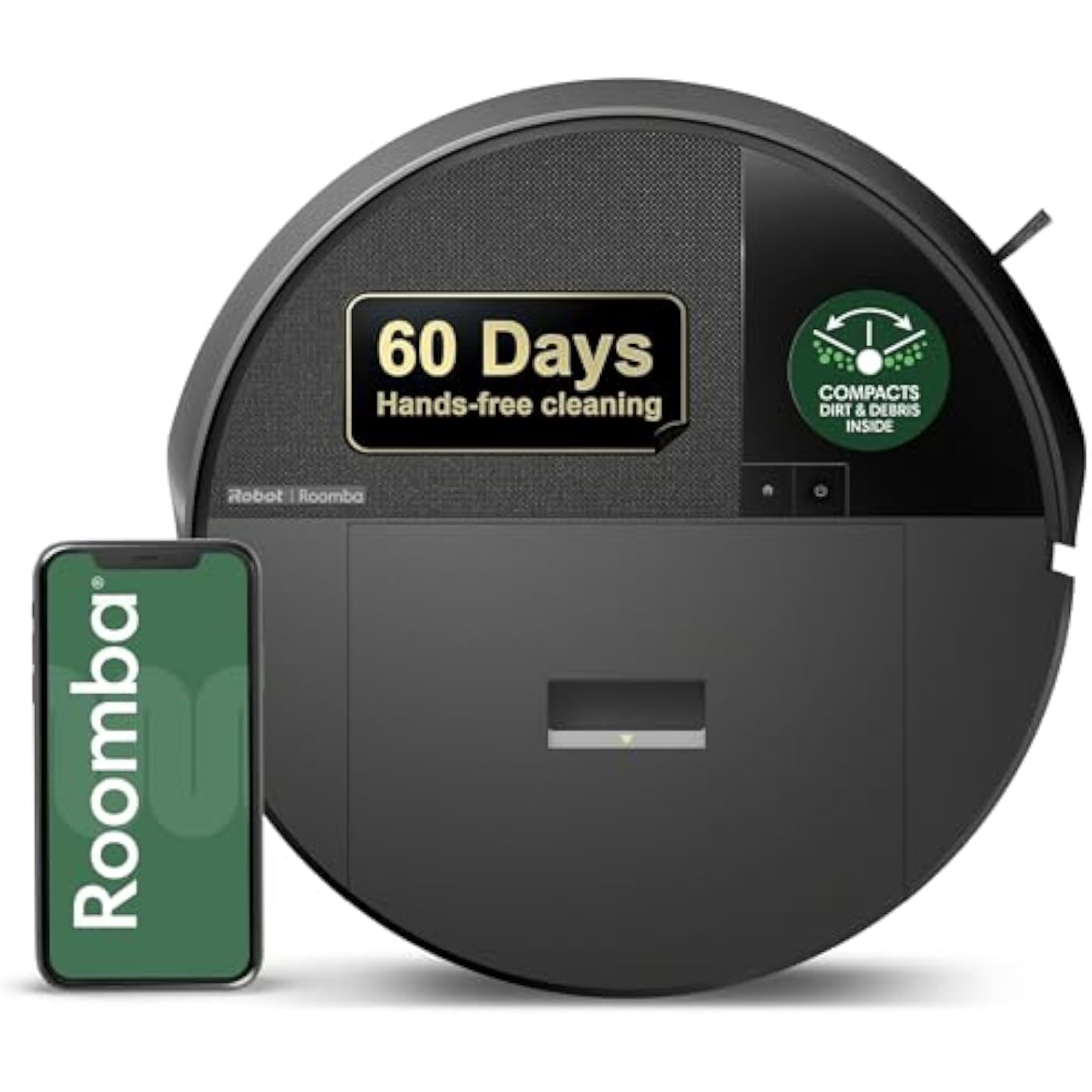
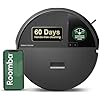
iRobot Roomba 205 DustCompactor Vac Robot Vacuum - Compacts Dirt Inside, No Emptying for 60 Days, Space Saving, No Dock Needed, Bagless, Intense Power-Lifting Suction, LiDAR Navigation, Multi-Surface
  • Based on 11,535 reviews
Condition: New
Checking for the best price...
$149.00 Why this price?
Save $50.00 was $199.00

Buy Now, Pay Later


As low as $24.83 / mo
  • – 6-month term
  • – No impact on credit to apply
  • – Instant approval decision
  • – Secure and straightforward checkout

Ready to go? Add this product to your cart and select a plan during checkout.

Payment plans are offered through our trusted finance partners Klarna, Affirm, Afterpay, Zip, Apple Pay, and Google Pay. No-credit-needed leasing options through Acima may also be available at checkout.

Learn more about financing & leasing here.

Selected Option

Free shipping on this product

FREE 30-day refund/replacement

To qualify for a full refund, items must be returned in their original, unused condition. If an item is returned in a used, damaged, or materially different state, you may be granted a partial refund.

To initiate a return, please visit our Returns Center.

View our full returns policy here.


Availability: In Stock.
Fulfilled by Amazon

Arrives Sunday, Sep 6
Order within 5 hours and 31 minutes
Available payment plans shown during checkout

Protection Plan Protect Your Purchase
Checking for protection plans...

Style: Roomba 205


Features

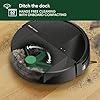
  • DITCH THE DOCK. Roombas built-in DustCompactor continuously crushes debris within the robot, so you can clean for up to 60 days with no bulky dock and no extra effort of daily emptying.
  • DESIGNED FOR REAL HOMES. No bulky base. No extra footprint. Onboard dust compacting means powerful, hands-free cleaning in a sleek, space-saving design that fits beautifully anywhere.
  • TRULY BAGLESS + DOCKLESS. Debris is packed inside the robotno bags, no dock. Just months of effortless cleaning without any effort from you.
  • DEVOURS DIRT WITH 70X MORE POWER-LIFTING SUCTION. 3-Stage Cleaning includes 70X more power-lifting suction*, a Multi-Surface brush, and Edge-Sweeping brush to devour dirt and dust bunnies and leave floors barefoot clean. *As compared to Roomba 600 series robots
  • SUPER-SMART MAPPING AND NAVIGATION. ClearView LiDAR sleekly hidden inside the robot quickly maps your home, avoids obstacles and cleans in neat rows, even in the dark.
  • LEVEL-UP THE SUCTION. Choose from 4 levels of intense, dirt-devouring suction to apply just the right power to the cleaning task at hand for a customizable clean.
  • FULLY CUSTOM & TARGETED CLEANING. Schedule and target rooms based on your daily routine, skip unused areas, spot clean a mess, or repeat vacuum passes.
  • EASY-TO-USE ROOMBA HOME APP. Simply tap to set a custom clean, get time estimates, check on the filter life, or create keep-out zones to avoid vacuuming specific areas.
  • 3 EASY WAYS TO CONTROL. Conveniently control your Roomba robot by speaking to your preferred voice assistant-enabled* devices, tapping the app, or pressing buttons on the robot. *Works with Alexa, Siri, and Google Assistant-enabled devices.
  • CLEANS STRONG CLEANS LONG. Feel confident the clean will be completed as the battery lasts for over three hours, But when it gets low, your robot automatically heads for a recharging and then returns to finish the task where it left off.

Description

Only from Roomba, the Roomba 205 DustCompactor Vac Robot is fully-loaded with innovation that keeps cleaning simple. The perfect vacuuming robot for homes where space is at a premium, this sleek, action-packed robot has all the benefits of a separate self-emptying dock built right into the robot. With the industry's first-ever mechanical compactor, debris is lifted into the robot and continuously compacted for up to 2 months at a time so you can keep your hands out of messes. The 3-stage Vacuuming System combines 70X more power- lifting suction, a rubber brush that grabs all kinds of debris from crumbs in the kitchen to sandy footprints in the entry, and a corner brush that reaches into tight spaces and pulls up dust-bunnies wherever they gather. Feel confident the clean will be completed as the battery lasts for over three hours. But when it gets low, your robot automatically heads for a recharging and then returns to finish the task where it left off. Continuous, hassle-free cleaning is made possible by ClearView LiDAR hidden inside the robot. This high-performance navigation system quickly maps your home, smoothly steers around obstacles, and maximizes floor-cleaning coverage wall-to-wall. To customize your clean, simply tap the Roomba Home App to opt for multiple vacuum passes in high-traffic areas, choose the level of suction, or even schedule a night cleaning.This Roomba® raises the bar with first-of-its-kind onboard compacting. Roomba blends seamlessly into your home decor with sleek, beautiful finishes, leaving behind a brilliant clean. As compared to Roomba® 600 series robots

Brand: iRobot


Model Name: Roomba 205 Vac Dustcompactor


Surface Recommendation: Carpet & Hard Floor


Special Feature: Automatic Dust Collection, Bagless, Dirt Detection Sensor, Eco Mode, LiDAR Navigation


Color: Black


Surface Recommendation: Carpet & Hard Floor


Other Special Features of the Product: Automatic Dust Collection, Bagless, Dirt Detection Sensor, Eco Mode, LiDAR Navigation


Controller Type: App Control, Button Control, Voice Control


Filter Type: Cartridge


Battery Life: 120 minutes


Battery Type: Lithium Ion


Power Source: Battery Powered


Control Method: App, Voice


Form Factor: Robotic


Color: Black


Indoor Outdoor Usage: Indoor


Number of Power Levels: 4


Number of Speeds: 4


Recommended Uses For Product: Regular household cleaning tasks, especially in homes where space is at a premium and for multi-surface cleaning.


Style Name: Roomba 205


Brand Name: iRobot


Model Name: Roomba 205 Vac Dustcompactor


Included Components: Docking Station


Model Number: U112020


UPC: 885155046321


Unit Count: 1 Count


Item Type Name: Robotic Vacuum


Manufacturer: iRobot


Number of Items: 1


Manufacturer Part Number: U112020


Item Dimensions L x W x H: 14.1"L x 14.09"W x 3.98"H


Item Weight: 5.64 kg


Frequently asked questions

If you place your order now, the estimated arrival date for this product is: Sunday, Sep 6

Yes, absolutely! You may return this product for a full refund within 30 days of receiving it.

To initiate a return, please visit our Returns Center.

View our full returns policy here.

  • Klarna Financing
  • Affirm Pay in 4
  • Affirm Financing
  • Afterpay Financing
  • Zip Pay in 4
  • Financing through Apple Pay
  • Financing through Google Pay
Leasing options through Acima may also be available during checkout.

Learn more about financing & leasing here.

Top Amazon Reviews


  • You gotta know how to Roomba
I’ve owned this little robot (named him Geoffrey) for a few months now and have loved it right from the start. My wife, on the other hand, took a little time to warm up to it. We have three kids under five and I bought it in hopes to make my wife’s life a little easier. When I initially looked at the Roomba, I saw a little assistant that allowed you to simply press a button as you are leaving the house to go run errands, and it would roam about and pick up any dirt and debris in its path. When my wife looked at it, she saw a robot that rolled around with no clear direction and yes, it cleaned some stuff up, but it might not clear a particular room out before it exits that room and moves on to the next space. Yes, there can be little spots that it misses if it doesn’t have enough time to clean your home. The bigger your house, the longer it takes... of course. We used to only use it when we left the house, but have approached it differently and now both love it with our new method of cleaning (and it wasn’t a genius idea, just a simple solution that many people probably use): we now clean one room at a time. I think some people do get frustrated when the Roomba is wandering aimlessly around and doesn’t finish a room before moving on to the next. If you give it free reign to roam around your house, spots will be missed and you might not like it. When I want it to clean, I now pick it up from it’s charging station, take it to a room, pick up the little things any vacuum would tangle up with (such as tiny kids’ toys or window curtains that were hung a little too low and rest on the floor...), press “clean”, and close the door. The rooms in our house aren’t huge, so after no more than 30 minutes or so my phone will notify me that the Roomba “Geoffrey” is finished cleaning that room. One might argue that they could vacuum a room in a much shorter timeframe, but I feel that the Roomba is far more thorough than I would be, as it cleans under my bed, under dressers that are high enough, and gets in spaces that I either cannot or would not spend the time to get into. And it repeatedly runs over surfaces if confined to one room, so the room is usually spotless from a dirt and dust perspective when the little guy is done. Besides, if I can spend one minute picking things up in a room so the Roomba can do it’s job while I go hang with my kids and play, that makes me pretty happy. And my wife loves it too. There is much less dust on the floors because of what was mentioned earlier, getting to the hard to reach spaces, and we spend MUCH less time vacuuming with our shark vacuum unless there is a random cereal spill or the dog runs through the house with dirty paws as I run after it yelling “go outside!!!”. Regarding the little barrier/virtual wall device, I use him for rooms that don’t have doors, such as the kitchen/dining area, to confine him to a space and allow him to be a little more efficient and not miss any spots. I didn’t use the barrier at first but now find it essential. In the kitchen, I flip the chairs upside down and put them on the tables, like they do at diners, and little robot vacuum guy cleans under the table and gets all the little food bits that shoot out of my two year old’s mouth across the room when he coughs at the dinner table. The noise is like that of your average vacuum, depending on what you have, but it is much quieter than most vacuums that I have had. It still isn’t Mozart, but if you are complaining about the noise whilst sitting on the couch I would suggest you just get over it. The cons -1. it can get caught up on stuff, but this should be expected. I trip over my own feet so I feel a bit hypocritical blaming a robot that doesn’t have eyes like me for getting snagged on things I didn’t clean up. I occasionally get messages that Geoffrey the Roomba is “stuck on a cliff” or wedged under something and it cannot move. This is only a problem when I am out and about and can not walk over and fix the problem. In my one story home he will either be caught up on this one rug we have or wedged under the dishwasher that is just the perfect height for that to happen, but neither of these happen often. He will also occasionally suck up a toddler sock or a tissue that I didn’t pick up before leaving him in the room to do his job. None of this happens often enough to be an issue and it is more so just part of the learning curve of owning this little assistant. 2. Battery life is good, but you need to remember to charge it or it will eventually die. That isn’t the issue. One minor complaint is that Geoffrey the Roomba seems to have trouble finding his charging station sometimes and on top of that, some might not like the way it looks if you are trying to find the perfect balance of choosing a good location for him to come and go to after he finishes his job and also not have a little machine sitting there charging when you want a room to look nice. In our house, which is only around 1500 sq feet, there isn’t a great spot to place him that isn’t a bit of an eyesore (in my wife’s opinion). My method described earlier solves this issue, for us at least, and I now charge him behind a recliner, out of sight.. I pick him up and take him to where I want him to vacuum, which some may find a little inconvenient, but this is circumstantial based on your home and I’m not THAT lazy that I am not willing to at least move the Roomba to let him do his job. Placing it behind furniture to charge might be an issue if there isn’t a clear path for it to come and go from for those that want to let him clean while you are gone, but I guess we have just decided to play a more active part in Geoffrey the Roomba’s life and he is usually cleaning in a room while we are home so we can grab and move him as needed. Final note: I love this little robot. As I said, our house is way cleaner because the Roomba is always getting in the hard to reach spaces that we wouldn’t venture. It cleans under our bed every few days and prior to having it, that is where the herd of dust bunnies thrived. There is a satisfying feeling when you hear it cleaning but cannot see it and it’s even more satisfying dumping all the dirt and dust out after each cleaning job. Love it. Biggest recommendation: don’t stand there and watch it or you might go crazy. Although it may be hard to tell, there is a method to its madness and if you give it enough time, Roomba will clean your room. I hope this all helps and if I think of anything else I will add some stuff on. ... show more
Reviewed in the United States on March 3, 2019 by Matt

  • Rosie Rocks! Now with year update.
Update at one year: we still get such a kick out of this robot that we will still often just watch it make decisions after I rearrange the furniture. We still talk to it as if it were one of our cats. It still does an amazing job of picking up crud we didn’t even know was on our floors. We still clean it regularly, and we have found that we can wash the filters in the top rack of the dishwasher, which has allowed us to use the same two original filters for a year. If that isn’t thrifty, I don’t know what is. Rosie still has some of the behavior issues we’ve seen all along. I got a new rug here on Amazon a month ago, which I LOVE, but Rosie sees the dark red and brown stripes as cliffs. Often I’ll be at work and I’ll get a text, “Rosie is stuck near a cliff.” Well, little buddy, the cats can’t help you there. I’ve taken to spot-vacuuming that rug when she won’t run on it. I tried to trick the cliff sensors after doing a little research online, taping aluminum foil over them, but that did NOT work. She (see how I continue to slip so easily into personifying this machine?) gave an “error 6” right out of the gate. We haven’t a single “cliff” in the house, but anything dark brown, like parts of my rug and our vent covers, she thinks she’s going over the falls in a barrel. She (I give, I give! We call it a she!) still gets herself stuck on the bathroom from time to time as well. She will roll in there, then get behind the door and bash it with such force that it closes. Sometimes she will close the door AND get stuck on the vent cover. Double “boo boo”! Even having rearranged the house multiple times since her arrival, I’ve never had to reset her to factory defaults or had any major errors that prevented her from running daily. We have gotten a LOT better about not leaving stringy cat toys, laundry, towels, or other things she could “choke” on laying around on the floor. In turn, our habits are neater and our house is demonstrably cleaner and tidier, all thanks to the influence and the peculiarities of this little robot. I see now that the price has dropped as well. This is absolutely a solid model of Roomba to start your love of them (or domination by?). Go for it. You will not regret it! I am eyeing the 240 wet/dry Braava next. I got one for my dad (review coming soon) and he loves it. We had so much fun watching it and moving it around the first time out of the box... why are these things so much fun to watch and personify? Will I be one of those who calmly accepts our AI overlords? Only time will tell... get this Roomba. It rocks. **************************** Updated after a couple of weeks: We are still in awe of how much crud this little machine picks up in our house. We have her on a daily schedule and sometimes run her twice in one day. We are keeping up on maintaining her bin daily and her rollers regularly, and find it quite satisfying to "clean the robot" so she will keep doing such a good job. She has gotten stuck a couple of times where we got an error text from her and had to come rescue her. Once, she jammed herself under a low crossbar of the gate-legged dining room table; once, she thought an extension cord was a cliff after she fought it for a while; and once, she put herself in a tight area behind a chair and couldn't figure out how to escape. I also ran her battery down completely once. Oops. This is why we always run her when we know we will be home. Rosie faces some real challenges in our house, and not just because of the cat and rabbit fur. Furniture and other things are constantly changing places slightly -- the ottoman here, the coffee table there, kitchen chairs, yoga balls, water jugs, rat playpen, shoes, cat toys, etc. It's clear that she knows where the really immovable obstacles are -- walls, corners, sofa -- because she just taps those lightly to confirm their continued existence. When something has moved, though, she gives it a good ole bash to figure out where it is. She has moved cat toys considerable distances! Honestly, it's rather fun to watch her learn. I put her in a completely new room today that I usually keep closed off and it was neat to watch how she mapped it. Even though I always keep animals out of there, she found tons of pet hair, too. Yikes! We have had success using the invisible barrier when it's in a straight line. We tried the half-round setting around the cats' food and water bowls, but because that is near the slight drop off to the living room, she seemed to get confused and just did an extra-thorough job of the kitchen that day. So we aren't using the barrier much. She taps the food and water bowls now anyway rather than ramming them, which is better behavior that doesn't spill water. So that's good. Some cleaning tips: you will need a small, Phillips screwdriver to take the round yellow cap off the triple brush in the front, and we have found that a pair of large tweezers work well for removing string and hair wrapped around any axles. Doing a few minutes of daily and bi-weekly maintenance on this robot is a fair trade for all the unseen crud she picks up. :) ***************** We have five animals -- including a house rabbit -- and while we thought we were fairly good about sweeping up with a regular broom, I had NO idea what CLEAN floors actually felt and looked like until we added Rosie to our family of crawling critters. I cleaned, or thought I cleaned, while we were charging her the first day we got her (her "birthday" -- adorable). She filled her bin the first run and we were so tickled that we ran her again later the same day. Second time the bin was half full! Six days in, I can say we are still obsessed with observing her performance and making sure we clean her bin and check her wheels and brushes for obstructions regularly. The second or third day we had her, I was worried she was not mapping the whole house. We were in serious Helicopter Parent mode on those days. But she persevered and started doing an excellent job of covering all the rooms by about day four without any further intervention on our part. We did also buy a cord protector for her because as I said before, we do have a house rabbit. We have a single-level home with a combo of wood, tile, and carpet, with scattered throw rugs and the occasional yoga mat. I did have to move a rug to help Rosie navigate the wooden strip between the lower wood floor and the higher tile floor. She was getting caught up on some of our rough, hand-woven cotton rugs, so I had to move those, too. Besides that, she can lift herself fairly well over low obstacles. So far. She even tried to climb a lamp base this evening! We love that we can use the app to start or stop a cleaning and that we get notifications about what she has done. We enjoy the sounds she makes and the songs she sings, and that if she gets stuck somewhere, she lets us know. The cats don't mind her; one thinks she is a toy and one sleeps through her cleaning cycle. Making a habit of cleaning the bin and using the tools that are included with the robot to clean the rollers and brushes looks like it will be key to prolonging the life of this machine. We are pretty good about maintaining our tech, and I can tell you that even though I love the regular vacuum I have (a Shark), having Rosie do a daily run in the house has made my life much easier and my bare feet much, much happier. I had no idea how much crud on the floor I was enduring! I still sweep out corners and under things where Rosie can't reach, but I am way more motivated to do so knowing I have a cool little helper who will do a major portion of the job for me. Maybe it's still the honeymoon phase, but we love our little floor sweeping robot. She was the right compromise for us between the more expensive models with more bells and whistles and the cheaper ones that didn't have the app. If she explodes or creates a wormhole and disappears, or she eats one of the cats, I'll come back and update. For now, five stars for sure. ... show more
Reviewed in the United States on July 6, 2017 by The Rev Ari

  • Great Vacuum But Dog Owner Beware!
We have had this Roomba for just over a year. For the most part this bad boy is my best friend. No... it will not clean your whole house for you. That's still your job. However it is amazing for keeping pet hair, dirt, etc. at bay between cleanings. Sometimes it misses spots or gets stuck under a couch or thinks it fell off a cliff. BUT it has been great at minimizing the amount of sweeping and vacuuming I have to do. With that being said... if your dog is sick or even seems a little under the weather... TURN THE ROOMBA OFF. I heard these horror stories but didn't heed them and their warnings. I came home from work recently and after a very long day was happy that I could skip out on sweeping because I knew the Roomba had done it's job that day. I had gotten an alert that cleaning was complete and it was a relief to see that pop up because I was exhausted. Then I opened the front door and to my horror a smell like nothing I have ever known hit me in the nostrils like a jackhammer. I turned on the lights and the nightmare that awaited was shocking. THERE WAS POOP EVERYWHERE! DOG DIARRHEA FLUNG FROM ONE END OF THE HOUSE TO THE OTHER. I kid you not when I tell you it was flung onto walls and rubbed on the bottoms of couches. I couldn't believe it. The dog hid in shame while the Roomba just sat in it's charging bay with feces smeared all over it like it had done nothing wrong. I looked and found where it started and saw the little poop tire tracks taking it from the small area my poor pup had left it to the bathroom, then the laundry room then through the living room and back to the charging station. When I turned the Roomba upside down to inspect I wanted to toss it in the trash. However, I'm not one to just throw away nearly $400. So I removed the parts and ordered new and then painstakingly cleaned the darn robot with a toothbrush and qtips. I have never been so mad at a vacuum in my entire life. When my husband asked why I was swearing at the vacuum I was tempted to wash off his toothbrush and let him use it. The Roomba and I have since made up and I still love it. Good buy and it's great that all of the parts can be replaced. Maybe the company can equip it with a function to smell out poo and go the other way? ... show more
Reviewed in the United States on June 24, 2019 by Brittani

  • Great time saver and a cleaner house
What a great product! It's helped change my messy life. The Roomba 690 doesn't memorize your floor plan, but that doesn't seem to be a problem. "Floorboy," as I named him in the free iPhone app, simply wanders around, bouncing off walls, until he's covered a lot of ground, then when he wanders close to his charger "home," he follows sensors to park and recharge. He doesn't cover the entire first floor every time, but after a week I think he gets pretty much everywhere. Today, just to be sure, I picked him up and set him down in the kitchen (farthest room from his charger), to make sure he'd cover that area. Some problems: 1. I have a nice Scandinavian chair with four sculpted wooden legs that sit flat and low the floor, but are rounded to the perfect ramp that Floorboy can climb; then he gets stuck. So I now slide it across the tile into a corner and keep him away using the included "Virtual Wall Sensor" that tells him not to go there. Problem solved. (I wish I had another one or two of those; a bit pricey at $36 each, but I'll probably buy another.) 2. He consistently gets caught on my bathroom throw rugs when his brush flips up a corner and he can't figure out how to get out. Oh well, he finally shuts down; sends an error message to my app and beeps. If I'm home I will move and restart him. If I'm out I'll usually just carry him back to his charger to be ready for the next day. Note: the app tells me how long he cleaned before getting stuck, so if he didn't clean enough, I could always restart him to do more. Not a big problem: I'll either try double-sided tape to secure the rugs; get some that aren't thick pile (which gets pulled up and caught easily; or buy another little "lighthouse" (used above) that can keep him out of that room. 3. Other problems: Floorboy can get caught on electric cords lying on the floor -- or anything else scattered around. Which leads me to ... Reduced clutter! As others have pointed out, the Roomba works best if you clear up all the clutter from your floors, which has forced me to de-clutter my rooms. As others have pointed out, that's a great side effect of switching to a Roomba routine. Those speaker and extension cords were messy anyway, so why not secure them against a wall where Floorboy (and you) can't see them. (This begs the question, do I control my robot?; or does he control me? Ha.) Pros: 1. Encourages you to reduce clutter. 2. Easily and effectively slides under beds and couches that aren't too low and sucks up all those dust bunnies. I have allergies, used to do this myself with a good vacuum cleaner -- but Floorboy still finds more dust. 3. He has a little spinning brush that dislodges dust from edges where floors meets walls and cleans those spots where my manual vacuum never quite reached. 4. The free Bluetooth app is handy, if for no other reason than I can start a cleaning cycle without crawling under the workbench where I placed his home charger so he'd be out of the way. But you can also program it for scheduled cleaning, which I haven't tried yet. Note: I am at work now and just got a notification that "Floorboy's left wheel is stuck." I won't get to that until tonight. And I don't believe the app lets me start a cleaning cycle when I'm away from home (via Internet). I'll have to explore further. 5. The bin is easily removed and cleaned out, which you should do frequently. Probably once a day when you start, because it will find all sorts of dirt you didn't know you had. But less often maybe after daily cleaning cycles, if you don't have a lot of floor space to clean. (I have five rooms on one level, and only one has carpet (medium pile). the rest are tile or wood. (1,600 sq. ft. total?) Floorboy cleans them all well. I have a kitchen table with several chairs on a tile floor. Floorboy can't always get through the tangle of legs, but now before I leave I just move them to different spots that were cleaned previously, and let him clean the uncovered areas that day. No different that what I'd do vacuuming manually. And it's helped me keep that dust bunny plagued area clean. I have one cat who sheds moderately, so Floorboy always finds and picks up a lot of cat hair. Great, as I'm allergic to it. And I live in the desert with lots of dust and gravel to track in, so that gets picked up as well. After 2 weeks with Floorboy, my house is much cleaner! And I no longer have to vacuum! I'm loving Floorboy (even Fat Cat has learned to tolerate him). The Cons are all easily overcome, and I'm loving the Pros, so five stars! I have no idea how much better the more expensive 800- or 900-series models would perform. Maybe worth it if you have a complex floor plan one can learn, to guarantee they'll cover everyplace every day, or a very large are to clean? I have no data on that. ... show more
Reviewed in the United States on April 26, 2018 by Louis Titillo

  • Outstanding
Got this yesterday, also ordered the Deebot n79s for the upstairs so I'll have a nice comparison. I am extremely impressed with the Roomba. We have a 1500 sq ft open area on the first floor which includes the kitchen, sunroom, living room, and dining room. I've run this guy several times over the last two days and it has done an amazing job. The first time through it cleaned over 90%, not everything but to be fair the floor was ready for a good vacuuming. After the second run, I can say the place looks really good. The sunroom has hardwood and there are sliding glass doors all around. The doors have been open with the screens in and the pollen has been pouring in (we have a lot of trees around the house). This little fella got it done. We have dark oak hardwood floors so I made sure to keep an eye on the robot the first run or two to make sure there would be no scratching. No problems. The brushes are stiff enough to get the dirt but I don't see any way they could scratch the floor unless a piece of hard wire got tangled and the thing kept running, very unlikely. I did read in the instructions, yes I'm a guy and I do look at the instructions usually after the fact, and I noticed in the maintenance schedule that they say to keep an eye on the well that the front caster sits in once a month to make sure nothing clogs it to inhibit the roller from being able to roll. If that were to happen I could see an issue with the dragging motion across the floor but other than that I just don't see any issues. It cannot climb two of the three Orientals that we have. They are just too high for it. It handles one in the living room that has fringe on the ends and although the fringe gets 'out-of-whack' during the cleaning as it would with any vacuum it's easy enough to just kick back down when cleaning is over. I'll work out a way to get it up on the other two carpets probably by just putting a throw rug down to give it an on-ramp. We have three throw rugs in the kitchen in strategic spots (sink, oven, and fridge). The robot has no problem going up and cleaning those as well as the floor. (UPDATE: The robot does not do the two Orientals because they have a black border. I set the robot up there and it couldn't get off of the carpet because of the black borders. It thought it was a drop-off. So if you have black-bordered carpets, this would be an issue. Also, there is a lot of black inside one of the carpets and that freaked the bot out. It just stopped and waited for help). The Alexa app was amazingly easy to setup (yes, read the instructions). It took about a minute and a half to get it working. I have noticed that when I tell the robot to go home it still meanders for a bit but I assume it is looking for its beam back home. I think it searches for an IR beam that shows it where to go. The bot docks itself flawlessly. We put the docking station in a spot that has about a foot and a half on each side of it as per the instructions. It has had no problem finding the docking station. The battery life does not seem to be an issue for us. It has run for about 90 minutes once. Now it seems to complete the mission in about an hour before it returns home. We'll see how it holds up. So, bottom-line: The time to vacuum the floors on a regular basis went from not getting done as often as it should and taking about 45 minutes or more to well, a couple of minutes to clean the dirt bin after it runs. The floors get cleaned regularly now and the bin is not nearly as full as it was after the first couple of cleanings. I think with by following the routine maintenance schedule outlined in the manual this little guy should do a great job for quite a while. My wife and I couldn't be happier. And she laughed when I ordered it. She's doing a bit of a jig now. Me, too. UPDATE: I received the DEEBOT N79S and I am returning it. It did not work very well in my house. We have several thick area carpets on the hardwood and it had plenty of issues where the Roomba has no issues. I think if I had just hardwood and tile it would have been excellent. I'm picking up another Roomba. ... show more
Reviewed in the United States on May 24, 2018 by Max Credits

  • Long story short - don't buy one until they get much smarter. They are not even close to as capable as they claim to be.
Bear with me, there's a lot to cover here, but I don't want anyone else to waste their time and money on a roomba until the manufacturer solves the myriad of problems they have. The hardwood floors in my apartment get dirty and covered in pine needles every day while living in the Pacific Northwest. I figured I could save the multiple sweeping jobs per week with a roomba, and even turn it on remotely while I'm at work. Turns out I spent more time supervising the damn thing than I ever did sweeping in the first place. I highly recommend waiting until these robots have more capable sensors and programming before buying one. Here's why: I fully understood that my 2-bedroom apartment would need to be "clean" in order for a roomba to not get hung up on stuff like cords or other random stuff on the floor. RUGS: In my apartment I have a few small rugs near the exterior doors and also a bathmat near the shower, with the remainder being hardwood floors. The roomba has flipped up a corner and gotten hung up on all but one rug. CORDS: I knew that thin power cords like a phone cord would need to be well out of reach before letting the roomba go at it. Turns out it will not only get hung up on even beefy cords from the likes of a power strip, but it will get caught ON ITS OWN CORD, pulling the docking station around in the process. I used a rubber band to consolidate its own cord, but it will still move the dock around when it hits the cord. CLOTHES: You can't have ANY clothing on the floor or the roomba will drag it around or get hung up on it. TABLES/CHAIRS: It hits things HARD. It is not the delicate tap you'd expect. When its sensors see a wall or something large, it slows down before contact, but it can't sense anything narrower like a table leg or chair, which it will hit with considerable force. It moves my dining room chairs around, and they're made of hardwood. I have a cheaper, lightweight ikea table in the living room that it bumps around like it's barely there. This thing WILL knock stuff off of your tables and haphazardly rearrange your furniture if it's chair-sized or smaller. If you have small wastebaskets around, you can expect them to be knocked over. THE "KEEPOUT ZONE" MONUMENT: The 2 foot radius function works well. I put it between two bedroom doors, as that's where the socks and delicate phone cords live. The 10 foot straight beam function, however, doesn't work as claimed. It functions as both a beam AND a 2 foot radius keepout zone. With the monument set to beam mode, the roomba stops approaching it from behind when it's a couple feet away. It would be nice if it worked so I could allow the roomba to clean one bedroom but not the other. Also, the actual beam is probably 18+ inches wide only a few feet out from the monument. THE APP / REMOTE CAPABILITY: The app would be a redeeming feature, as the layout and user interface are very well designed. Kudos. However, it fails to remotely connect with the roomba probably 50% of the times I've tried. I've gone through and done every single suggestion in the help section and finally just hard reset the wifi connection, only to have the problem come up again the next day. The dock/roomba is in an area with a strong wifi signal, full bars according to my phone. Not being able to remotely turn on the roomba defeats the whole purpose, as I'm not gonna try to cook or watch tv with this noisy robot crashing into stuff around my apartment. THE PROGRAMMING / MACHINE LEARNING: It's awful. In fact, I'm not convinced that it does any machine learning whatsoever. I thought that this thing would learn the layout of my apartment and at least *kind of* know its way around. In actuality, it behaves more like a game of Pong, but dumber. When it comes into contact with objects or walls, it turns around and veers off in a seemingly random direction. It can take the thing 20 minutes to find its way out of my wide open dining room due to just 4 chairs and a table. I moved the dock from the dining room to near the front door (less obstacles nearby and I could run it for only a few minutes if I just wanted to triage the shoe area which gets the dirtiest). When you press the "home" button either on the app or on the roomba itself, it does not actually try to find its way home. It just continues vacuuming unless it happens to get within maybe 2 feet of the dock, when it then homes itself. On the occasions when it has kept vacuuming for 20+ minutes after commanding it to return to the home base and I finally picked it up and dropped it off at home, it pulls in, docks, and then plays a triumphant tune to let you know it has successfully returned to the dock. How insulting. I gave this thing plenty of time to "learn" the layout of the apartment. Its path seems completely random. If it misses the home dock from a couple feet away while searching for it, and veers off into another portion of my small apartment until it randomly careens back towards the dock 20 minutes later. More often than not, it will completely neglect cleaning certain areas while cleaning some of the same areas 5 or more times in a single session. It also will not vacuum within about 18 inches of the dock except for the straight line path it takes when it finally decides to home itself. THE PHYSICAL DESIGN: It has a bumper bar on the front that appears to be able to measure a collision in 3 axes. It also has a post protruding from the top where I assume the infrared sensor lives for communicating with the dock and the keepout zone monument. I have two areas in my apartment where the roomba's main body height can pass under except for the protruding IR sensor on top. This sensor crashes into my tv stand very hard, since the IR sensor hits before the bumper. This also allows the robot to go under the edges of my lower kitchen cabinets but then get stuck there by the protruding sensor. The rotating brush that pulls debris away from the wall works fine against a wall, but does NOT get into corners as it claims. Just looking at the geometry from the top down will show you this. Overall very disappointed with what I thought was a cool product that would save me lots of time. Even if I could get the app to turn the thing on while I'm at work, I don't think I'd trust it to not knock stuff off of tables, scuff up my floors trying to free itself from getting stuck, or catch a thread and completely unravel a sock. If your home is a perfectly square room with literally no furniture, rugs, cords, or other items on the floor, a roomba can save you time cleaning. If that's your situation though, you probably have other priorities more important than shopping for a robot vacuum to clean your meth house. For everyone else, I suggest you wait a year or three for iRobot's engineering team to put out a product that's worth more than its weight in swamp water. I'm starting the return process for this thing right now. I really, REALLY wanted to like this thing. It would pay for itself in a few months if it could reliably clean even 80% of my apartment and save me from sweeping several times a week. I really hope iRobot's engineers can address all of these issues so I can give roomba another shot. In the mean time, this thing belongs in an R&D lab, not flailing hopelessly around my apartment until I get tired of the noise and physically pick it up to put it on the dock. ... show more
Reviewed in the United States on March 9, 2018 by Coolbackyard

  • Keep your expectations low and you'll be happy
OK, so I unpacked and set up this device, downloaded the iRobot Android App on my phone. Setup a cleaning schedule. Managed to get Google Home to recognize it (but more on this below) while it was charging. Then I tried to get it to clean... Basically, it just spinned around in circles for a few minutes before declaring "Error 9" and some further details about the bumper being jammed. The recommended course of action, according to the App and the web-site, is to tap the bumper a few times then restart it - except that that didn't work for this particular robot. To be clear, the bumper was moving freely and did not appear to be jammed in any way. (I guess its bumper sensors were defective.) However, there was another problem that I thought might have a bearing on this behavior. When I first setup the robot in the app (go to Settings / About {Robot name} / Robot Software), it prompted me to request a software update. Every time I went into the App and viewed the robot's settings, a screen with a progress bar informed me "%s's software is being updated. Please wait." (The "%s" is clearly a bug in the App - that should be the name you assigned to the Robot.) Every time the progress bar reached the end, the App produced a screen stating "Update timed out. Please try later." However, the Robot Software screen would declare the software up-to-date. (The version it reported was 3.2.10+32.) Still, every time I went back into the app, and viewed the robot's settings, I got the "%s's software is being updated" message again, followed by the timeout. Endlessly. At this point, with a non-functioning robot, I tried their customer support. Don't bother with the "Live Chat" - it takes forever to get through to someone. I called their phone support, which was pretty quick. I was told that "in this case" (something the support person said over and over - I guess their script is pretty unimaginative) I would need a replacement robot. She told me she would expedite delivery from their normal 7-10 business days to 3-5 business days because it was a brand new device. Wow! That's fast. Not. I was also told that I would receive a new device, not a used or refurbished device, which was reassuring, given that I haven't actually been able to use my new device yet. Facing a long delay to use the replacement, I tried performing a factory reset on my existing device. It still didn't do anything except spin around before reporting the same Error 9 bumper error. (However, after doing the reset, it at least reported my software was up-to-date, and stopped looking as though it was performing an update.) I tried resetting the device a number of times, to no avail. So, onto Google Home, which the iRobot claims to support. I have a Google Home device, and getting it to communicate with the Roomba is not easy - and certainly wasn't what the iRobot help instructed me to do. Firstly, I had to use the Google Assistant app on my phone, asking it "Talk to Roomba". It responded "Sorry, it looks like your Roomba account is not linked yet". It then prompted me to login to my iRobot account (which I had to setup when configuring the iRobot app on my phone). After completing this, I can ask Google Assistant on my phone to "Please ask Roomba to start cleaning" and it would do so. However, when I said the same thing to my Google Home device, it didn't know what I was talking about. However, after a while, it was able to understand me (it must take a while to sync). One thing that puzzles me, however, is that the Roomba doesn't show up as a home control device in my Google Home App. You can't, therefore, assign it to a room (or rooms) in your house. Also, you don't seem to be able to ask Google Home to start a particular Roomba device by name (since you can assign a name to each Roomba device, and have multiple Roombas, that would seem to make sense). All in all, I was frankly very disappointed. I would hope that robots are tested a little better than this one was before being shipped from the factory. Having it fail out of the box is a miserable experience. I'm also disappointed that iRobot's "expedited" shipping is slower than the free 2-day shipping with Amazon Prime. Considering that my first experience with a Roomba has been so disappointing, I would have expected a faster response than they have so far been able to muster. I'll update this review when I get the replacement device, which will hopefully arrive before Thanksgiving... :-( UPDATE: Immediately, after writing this review, I noticed that Amazon had reduced the price of this exact same bot by $50. Great. Now I had a defective robot that cost me $50 more than it would have had I waited a day or two. Grrrr... I spoke to Amazon, and told them that the bot was defective, and asked if I could have a replacement at the lower price. They told me that I could send the robot back for a refund, then buy a new one. So that's what I did. (Except that they still charged me around $12 for shipping the defective bot back. C'est la Vie, I guess.) However, iRobot were still going to be sending me a replacement too. I immediately contacted their customer support to cancel shipping of the replacement. I got a reply back an hour or so later stating that "We have requested for the order to be cancelled but it will take some time for [sic] confirm the cancellation. Once an update is provided on the order, we will reach out to you with that information. You may go ahead and have the unit replaced with Amazon." Great. Except that the following day I get a shipping notification from iRobot, so I have yet another robot on its way... Meanwhile, my new, cheaper iRobot Roomba 690 arrived on Friday from Amazon. Unlike the first robot, it was actually able to clean my carpet! However, there are still some issues. 1. Although my WiFi signal is excellent, and although the Roomba is connected to WiFi (I can view its settings through the iRobot Android App and communicate with it via my Google Home and Android App), it doesn't seem to want to update its firmware. It's been stuck at version "3.1.0+16" since it arrived. I have tried resetting it and have repeatedly requested that it apply the update, but from monitoring the bot's WiFi use, it's neither requesting nor receiving any data. 2. When it cleans, as others have accurately reported, it wanders around like a drunken butterfly. It particularly likes one corner of my room, which it typically cleans 7 or 8 times every time it activates. Meanwhile, other, more heavily used portions of the carpet (I'm only cleaning one room) go unserviced. I'll discuss this further below. 3. The bot has a little spinning brush on the front right-hand-side that it uses to sweep debris into the path of the bot. This does a fair job of providing edge-to-edge cleaning (providing that the bot is driving with the edge on its right-hand-side). However, it appears that there's quite a bit of friction with the carpet, which causes the bot to execute a path that curves slightly to the right. So instead of moving forward in a straight line, it creates graceful curving patterns on the carpet. I can't help but think that if it had two such brushes, one on each side, it would perform better and could drive in a straight line. No doubt they only have one brush to keep the costs - and maintenance requirements - down. 4. It's good at picking up crumbs and bits of fluff (which show up big time on my dark red carpet), but the suction power isn't sufficient to really clean the carpet thoroughly. That's a limitation of this particular model (other models have better vacuuming capabilities). It keeps the carpet looking nice, but you'll still need to run more hard-core vacuum cleaner over it occasionally to keep it clean. 5. When mounting its base station at the end of a job, the base station can get pushed around, causing docking to fail (the robot retries over and over again until it succeeds). I ended up securing mine to the base board using a lump of LocTite Fun-Tak. Now to a discussion of its cleaning coverage... I used to work for a company called Kiva Systems, and quite a few of my colleagues there used to work for iRobot. (After I left, Kiva were bought by Amazon and are now known as Amazon Robotics - Google them for more information.) So I'm familiar with what such robots are - and are not - capable of. For one thing, even the bots that create room maps don't know exactly where they are at any time - they do not possess any kind of GPS-style positioning system (but if you could invent one, you'd have a very valuable product!). They essentially rely upon ready reckoning instead. For example, let's say that the bot recorded that it moved forward 5 feet, rotated clockwise 45°, moved 1 foot, rotated another 45°, traveled 10 feet, etc. It would be able to able to use that information to estimate its position relative to its base station. However, it wouldn't be very accurate, and would get more inaccurate the longer its job continued, because of wheel slippage, friction from the side brush (see above), etc. (The bots that build maps use the position of obstacles and boundaries to reset and update their reckoned position.) It's able to find its way back to the base station via a beacon - nothing more sophisticated than that. This robot does not appear to build maps, and so its impossible for this bot to know which areas of the carpet it has already cleaned, and which areas need attention. (Given that they have software to do this on other models, I'm puzzled why iRobot don't make this standard across their product line - it would simplify the range of control software they need to support and would increase customer satisfaction.) All it can do is to follow its programming, and hope that it does a reasonable job. There is consequently a lot of redundancy. Some areas will get cleaned frequently, some barely at all. The one room I have my Roomba cleaning right now is fairly large, and it takes the Roomba around an hour to clean it. Its criteria for being "done" seems to be that the battery is about to expire, rather than any degree of satisfaction with the job it has just done. One other point I should mention is that this is not a maintenance-free device. You are recommended to empty its bin after each job. Meanwhile, the brushes, filters and front caster wheel all require regular cleaning (around once per week) and replacement every two months (filter) to a year (front caster). The time you save vacuuming is going to be spent maintaining your Roomba! In summary... I'm upping my rating to three stars from one. It's a cool device and I love watching it beetle around, while I puzzle over its decision-making skills. It keeps my carpet looking nice, which is its one saving grace. On the other hand, I had one defective device, its replacement will not upgrade its software, it requires a lot of maintenance, it doesn't do a fantastic job of cleaning, and it's not a particularly efficient device. ... show more
Reviewed in the United States on November 16, 2017 by Mike Allen

  • I’m in love with my Roomba
Color: Black
Roomba has improved so much over the years! I absolutely love this one! There is an app to setup when you want it to run and it shows you where it has vacuumed already. It goes back and docks if it needs to be charged and then finishes the job! It has a larger capacity of holding the debris which I love! Value is amazing! Setup was a breeze and it even goes over rugs my old one wouldn’t go over! I can set it to go daily which is more than me vacuuming once a week and I love that seeing I have a cat with long hair. I would 100% recommend this vacuum! ... show more
Reviewed in the United States on July 28, 2026 by kellieo

Can't find a product?

Find it on Amazon first, then paste the link below.
Checking for best price...