Search  for anything...

Rongta Bluetooth Thermal Shipping Label Printer, Wireless 4x6 Label Printer for Shipping Packages&Small Business, Compatible Windows/Mac/Android/iOS, Support USPS, UPS, Ebay, Etsy, Shopify, RP425

  • Based on 0 reviews
Condition: New
Checking for the best price...
$35.99 Why this price?
Save $17.99 was $53.98

Buy Now, Pay Later


As low as $8 / mo
  • – 4-month term
  • – No impact on credit
  • – Instant approval decision
  • – Secure and straightforward checkout

Ready to go? Add this product to your cart and select a plan during checkout.

Payment plans are offered through our trusted finance partners Klarna, Affirm, Afterpay, Apple Pay, and PayTomorrow. No-credit-needed leasing options through Acima may also be available at checkout.

Learn more about financing & leasing here.

Free shipping on this product

FREE 30-day refund/replacement

To qualify for a full refund, items must be returned in their original, unused condition. If an item is returned in a used, damaged, or materially different state, you may be granted a partial refund.

To initiate a return, please visit our Returns Center.

View our full returns policy here.


Availability: In Stock.
Fulfilled by Amazon

Arrives Monday, Feb 23
Order within 21 hours and 1 minute
Available payment plans shown during checkout

Protection Plan Protect Your Purchase
Checking for protection plans...

Features

  • Phone/Tablet Start Print: Step 1: Download APP "RLabel" in google play or ios app store; Step 2: Turn on the RP425 label printer and make a Bluetooth connection in the APP; Step 3: Click the "+" sign to complete the device connection and select the file type to start print
  • PC Start Print: Step 1:Please download and install the RP425 driver from the Instruction Card; Step 2: Connect with bluetooth or USB cable with your computer; Step 3: Select and open your document, and choose RP4xx in the printer list (For Chrome OS: Achieve seamless Bluetooth pairing through the matching extension)
  • High-Speed and Easy Set: Easy setup. The package includes Rongta RP425 Printer, User Manual, Instruction Card, Type-C Adapter, you can set up as needed. Print up to 60 labels per minute (127mm/s). Direct thermal technology, no ink or other consumables needed. Easy set and print via "RLabel" app
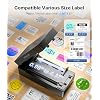
  • Automatic Label Detection: Rongta RP425 printer can automatically catch and feed the label and supports label width range from 0.98" to 4.37", it is good for printing shipping and warehouse labels, also suitable for own business
  • Small Size&Portable: RP425 label printer has small size (3.26*2.56*7.08 inch), weight only 1.25lb, portable design is easy to move and save desk space.
  • Multi Device Connectivity: Rongta RP425 printer can be connected to both computer and mobile phone simultaneously(most 3 device meanwhile). Note: RP425 printer does not support the operation of triggering the print content simultaneously on a computer and a mobile phone, as this would cause data conflicts and confusion. But if they are not printed simultaneously, it won't affect.

Brand: Rongta


Connectivity Technology: Bluetooth, USB


Printing Technology: Thermal


Special Feature: Lightweight, Portable


Color: Black


Model Name: RP425


Printer Output: Monochrome


Maximum Print Speed (Color): 80 ppm


Max Printspeed Monochrome: 80 ppm


Product Dimensions: 7"D x 3"W x 2.5"H


Maximum Media Size: 4 x 6 inch


Included Components: Printer, User Manual


Sheet Size: 4*6 Inches


UPC: 798156385828


Product Dimensions: 7 x 3 x 2.5 inches


Item Weight: 2.35 pounds


Item model number: RP425


Date First Available: January 10, 2026


Manufacturer: Rongta


Frequently asked questions

If you place your order now, the estimated arrival date for this product is: Monday, Feb 23

Yes, absolutely! You may return this product for a full refund within 30 days of receiving it.

To initiate a return, please visit our Returns Center.

View our full returns policy here.

  • Klarna Financing
  • Affirm Pay in 4
  • Affirm Financing
  • Afterpay Financing
  • PayTomorrow Financing
  • Financing through Apple Pay
Leasing options through Acima may also be available during checkout.

Learn more about financing & leasing here.

Top Amazon Reviews


  • An off-brand label printer that exceeded my expectations. My only concern is long term support.
This printer exceeded may expectations. It was presented well in the box, with the printer itself suspended by styrofoam and everything wrapped in different bags. It even included some 4 x 6 inch labels and a USB-A to USB-C adapter. Build quality feels very sturdy. I’m glad the ‘open’ button is physical and mechanical, and no moving parts feel flimsy. Though things aren’t always translated coherently, I can tell they made a good effort with presentation, and documentation is thorough. The label rolling and identification has worked very well. It doesn’t waste labels when you add a new label; it finds the dimensions of the current label placed in the machine and then moves it in place for the next print. It’s done it quickly and accurately so far. It also sees where the label ends, so if you try to print a label with a longer width than the one the printer physically identified, it will stop at the physical end of the label. I do wish that when it found the physical label size, it’d transmit it to the app and automatically select it. The beeping when it’s empty is definitely annoying and I can’t find a way to stop it. I wish you could just press the feed button to mute or something. Print quality is clear. There can be a little noise around text, but bar codes don’t show any distortions. Its accuracy finding the edges seems to be within a couple millimeters which is perfectly usable for shipping labels. Bluetooth printing is the most prominent method, but you can also print via USB, the directions are just a bit hidden in the manual. I printed easily both through USB and using the app on my computer. After installing the drivers, it automatically saw the printer via USB, and the bluetooth connection via the app was also smooth. The app is a little janky as expected, but surprisingly user friendly. You can create your own labels with basic text, graphics, and QR/bar codes in any size, or print from files. There’s some wonky translations (‘Sure’ instead of ‘OK’) but it’s perfectly legible to me. I’m a little concerned about owning an off-brand printer since if the company disappears the app may lose support, and I don’t think you can download it outside of app stores. However, printing via USB does not require the app, and assuming this is a rebranded version of a generic printer design, hopefully with enough research you will always be able to find drivers even if they’re not directly from the company. Unfortunately, it does not naturally support the ‘Large Level Arch’ format - 2.31” x 7.48”, which is what I have extra labels of from my old printer. While it’s probably an outdated format, it’d be nice to have the flexibility to use automatically. However, printing over the app with bluetooth allows you to specify a custom size up to 250mm (about 10 inches) long. I’m very happy that this is so well designed and that I can use my old labels, or most any label size with ease. Considering my previous printer that only supported one width was over $100, the current $57 price is a very good value. My only concern is longevity of support and durability of the components. But it does feel well constructed. ... show more
Reviewed in the United States on January 22, 2026 by influencer influencer

  • A Solid Choice
The media could not be loaded. The Rongta Bluetooth label printer is a solid choice for when you need or simply 'want' a wireless device that can print labels. It was easy to install the app on my Samsung phone, easy to learn how to navigate the app (with only one snag) and then print out the label. It comes with a small stack of labels and prints really crisp images and font and fairly nice photos. You don't have to stick to the template in the app, you can design your own either in the app or on another app on your phone and then just open the image in the Ronta app and select print. If I can find it in my gallery, it can be printed on the Rongta. I've uploaded an image of the photo I printed on the Rongta printer, which I had edited in a separate app. There's also labels I printed after editing a template. I wanted them in landscape. You can see they look stretched because I couldn't find landscape. Well, that brings me to the snag. I don't like that the landscape for the templates is difficult to find. In the end, I found it easier to physically turn my phone in landscape so I could see the images were indeed in landscape and work with them. It's not a big deal, but difficult for my beans for brains to grasp at first, and I can't imagine I'm the only person to struggle with it. Maybe. The problem is non-existent when printing an image from my gallery, so why can't it be like that when I design a label in the app or use a template? But once I grasped which setting is portrait vs landscape, and turned my phone, the app is really easy to work with. Since it could be an issue with my understanding or my phone, I don't want to get crazy with rating the Rongta label printer. 5/5 ... show more
Reviewed in the United States on January 30, 2026 by Expectations Expectations

  • Wireless Connection is Unstable and Drops Daily
The printer randomly goes offline from the Wi-Fi network multiple times a day. It requires a full power cycle of both the router and printer to reconnect, disrupting all work.
Reviewed in the United States on February 8, 2026 by Dayzzel dungo

  • After Getting It, Now I Can't Do Without It
Previously, we printed labels for our Amazon, eBay, USPS, and Etsy sales on our regular letter-sized printer, cut them to the proper 4"x6" size, and then affixed them to the packages using clear tape. While this method was viable, it was time-consuming, and there were several instances where, upon dropping off packages at a specific FedEx location, the scanners were unable to read the barcodes. It is believed that reflections from the tape caused these errors. Currently, with the adoption of a label printer, the shipping labels are produced directly from the machine in a ready-to-use format. The labels are simply applied to the packages, completing the process efficiently. This improved method is applicable to all shippers. Since implementing this system, we have not encountered any issues with the shipping services concerning our packages. We utilize the vendors' shipping software to generate labels directly from orders and to access the various discounts negotiated with the shipping carriers. As this printer employs thermal printing technology, no ink refills are necessary, and to date, we have printed approximately 500 labels without any complications. Additionally, we utilize a fan-fold label holder that resides behind the printer, ensuring seamless feeding of labels. This approach represents a straightforward and cost-effective upgrade to our shipping procedures, saving time and reducing potential errors. ... show more
Reviewed in the United States on February 3, 2026 by RFM

Can't find a product?

Find it on Amazon first, then paste the link below.
Checking for best price...