Search  for anything...

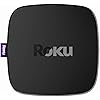
Roku Ultra | 4K/HDR/HD Streaming Player with Enhanced Remote (Voice, Remote Finder, Headphone Jack, TV Power and Volume), Ethernet, Micro SD and USB (2017)

  • Based on 4,077 reviews
Condition: New
Checking for the best price...
$99.00 Why this price?
Save $190.99 was $289.99

Buy Now, Pay Later


As low as $16.50 / mo
  • – 6-month term
  • – No impact on credit to apply
  • – Instant approval decision
  • – Secure and straightforward checkout

Ready to go? Add this product to your cart and select a plan during checkout.

Payment plans are offered through our trusted finance partners Klarna, Affirm, Afterpay, Zip, Apple Pay, and Google Pay. No-credit-needed leasing options through Acima may also be available at checkout.

Learn more about financing & leasing here.

Free shipping on this product

FREE 30-day refund/replacement

To qualify for a full refund, items must be returned in their original, unused condition. If an item is returned in a used, damaged, or materially different state, you may be granted a partial refund.

To initiate a return, please visit our Returns Center.

View our full returns policy here.


Availability: Only 2 left in stock, order soon!
Fulfilled by Amazon

Arrives Friday, Oct 2
Order within 2 minutes
Available payment plans shown during checkout

Protection Plan Protect Your Purchase
Checking for protection plans...

Features

  • 2,000+ entertainment channels choose from the widest variety of streaming entertainment, including movies, TV shows, music, sports, news, and more
  • Stunning HD video quality immerse yourself in the action with rich, vibrant video streaming up to 1080p HD
  • Quick and easy setup sets up wirelessly in minutes with just a few simple steps
  • Channel shortcut buttons jump straight to favorites with one push of the remote

Description

Our ultimate streaming experience. The next generation Roku Ultra is our most powerful player, with a quad core processor and our best wireless performance. A great choice for avid streamers and users of cable replacement services such as DirecTV NOW, Sling TV, and more. Whether your TV is 4K or HD, Roku Ultra will optimize your content for the best picture resolution possible. Experience the visual rush of crisp details and rich HDR color. Plus, the Roku Ultra is fully loaded with features you’ll love. Our new voice remote lets you easily control your TV with buttons for TV power and volume. Headphones let you listen in private. And no more tearing the family room apart with our lost remote finder. Plus, enjoy 500,000 Plus movies and TV episodes, including blockbusters, award winning original series, kids’ shows, live network TV, and more across thousands of free or paid channels like Netflix, Amazon Video, HBO NOW, and PBS KIDS.

Brand: Roku


Connectivity Technology: Wi-Fi


Connector Type: USB


Special Feature: Wireless


Resolution: 4k


Form Factor: Box


Color: Purple


Model Name: Ultra Streaming Player, Wireless, Voice Remote


Connectivity Technology: Wi-Fi


Connector Type: USB


Other Special Features of the Product: Wireless


Resolution: 4k


Form Factor: Box


Compatible Devices: Television


Video Output Resolution: 1920x1080 pixels


Video Codec: H.264, H.265/HEVC


Color: Purple


Item Weight: 16 ounces


Brand: Roku


Model Number: Roku Ultra 4660R


Model Name: Ultra Streaming Player, Wireless, Voice Remote


Unit Count: 1 Count


UPC: 829610001715


Number of Items: 1


Global Trade Identification Number: 15


Item Type Name: media player


Manufacturer: Roku, Inc.


Mfr Part Number: Roku Ultra


Warranty Description: 1year


Frequently asked questions

If you place your order now, the estimated arrival date for this product is: Friday, Oct 2

Yes, absolutely! You may return this product for a full refund within 30 days of receiving it.

To initiate a return, please visit our Returns Center.

View our full returns policy here.

  • Klarna Financing
  • Affirm Pay in 4
  • Affirm Financing
  • Afterpay Financing
  • Zip Pay in 4
  • Financing through Apple Pay
  • Financing through Google Pay
Leasing options through Acima may also be available during checkout.

Learn more about financing & leasing here.

Top Amazon Reviews


  • Outstanding Set-Top Box Replacement
I currently have cable service so I didn't actually need a ROKU but thought I'd try it because I heard so much about it. I am thrilled to have made the purchase. The ROKU is capable of replacing the box from my cable provider so I can save the monthly rental. In addition, it can access so much more free channels than my cable provider and adds a new dimension to free TV allowing me to access programs and services simply not accessible via ordinary cable service. (Do note that the channels currently provided on your ROKU will not replace your cable providers channel lineup. For example, you don't automatically get access to CNN, or MSNBC which are available to most cable subscribers. However, if you want to and if it makes economical sense, you can subscribe to paid services [like Youtube TV or others] that can provide a number of channels you might currently be getting from your cable provider.) SETUP: The ROKU Ultra is capable of working with either a wireless home network, or can be connected using a wired connection to your home router. There's an advantage with using a wired connection because you don't have to be concerned with potential reception or dead areas and bandwidth/speed issues as you might with a wireless connection. Of course, with a wired connection you do need to have an accessible Ethernet port on your router, or an available port on an Ethernet Hub that is connected to your router. Following the instruction provided were straightforward and simple. Just one point: You do need to have access to a computer because you'll need to access a website (link provided in the instructions) to activate your ROKU and create a ROKU account (if you don't already have one). After activating your device and logging in to your account if your device displays a message saying it can't access the Channels Store dont' panic, go to the System menu and select Restart to reboot you device. After that you should be OK. Since I have cable service I was able to select the cable provider's App from the Home screen to install onto my ROKU. After installing the app I was able to access my cable service as if I was using the cable providers box - which I was not. So not only is the ROKU great for expanding your selections of completely free movies and shows, it can replace the cable providers box if your cable provider offers an App for the ROKU. REMOTE CONTROL: The Roku ULTRA comes with a voice operated remote. I tested this with a number of channels and services and it works rather well, though it's not 100% perfect. The remote is capable of controlling the volume on the TV used with the ROKU (the TV is detected during setup of the ROKU). The complaints I have with the remote are 1) There's no MUTE button - to kill the volume you have to use the volume adjust, 2) there are only two auxiliary buttons, labeled A and B, that you can use to pre-program to select two of your favorite channels, and 3) there's no number pad as there is on most TV remotes to allow you to directly dial-in a particular channel (other than using the two A and B buttons). In order to change a channel with the ROKU remote, you press the left-arrow and it will display a channel guide, for example, if you're connected to a cable service, or take you "back" to a previous screen. There's also a Home button that takes you all the way back to the main screen which is faster then continually pressing the back arrow. These are admittedly a minor issue, but the remote would be even better if they were addressed. What I do find a more major omission and annoyance is the lack of a MUTE button because I am constantly muting my TV with the endless barrage of commercials, so I wind up reaching for my TV's remote to press the MUTE button. QUALITY OF STREAMING IMAGE: My main TV is a 4K LG 70" model and I could not see any difference between a direct connection using my cable providers box (even though cable uses a compressed signal) and getting the same channels via the ROKU. HD content looked excellent. Though the ROKU Ultra can stream 4K content I haven't tried that so I can't comment on the quality. PROS: Great video quality, easy to set up and operate, expands your program selections, many of which are totally free. If your cable provider offers an app for the ROKU it could be a cable box replacement. Makes a dumb TV a scholar. Excellent for cord-cutters. CONS: Remote has no MUTE button, has only two buttons for direct programming, has no number keypad. OVERALL: I would most definitely recommend the ROKU Ultra to anyone, even if they have cable service, and especially if they have Spectrum Cable service which provides an app for the ROKU and which can save you some bucks on monthly rental of the cable box. And if you don't have a "Smart" TV, run out and get the ROKU because it will turn your Dumb TV into a Yale graduate. I like the ROKU Ultra so much I am considering purchasing them for my other TVs. It's really that good. And If you're looking to cut-the-cord, the ROKU is definitely an option that will make the task easier. ... show more
Reviewed in the United States on March 5, 2020 by CinemaPete

  • The format is easy to use
Roku players Rock. The format is easy to use. Lots and lots and lots of choices I have very a slow internet connection at 1.5 Mbps yeah I know fast huh. It used to be slower. We live out in the country and that is all that is available on a land line. There is some cell signal available at a very steep price for unlimited Data and I am not willing to pay the price. Even our cell phone service will not work unless it goes thru the Router. I've dealt with this for a while I know it's hard to believe. Anyway about 2 years ago I got rid of Dish network after 20 years and was looking for something other than antenna tv. After researching I bought a Roku 3( still works today and should for many years to come ) purchased because it had a Ethernet connection on back and ability to set incoming internet signal to different settings on unit. Mind you at this point in time my Internet speed was only 750 Mbps it was a shot in the dark Yeah I know but it worked not the best picture but doable as long as nobody else was using an online resources. That was great like jumping into the 21st Century Streaming tv perfect. Somewhere along the course of life my speed was increased to 1.5 Mbps what a difference that made like Wow couldn't believe it. Still can't. Finally this Christmas purchased a 4KUhd tv along with a 4K Uhd Roku player to set it up with. I will never see the benefits of 4KUhd unless watching a dvd or moving to a new house. But that's besides the point. Between the two units I have a pretty darn good picture very little or very rare buffering if at all. A lot of the channels available on Roku sense what your internet speed is and tailor there signal to your speed works great. Such as Netflix Hulu Pluto Channels just to mention a few. So between internet stations tailoring there programming and auto settings inside Roku player And Having An Ethernet port on Roku player ( not getting signal thru Wifi ) + having 4KUhd tv Twice the pixels Of 1080 p it is working out nice. Second tv has a nice picture also streams thru Roku 3. Can't quite stream both Tv's at once yet but who knows what may happen it the future. All in all Very Happy with the Roku players that I have purchased Don't know how they would work on Wifi ( iam sure they would but I just don't have the internet strength or speed to do that) Worth the effort to run a solid connection to Roku player It is really a pretty good setup. Yes I would highly recommend these player to anyone. Becoming a very happy Cord Cutter. PS. WE THE PEOPLE need to bring back Net Neutrality. ... show more
Reviewed in the United States on January 13, 2018 by Mike C

  • The best box out there, despite a few shortcomings
Good: Does the job and does it well, enabling us to finally cut the cord and go 100% streaming. Excellent picture quality. Large selection of apps, including all the major players in the streaming market. The Ethernet jack is a big plus, taking the streaming load off my wifi. Little or no command lag. Remote's voice control is somewhat limited but actually works, unlike the one in my LG set's remote. (NB: our set is 1080p, not 4K.) Bad: The one thing I distinctly do *not* like about this thing is the remote control. It's possible to oversimplify a user interface, and Roku is apparently taking lessons from Apple in this regard. You have to do a LOT of clicking and cursoring to do what most remotes could with a single button. The nagging aspect of this is that I use a Harmony remote to manage the TV, streamer, DVD, etc., which HAS those convenient buttons, but three-quarters of them do not work. The Roku remote also has four dedicated app buttons, of which exactly one is relevant to my interests, and they cannot be repurposed. Dumb. One of two things that IMHO Roku needs to do with their product line in a big hurry is to build in some serious flexibility in this regard. (The other thing is below.) Ugly: The other thing Roku needs to address ASAP, a beef shared by myself and a LOT of other customers, is the lack of a power-down or sleep function. If you forget to press "home" before shutting off the TV the box just keeps streaming merrily away, and the active app might time out and stop after a few hours. Or it might not. It isn't that much of a concern here, but if you have a data cap I could easily see someone blow through it in a single night through forgetting to exit the app. I have a smart remote that I set up to home the device before TV power-off, but having to buy a remote that costs almost as much as the Roku to implement something that the Roku should have built in is rather ridiculous. Since HDMI-connected devices can talk to each other now, this could be made completely automatic. And should be. Bottom line: The aforementioned grumblings aside, we're satisfied with this device. It has its flaws, but it's still better and/or less expensive than the competition. Roku should, however, remain aware that there are a substantial and growing number of cheap Android-powered boxen out there whose hardware and UI quality are improving rapidly. The Roku people would be wise not to rest on their laurels and continue to offer us leading-edge functionality and quality. AND GIVE US A D*MN SLEEP FUNCTION. Five stars. ... show more
Reviewed in the United States on May 24, 2018 by Rich H.

  • Excellent Option for Cord Cutters - Best on the Market!!
What an incredible device. Where do I even start? I was one of the many tired of paying high cable bills to watch a few preferred channels. I have excellent internet service with Google Fiber, and bandwidth is not an issue, so I dropped the TV portion, and bought a few streaming devices. My experience with Roku was first on the Roku Premiere +, which worked very well and is similar to the Ultra, except no 4k support. When I purchased a 4K TV, it was time to get another Roku device so I went with the Ultra. I prefer the beefier hardware over what the sticks offer, just to ensure fastest processors and best hardware internally is used, but no idea to any truth to this assumption. Regardless, the Roku Ultra was painless to set up, consistent with other Roku models I've used, and has support for all the applications I could ever want. Speaking of application support, this is where Roku really shines. Previous to Roku devices I used a couple of Amazon Firestick products, and quickly learned that was a mistake. Amazon products are fine, but they have their own streaming interests in mind and don't always play well with others. Similar to Google products, Apple Products, and others that dipped their hands into the streaming media/entertainment markets. Roku, on the other hand, does not fight for your dollars to give you content. Instead, they give you a platform that plays well with all content providers and allows you to stream whatever you want. Prefer YouTube TV (or even YouTube for that matter)? Don't try watching it on an Amazon product, they don't support it. Want to watch PS Vue on your Xbox? Good luck. Roku doesn't have these compatibility issues, which should be the #1 reason you choose this over any other device. Downsides? Maybe the home menu of the Roku. Gets somewhat tiresome flipping through a bunch of little tiles row by row to choose your applications you want to open. Small complaint, and not really sure how to even make it better, but if there's a downside, this is probably it. Overall, you cannot go wrong with these devices. You can even get a Roku and be set paying absolutely nothing else in subscription fees. There's so much free ad supported content on different streaming channels that you'll have no problem finding something to watch. Should you decide to pay for a subscription to a service like YouTube TV, PS Vue, DirecTV Now, Sling, HBO Now, Showtime, Fubo TV, Prime Video, Netflix, Hulu, or any others you can think of, you won't be restricted by the device to select your choice of content provider. Have at it, and enjoy. Amazing, Amazing, Amazing product. Wish I would have bought their stock at $18 bucks/share. ... show more
Reviewed in the United States on October 23, 2018 by Mr Z Reviews

  • Problems with remote and private listening; otherwise it's great.
I bought this to replace a FireTV that was too old to run DirecTV Now. I don't know what else to say about it, if you're familiar with devices like these, except it's been an excellent streaming device for this cord cutter. I run Hulu, Netflix, DirecTV Now, and Amazon Prime video without any problems (that aren't related to the apps themselves... I'm talking about you, Hulu). The biggest problem for me has been private listening. My home office is off the main A/C, so I have a window unit right behind my head. Instead of blasting the audio, I would rather use the private listening feature on the remote, which has a headphone jack and volume controls. When you plug in the headphones (they actually include a decent set of ear buds), the main audio mutes and the audio comes through the remote. Despite following all of their suggested fixes, though, the audio still stutters (and sometimes just stops). I'll be honest, I only tried it a few times because of this, and opted to use the app you can get on your phone, instead. It acts as a remote and includes the private listening feature, and is much more reliable. However, I still have a problem with private listening - when you unplug the headphones (or turn off private listening on the app), the main audio doesn't un-mute. The only way I've discovered to get audio back is to restart the device. It doesn't take long, but it's annoying. I've also already had to replace the battery in the remote. Now, I get using audio on the remote will shorten the battery life, but I only tried (unsuccessfully) a few times, it was otherwise just used as a remote, and the batteries only lasted a couple of months - far too short for a remote. On the whole it's great, I highly recommend it, but if you're planning on using the private audio features, you should probably see what else is available until they address the problem. ... show more
Reviewed in the United States on September 27, 2018 by FredJH

  • Faster, easier, intuitive, cheaper than any cable company DVR or Tivo.
We own now 3 Roku Ultra's. 2 of them are the earlier 2017 models and now a new later Roku Ultra model 4660. There are so many positives to mention. First, cut the cable and stream only with Roku, save money, and only pay for what you want. Get rid of the Tivo, Cable box, etc that use mechanical hard drives which always fail, slow, and cost extra each month for cable cards or cable company DVR. The Roku's are much smaller. They are super-fast at loading channels like Netflix, Amazon, Hulu, etc. Our Tivo was a slug, made noise, prone to crashing. None of these problems exist with the Roku. The one we use most upstairs has crashed a few times, in the almost year we have owned it. Simple unplug and let it reload. The reload time is about 2-3 minutes unlike the Tivo DVR which was 15+ minutes. You will want to invest in rechargeable batteries, if you plan on using headsets with your Roku, as the batteries will last 2-3 weeks. Under normal use (no headset usage they will last 2-3 months. No big deal considering all the benefits. When you purchase a Roku set up is easy and only takes about 15-20 minutes max. No cable company cards for a Tivo, or taking a day off work to meet the cable guy. The newest Roku Ultra even now has options for powering on the your TV and volume. Point at the TV during set up and it learns on its own, super easy. Other DVR remotes in the past you had to look up codes and program your remote. Listen at night with headphones that can plug into the remote. Worried about missing shows? Get the channel Playstation Vue, and record into their cloud and watch your shows when you want. If you’re on the fence, then buy just one, keep your cable box for a time while you use the Roku. Once you see how easy setup is, realize the money saved cancelling cable, see how fast it can load all the hundreds of channels you chose, navigation is intuitive, even my wife after a few months is now hooked on the Roku. So long expensive cable company and noisy, slow, large, crashing DVR's. One more thing, Roku now offers its own channel with lots and lots of free movies, and minimal commercials. Now having owned them for almost a year, reliable, cheaper, faster, easier, intuitive, and many many more options available then a DVR, it's almost too good to be true. ... show more
Reviewed in the United States on November 1, 2017 by tigasport

  • A versatile multi-media streaming player.
This Roku unit has remarkable features which make it an essential addition to my media watching experience.I recommend it to anyone wanting to enjoy expanded video content that is not normally available on their cable-TV system. This is my second Roku purchase. The first was a Roku 3 that I've enjoyed over several years and continue to use—problem free. The initial setup is easy. You'll need access to the internet and a computer to create an online Roku account. You'll be given a connecting code through the Roku so that your unit can be registered at the website. Registration is free, but have ready a credit card number so that it can be entered into the system for making future purchases of paid content. Video channel selection and USB port access are controlled from the main, start-up menu. The voice-driven remote control is a welcome feature, but buttons and arrows still work well too. Roku definitely allows access to a variety of media: both paid (Netflix, Hulu) and unpaid (e.g., YouTube, news channels, Free Speech TV, etc.). This is a nice addition for anyone who is cutting-the-cord from cable-TV and adopting a cafeteria-plan for web content selection. I regularly stream internet-based content through the Roku via HDMI to an HD television. While the Roku can be used as a stand-alone wireless unit, I connect it via CAT6 cable to a wireless router that has higher room elevation and a stronger signal connection. Nevertheless, some transmission delays have occurred and these are rare, but delays seem to be a symptom of Internet congestion and not of the unit itself. With its USB port, you can easily showcase your own home video and photographic content. I regularly attach to it a flash drive and watch mp4 movies. High definition content always look better on a big screen, HD television. While almost all mp4 content has played on this unit, there have been some exceptions. Still unsure why. As a Mac user, my USB drives are formatted using the Mac OS Extended file format and don't need to be reformatted to be used with the Roku. It is basically plug-and-play. Other Roku units may lack this USB connectivity, so be sure to verify the presence of this option on your Roku choice. The Roku company annually improves and releases new products. These releases seem timed to the end-of-year, holiday buying seasons which, coincidentally, are the same times I have purchased these units. Watch for these opportunities. Nevertheless, if you are in the market for an expanded multimedia experience, don't wait. The Roku Ultra is an excellent choice. ... show more
Reviewed in the United States on March 4, 2018 by Deebz

  • Better Than Some TV Apps, but lacks browser
I bought this because my Vizio 4K TV keeps intermittently crashing on YouTube and Hulu. The Hulu app would come to a stop on the TV when coming back from commercial breaks during the program, YouTube would just go blank when selecting a video to watch. The Roku, however, keeps going on these same streaming services and I rarely have any issues with it. The remote control is easy to use and has better "soft" easy-to-press buttons than the TV one does. The Roku will "find" all it's own settings to use in conjunction with your TV through the HDMI cable, including on, off, volume, etc. Took me awhile to figure out which HDMI input on the set would give me my full 4K picture. The Roku is not as intuitive as the Vizio TV when it comes to adding your apps, but I did eventually figure out the menu structure and was able to add my favorites. It's missing weather apps and select TV station apps from other markets, and there's no browser. I really would think, since this is the top-of-the-line unit, they would include a browser like on most modern smart TV's. The free streaming selections from Roku's own library are paltry and not even interesting. They don't tell you a lot of the "free" content is samples only, you still have to pay to unlock content on the other side of all the different channels. There's a few free cartoons and movies, but nothing that will hold your interest longer than 15 minutes. I still go back to Hulu for all my movie content and use YouTube as my primary digestive for information. I try to watch a variety of things to stay well rounded without going overboard into the crazy stuff that's on YouTube. Of course, there's mainstream news on Hulu and I do have a very limited selection of off-air broadcast TV available to me as well. I think the Roku is great, it streams smoothly, the audio quality is very good through my stereo connected to my TV and I can still get pretty sharp pictures on a 3M internet DSL connection here in the countryside. The 4K content struggles a bit, but it still can do at least 1080p, sometimes it'll jump up to 4K, but it doesn't maintain it for too long. If I could get a faster internet service for what I pay now, I would, but choices are very limited where I am. At least my apps don't crash on Roku like they did in the Vizio TV. It has a robust buffering system that gives you glitch-free & wheel-of-death-free pictures and sound. It's well worth the money to alleviate the frustration I was having my TV apps, although I like the way the Hulu app works better in the Vizio than in the Roku, but, I guess it's just what I'm used to. The two apps are distinctly different for the same TV streaming service. I think the Vizio app is way easier to navigate and figure out than the Roku one is. But the lack of a browser is a big downer for this unit. ... show more
Reviewed in the United States on October 19, 2018 by Marvin W.

Can't find a product?

Find it on Amazon first, then paste the link below.
Checking for best price...