Search  for anything...

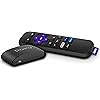
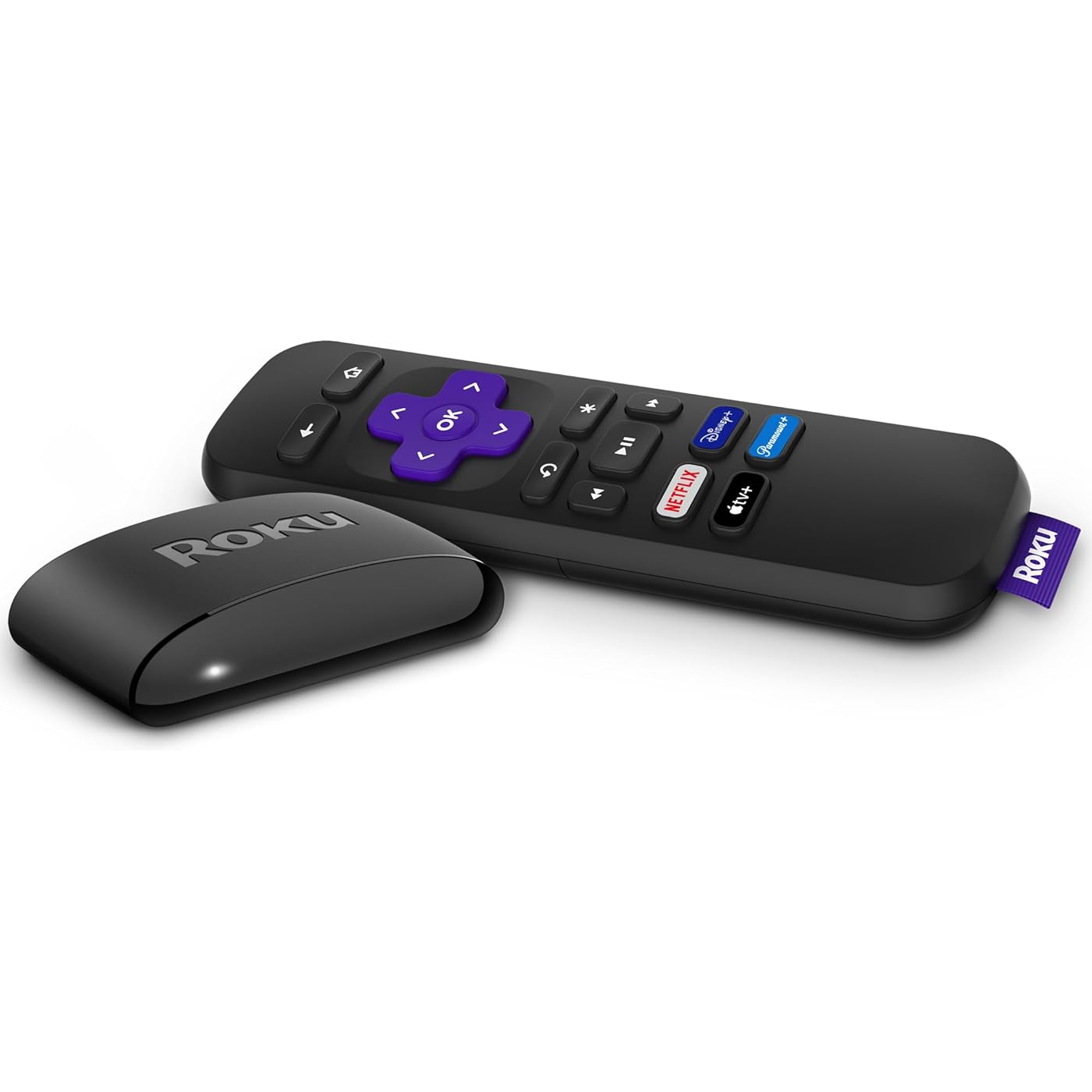
Roku Express | HD Roku Streaming Device with Standard Remote (no TV controls), Free & Live TV
  • Based on 60,585 reviews
Condition: New
Checking for the best price...
$26.70 Why this price?
Holiday Deal · 11% off was $29.99

Buy Now, Pay Later


As low as $6 / mo
  • – 4-month term
  • – No impact on credit
  • – Instant approval decision
  • – Secure and straightforward checkout

Ready to go? Add this product to your cart and select a plan during checkout.

Payment plans are offered through our trusted finance partners Klarna, Affirm, Afterpay, Apple Pay, and PayTomorrow. No-credit-needed leasing options through Acima may also be available at checkout.

Learn more about financing & leasing here.

Free shipping on this product
This item's return window has been extended for the holiday season: FREE refund/replacement until Jan 31, 2026

To qualify for a full refund, items must be returned in their original, unused condition. If an item is returned in a used, damaged, or materially different state, you may be granted a partial refund.

To initiate a return, please visit our Returns Center.

View our full returns policy here.

Availability: Only 1 left in stock, order soon!
Fulfilled by Amazon

Arrives within 30 days
Order within 23 hours and 25 minutes
Available payment plans shown during checkout

Protection Plan Protect Your Purchase
Checking for protection plans...

Features

  • Fast and powerful: Enjoy a seamless HD streaming experience thats perfect for new users yet powerful enough for seasoned pros
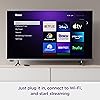
  • Quick guided setup: Just plug it in to your TV and connect to the internet to start streaming, no power adaptor needed
  • Watch what you love: Stream a massive selection of free, live, and premium TV including 400+ free live TV channels
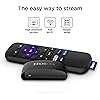
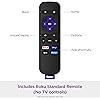
  • Standard remote: The included remote has only the buttons you need to stream, including shortcuts to popular channels
  • Always up to date: Get the latest features, newest channels, and more with automatic software updates

Description

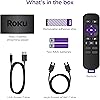
Roku Express delivers a seamless HD streaming experience on your TV at our best price. It’s easy to get started—just plug it into your TV with the included High Speed HDMI Cable and connect to the internet. With a short step by step setup and an easy on screen experience, Roku Express is perfect for new users, but powerful enough for seasoned pros. Start streaming a massive selection of free, live, and premium TV, including Roku® Originals only on The Roku Channel. The customizable home screen puts your favorite channels like Netflix, Prime Video, Amazon Freevee, Disney+, HBO Max, Apple TV+, Sling, and Hulu front and center, so you can spend your time streaming—not scrolling. Use the free Roku mobile app as a convenient second remote and enjoy voice search, headphone mode with wireless headphones, and more. Roku is America’s 1 TV streaming platform based on hours streamed – Hypothesis Group, December 2022

Brand: Roku


Connectivity Technology: Wireless


Connector Type: HDMI


Special Feature: Works with Apple AirPlay and HomeKit / Works with Google Home / Works with Alexa


Resolution: 1080p


Supported Internet Services: Hulu, Netflix, Pandora, Prime Video, Vudu


Controller Type: standard IR remote


Form Factor: TV Stick


Color: Black


Model Name: Roku Express 2022


Product Dimensions: 3 x 1.5 x 0.75 inches


Item Weight: 1.1 ounces


Item model number: 3960R


Date First Available: September 12, 2022


Manufacturer: Roku


Frequently asked questions

If you place your order now, the estimated arrival date for this product is: within 30 days

Yes, absolutely! You may return this product for a full refund within 30 days of receiving it.

To initiate a return, please visit our Returns Center.

View our full returns policy here.

  • Klarna Financing
  • Affirm Pay in 4
  • Affirm Financing
  • Afterpay Financing
  • PayTomorrow Financing
  • Financing through Apple Pay
Leasing options through Acima may also be available during checkout.

Learn more about financing & leasing here.

Top Amazon Reviews


  • FINALLY!
Size: No Size Style: English
I have had a couple of Fire Stick for a few years now. I hardly ever use them except for watching videos on YouTube sometimes. I built a media server and installed Plex. I installed the Plex app on my phone, computers, and Fire Sticks. Plex works great on my phone and computers but it really seemed to struggle on the Fire Sticks. Buffering and the spinning circle thing and then it was still buggy. I started looking for an alternative to the Fire Sticks. I went shopping on Amazon. Roku devices seem to get very good reviews so I bought one. Then I bought an Android TV box at the same time, for about the same price, 30 bucks. The Roku showed up first so I installed it and installed the apps that I use. YouTube, Plex, Paramount Plus, Peacock, and Amazon Prime. The Spectrum app was already installed. OMG! What a difference between the Fire Sticks and the Roku! It is a night and day difference. Compared to the Fire Sticks the Roku Express is very fast and snappy. It does have to buffer my Plex videos right at the very beginning for about 2 seconds, then it is off and running and no more buffering. I could never even install the Spectrum app into a Fire Stick. I had to side load it, then it wanted to update itself, then it became incompatible with the Fire Stick. A very frustrating experience. This Roku came with the Spectrum app pre-installed and it works great. Almost as good as a cable box. I will get rid of one of my cable boxes now and use the Roku instead. The Android box showed up a little while later and I was already sold on the Roku, but I gave it a shot anyway. I tried to be objective and honest. Well that was a waste of time. The Android box took forever just to boot! I had already made up my mind but it sure wasn’t helping itself. After a few minutes of watching it try to boot then try to download updates unsuccessfully, I packed it back up and put it back in the box. I didn’t get very far with it. It’s going back to Amazon. The bottom line is this tiny little Roku Express packs more features and it just works better, exceeding all of my expectations. FINALLY, a product that does what it says, no excuses, and it just works. I can’t say enough good things about it. 5 stars in my book. Right now anyway. Lol I’ve had it for a day so we’ll see how long it stays snappy but so far so good. Well worth the investment IMHO, a lot of bang for the buck, and it impressed me so much that I bought a second one. UPDATE: After a week I still think they are very fast and snappy. I am very happy with them. The Roku Express does seem to be the cheap version with minimal features, but they work great. They don't seem to turn off so I take it back to the home screen then shut off the tv. When I come back I turn on the tv then hit the home button on the Roku remote to wake it up. It wakes up fast! And it is so tiny! About half the size of the remote. Amazing! 10 stars! ... show more
Reviewed in the United States on January 21, 2023 by Stevo

  • Simple, affordable, and perfect for streaming!
Size: No Size Style: English
I purchased the Roku Express for a family member with dementia to make entertainment more accessible, and it’s been a great choice. It’s simple enough for caregivers to use, and she can easily enjoy her favorite shows and movies. The setup was quick, the streaming quality is excellent, and it’s a very affordable way to access multiple services. Pros: easy to use, affordable, great streaming quality, quick setup, compatible with popular apps, good value for the price ... show more
Reviewed in the United States on November 3, 2025 by Rebecca Rebecca

  • Works Great, but get a USB splitter also if you want to turn it off.
Size: No Size Style: English
The device is kind of fiddly, but once you get your Wi-Fi and your streaming service credentials input, it updates itself and is very user friendly. The device setup has a lot of nice features like content casting from your phone and automating your TV power and source functions, and custom themes. If you want a wired connection, you can buy a USB Ethernet Adapter for Roku Express. Make sure it has the right style mini USB male input to match your Roku's mini USB female input (A or C). The only thing that puzzled me is that it does not turn off. Where the power button normally is on the Remote, you have a "back arrow" that takes you back to the last menu in most of the apps and the Roku menus. According to the instructions, you can unplug it to turn it off. Or, you can plug the Roku USB cable into your TV's USB, then it will turn on/off with the TV. You can buy a USB splitter if you are already using the USB (for media in my case). I don't want the Roku drawing power, however little it uses, when I'm not watching it. Once you power on the TV, select the source button HDMI you set the Roku to, and your streaming services are a button push away. There are even 4 buttons on the remote for Netflix, Max, Paramount and AppleTV. The Roku OS and the Apps work smoothly. I have managed to upset one of the Apps. It froze while I was endlessly perusing titles. All of the buttons were inactive, but I kept pushing the Return Arrow on the upper left and it finally closed the app and went home. On another streaming device, I had to unplug it. There are YouTube guides for a stuck Roku. There is a reset button on the rear, BUT I Only Use It When You Want to Clear Settings. Unplug It First. The instructions state: "Certain Roku models come with a physical reset button on the back or bottom of the device. This button is either a tactile button or a pinhole button. You can reset these devices to factory settings by pressing and holding this button until you see a flashing light". There are of course FREE shows and movies. And there are links to Premium Streaming Services have many Free Trials and Free Episodes you can access. So, you get instant gratification with just your Roku Express and an internet connection. The device setup Seems to Require a Credit Card during your online (PC Browser) account population. But, it is not needed (scroll to the bottom) if you already have your Credit Card Payment info setup with your Bank to pay your streaming fees. Of course you can put your card in to buy screen savers and other stuff if you want. But, if it is there, it is easy for anyone watching your TV to spend your loot. The Roku comes with a 3 Foot HDMI cable. One of my two Roku Express had 2 USB cables,. It had a Mini USB and a Mini USB C. The other device just had the correct USB cable that fit it's device. There is a sticky strip to attach the small Roku to your TV. I put mine close the TV remote sensor (left side of my TV) so I am in the habit of pointing my remote at the right spot. Prior this purchase, I was using my BluRay player to stream 2 of my services and I used my HTPC Chrome browser to access the other 2 services. So this Roku device is a time saving, energy saving WIN! ... show more
Reviewed in the United States on July 4, 2024 by David A Nelson

  • Good quality
Size: No Size Style: English
Works great and easy to apply. The connection is automatic and does not lag and high speed.
Reviewed in the United States on October 16, 2025 by MJ Esparza

  • Roku device works great
Size: No Size Style: English
This roku device works great, it offers a variety of channels for free. It was easy to hook up and connected right away. I have had to buy a new hdmi cord because my old one would not support it, but it works great and has a quality picture now.
Reviewed in the United States on August 31, 2025 by Eesh

Can't find a product?

Find it on Amazon first, then paste the link below.
Checking for best price...