


Search  for anything...

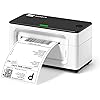
MUNBYN Shipping Label Printer RealWriter 941, 4x6 Thermal Label Printer for Shipment of Packages, Home Shipping Small Business, Compatible with macOS, Windows (USB/USB+Bluetooth)

  • Based on 9,021 reviews
Condition: New
Checking for the best price...
$129.97 Why this price?
Save $50.02 was $179.99

Buy Now, Pay Later


As low as $21.66 / mo
  • – 6-month term
  • – No impact on credit to apply
  • – Instant approval decision
  • – Secure and straightforward checkout

Ready to go? Add this product to your cart and select a plan during checkout.

Payment plans are offered through our trusted finance partners Klarna, Affirm, Afterpay, Apple Pay, and PayTomorrow. No-credit-needed leasing options through Acima may also be available at checkout.

Learn more about financing & leasing here.

Selected Option

Free shipping on this product

FREE 30-day refund/replacement

To qualify for a full refund, items must be returned in their original, unused condition. If an item is returned in a used, damaged, or materially different state, you may be granted a partial refund.

To initiate a return, please visit our Returns Center.

View our full returns policy here.


Availability: In Stock.
Fulfilled by Amazon

Arrives Thursday, Jul 16
Order within 22 hours and 3 minutes
Available payment plans shown during checkout

Protection Plan Protect Your Purchase
Checking for protection plans...

Color: White


Features

  • One Minute to Set up, Money and Time Saver: 203dpi thermal label printer RealWriter 941 is easy to work with Windows, macOS. MUNBYN shipping label printer installs and works like a regular thermal printer that can create customized labels directly from any application
  • Easy Learning Labels: MUNBYN 4x6 label printer Auto Analyze and learn your label, bringing more convenience to your business. Compatible with warehouse labels, shipping labels, food nutrition labels, and most other thermal direct labels
  • Automatic Label Identification: Close the lid and insert the paper from the back of the printer, MUNBYN postage label printer will automatically catch the label and feed it into the printer. This address label maker supports print labels from 1.57" to 4.3" wide, suitable for shipping labels and warehouse labels
  • Ink-zero Printer: 150mm/s High-speed Printing Speed - Use by Japanese Rohm printer head, without any ink or toner, more saving and cost-effective. MUNBYN provides perpetual customer support and product protection for any product issues via live chat, phone calls, emails, and even remote desktop operations support as you need

Description

Visit the Store Visit the Store Visit the Store Visit the Store Visit the Store Visit the Store Visit the Store Visit the Store Visit the Store Visit the Store Visit the Store MUNBYN RealWriter 941 thermal printers are inkless, they use heat to print images on paper without replenishing ink supplies, you will save big on operational costs. One-click installation to print eliminates complex installation issues. 203dpi HD print head by Japan ROHM, 150mm/s high-speed printing to improve work efficiency. Use the MUNBYN Editor tool in Google Chrome to batch print 8x11 label files on 4x6 label paper. Compatible with Etsy, eBay, Poshmark, and all major shipping and sales platform labels. USB Wired Connectivity Version - Without Bluetooth & Wi-Fi Why is my shipping label not completely printed? Too small or only part of it? If you were printing your labels on a regular printer previously, please change your label size from 8.5"x 11" to 4"x 6" on the website that generates your labels. Why does my computer show that the printer's status is offline or Error or not displayed on the computer? Offline or Not display on Mac If the status of the printer is offline, it means that Mac did not recognize the printer, please replug the USB cable and restart the printer. The status will be online. How to run the calibration of the printer? 1. Load at least 4 consecutive labels into the printer. 2. Press the FEED button (red/green light) and hold it until you hear one ‘beep’ sound, then release the button. 3. The label's gap should stop on the printer's edge and the LED will turn green. Wi-Fi Thermal Printer Thermal Shipping Label Thermal Shipping Label Round Thermal Label Rectangle Thermal Label Label Holder Postal Scale

Brand: MUNBYN


Connectivity Technology: USB


Printing Technology: Thermal


Special Feature: USB Only, Compatible with Windows, MacOS, Thermal Printing, No ink No toner, High-speed Printing, Easy to Setup See more


Color: White


Model Name: ITPP941


Printer Output: Monochrome


Max Printspeed Monochrome: 72 ppm


Item Weight: 1.4 Kilograms


Product Dimensions: 3.8"D x 7.8"W x 4.3"H


Printer Type: Thermal


Other Special Features of the Product: USB Only, Compatible with Windows, MacOS, Thermal Printing, No ink No toner, High-speed Printing, Easy to Setup


Printer Output Type: Monochrome


Item Weight: 1.4 Kilograms


Item Dimensions D x W x H: 3.8"D x 7.8"W x 4.3"H


Controller Type: Android


Print media: Labels


Scanner Type: Portable


Maximum Copy Speed Black and White: 27.56 ppm


Compatible Devices: Laptops, Mac, PC, Windows


Warranty Type: Lifetime


Maximum Copies Per Run: [HIGH NUMBER]


Ink Color: black


Additional Printer Functions: Print Only


Control Method: App


Number of Trays: 1


Processor Count: 1


Number of Drivers: 1


Resolution: 203 x 203 DPI


Color: White


Color Depth: 1 bpp


Printer Connectivity Type: USB


Hardware Interface: USB


Total USB 2.0 Ports: 1


Power Consumption: 60 Watts


Wattage: 60 watts


Maximum Copy Resolution Color: 203 x 203 DPI


Maximum Copy Resolution Black and White: 203 x 203 DPI


Brand: MUNBYN


Model Name: ITPP941


Model Number: ITPP941


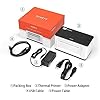
Built-In Media: Labels, Power Adapter, Power Cable, USB Cable


Series Number: 941


Model Series: RealWriter 941


Specific Uses For Product: Home, Office, small business


UPC: 613310860730


Global Trade Identification Number: 30


Manufacturer: MUNBYN


Unit Count: 1.0 Count


B&W Pages per Minute: 72 ppm


Maximum Media Size: 4 x 6 inch


Maximum Sheet Capacity: 1000


Paper Size: 4x6, 3x5, 3x2, 3x1, 2x2, 2x1, Circle Inches


Maximum print Resolution Color: 203 x DPI


Maximum Print Resolution Black and White: 203 Dots Per Inch


Printer Resolution Horizontal in Black and White: 203 Inches


Printer Resolution Vertical in Black and White: 203 Inches


Dual-sided printing: No


Duplex: Automatic


Frequently asked questions

If you place your order now, the estimated arrival date for this product is: Thursday, Jul 16

Yes, absolutely! You may return this product for a full refund within 30 days of receiving it.

To initiate a return, please visit our Returns Center.

View our full returns policy here.

  • Klarna Financing
  • Affirm Pay in 4
  • Affirm Financing
  • Afterpay Financing
  • PayTomorrow Financing
  • Financing through Apple Pay
Leasing options through Acima may also be available during checkout.

Learn more about financing & leasing here.

Top Amazon Reviews


  • Excellent printer Excellent printer
I have had this printer for more than a year now and use it almost daily for my shipping labels. I used to print my labels on regular paper and have to cover the entire label with clear shipping tape to ensure the ink didnt get destroyed in the elements. A waste of supplies and unprofessional looking so I researched thermal printers and chose munbyn and I'm glad I did. It had been easy to set up, use and has been very reliable. Today, I started having a problem getting it to print so I contacted tech support. My call was answered immediately by an actual person! No waiting on hold and pressing multiple prompts to get the help I needed. I spoke to a very kind tech support agent, Thirdy, who helped me troubleshoot and resolve my issue quickly. I'm happy to say it was complete user error and not an issue with the printer itself. I shuffled around my desk the other day, unplugged and moved all my printers, computer, lamps etc. In the process, I used the wrong cable to reconnect my munbyn. It gace it power but didn't print full sheets because it wasnt the right cable. While I was trouble shooting on my own, i removed my printer from list of printers on my PC and Thirdy helped me add my munbyn back as an available printer. All in all, our call lasted maybe 20 minutes, allowing me to quickly get back to work. I know there are bigger brand name printers, i researched them, both online and by asking those i know use them how satisfied they were and they all had already had to replace their more expensive thermal printers within a years time. That made me decide on my munbyn which is at a lower price point and now I can say, after well over a year of heavy use, my little munbyn is still printing excellent, clear labels and working as well as the day I bought it. If you read my whole lengthy review... that tells me you are doing your research. I say, don't sleep on the less expensive munbyn. It is excellent and a good investment! ... show more
Reviewed in the United States on March 23, 2023 Reviewed in the United States on March 23, 2023 by Lisa Fortunka

  • Huge money saver No Ink needed
Color: White
Most valuable piece of office equipment I have in my office. We use it daily and it produces great labels of all sizes. Keep in mind when you are changing your label sizes. You also have to change it on Amazon or eBay printing option also. But one you change your preferred settings on both your computer and platform, you good to go. Its very Easy to set up my Dell installed it right away and in 10 mins I was making labels of all sizes. Before I got this label maker, I felt like I should have invested stock in the ink market. Know the staples lady that knows me well said " No ink today". I smiled and said I bought a new Munbyn Thermal printer for my labels and it doesn't need ink. The quality of the machine and the print quality is top notch. I wish I would have made the switch from inkjet to thermal print 2 years ago. But keep in mind there are hundreds of machines on the market. But if you want something with high quality, Easy to install, No headaches, Munbyn Thermal printer is the way to go. It uses standard size labels and GUESS what gave me a gift in the box for either extra labels or a label holder. It was very nice of them to give me a customer appreciation Gift. Thanks Munbyn. ... show more
Reviewed in the United States on October 17, 2020 by theresa

  • Fast and clear printing. Great tech support.
Color: White
I bought this printer for printing shipping labels. Super easy to set up, just plug it in and download the drivers. There are only beeping sounds when you turn the printer on or when you press a physical button, so it isn't going to beep after each printing like some other printers. Prints quietly with fast and clear images. Good for printing both shipping labels and just labels for around the house and office. It's also compact and rather cute on my desk. I emailed their customer support to see if there was any way to turn off the beeping entirely (my dog as a weird fear of beeping noises). They said there's no way to turn off the beep sound. They were very kind and returned my emails quickly. While the beep can't be turned off, I really do like this printer and will be keeping it. I'll just play some music when I turn it on or change the paper lol. ... show more
Reviewed in the United States on December 1, 2023 by J. Hylton

  • Quality printer works just as good as the popular brand
Color: White
This thermal printer was a game changer for my business. I purchased this printer based on a review that I saw. Compared to another popular brand, it works just as good without the high price. This printer prints labels faster than it saves me 90 seconds to 2 minutes compared to the old way I printed labels. This is a quality printer that I would buy again for another computer in the office. ... show more
Reviewed in the United States on May 20, 2026 by Shani Stroud

  • Saves my business so much time and is fun too!
Color: White
This printer has changed the game for my small business! I used to buy 8.5x11 sheets of label paper for my shipping labels and then cut them down to size every time. (I use small bubble mailers and the labels wouldn’t fit if I didn’t cut the white borders off) I used to dread printing out labels because even though it didn’t take a long time, it was a major hassle, especially when I had 20 labels to print out, it took a decent chunk of time just to prepare the labels. Making the investment into a thermal printer was one of the best decisions I have made for my business! It’s so fast and so easy, a label prints in a second and the labels that come with the printer have a slide edge on the backing paper which makes peeling the label off SO easy. This printer has not only saved me time & the hassle of cutting out labels, and it even makes it a little fun! It’s so cool to see how fast it prints labels and then peeling them off is just like a sticker. Plus they look really professional on my packages. It was pretty easy to set up too. Overall I love this printer and have already bought extra labels for when the ones that come with the printer run out. ... show more
Reviewed in the United States on May 20, 2021 by Gary & Deb B

  • Unmet Expectations: MUNBYN Shipping Label Printer Fails to Deliver on its Promises
Color: White
In the bustling world of e-commerce and logistics, a reliable shipping label printer is not just a tool, but a lifeline. The ease of printing, the clarity of labels, and the speed of operation can drastically impact the efficiency of any business operation. So, when I decided to integrate the MUNBYN Shipping Label Printer P941 into my operations, my expectations were tethered to its claims of convenience and high performance. Regrettably, the experience was marked by a series of disappointments, compelling me to pen this 1-star review. Diving into the world of label printing, one anticipates a device that complements the pace of a fast-moving business environment. Every printed label is a testament to a brand's professionalism and efficiency. Unfortunately, the MUNBYN P941 frequently seemed more an obstacle than an asset. 🔌 Connectivity was my first stumbling block. While the printer claimed seamless USB connections, the reality was a series of unrecognized devices, frequent disconnections, and tedious reconfigurations. For a device that is supposed to streamline operations, these constant technical hiccups were a significant setback. 🖨 The printer's software, designed to instantly convert 8x11 labels to the more standard 4x6, was another sore point. Instead of the promised instantaneous conversions, I found myself wrestling with misalignments, incorrect scaling, and sometimes, entirely blank labels. This software, which should have been the printer's pièce de résistance, turned out to be its Achilles heel. 📦 Printing speed and quality, critical for any business, were far from satisfactory. Delays in print commands, coupled with smudged or unclear labels, made the process cumbersome. Instead of facilitating quicker shipments, I found myself allocating additional time just for label corrections and reprints. 🛠 Durability and build quality raised further concerns. The printer felt flimsy, and with just a few weeks of usage, I noticed signs of wear, questioning its longevity and reliability in a demanding business environment. 💽 Perhaps the most confounding issue was the lack of comprehensive customer support. When faced with challenges, accessible and knowledgeable support can make all the difference. With MUNBYN, my pleas for assistance often met with generic solutions or prolonged wait times, further exacerbating my frustrations. In summation, the MUNBYN Shipping Label Printer P941, instead of being a beacon of efficiency, emerged as a source of constant challenges. From software glitches to hardware shortcomings, it failed to align with the needs of a dynamic business ecosystem. For those in the e-commerce sector or any enterprise requiring regular label printing, I'd advise treading with caution. This printer, with its myriad issues, may not be the solution you're seeking. My journey with MUNBYN was riddled with obstacles, and I hope this review provides clarity for those considering this product. Always prioritize thorough research and user reviews before making an investment in critical business tools. ... show more
Reviewed in the United States on April 13, 2021 by Amazonlover

  • No Need to Look Any Further! No Need to Look Any Further!
Color: White
Stop your search for a reliable, high quality, super fast, easy-to-setup, AFFORDABLE thermal label printer. This printer is awesome! I had it up and running within about 15 minutes. The direction booklet and YouTube video are clear, concise, and to the point. Originally I wanted a printer that held the paper on the inside but this one has completely changed my mind. The printer doesn't take up a lot of space but you do need a little bit of space behind it for the printer paper. I'll be reorganizing my desk so it doesn't stick out as much. The print quality is great and it works fine with generic label paper. I think I paid $15-ish for 4x6 label paper that came with 4 rolls and 450 labels per roll. I am so excited to finally have a label printer so I don't have to waste printer ink and sticker paper for labels. Best purchase I've made in a long time! ... show more
Reviewed in the United States on November 30, 2020 Reviewed in the United States on November 30, 2020 by Nancy N.

  • Great for Etsy, challenging setup issues with Mac
Color: White
Initial review (see below for updated review) I am using this with a Mac. The software works great on MacOS Catalina & provides excellent quality labels. I compared this to a Zebra printer that it replaces & the quality is far higher. This works perfectly with ShipStation software & prints precise labels every time for UPS & USPS. No issues with jams, misprints etc. I 3D printed a label roll holder, rather than use the expensive ones available on Amazon. Total cost $0.30! The driver install was not auto-detect, but still very straight forward. On setup, the auto-paper size sensing caused the printer to crash the first time, but it nonetheless saved the 4x6 thermal paper size and has been working correctly ever since. 4-stars for install. Updated Review (after 4 days of use) The printer was locking up and going offline after nearly every print, requiring constant resets. The printer forgots the label size and constantly needs to run through the learning process. All of my labels print half-way, then freeze, even after following all of the instructions online. I have reset and tried with 3 different Mac computers running different versions, all of which have the same issues with less than 1 in 5 labels printing correctly now. Running this on a Windows computer seems to work ok, but none of our computers are Windows based. After much searching through support forums, it turns out that this printer installs in MacOS with default paper size of 100x100mm (4" x 4") and print density that is too high (causes labels to stick) for USPS or UPS labels that have thick lines. Setting paper size to 100x150mm (4"x6") and print density to 4 (instead of default 8), it prints reliably. To fix your Mac, you will need to manually update your Mac printing subsystem on your local Mac at "http://localhost:631/printers" in your web browser. Detailed instructions are at https://help.shipstation.com/hc/en-us/articles/360025853212-Labels-Print-Too-Big-or-Too-Small. This will allow labels to print correctly using Shipstation Connect or any other apps that send documents without the Printer Settings dialog to the printer. To the Munbyn team, would be great if you put better default settings when installing the printer ... show more
Reviewed in the United States on July 17, 2020 by Kemyst

Can't find a product?

Find it on Amazon first, then paste the link below.
Checking for best price...

