Search  for anything...

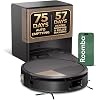
iRobot Roomba 705X Robot Vacuum & Mop Combo, 175x More Suction, Extending Self-Cleaning Roller Mop, Multifunction Dock, 75 Day Self-Emptying, Hot Wash/Dry, AI Obstacle Avoidance, Ideal for Pet Hair

  • Based on 110 reviews
Condition: New
Checking for the best price...
$1,369.99 Why this price?

Buy Now, Pay Later


As low as / mo
  • – Up to 36-month term if approved
  • – No impact on credit to apply
  • – Instant approval decision
  • – Secure and straightforward checkout

Ready to go? Add this product to your cart and select a plan during checkout.

Payment plans are offered through our trusted finance partners Klarna, Affirm, Afterpay, Zip, Apple Pay, and Google Pay. No-credit-needed leasing options through Acima may also be available at checkout.

Learn more about financing & leasing here.

Selected Option

Free shipping on this product

30-day refund/replacement

To qualify for a full refund, items must be returned in their original, unused condition. If an item is returned in a used, damaged, or materially different state, you may be granted a partial refund.

To initiate a return, please visit our Returns Center.

View our full returns policy here.


Availability: Only 1 left in stock, order soon!
Fulfilled by AZDealClub (SN Recorded)

Arrives Wednesday, Oct 28
Order within 22 hours and 30 minutes
Available payment plans shown during checkout

Protection Plan Protect Your Purchase
Checking for protection plans...

Color: Black New


Features

  • THE ULTIMATE HANDSFREE CLEAN FOR REAL HOMES. The most advanced Roomba yet the Roomba Max 705X is designed to clean every room without stopping, adjusting automatically as it moves from hard floors to carpet, vacuuming and mopping in one seamless pass, and navigating effortlessly around everyday obstacles.
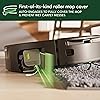
  • THE ONLY ROOMBA THAT CLEANS ITSELF WHILE IT CLEANS YOUR HOME. The selfcleaning roller mop continuously washes itself during use, extends to reach edges and corners, and protects carpets with a builtin coverso wet and dry messes never mix.
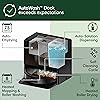
  • MONTHS OF CLEANING WITHOUT DAILY MAINTENANCE. The AutoWash Dock handles the dirty work for you. Up to 75 days of autoemptying, weeks of heated mopping and roller washing*, automatic solution dispensing, and hotair dryingso you dont have to think about cleaning.
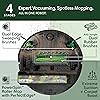
  • POWERFULLY CLEANS WHERE MESSES BUILD UP MOST. With 175x stronger suction*, Roomba blasts through dirt, crumbs, and pet hair using antitangle Dual Rubber Brushes, edgesweeping brushes, and automatic Carpet Boost to pull debris from deep within rugs. *compared to Roomba 600 series robots
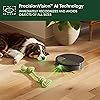
  • AVOIDS CORDS, SOCKSEVEN PET ACCIDENTS. Powered by PrecisionVision AI, Roomba recognizes cords, socks, pet waste, and moresteering around them in real time and automatically recleaning areas where wet or dry messes are detected.
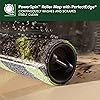
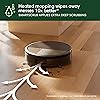
  • MOPS TOUGH STAINSNOT JUST SURFACE DIRT. Heated mopping and the PowerSpin Roller Mop scrub floors at 200 RPMs, applying steady pressure to lift sticky spills and driedon messes. Turn on SmartScrub when kitchens, entryways, or muddy paw prints need extra attention.
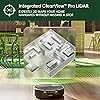
  • ACCURATE MAPS. SMARTER COVERAGE. DAY OR NIGHT. ClearView Pro LiDAR builds detailed 3D maps of your home, autolabels rooms, and ensures consistent coverageeven in low light.
  • CONTROL EVERY CLEAN, YOUR WAY. Use the Roomba Home App to choose specific rooms or furniture, adjust suction and liquid levels, repeat passes in hightraffic zones, or let Roomba decide the best settings based on where dirt builds up fastest.
  • VOICEACTIVATED, EFFORTLESS CLEANING. Just ask Alexa, Siri, or Google Assistant* to vacuum the living room, comboclean the kitchen, or tidy up near the couchno scheduling, no setup, no stress. *Works with Alexa, Siri, and Google Assistant-enabled devices

Description

The Roomba Max 705X Combo Robot + AutoWash Dock is built for people who want consistently clean floors without rearranging their day around cleaning. Whether life at home includes pets, kids, or simply too little free time, this robot handles everyday messes quietly and automatically. It vacuums and mops in a single, uninterrupted run, smoothly moving from hard floors to carpets without supervision. When spills happen—sticky spots in the kitchen, muddy paw prints near the door, or dried‑on splashes—the heated mopping system with a self‑cleaning, extending roller mop loosens and lifts messes while applying steady pressure for a deeper, streak‑free clean. A first‑of‑its‑kind protective mop cover keeps carpets dry, so you never have to worry about switching modes or keeping an eye on where it goes. For the dirt you don’t always see, Dual Rubber Brushes, Dual Edge‑Sweeping Brushes, and automatic Carpet Boost pull debris, dust, and pet hair from deep in carpets and along walls for true wall‑to‑wall coverage. The robot automatically adjusts its settings based on floor type and mess level, so your home gets the clean it needs without extra effort from you. With advanced 3D mapping and intelligent object recognition, Roomba Max 705X navigates smoothly around furniture, cords, and everyday clutter, cleaning your home as it actually is—busy, lived‑in, and constantly changing. The AutoWash Dock completes the hands‑free experience by emptying debris, heat‑washing and drying the roller mop, and refilling cleaning solution automatically. That means fewer interruptions, less maintenance, and floors that stay clean day after day. With the Roomba Max 705X Combo, cleaning doesn’t take time away from your life—it fits right into it.

Brand: iRobot


Model Name: 705X Combo Robot


Surface Recommendation: Carpet & Hard Floor


Special Feature: LiDAR Navigation


Color: Black New


Surface Recommendation: Carpet & Hard Floor


Other Special Features of the Product: LiDAR Navigation


Controller Type: App Control, Button Control, Voice Control


Filter Type: Cartridge


Battery Life: 180 minutes


Battery Type: Lithium Ion


Control Method: App, Voice


Form Factor: round


Color: Black New


Indoor Outdoor Usage: Indoor


Item Dimensions L x W x H: 14.6"L x 14.7"W x 4.1"H


Item Weight: 40.8 pounds


Brand Name: iRobot


Model Name: 705X Combo Robot


Included Components: Cleaning Solution, Dirt Disposal Bag, Docking Station, Filter, Side Brush


Model Number: X184020


UPC: 885155059857


Unit Count: 1 Count


Item Type Name: Robotic Vacuum Cleaner


Manufacturer: iRobot


Number of Items: 1


Manufacturer Part Number: X184020


Frequently asked questions

If you place your order now, the estimated arrival date for this product is: Wednesday, Oct 28

Yes, absolutely! You may return this product for a full refund within 30 days of receiving it.

To initiate a return, please visit our Returns Center.

View our full returns policy here.

  • Klarna Financing
  • Affirm Pay in 4
  • Affirm Financing
  • Afterpay Financing
  • Zip Pay in 4
  • Financing through Apple Pay
  • Financing through Google Pay
Leasing options through Acima may also be available during checkout.

Learn more about financing & leasing here.

Top Amazon Reviews


  • Worth the cost!
Color: Matte Black
I read many, many reviews before I invested in this item, as it was a lot of money to spend, and sometimes a couple of bad reviews make you not want to purchase something. I finally decided to take a chance and purchase the vacuum, and I am glad I did. I’ve had it for a week now, and it has mapped all of the areas in my house I want it to clean. We have 4 children, and I can never count on their rooms being picked up enough to send this in there. To get around it mapping those areas, every time I had it run and it was mapping the house I closed the doors. It doesn’t even register those rooms on the map now. I have this running on tile, hardwoods, and a large plush area rug with fringe. It transitions great on all surfaces. I was most worried about the fringe, but so far it hasn’t been an issue. It just passes over it and moves on. It’s not left perfect, but it was never perfect anyway with 6 people walking around the house. I would say suction power is good. We have had a few clogs, but it was our fault. I would tell my kids to make sure everything was picked up, and not double check. It’s been clogged with a hair clip, a toothpick, a receipt size piece of paper, and a piece of plastic. Had those things not been on the floor, it would not have clogged. It was very easy to unclog it. I just pulled the items out and then sent it back home to empty again. This machine seems to be pretty intelligent. Although I have the house mapped out, I have an 11 year old German Shepherd who can’t be bothered with anything. She will be laying on the floor and the vacuum will run into her. She just looks at it and won’t move. The vacuum doesn’t keep trying. It simply goes around her. I love the mapping feature and it’s ease of use. It mapped my laundry room and dining room as one area. My dining area is always picked up, my laundry room is not. It was very simple to add a divider on the map to make that one area, two areas, and I can tell it to stay out of the laundry room when I know there’s a mountain of laundry on the floor. The battery life could be longer. Considering I have a one story house and it’s not cleaning any bedrooms, it takes 2 charges to do the areas I want it to focus on. Probably around 1800 sq ft. It mostly goes in straight lines, but occasionally will go over an area a couple of times before moving on to the next. It may be how its mapped the area bc I have noticed it usually only does that in areas where the dividers are on the app. I have zero regrets purchasing this item. I am extremely happy with it. It is helping me tremendously keeping the house picked up. We have 3 cats and 1 dog who constantly sheds. My biggest concern with these robot vacuums was vacuuming my living room and then it needing me to empty it before it would continue. The self emptying option is completely worth the extra cost. It knows when it’s full, goes back to the base to empty itself and then goes right back to where it left off. It did get stuck once or twice while mapping, but after it figured out the areas it couldn’t go, it now flawlessly moves around them and hasn’t been stuck on anything since. If you’re a light sleeper I wouldn’t recommend running it at night. When it empties it sounds like a mini jet engine starting up. Probably no louder than your average vacuum, but that is something to consider if you plan on only running it overnight. I hope we don’t experience any issues, but if we do, I did purchase the 3 year extended warranty on Amazon. It was by far the best deal when I compared other retailer’s warranties, so for the next 4 years I have zero worries if it does breakdown. I this review helps anyone on the fence. I hardly leave reviews, but when I have such a hard time deciding if I should purchase something and I rely so heavily on reviews, I always feel it’s important to leave my own experience. ... show more
Reviewed in the United States on December 19, 2019 by MomOf4

  • The iRobot I7+; the Good and Bad
Color: Matte Black
Well, it's been about 18 months since I bought the iRobot i7+ and so far things are going fine; no problems with it so far. I did do a good cleaning recently and, after looking at instructions on various YouTube site I found how easy it was to clean around wheels, clean single wheel in front of iRobot, to remove strings etc. I started off without researching and was struggling but after finding out how to really do the job it was a piece of cake. The iRobot designers really too all this cleaning into consideration when designing the product. So far, maintains 5 star rating. The following is a summary of my experience with my new iRobot I7+ I bought this vacuum to replace my Neato Connected which was very good at cleaning but left a lot as far as reliability; in less than 5 years I had to have it repaired 3 times at a cost of almost $400. This for a relatively expensive robot. When the battery failed ($70.00) and the robot started not knowing where it was I decided enough is enough. When I got the iRobot I followed installation instructions which were pretty straight forward, updated the software (again very easy), and then waited for it to fully charge. I then sent it out to clean my whole house (about 2200 sq ft). It ran for about a hour and then went back to base to recharge. I started up after charging and ran for another 10 minutes when it stopped with error message saying problem with dust bin on robot (not dustbin in base). One of nice things is that error message is displayed in iPhone app which also has a "Learn more" button which brings you to a little tutorial on how to resolve the problem. Followed instructions and cleaned the dust bin in the robot. Kind of a nice feature. Turned it back on and 5 minutes later same message. Did this several times and was about to just send it back but decided to give YouTube a try. Entered message text and got to video showing same stuff as Learn More but also said to take out the two brushes and clear anything there. Sure enough, there was a paper clip there which was stopping the brushes. Cleared the paper clip and it's been fine. Fault was with Learn More. With what appears to be a very user friendly function, I expected that anything there would tell me about ALL sources and resolutions regarding the problem so this was just an incomplete implementation of the facility. Sent the iRobot to to clean my whole house a 3-4 times and it was still not able to put together a full view of the house so that I could use the map to tell it t clean just one area. After looking around a while a found an option in the iPhone app that says "Just go out an map the house without doing any actual cleaning" which allows the whole house to be mapped on one charge. Once that was completed I was able to see my house map and label rooms, adjust walls, etc. Once I had my house mapped I was able to: 1) name rooms 2) adjust walls between open rooms 3) create "cleaning areas" consisting of one or more rooms. Really a nice feature worth the upgrade from I3 to I7. Just sent the robot out to clean just my bedroom and it started fine, went directly to bedroom, cleaned whole room, and then returned to base and emptied it's dust bin -- just as expected. Oher things to watch out for: 1) Robot picked up small piece of paper (1.5"x2") and sucked it into it's bin. But when it went to base to be emptied the paper blocked the opening in robot which allows debris to be drawn into base. Robot threw another message and I was able to see the problem. Removed paper and all OK. 2) Regarding self-emptying...works good but VERY VERY load for 15-30 seconds while debris from robot into base is being processed. Would not recommend running this during the night; the noise will surely wake you up. 3) Dust bin in robot is very small compared to my previous Neato vacuum. If you do not get the I7+ with self-emptying base, depending on size of your house, you may have to empty bin multiple times. Of course, my Neato died a couple months ago so there was some accumulated dust and debris picked up in this first cleaning. That's it for day one and two. Once past the "problems" the I7+ does a good job cleaning, is pretty quiet while running, and has some nice features in the iPhone app. Assuming I run into no further problems I'd recommend get the i7+ (no s much the I7 due to size of dust bin). Day 2-7; no problems and my house is staying a lot cleaner than depending on me to sweep and dust. Couple months later ... Had some problems with robot that were addressed via conversations with support team over three days -- who very very nice. After factory reset and full mapping run problems went away. One suggestion ... I was having t he robot clean the while house (2200 sq ft) in one pass which required a few stops for recharging. The result was that it sometimes did not make it back to charger or forgot where it left off. My solution was to have it clean 1/4 of the house each day for 4 days. Since doing that I've had no problems. ... show more
Reviewed in the United States on November 6, 2020 by pfk93

  • The best of the best!
Color: Matte Black
This review will cover the i7 as well as another top contender I tried, the Deebot N8+. If you just want to read about the i7 please skip to that part. If you've done your homework, watched Vacuum Wars videos on YouTube and compared all available options right now, you may have landed on these 2 as your top contenders. The S9 looks nice but it's way too expensive and the reviews just aren't good enough. Roborock looks promising but their top end model is relatively expensive and doesn't have an auto-empty bin as of the date of this review. There is no "perfect" robot in existence right now, in my view. I'm a 5 year owner of a Roomba 960 that had to be returned 3 times initially and repaired once out of warranty before it reached a stable state for me. I figured it was time for an upgrade. I was not optimistic about the i7 at all due to previous 960 issues and for that reason purchased the Deebot first as an extremely impressive option full of advanced tech. I'll give you my experience with both and why, much to my surprise, I landed on the i7 as the robot I will keep. First up, the N8 Pro+ which boasts variable suction levels that auto-switch depending on the floor type, low noise levels, laser 3D LiDAR tech for navigation, object avoidance camera, dual rotating brushes, built in mopping capability and a physically thinner footprint so it can get under my kitchen cabinets where my 960 gets stuck, daily. The functionality of the Ecovacs app is all there but my gripes are mainly around the layout, button naming and settings menus. I didn't find it very intuitive at all but all the key features are there: house mapping and virtual keep out zones being my top priorities. I did have some trouble with the initial configuration of the keep-out zones but got there eventually. The robot functions very well in general and is a very good vacuum, all told. The downsides that I experienced, however, were enough for me to return it. The key cons here are battery life, recharge time, the auto-empty base and getting stuck. Your first step with the N8 is the initial mapping of your floorplan which must be completed fully before you can do anything, I mean anything. It runs the vacuum during this mapping so battery consumption will be high. The i7 by comparison can do mapping runs with the vacuum turned off making it a much more streamlined process. I found the battery life to be much lower than the advertised 110 minutes netting a maximum of 75 minutes. The bigger problem is that it takes HOURS to recharge, so depending on when you start your cleaning run, this thing could quite literally run all day. For example in my situation, 635 square feet cleaned took 110 minutes of total run time with a required charge in the middle. This netted a total of nearly 6 hours to complete! Unacceptable. Also important to note is that the N8 will want to recharge at 15% battery, so the most you ever really get out of this thing is 85%. The next big problem for me was the design of the auto-empty base. They opted to use a dual port discharge method that sucks from 2 doors in the dust bin simultaneously. If you have pet hair to deal with, like I do, it was unable to suck out any of it, just leaving stranded clumps hanging from each port in the dust bin. The final nail in the coffin was that despite all the advanced tech in the N8, cameras, lasers, etc, it STILL got stuck under the dining room table/ chairs just like my 960 does. Too many concessions so I sent it back and tried my luck with the i7+. N8 Pros: -Competitive price (usually on sale) -Premium look and feel -Advanced tech (cameras, lasers...) -Powerful variable suction -Systematic cleaning pattern -Free in-box extras (bags, mop pads) -Awesome low noise levels -Lower physical profile so glides under kitchen cabinets N8 Cons: -Initial mapping will take a VERY long time and must be fully completed -Even with Lidar, mapping, sensing etc it still gets stuck -Battery life is terrible (more like 75 minutes at best) vs 110, charging time is worse (1 cleaning + charge cycle = 5 hours!) -85% max usable battery is abysmal, Roomba will drain itself to nothing -Dual port self-empty in the base creates problems, especially for pet hair With the N8 returned I found the i7 on sale for the same price and pulled the trigger to give iRobot yet another chance. Much less advanced overall tech here, the same "crash into everything" sensor mode as the old Roomba models, no fancy lasers here but the camera does use iAdapt to map out objects. This camera needs light, mind you. Out of the box is a very simple setup just plug in the base, set the robot in it, add the robot to the app. I was prompted with a firmware update right away so let that run and waited until the next day to do the initial mapping run. Being able to just wander around without the vacuum running is such a simple but meaningful feature here. One battery charge and you should have a map of your floorplan, vs 2 runs + 1 charge on my N8. The completed map was excellent and they even attempt to add room dividers so you can partition areas of your house for more granularity. This is really cool and allows you to choose certain areas to clean on certain days or times if you want. No-go zones and room labels are also easily applied here. VERY intuitive app layout, button naming scheme, settings menus. You can tell iRobot put a lot of effort into this. So I did the mapping run then followed with a "vacuum everywhere" run, no virtual barriers yet. Not only was the robot able to navigate my entire floor cleaning everything, it didn't get stuck once, even under the kitchen cabinets or dining room chairs, truly impressive. It did need a charge in the middle but at an hour or so to top up, the cleaning process completes in a much more reasonable time period. The rubber brush rolls are great for hair of all kinds and manage to pass it to the dust bin without tangles. i7 triggers the auto-empty base which is LOUD like a jet taking off but wow is it effective, nothing left in the dust bin after, not a strand of long cat hair. iRobot used a single port suction method for the base which works much better than the dual port design the N8 uses, so no problem with stuck pet hair. For comparison, the i7 cleaned 658 sq ft in 133 mins of cleaning plus a 75 minute charge. Half the total time of the N8. Cool! As for the downsides, there are a few but minor considering the system actually works well. First is the bump sensor design. I know the i7 first came out 3 years ago and once the robot learns your house it should be more gentle, as they claim, but this just feels like ancient tech at this point. Not only that, the RCON sensor, which is the protruding eye in the middle above the bumper, takes plenty of direct hits as it activates the bumper it sits on. This is the part I needed repaired on my 960 as one day it actually broke off due to years of repeated impact. iRobot should do like the others in this space and move it somewhere else safer! The unit itself is thicker than the N8 so doesn't glide under my cabinets but so far has managed to avoid getting stuck. The single rotating brush isn't as effective as the dual brushes on the N8 and you would need to buy a separate mopping robot, if you care about that. The other thing to keep in mind is that the Roomba can't see well in the dark, it needs light to do its thing. Overall I'm very pleased with the i7 and intend to keep it. All the areas the N8 falls short work as intended or better on the i7, despite being lower tech. And this is after I was almost positive I wouldn't buy another Roomba! i7 Pros: -Competitive price -Premium look and feel -Systematic cleaning pattern -Free in-box extras (1 bag, filter, rotating brush) -Excellent battery and charging performance -Excellent auto-empty base -ZERO issue with long pet hair -Intuitive and granular control via the app (clean zones, no go zones, defined rooms that can be scheduled) -Smart Maps works really well i7 Cons: -Old school vSLAM bump sensor tech that will mar the more stuff it bumps into -RCON sensor sits in harms way atop the bumper -Single rotating brush could be improved -Room lighting is required, this thing doesn't do well in the dark -No variable speed motor = higher noise, about the same as my 960 ... show more
Reviewed in the United States on June 18, 2021 by The Exacting Consumer

  • Great Mop, Average Vacuum
Color: Black New
Overall, this robot vacuum and mop delivers excellent mopping performance, but the vacuuming results fall short of expectations for a premium-priced machine. The mopping function works very well, leaving floors clean and handling edge cleaning effectively. Automatic mapping is also accurate and reliable, making setup and navigation easy. However, after observing several cleaning cycles, the vacuum performance has been less than satisfactory. Debris pickup is inconsistent, especially considering this is positioned as a high-end product. Another drawback is the maintenance required for the docking station. Even though the roller is automatically washed, dirt and debris tend to accumulate around the wash area, requiring frequent manual cleaning. Pros Excellent mopping performance Effective edge cleaning Mop roller lift for carpet works great leaving carpet dry Accurate automatic mapping Cons Underwhelming vacuum performance for a premium machine Frequent dock station cleanup required Rating: 3.5/5 ... show more
Reviewed in the United States on August 9, 2026 by Ini

  • Best roomba so far! Do not buy a Roomba if you don't want to learn to repair it!!
Color: Matte Black
I've owned 3 roombas, and my wife's employer has a fleet of 6. The bottom line, owning a robot that cleans the floor means owning tools and the skills to use them. Do NOT buy a roomba if you can't learn to fix it. It WILL break when it consumes a damaging object, and having it serviced when something goes wrong SHOULD cost ~$250 in terms of labor if you prefer not to fix it yourself. This is not a vacuum machine operated by a human. You or your children/pets WILL leave things on the floor that will damage the roomba. If you can't fix it, or don't want big repair bills, you should stick to the human powered vacuum. This Roomba is the best one so far. Roomba is NOT a vacuum cleaner! This bears repeating! All roombas can sweep up pet hair and dry dirt from a hard floor. While the roomba does have a vacuum to suck the dirt in, it is NOT a vacuum cleaner, and never will be. It cannot deep clean a carpet. It CAN sweep the top of the carpet and pick up small objects from the surface of the carpet. If you have carpet, you really need to clean it with a human operated vacuum cleaner. I DO NOT recommend the roomba for carpet cleaning. I also DO NOT recommend carpet. Carpet is cheap, and nothing ever cleans it properly. A $2000 vacuum and a $500 steam cleaner will leave your carpet full of dirt that goes airborne when you walk across it. The only clean carpet is one freshly installed. Seriously. Did I mention Roomba is NOT a vacuum cleaner? So as long as you don't own a carpeted floor, and as long as you know you own the job of repairing the roomba when it tries to eat your car keys, I recommend the roomba for you. If you have carpet, or don't want to own the job or repairing the roomba every time it eats a childs toy or a fork, do not buy a roomba. If you tinker with things, own or are willing to buy tools, and understand the concept of needing to maintain a robot, the roomba is for you! This is the best roomba ever. It has eyes, and can navigate your house! You can map your house out, divide it into cleaning and stay out zones, and you can give the robot tasks to accomplish. Making tortillas in the kitchen and get flour on the floor? Tell it to clean the kitchen. See that a pet has shredded some paper in the living room, tell your robot to do it's thing. Tell it to clean the cat litter from around the cat box, done in a couple minutes. Kids left a path of sand from the back door to their room, pick the 3 or 4 cleaning zones affected, and tell it to go. The first roomba was good... Then they had the one with the remote that never worked... They also had the exclusion towers for those early models... All ok, never great. Now I can put exclusion zones on the map of the house, label the cleaning zones, and give my roomba a chores list as needed. You can do a schedule, and you can do on demand. Pretty darned good! And yes, you will get to fix it when it gets stuck trying to swallow a cat toy, a power cord, or whatever else you leave on the floor you shouldn't. Perhaps the next version will steer clear of damaging objects, wouldn't that be clever? That will be in the next version I'm sure... Oh, my new roomba learned a new trick.... I had an old roomba charging base tucked away under a china cabinet that I haven't removed yet. Last night the GFCI for the power port of the new base unit was tripped (a problem unrelated to the roomba). When the roomba finished it's clean the kitchen job, it went and parked at the old charging base. I did some testing to explore this feature, and here is what I found: If the roomba is parked at the base, and looses power, it will complain of having a charging error if you launch a job. To launch a job, the base it is on must have power, even if the roomba is fully charged. If the base looses power when the roomba is cleaning, upon return the roomba will drive back and forth in front of the base, looking for the parking beam, after three passes, it will go to the alternative base. If both bases loose power during cleaning, a home command will first send it to the vacuum base, and if that has no power it goes to the secondary base, and will pace back and forth in front of the secondary base, and will start mapping the edges of the room as if to make sure it is where it thinks it is... Interesting behavior. Further home commands will not making it go back to the vacuum base, it will keep trying the secondary base. At this point it must park at the secondary base, it will not make any further attempts to go to the primary. On the next cleaning job, it WILL attempt to first seek out the primary base. ... show more
Reviewed in the United States on December 3, 2020 by Longhorn

  • Worked great for 2 years then died
Color: Matte Black
I am very particular about my stuff and take care of everything I have. Especially when I spent a lot of money on something. My point is I dont destroy my stuff and I took very good care of this device. I always follow manufacturer advice on care and maintenance. These vacuums are expensive and you spend a lot of money on filters, bags, rollers etc. which I am okay with that when a product functions as advertised. This robot did amazing at first and I loved it. I started having issues several months ago. It was having severe navigation problems. Getting stuck every time it did a job. It couldnt find its way home and would do jobs I didn’t tell it to and would not follow the schedule I built. Then it was building a map that looked like really long hallways and it was trying to tell me I had new space when I didn’t. I first tried factory resetting it….didn’t work. I tried reaching out to iRobot and they had me reset it again. I did and it didn’t fix it. They had me open it up, remove the battery and factory reset AGAIN. I did all that, it it didn’t work. Not to mention that every time I reset it, my robot would have to rebuild my map. I tried contacting iRobot again and they wanted my to do all that’s again and try relocating my docking station. I did all that and no resolution. I contacted them again and they wanted me to open the device air blow it out and remove and replace the battery. I always blow out the device when I replace rollers and filters but I did what they requested. No fix…they asked for pics of my device and pics of my docking station. I did all that. They came to the conclusion that it is having a software problem (navigation issue) and said my warranty expired and refused to help. I understand warranties and companies can’t support them forever but let’s be honest, between buying a $800 machine and spending so much extra (hundreds of dollar) on parts to care for it as they expect and to have it die at after 2 yrs of use is ridiculous. Especially when it’s a software/navigation issue that I would have zero control over to maintain. Horrible support from iRobot. Everyone I talked to has me start the process of troubleshooting over again from the beginning and its frustrating. The only help they will offer is a trade in. I would have to buy and brand new item and send mine in to get a trade in value? Are you kidding me? I have no idea what that value would be until after I purchase a new device. I am expected to trust the company after all this BS. So unhappy!!! ... show more
Reviewed in the United States on January 23, 2025 by Eileen Iarossi

  • Awesome robot. Keeps my hardwood floors and carpets clean!!!
Color: Matte Black
This vacuum is wonderful. It is training my daughters to keep their stuff off of the floor, because it will get tangled up in stuff. The robot works methodically through the house. Our home is about 2500 sq ft down stairs, and she takes about4-6 hours to complete her work. I’ve scheduled her (we named her Carla) to run in the mornings about 9 am. She sweeps under all the couches and the beds, and does a pretty wonderful job. We have a darker colored engineered hardwood that shows dust and dirt about the time my wife gets home from work, and I’m noting that we don’t have to mop as often. The rubber rollers on the bottom get all but the dogs muddy foot prints. I waited for one maintenance cycle to write this review. The first bag of dirt lasted about 3 weeks in our home. I would suggest when you change the bag, to flip the robot over and inspect the rubber rollers etc to make sure to remove hair etc that has wound around them. This slid of easily and into the trash, with a quick install of the rollers. Then I also changed the filter (it was quite dirty at that point). The feature that I liked was that after a few days on the job, it created a map of my home. The robot created rooms that I could name. Now with integration with Alexa, I can tell Alexa to clean the living room, and our robot leaves her charging stand and cleans that room and returns. Very nice for times when someone makes a mess somewhere. Send the robot to clean it!!! I gave the device 4 stars for the battery life because it takes her at least 2 recharges (3 battery life’s) to complete the downstairs of my home. It is pricey, but worth it. After having the robot for a while, there were times that she would go back to dump her bin several times during a charge (especially at first). I can’t imagine not having her have the ability to dump this. I would probably feel like I was working for the robot cleaning out her bin. In conclusion, I’m glad I got the i7plus, despite the high cost, you get what you paid for. ... show more
Reviewed in the United States on May 22, 2019 by D. Base

  • Awesome Roomba for Pet Owners
Color: Matte Black
This Roomba is well worth the money. We have used a Roomba off and on for over ten years. Before the i7 series I can admit I pretty much liked it for the novelty of the product more than the functionality of it. When I was a bachelor in a small apartment, its haphazard bouncing around was more than adequate. When we had a bigger condo and toddlers running around the older roomba's were ineffective. Now that we have two kids almost pre-teen and two huskies - we needed some more help. In comes the i7. We recently put in dark wood floors and while we love the look - everything shows. A crumb can be viewed from across the house and our huskies are white and black so any dropped hair is easily visible. We do sweep and mop regularly to collect the bulk of the stuff in the usual places (such as crumbs in the kitchen or dining room) but there is nothing quite like waking up to a clean floor. We got the i7 because of the mapping features, but it is so much more. Pros: - Mapping - We will start with why we bought this. The i7 Roomba does not simply bounce around like those before it. This roomba has a sensor that will detect if its about to collide with an object and then slows down to slightly bump the object and begins to map where the object is in a room. After two runs (for us) the Roomba had fully mapped the first floor (about 1000sq ft). Once mapped we can place room dividers, name the rooms, and even mark out "no go" zones to keep it away from either the dog's water bowl or some cables we don't want it to go near. This feature works exceptionally well. - The sensor - as mentioned above we have kids and dogs. This means that no matter how much we pick up the floor, one of the creatures in this house is going to come behind us and put any number of things out in the middle of the floor where it doesn't belong. The i7 Roomba can identify when it is approaching an object and will slow down to give it a gentle nudge. More often than not in our house its a sleeping husky. One of them politely moves for the Roomba to do its job. The other one simply lays there stubbornly and we end up with a husky sized outline of clean/not clean. It is actually as humorous as it sounds. - The cleaning "bristles" - I was pretty sure that having wood floors would mean we could never have a Roomba again. We actually waited more than a year before we even tried looking. The newer generation has a rubber roller it uses to move dirt to the middle of its path and then collect as it goes over. This system is great and ensures the floor doesn't get damaged. - The cleaning base - If you are looking at this i7+ it should come with a cleaning station. This is essentially the power dock with a dust bag in it for collection. Having Huskies, this thing is a must. If for some reason we are lazy and don't do a quick sweep before sending the Roomba on its way or if there was an area the kids inevitably "forgot" to do as part of their chores - the roomba will detect that it is full, return to its base, drop off its bin, and return to the place that it left off. If the battery is low, it will take a break, send your app a push message that it needs to juice up for a minute and will resume when its ready. Cons: - Noise - To be fair - its a vacuum. I am not really sure what some people expect here. I typically turn it on while I am doing the dishes or when we go to bed. It doesn't keep us up, but it would probably be a bit annoying to watch a tv show in the same room as it. - Can get stuck - Its a robot and it does what it can. It is 1000% better than previous versions but we do have a rocking chair that it occasionally catches itself on. By occasionally I mean maybe 3-4 times since we bought it and we have used it nightly. - Clean Base Noise - This is more of a warning than a con, so just be aware. When the Roomba is emptying the dust bin you have one vacuum cleaning another vacuum. There is a very loud suction noise for about 15 seconds and then its done. Imagine like a car wash vacuum starting up and that is the noise. Unavoidable and not a defect by any means but surprising if you aren't expecting it. The last part is the i7 over the newer s9 series. When we purchased the i7 the s9 had already been out for some time. I had set out to get the latest and greatest, but the product reviews pretty much everywhere for the s9 were spotty. Everything from them getting stuck/lost, to not holding a battery, to needing taken apart during customer service calls. Those items might be fixed by now (Sept 2020), they can do firmware updates to the machines. We picked the i7 because we knew it would work straight out of the box and it was cheaper due to the release of the s9. There were also no real compelling features to the s9 upgrade over the i7 aside from the fact it can get into a 90 degree angle with ease, but so can the i7 using its side brush. At the end of the day - I recommend the i7 over the s9, but that could change down the road. ... show more
Reviewed in the United States on September 2, 2020 by Patrick and Taryn

Can't find a product?

Find it on Amazon first, then paste the link below.
Checking for best price...