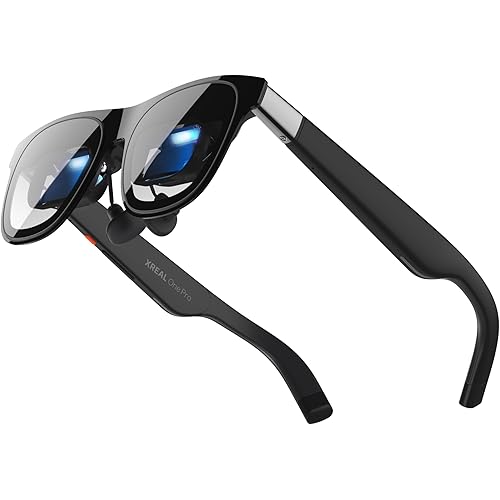
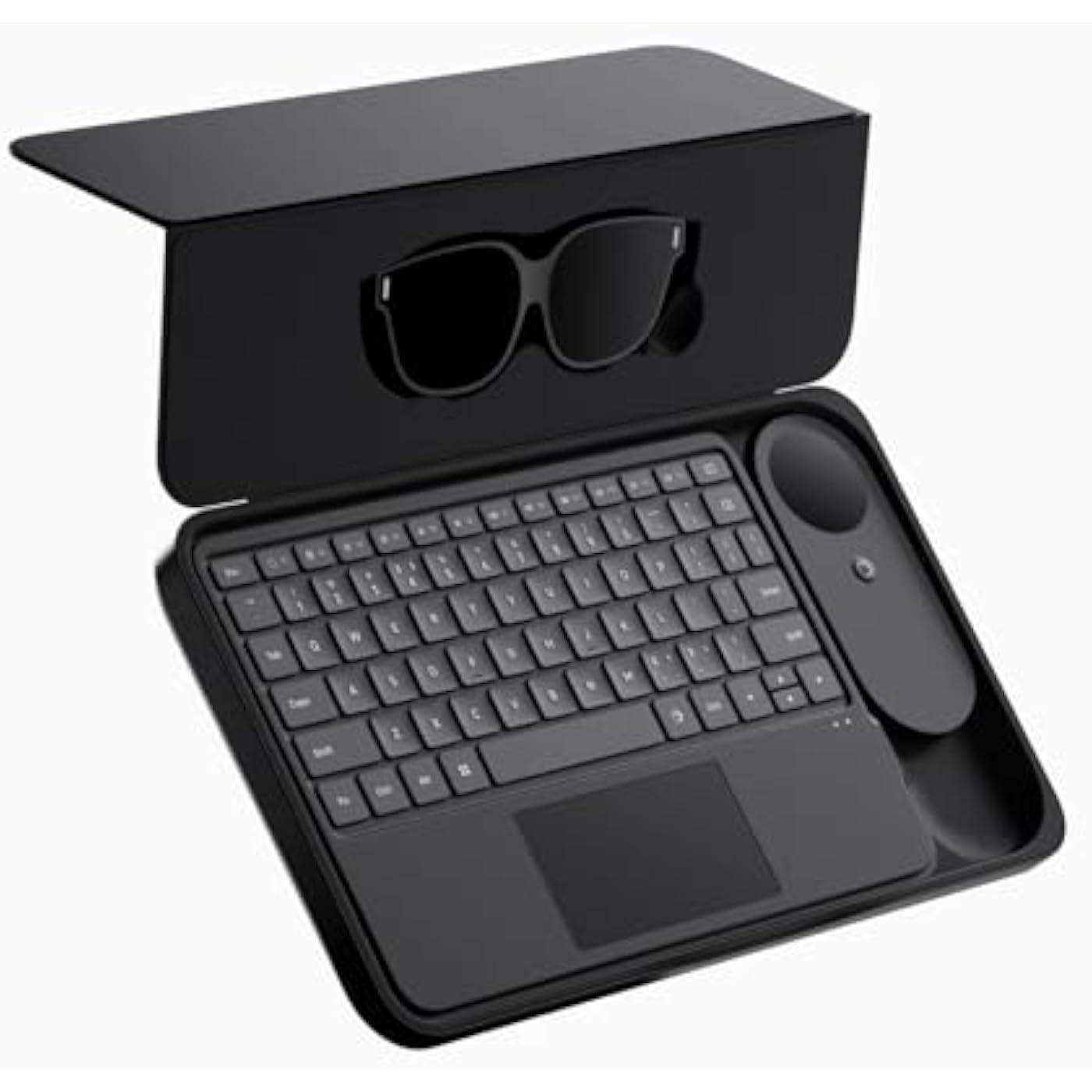
INAIR 2 Pro Elite Suite, All-in-One AR Glasses Bundle with Spatial Pod & Wireless Keyboard, 6-Screen Expansion, Real-Time 2D to 3D, PC Streaming, 3DoF Smart Glasses System


Buy Now, Pay Later
- – Up to 36-month term if approved
- – No impact on credit to apply
- – Instant approval decision
- – Secure and straightforward checkout
Ready to go? Add this product to your cart and select a plan during checkout.
Payment plans are offered through our trusted finance partners Klarna, Affirm, Afterpay, Zip, Apple Pay, and Google Pay. No-credit-needed leasing options through Acima may also be available at checkout.
Learn more about financing & leasing here.
FREE 30-day refund/replacement
To qualify for a full refund, items must be returned in their original, unused condition. If an item is returned in a used, damaged, or materially different state, you may be granted a partial refund.
To initiate a return, please visit our Returns Center.
View our full returns policy here.
Recently Viewed


Features
- 135" 120HZ MICRO-OLED & ELECTROCHROMIC DIMMING: Experience ultra-smooth, 135-inch edge-to-edge clarity (49 PPD) with our INAIR 2 Pro AR Smart Glasses. Instantly switch from full immersion to clear environmental awareness with a quick swipe on the left temple, adjusting this wearable display's transparency from 0.1% to near-100%. Designed for all-day comfort with adjustable angles and official prescription lens support.
- REAL-TIME 2D-TO-3D AI SPATIAL RENDERING: Transform flat content into a breathtaking stereoscopic spectacle. Our built-in AI engine performs instant 3D reconstruction on any photo, video, or streaming platform. Relive personal memories or watch movies in an immersive 3D home theatera lightweight VR headset alternative requiring no special video formats.
- 6-SCREEN SPATIAL OS & PORTABLE MONITOR REPLACEMENT: Powered by the included AI Pod, run a full Android environment directly in AR. Open, resize, and arrange up to 6 floating windows simultaneously. Switch between 3DoF Hover and 0DoF Follow modes. Check email, watch movies, and browse the web side-by-sidethe ultimate multi-screen portable monitor experience with no phone required.
- Leave your laptop behind. Mirror your Windows 11 PC or macOS / MacBook desktop to your AR display from anywhere. With the included Wakey PC Dongle, seamlessly wake your home computer from sleep mode via your INAIR account. Perfect for remote work or wirelessly casting from gaming handhelds like Steam Deck and ROG Ally. (Note: Cross-network streaming varies by carrier).
- THE ULTIMATE 5-IN-1 SPATIAL COMPUTING SUITE: Everything you need for next-gen productivity is in the box: INAIR 2 Pro Glasses, AI Pod, Spatial Keyboard, Wakey Dongle, and INAIR Hub. The Hub connects to power banks for continuous use. Master virtual windows with intuitive keyboard gestures for a boundless AR workstation. An exceptional tech gift for men, gamers, and professionals.
Description
INAIR pioneers AR smart hardware, delivering compact, all-in-one space-computing terminals that grant users greater freedom, productivity, and privacy for immersive entertainment and flexible light work. Backed by a veteran crew from major tech and Internet companies, we fuse deep expertise in AR optics, system software, product design, and global marketing to push spatial computing forward. What are the differences between the INAIR 2 Elite Suite and other AR glasses? The biggest difference between the INAIR 2 Elite Suite and other mainstream AR glasses is that it comes with a spatial mouse and spatial keyboard, allowing it to truly function as a computer. What scenarios is the INAIR 2 Elite Suite more suitable for? The INAIR 2 Elite Suite is suitable for a wide range of scenarios, including work, study, entertainment, and gaming. With its keyboard support and convenient packaging, it is particularly recommended for productivity and entertainment during travel. What is the difference between the INAIR Go Pack and the INAIR 2 Elite Suite? Both are INAIR Spatial Computers with a keyboard and case. The Go Pack features a compact, foldable keyboard for portability, while the Elite Suite offers a larger design with a full-sized, non-folding keyboard.
Brand: INAIR
Operating System: INAIR OS
CPU Model: Others
CPU Speed: 1.9 GHz
Cache Size: 128 GB
Graphics Card Description: Integrated
Memory Storage Capacity: 128 GB
Specific Uses For Product: Gaming, Office, Video
Personal computer design type: All in One
Screen Size: 135 inches
Operating System: INAIR OS
Specific Uses For Product: Gaming, Office, Video
Personal Computer Design Type: All in One
Additional Features: 3D Spatial Audio, Lightweight
Hard Disk Description: No Hard Disk Drive
Hardware Interface: USB
Item Weight: 400 g
Video Output Interface: HDMI, DisplayPort
Style Name: Modern Tech
Video Output: HDMI, DisplayPort
Cache Memory Installed Size: 128 GB
Memory Storage Capacity: 128 GB
RAM Type: DDR4 SDRAM
Processor Series: Others
Processor Speed: 1.9 GHz
Processor Socket: Surface Mount
Processor Count: 4
CPU Model Speed Maximum: 2.7 GHz
Total Number of HDMI Ports: 1
Connectivity Technology: Bluetooth, USB, Wi-Fi
Wireless Compability: 802.11ac, 802.11n
Wireless Technology: Bluetooth, Wi-Fi
Wireless Network Technology: Wi-Fi
Brand: INAIR
Model Number: 2 Elite Suite
Model Name: INAIR 2 Elite
Built-In Media: Cable
Processor Brand: Qualcomm
CPU Model Number: QCM6490
Warranty Description: 1 Year Warranty
Manufacturer: INAIR
Graphics Description: Integrated
Graphics Card Interface: Integrated
Screen Size: 135 inches
Display Resolution Maximum: 1920x1080 dots_per_inch
Display Type: Micro-OLED, FHD, 135 inches
Aspect Ratio: 169
Resolution: 1920 x 1080
Native Resolution: 1920 x 1080
Human-Interface Input: Keypad
Keyboard Description: Full-sized, 78-key, Spatial Multi-Touch, Dedicated AR controls
Keyboard Layout: QWERTY
Frequently asked questions
To initiate a return, please visit our Returns Center.
View our full returns policy here.
- Klarna Financing
- Affirm Pay in 4
- Affirm Financing
- Afterpay Financing
- Zip Pay in 4
- Financing through Apple Pay
- Financing through Google Pay
Learn more about financing & leasing here.