Search  for anything...
HP

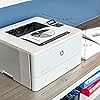
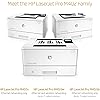
HP LaserJet Pro M402dn Laser Printer with Built-in Ethernet & Double-Sided Printing, Amazon Dash replenishment ready (C5F94A), A4

  • Based on 902 reviews
Condition: Used - Like New
Checking for the best price...
$144.00 Why this price?
New Year Deal · 37% off was $229.00

Buy Now, Pay Later


As low as $24.00 / mo
  • – 6-month term
  • – No impact on credit
  • – Instant approval decision
  • – Secure and straightforward checkout

Ready to go? Add this product to your cart and select a plan during checkout.

Payment plans are offered through our trusted finance partners Klarna, Affirm, Afterpay, Apple Pay, and PayTomorrow. No-credit-needed leasing options through Acima may also be available at checkout.

Learn more about financing & leasing here.

Selected Option

Free shipping on this product

This item is eligible for return within 30 days of receipt

To qualify for a full refund, items must be returned in their original, unused condition. If an item is returned in a used, damaged, or materially different state, you may be granted a partial refund.

To initiate a return, please visit our Returns Center.

View our full returns policy here.


Availability: In Stock.
Fulfilled by WS Printers

Arrives Feb 1 – Feb 5
Order within 12 hours and 10 minutes
Available payment plans shown during checkout

Protection Plan Protect Your Purchase
Checking for protection plans...

Model: M402dn


Style: Printer


Features

  • Fast printing. Strong protection. Grab pages and go-without waiting around. This printer wakes up and prints faster than the competition.
  • Step up from the 402n with duplexing. Breeze through multipage documents with two-sided printing that's faster than the competition.
  • This printer is Ethernet (wired networking) or USB only. Need wireless? Select the 402dw model.
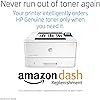
  • More. Pages, Performance, and Protection. Get the most prints for your money-with Original HP High Yield Black Toner cartridges with JetIntelligence.
  • Print right away with preinstalled toner cartridges. Replace them with optional high-yield cartridges.Media weight tray 1: 60 to 175 g/m2; tray 2, optional 550-sheet tray 3: 60 to 120 g/m2.Media sizes custom tray 1: 76.2 x 127 to 215.9 x 355.6 mm; tray 2, 3: 104.9 x 148.59 to 215.9 x 355.6 mm
  • Save energy and easily manage tasks. Help save energy with HP Auto-On/Auto-Off Technology.
  • One-year limited hardware warranty; 24-hour, 7 days a week Web support
  • Form Factor: Print Only
  • Max Printspeed Black White: 49
  • Connectivity Technology: Usb; Ethernet

Description

Printing performance and robust security built for the way you work. This capable printer finishes jobs faster and delivers comprehensive security to guard against threats. Original HP Toner cartridges with JetIntelligence work with this printer to give you more pages. Class 1 laser product, 0mW power output

Brand: HP


Connectivity Technology: USB, Ethernet


Printing Technology: Laser


Special Feature: Ethernet,Wireless


Color: Lj Pro M402dn


Model Name: M402DN


Printer Output: Monochrome


Maximum Print Speed (Color): 20 ppm


Max Printspeed Monochrome: 49


Item Weight: 18.9 Pounds


Product Dimensions: ‎14.06"D x 15"W x 8.5"H


Controller Type: ‎iOS, Android


Printer Media Size Maximum: ‎8.5 x 14 inch


Power Consumption: ‎591 Watts


Included Components: ‎Printer Accessory


Print media: ‎Envelopes, Paper (plain)


Scanner Type: ‎Sheetfed


Max Input Sheet Capacity: ‎350


Max Copy Speed (Black & White): ‎40 ppm


Display Type: ‎LCD


Compatible Devices: ‎Smartphones


Sheet Size: ‎A4


Warranty Type: ‎limited warranty


Dual-sided printing: ‎Yes


Wattage: ‎591 watts


Duplex: ‎Yes


Hardware Interface: ‎USB


Control Method: ‎App


Is Electric: ‎Yes


Number of Trays: ‎3


Model Series: ‎M402


Specific Uses For Product: ‎business


Manufacturer: ‎HP


Item Weight: ‎18.92 pounds


Item model number: ‎M402dn


Batteries: ‎1 CR2 batteries required.


Is Discontinued By Manufacturer: ‎No


Number of Items: ‎1


Size: ‎A4


Manufacturer Part Number: ‎402dn


Date First Available: October 1, 2015


Frequently asked questions

If you place your order now, the estimated arrival date for this product is: Feb 1 – Feb 5

Yes, absolutely! You may return this product for a full refund within 30 days of receiving it.

To initiate a return, please visit our Returns Center.

View our full returns policy here.

  • Klarna Financing
  • Affirm Pay in 4
  • Affirm Financing
  • Afterpay Financing
  • PayTomorrow Financing
  • Financing through Apple Pay
Leasing options through Acima may also be available during checkout.

Learn more about financing & leasing here.

Top Amazon Reviews


  • It Has Worked Flawless Right From The Start
Model: M402dn Style: Printer
I would not recommend this printer for envelopes or labels because it does not have a straight-path feed-through. If you open the door on the back, it displays an error message, Door Open. So that lack of feature is disappointing. It curves the paper around severely which is just fine for regular paper, however not a good situation for labels. It is OK for envelopes, if you only print a few of them now and then. It printed on Card Stock very well, once the parameter was changed to the thick paper setting. Otherwise it will leave residual toner behind which contaminates subsequent sheets, and the toner will not adhere properly. Once it is set correctly, it works very well. The print quality is very impressive. I went between line art, gray scale, photos, line drawings, and it auto-corrected for optimal graphics quality. Print quality is very impressive and surprising fast in both single sided mode and duplex mode, which by the way is very easy to setup. Overall, it’s a very easy printer to use. I like that. Some people complain that the toner costs 3 times as much, however it also prints 3 times as much, so the cost per sheet isn’t that expensive after all. Some of the problems others had reported were apparently corrected, because I didn’t have any problems at all. It has worked flawless right from the start. ... show more
Reviewed in the United States on May 31, 2017 by A Reviewer

  • HP Printers comes with another winner. Great for all your office management needs.
Model: M402n Style: Printer
When my HP LaserJet P2035 wasn't working reliably after a lot of hard use, I did my research and went with this M402n. It is fast, doesn't stay hot like some others and works great for the office. I mainly use this printer for printing checks from QuickBooks. The secondary paper input feature was hard to find but this LaserJet met all my needs and works well. Many of the others out there have a pass-through slot for thick media, envelopes, etc. Which is an annoyance as you have to feed each page through when you want to use it. This one has a flip-down tray that holds a stack. I usually put 10 checks on there when paying out invoices and it works great. The many bonus features are fantastic as well I just don't use this printer for that stuff. Printing out PDFs, word documents, excel spreadsheets and checks are its only use for me. High page count print jobs and any colorless document for that matter, this LaserJet is the best bang for your buck. My last one worked great and after some TLC i managed to get it back going and am able to spread out the uses for each. Hewlett-Packard develop some of the best printers on the market today and if you are looking for a monochrome LaserJet, look no further as this one is awesome. I did all my research and the M400 series are fantastic. Update: ... show more
Reviewed in the United States on November 30, 2015 by RJ

  • Very fast monochrome duplex printer - handles legal size; annoying lighthouse beacon
Model: M402dn Style: Printer
This is my forth hp laserjet printer, and by far the lightest and smallest (I bought my first laserjet model II, in 1990, and it cost $2000!) It replaces an hp 2055dn, which unfortunately had started smearing pages, probably due to a bad fuser unit. Unfortunately, it is cheaper to upgrade than face the expense and uncertainty of fixing the old one (fuser unit costs $110-190!). This new unit performs well. I set it up to be "IT Managed", so it won't auto-update (a.k.a auto-break) its software over the internet. I set the IP address manually to match the old printer, and then just started printing. I didn't have to change any print drivers on our macs. I have printed single sided and duplex using print dialog settings with no problem, and have tested OSX 10.6 (snow leopard) and OSX 10.8 (mt. lion). Once it is on the network, you manage it via its built-in web interface, just like the older models. It has lots and lots of options, but I just set the IP address. (You set the management mode from the control panel when it first boots up). One nice surprise is that this one handles legal-size paper; the old 2055dn did not. Very fast! Finishes printing short jobs before I can walk over there. Mostly use this printer for dumping documentation, and so speed is important. It comes with the basic toner cartridge, which I believe is good for about 3,000 pages. One annoyance, as others have noted, is the flashing beacon when it is in sleep mode. It is a bright white light, and flashes like a traffic signal. You can see it from outside my house at night! It could even help burglars find the loot in the dead of night, so good job HP designers! Solved for now by covering the bright LED in the switch with sticky notes. I don't advise using electrical tape, because the adhesive might eventually impact the operation of the switch. I guess you could lean a clipboard in front of it, or maybe paint over it, or get creative with stickers. Other than this human factor design error, happy to have a lighter, faster, more capable, inexpensive, plug replacement printer, especially with the new school year coming up. :) ... show more
Reviewed in the United States on August 14, 2017 by tremlabs

  • Nice printer, and I can print wirelessly - thru Wi-Fi.
Model: M402n Style: Printer
Works great! Although this model, M402n, does not have wireless capabilities built in, i can print wirelessly from laptops easily thru Wi-fi. Set up was so easy. First, connected the printer to my Wi-Fi router with a USB cable. Then turned on the printer. Then opened my Mac's System Preferences, "Printers and Scanners". Just clicked "+" to add a printer. The printer shows up , I selected it and ticked the box, "Share this printer on a network". Now, as long as my laptops are connected to the same Wi-Fi network as the Wi-Fi router, the printer shows up. I had an antiquated non-network printer. I had it connected to my desktop via USB. For or other computers, like our laptops, to print, they had to go thru a computer to computer network, so the desktop computer where the printer was connected had to be on, and the first page took a long time. Now, connecting this printer to the router, our MacBook and Chromebook can print without the desktop being on, and the first page is out super fast. ... show more
Reviewed in the United States on November 17, 2017 by JMN

Can't find a product?

Find it on Amazon first, then paste the link below.
Checking for best price...