Search  for anything...
HP

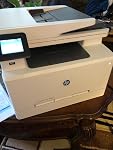
HP LaserJet Pro M281fdw All in One Wireless Color Laser Printer, Amazon Dash Replenishment ready (T6B82A), One size, White

  • Based on 1,859 reviews
Condition: Used - Like New
Checking for the best price...
$431.99 Why this price?
Save $227.01 was $659.00

Buy Now, Pay Later


As low as / mo
  • – Up to 36-month term if approved
  • – No impact on credit to apply
  • – Instant approval decision
  • – Secure and straightforward checkout

Ready to go? Add this product to your cart and select a plan during checkout.

Payment plans are offered through our trusted finance partners Klarna, Affirm, Afterpay, Apple Pay, and PayTomorrow. No-credit-needed leasing options through Acima may also be available at checkout.

Learn more about financing & leasing here.

Free shipping on this product

This item is eligible for return within 30 days of receipt

To qualify for a full refund, items must be returned in their original, unused condition. If an item is returned in a used, damaged, or materially different state, you may be granted a partial refund.

To initiate a return, please visit our Returns Center.

View our full returns policy here.


Availability: Only 2 left in stock, order soon!
Fulfilled by Flashing Deals (WE RECORD SN)

Arrives Jul 13 – Jul 15
Order within 23 hours and 9 minutes
Available payment plans shown during checkout

Protection Plan Protect Your Purchase
Checking for protection plans...

Features

  • BIG PERFORMANCE IN A SMALL PACKAGE This compact color laser printer features fastest in-class first page out and double-sided printing, plus scan, copy, fax and wireless, as well as an auto document feeder, USB port and 2. 7-inch color touchscreen
  • FAST PRINT SPEEDS - Prints up to 22 pages per minute black/color, first page out as fast as 10. 3 sec black and 11. 7 sec color, input tray paper capacity up to 250 sheets
  • EASILY PRINT FROM YOUR MOBILE DEVICE Simply connect your iOS or Android device to the same network as your printer to print, or print without a network using Wi-Fi Direct
  • THE POWER OF YOUR PRINTER IN THE PALM OF YOUR HAND The HP Smart app allows you to easily set up your printer, scan from your smartphone, order toner, and print from the cloudsuch as iCloud, Dropbox and Google Drive
  • WIRELESS CONNECTIVITY YOU CAN COUNT ON Have confidence in your connection with steady performance from dual band Wi-Fi, plus Ethernet capability for wired networking
  • MORE PAGES, PERFORMANCE, AND PROTECTION Count on high-quality color and more pages than before with Original HP Toner cartridges with JetIntelligence
  • NEVER SHOP FOR TONER AGAIN: Save 10% with Dash Replenishment. Upon activation your printer measures toner level and places smart reorders when you are running low. No subscription fees.
  • ONE-YEAR LIMITED HARDWARE 24-hour, 7 days a week HP Web support

Description

Make an impact with high-quality color and increased productivity. Get the fastest in-class two-sided printing speed and first page out time (foot). scan, copy, and fax. Count on simple security solutions, and get easy mobile printing.

Brand: HP


Connectivity Technology: Ethernet, USB, Wi-Fi


Printing Technology: Laser


Special Feature: Auto Document Feeder, Auto-Duplex, Cloud Print Enabled, Ethernet Networking, Management Features, Network-Ready, Optional HP High-Yield Cartridges, Print from USB Drive, Scan To E-Mail, Touch Screen See more


Color: White


Model Name: T6B82A#BGJ


Printer Output: Color


Maximum Print Speed (Color): 22 ppm


Max Printspeed Monochrome: 22 ppm


Item Weight: 41 Pounds


Product Dimensions: 16.5"D x 16.6"W x 13.2"H


Controller Type: Google Assistant


Maximum Media Size: 8.5 x 14 inch


Included Components: ; Introductory HP LaserJet Color cartridges (~700 color composite (C/Y/M) page yield and ~1400 page yield black), HP Color LaserJet Pro MFP M281fdw, Installation guide, Power cord, Printer documentation and software on CD-ROM, USB cable


Print media: Card stock, Envelopes, Glossy photo paper, High-resolution paper, Labels, Paper (plain)


Scanner Type: Sheetfed


Max Input Sheet Capacity: 250


Max Copy Speed (Black & White): 22 ppm


Compatible Devices: Laptops, PC, Smartphones


Maximum Color Print Resolution: 600 x 600 dpi


Sheet Size: 3 x 5 to 8.5 x 14, Letter, Legal, Envelope


Maximum Black and White Print Resolution: 600 dpi


Warranty Type: limited warranty


Color Depth: 24 bpp


Dual-sided printing: Yes


Maximum copies per run: 250


Max copy resolution color: 600 x 600 dpi


Max copy resolution black-white: 600 dpi


Duplex: Automatic


Hardware Interface: USB 2.0


Ink Color: cyan, magenta, yellow


Additional Printer functions: Copy


Control Method: Voice


Output sheet capacity: 250


Number of Trays: 1


Number of USB 2 Ports: 1


Total USB Ports: 1


Model Series: LaserJet Pro


Specific Uses For Product: Office, business


UPC: 190780300084


Printer Ink Type: toner


Supported Media Sizes: A4, A5


Global Trade Identification Number: 84


Memory Storage Capacity: 64 MB


Item Weight: 41 pounds


Item model number: T6B82A


Is Discontinued By Manufacturer: No


Date First Available: September 12, 2017


Manufacturer: HP


Frequently asked questions

If you place your order now, the estimated arrival date for this product is: Jul 13 – Jul 15

Yes, absolutely! You may return this product for a full refund within 30 days of receiving it.

To initiate a return, please visit our Returns Center.

View our full returns policy here.

  • Klarna Financing
  • Affirm Pay in 4
  • Affirm Financing
  • Afterpay Financing
  • PayTomorrow Financing
  • Financing through Apple Pay
Leasing options through Acima may also be available during checkout.

Learn more about financing & leasing here.

Top Amazon Reviews


  • Another quality HP product
I work a virtual job as a Systems Analyst and needed a quick and easy to use printer to replace my all in one HP inkjet (just not enough for the print volume I have now) for both myself as well as my wife who is very tech challenged and my children. I have always used HP printers going back to my days at Dell back in 2000 and HP has always been to me a quality and super long lasting printer (I am running 9 years now on the same HP P2055DN Laserjet). That said my criteria was for the printer to handle color prints, duplex printing, flatbed scanning, feeder scanning, fax and scan to email. The HP LaserJet Pro M281FDW met all the criteria for me while also being a great price. Packaging – The printer came very well packed with the main drawer, flatbed access, paper stops etc all locked down and removing the packaging to get the printer ready for use was a breeze that took all of 5 min. Ease of setup – Setup was easy and quick, yes I am very tech savvy but I feel someone with minimal tech knowledge could get this setup in maybe twice the time it took me, which was about 35 min from first power on which included the WIFI setup, and setting up the printer on my Win10 desktop, two Win10 laptops, my android phone and android tablet. Setup of WIFI was a breeze, and I am sure would have been quicker using WIFI protected setup (which I do not use). Windows 10 caught the printer the moment it connected to the network and if you are looking for basic printing and scanning you can simply use the “HP Smart” windows app and be done with it. NOTE: if you want to have an easier time with two-sided scanning you WILL need the HP Scan software (see Scanning). Setup on our android devices was as simple as just installing and starting the HP Print Service plugin then starting HP Smart and adding the printer, it probably took all of 2-3 min per phone/tablet. Print speed/quality – The print speed is very fast both color and black and white and of course is lightspeed compared to the inkjet we are replacing. We are seeing about 20 ppm on average. The print quality on Cardstock, 24lb bright white paper, and 32lb premium glass paper that I have used are ALL excellent and look professionally printed. Duplex printing works flawlessly even with Cardstock. Scanning – Scanning is a breeze whether it be on the flatbed manually or via the document feeder, if there is a drawback with this printer it is the lack of automatic duplex scanning via the document feeder. This is however very easily overcome if you go to downloads page for this printer on the HP Support website, download and run the “HP Color LaserJet Pro MFP M281fdw/M281cdw Printer Full Software Solution” and use the HP Scan software it installs. Using this software you can choose two-sided in the scan options and if you scan one side in a stack, pull the stack from the output tray, rotate (DO NOT FLIP) the stack 180 degrees and place it back in the tray the add pages in the scan, it will auto sort the second side in the correct orientation in the correct order with the first set of scanned pages. Final thoughts – This is a great printer that continues to support how I feel about every HP product I buy (I own a HP Envy Desktop and have owned 5 HP printers over the years), HP stands for long lasting quality in an easy to use product. If I had ANY con at all it would be regarding HP leaving out duplex scanning in an All-In-One printer, other than that lapse in design, this printer is HP perfection. ... show more
Reviewed in the United States on February 3, 2020 by Timothy

  • Super fast wireless printing with amazing quality.
This HP M281fdw laserjet printer is amazing. I’ve had cheap $20-$30 inkjet printers my entire life and you get what you pay for. We needed a printer that could print on transparency film and vellum sheets so we decided to go with a laser printer. For comparison, current printer is a Canon Pixma MG5750 and it is slow as molasses. This HP printer printed the pictures and documents in seconds... I barely had time to turn around from my computer to the printer before it was done. I tested it with a laptop through the wireless print function and from 2 different phones using the wireless print as well as the HP Smart app. Every function worked perfect and was simple to use. Set up was super easy too. I just plugged it in, entered the wifi setting, and downloaded the software from there website and I was printing in less than 5 minutes. The picture quality was amazing on the plain white paper it honestly didn’t even look like a picture it looked like the actual item. It also printed flawlessly on the vellum sheets and transparency films. My uncle is 60 and not technology savvy at all but even he figured out how to set up and operate the printer super fast. He probably knows how to work the printer better than his phone now. This printer is definitely user friendly for anybody at any skill level when it comes to technology. It also came with the wire for the fax function and a usb cable for wired printer. I’m so happy with this purchase, the quality, speed and setup. ... show more
Reviewed in the United States on May 9, 2019 by Shariece Shariece

  • Poor print quality, shadow effect, even with cleaning and calibrating on two machines.
I really did want this printer to work, so much so that I ordered two of them, hoping the print quality problem of the first one was a fluke, but the second printer was even worse. The printed page, black and white and color, has a shadow effect. My wife has an HP 492 and it prints perfectly, but the difference between printing the same document on the two machines is like night and day. I tried all of the calibration and cleaning steps, even though this was a new printer, and nothing helped. Prior to printing, I was really happy with the set up. It connected to the computer both wired and wirelessly easily. The fax function seemed to work well. It's just the first thing a printer needs to do, print well, falls well short of the mark. Just to follow up, I ended up at an Office Max with laptop in hand to try to print the offending file. They had a sale on the HP477fdw and the page (and other pages once we took it home) printed perfectly. It is quite a mystery to me why one HP machine would print differently than another, but I really like the 477 so far. Follow up again. Hate to say this, but for small businesses that do a lot of black and white two sided printing, one single machine like this will not be very economical. The toner is scary expensive. The point of getting an all in one of course is to reduce the number of machines, but the best way to print economically is have a black and white duplex workhorse printer for 90% of print jobs. Machines like the HP LaserJet Pro M201dw (or whatever newer model has replaced it) can handle a lot of volume, are wireless and extremely economical. You can buy three aftermarket toner cartridges (2200 page yield) for about $17 or less per cartridge and they work well. The printer companies have built their business model around playing the expensive toner game. Once aftermarket toner comes out, a new printer with new toner requirements gets introduced. ... show more
Reviewed in the United States on March 9, 2018 by flocrest

Can't find a product?

Find it on Amazon first, then paste the link below.
Checking for best price...