Search  for anything...
HP

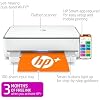
HP ENVY 6055e Wireless Color Inkjet Printer, Print, scan, copy, Easy setup, Mobile printing, Best-for-home, 3 month Instant Ink trial included, white

  • Based on 13,150 reviews
Condition: New
Checking for the best price...
$199.99 Why this price?
Save $40.00 was $239.99

Buy Now, Pay Later


As low as $33.33 / mo
  • – 6-month term
  • – No impact on credit to apply
  • – Instant approval decision
  • – Secure and straightforward checkout

Ready to go? Add this product to your cart and select a plan during checkout.

Payment plans are offered through our trusted finance partners Klarna, Affirm, Afterpay, Apple Pay, and PayTomorrow. No-credit-needed leasing options through Acima may also be available at checkout.

Learn more about financing & leasing here.

Free shipping on this product

This item is eligible for return within 30 days of receipt

To qualify for a full refund, items must be returned in their original, unused condition. If an item is returned in a used, damaged, or materially different state, you may be granted a partial refund.

To initiate a return, please visit our Returns Center.

View our full returns policy here.


Availability: 20 left in stock
Fulfilled by State Toner

Arrives Wednesday, Jun 17
Order within 9 hours and 28 minutes
Available payment plans shown during checkout

Protection Plan Protect Your Purchase
Checking for protection plans...

Features

  • FROM AMERICA'S MOST TRUSTED PRINTER BRAND Perfect for busy families printing documents, borderless photos, homework and creative projects. Print speeds up to 7 pages per minute color, 10 pages per minute black
  • 3 MONTHS OF INK INCLUDED when you activate HP+ Subscribe to Instant Ink delivery service to get ink delivered directly to your door before you run out. After 3 months, monthly fee applies unless cancelled
  • INCLUDES HP+ SMART FEATURES Activate HP+ to get advanced features for mobile printing, security, automatic updates and more. HP+ only works with an HP account, internet connection and HP Ink for the life of the printer
  • KEY FEATURES Print, copy, scan, auto 2-sided and borderless printing, mobile and wireless printing
  • HP APP - Print, scan, copy, or fax right from your smartphone, tablet or pc with the easiest-to-use print app
  • EASY TO GET IT ALL DONE Easy wireless setup and self-healing Wi-Fi
  • This printer is intended to work only with cartridges with HP chips or circuitry and will block cartridges using non-HP chips or circuitry. Periodic firmware updates will maintain the effectiveness of these measures.

Description

The HP ENVY 6055e makes it easy to print, scan and copy creative projects, borderless photos and homework with automatic 2-sided printing. It includes the optional HP+ Smart Printing System that keeps itself up to date and ready to print from virtually anywhere at any time—at no additional cost.

Brand: HP


Connectivity Technology: wired, wireless


Printing Technology: Inkjet


Special Feature: Auto-Duplex


Color: white


Model Name: ENVY 6055e


Printer Output: Color


Maximum Print Speed (Color): 7 ppm


Max Printspeed Monochrome: 10 ppm


Item Weight: 11.51 Pounds


Printer Type: Inkjet


Other Special Features of the Product: Auto-Duplex


Printer Output Type: Color


Item Weight: 11.51 Pounds


Item Dimensions D x W x H: 14.21"D x 17.03"W x 5.2"H


Controller Type: Android


Print media: Envelopes, Glossy film, Glossy photo paper, Labels, Paper (plain)


Scanner Type: Flatbed


Maximum Copy Speed Black and White: 10 ppm


Compatible Devices: Laptops, PC, Smartphones


Warranty Type: limited warranty


Ink Color: color


Additional Printer Functions: Copy, Scan


Control Method: Touch


Number of Trays: 2


Resolution: 1200 x 1200


Display Type: LCD


Maximum Media Size: 8.5 x 11 inch


Maximum Sheet Capacity: 100


Paper Size: 3 x 5 to 8.5 x 11


Output sheet capacity: 100


Printer Connectivity Type: wired, wireless


Hardware Interface: USB 2.0


Total Usb Ports: 1


Dual-sided printing: Yes


Duplex: Automatic


Brand: HP


Model Name: ENVY 6055e


Model Number: ENVY 6055e


Built-In Media: 223N1A HP ENVY 6055e All-in-One Printer; HP 67 Setup Black Cartridge; HP 67 Setup Tri-Color Cartridge; Regulatory flyer; Setup guide; Reference guide; Power cord [For ink volume and page yield information, visit


Model Series: 6050


Specific Uses For Product: Home


UPC: 195161624865


Manufacturer: HP Printers


Warranty Description: HP standard 1-year limited warranty, extended to 2 years with HP+ registration


Item Type Name: Inkjet Printer


Unit Count: 1.0 Count


Color Pages per Minute: 7 ppm


B&W Pages per Minute: 10 ppm


Color: white


Color Depth: 24 bits


Maximum print Resolution Color: 4800 x 1200 dpi


Maximum Print Resolution Black and White: 600 dpi


Power Consumption: 4 Watts


Wattage: 4 watts


Maximum Copy Resolution Color: 1200x1200 dpi


Maximum Copy Resolution Black and White: 600 dpi


Frequently asked questions

If you place your order now, the estimated arrival date for this product is: Wednesday, Jun 17

Yes, absolutely! You may return this product for a full refund within 30 days of receiving it.

To initiate a return, please visit our Returns Center.

View our full returns policy here.

  • Klarna Financing
  • Affirm Pay in 4
  • Affirm Financing
  • Afterpay Financing
  • PayTomorrow Financing
  • Financing through Apple Pay
Leasing options through Acima may also be available during checkout.

Learn more about financing & leasing here.

Top Amazon Reviews


  • Never again.
Just a few buyer beware tips before you buy this (and probably any HP printer) printer. If you are just in need of the occasional label, document, or picture printing, you might want to skip this brand. First off even though Amazon (and possibly the seller)encourages you to buy the off brand (and much more affordable ink) don’t. Only HP ink works. Also, the major selling point, for me anyway, that even if one cartridge runs out, you can still print. Nope. And lastly, unless you’re using enough ink to warrant the monthly subscription fee for their service, which automatically sends out ink you definitely want to skip this printer. I bought it, along with the recommended off brand ink that was 3x more printing at a savings. Unfortunately a month after sample in runs out I pop in my off brand, but the ink wouldn’t work the printer just kept saying not HP, buy more ink. Then wanted my cc information for the subscription ink. Long conversation with tech support. They turned off the subscription request and assured me that as long as I buy real HP ink no problem. Fast forward 13 months, I get low/no ink warning and it won’t print a label even though the black shows nearly full and color shows at least half. After waiting a few days for yet more ink to arrive still won’t print and keep getting call to renew subscription. After a good couple of weeks of me, my kid, a friend all running through set up rebooting whatever you can think of it won’t accept the new HP ink I’m guessing because the subscription hasn’t been renewed. I’m done. Over Christmas I’ve ordered a new Canon printer, it might have issues who knows, but I’ll take my chances. At least their ink is inexpensive, available everywhere not just Amazon (oh yeah I should add no where locally to buy the ink, Amazon or the subscription are the *only* options). I. Will. Never. Buy. Another. HP. Product. Again. We’ve had their desktops, laptops, and printers for decades, but never again. ... show more
Reviewed in the United States on December 27, 2023 by T. Thompson

  • It works great... no frills printing, scanning, and copying. Here's the trick...
I needed a printer for the odd occasional use for a MacBook. I had an old envy 4500 that was about 10 years old that finally tanked. I read the reviews here and at first I was concerned but I decided to go for it because the other printers were way too much for the few print jobs I need to do. The printer was easy to set up, remove the packaging materials and turn it on. (I tend to not print out the alignment sheet because it burns through the color ink). The printer has a cycling glowing purple light and it sleeps in a low blue light with a green light on the side. I just turn the printer off when not in use. It has a button for color copies and a button for black and white copies. A cancel button, and an info button--no display, it's very basic. I purchased a USB printer cable also on Amazon and plugged the printer into my Mac (should work with Windows too). Note, once you plug into the printer cable, it seems that connecting to WiFi is disabled. From there, you can get to the printer's web page which lets you play with all the settings. I turned on web print and disabled blue tooth (which I believe is used by the HP app that I didn't install). That's it. I can still print remotely to the printer from the sofa via web print, or print directly from my plugged in Mac. I didn't install any apps, I didn't get the printer on WiFI to get it talking to HP, and I didn't subscriber to any ink subscription service. Super easy. I hope this is useful for someone to make an informed decision for their printing needs. I would recommend to a friend and I would purchase this again. ... show more
Reviewed in the United States on February 29, 2024 by Amazon_Name

  • Run! Get your holy water!
No. Look elsewhere. Run run run. Nightmare machine. It worked well for a bit during the warranty, but now it’s constantly got something wrong. It works just enough to make you think it’s fine and you can just get through it, but it’s literally hours long struggles every single time I go to use it now. It doesn’t connect to the app unless you unplug it and turn it back on a half dozen times, you have to upload it to the app first rather than print straight from the pdf or other app you were using and have to click the steps in a very specific order or close the app and reopen a bunch of times, the “paper low” warning won’t let you print unless the tray is absolutely full and you have to open and close the tray and resituate the paper or turn off and on again, “ink low” won’t let you print but it’s a brand new ink cartridge and possibly just immediately fried the reader connections during the test print, if you can finally get past the “ink low” warning it won’t just try to print with what ink it has but will print super weird (like the text is grey and just has outlines of the letters but it’s consistent ink output throughout like it’s pretending to be low on ink, while it printed a startup info page in strong black ink like normal just two seconds ago and once again after your botched thing that you actually wanted to print). The ink issues are always present and always a fight now (and it doesn’t accept inks that are not HP, it just won’t) and the app either just wastes your paper with cleaning the printer head and diagnostic sheets or harasses you into buying an ink subscription. A printer does NOT need my address and credit card info, seriously!!! Is it too much to ask that the printer just be there, turn on, connect and print directly from the basic print app that every device has built in, and just - and here’s the crazy part - PRINT THE THING YOU NEED AND BE DONE?!?!?! It literally just needs to be that straightforward. If it’s out of paper or ink, just let us figure that out, don’t let the app or the machine itself think it knows better when it doesn’t and go, “nah, I’m not gonna even let you try. There’s no ink to be found anywhere,” when there’s a brand new cartridge in it and it JUST printed the printer info page totally fine. I swear this thing needs you to perform a demonic ritual with your own blood before it will work. I’m so fed up I’m either going to give it away for free to an enemy, defenestrate it, or chuck it at a junk yard as hard as I can. Or maybe I use it for target practice to let out some frustration first, make some entertainment out of it at least and give back some of the pain it’s caused me. Ok, thank you for listening to my rant. If you made it this far, what’re you doing? Go find a different printer, unless you want it to sap your sanity like it did mine. Good luck. ... show more
Reviewed in the United States on April 2, 2026 by Anonymouse

  • Good printer, occasional connection issues.
Honestly a really good printer overall but has issues with connection from time to time. The primary issue I have is that it will al have ink cartridge issues and give me an error code which I need to work around, sometimes taking a decent amount of time. When it is working, it works great. The subscription for the HP+ is very cheap if you plan to print and don’t want to go to the store to buy ink. Even has apps for your phone and laptop to do things wirelessly. Sits perfectly in a desk but I have a larger one. I’ve had my printer for about 2 years now and still works fine ... show more
Reviewed in the United States on October 10, 2025 by Diaundre Johnson

  • Still going strong after years of use
We bought this printer back in 2023 and it’s still working great. It’s been a reliable option for everyday use, and I’ve been very happy with the performance over time. Setup was straightforward, and it’s easy to use for printing, scanning, and general tasks. The wireless connection has been consistent, and printing from a phone or laptop has been simple. The print quality is solid for both documents and basic color printing, and it has held up well without any major issues. Overall, this has been a dependable printer that continues to do exactly what we need it to do. ... show more
Reviewed in the United States on May 5, 2026 by Paige

  • O.K. FOR A BUDGET COPIER
I've read reviews on this being difficult to set up. Maybe if you can't read have no comprehension and can;t follow simple prompts you'll have a problem. I had mine up in less than 20 minutes. This is no photo grade printer. I'm not sure what people think they are getting at this price. If you're looking to just make simple copies and scans this does fine. This is great for home. I wouldn't think it would be great for office. The free ink for six months is a scam as far as I'm concerned. They want your bank account number etc. Good luck getting that shut off after 6 months so if you buy in to that part of it good luck. Otherwise it's a decent cheap home printer which will no doubt cost you a load when you need more ink like all of these scam machines They aren't selling you the printer, they are selling you the ink so beware. ... show more
Reviewed in the United States on May 14, 2023 by Chuck from Chicago

  • Okay for basic printing
The printer's setup for me seemed pretty easy. I'm not sure if WiFi and other phones may cause issues, but with my phone and WiFi, set up worked fine wirelessly. The only thing I didn't like while setting up was the alignment procedure with the scanner. I don't personally plan to use the scanner and set up allowed me to skip the process, however I wasn't allowed to print anything unless I performed this step. I would prefer if they leave that feature off and if I decide to do scanning, then have that set up procedure forced. After the ridiculous and long setup, printing has been a breeze. HP Smart crashes a lot and does not work on Chromebooks btw which for students is a real let down. You can still use the printer but you can't check ink levels or use any of the features within HP Smart app. The HP Instant Ink service can save you a lot of money if you are constantly printing. I don't print that often but still tried to use the offer. However, HP sends you the XL ink for the printer which sounds nice at first but then you realize that the XL cartridges jam the printer. So the program doesn't benefit you that well or helpful in this case. My advice is stick to buying the normal sized $30 black and color cartridges which is very inexpensive when compared to other HP ink and if you're like me, you'll need to buy new ink about every two/three months or so. Overall, if you can get passed the long setup and manage the stupid app, printing on here is pretty great. I would recommend this printer for people who solely plan on printing/scanning only. For the hard setup and annoying app, that lowered this review to three stars since they are the biggest thing you'll encounter and should be simple especially when you have to force your customers to use them. ... show more
Reviewed in the United States on September 24, 2022 by Aaron

  • Easy to set up and very quick and quiet when printing.
Reading previous reviewers' comments, I prepared to set up this printer with lots of headaches. The reality could not have been farther from the truth. I followed the included instructions to set up using a computer and was up and running in less than a half hour. When I tried to use the automatic wifi identifier, it did not work to find the password for my wifi, so that did not work. I backed up and manually input the wifi password and the rest was pretty much automatic. This printer is replacing an older HP printer, for which I had the automatic ink refill plan and the HP Smart software (app?) picked up all the information from the old printer and replaced the ink plan for this new machine. My first sample print was the alignment page, which worked properly and quickly. I then tested a few black print pages resulting in very sharp, clear print. Next, I sent a picture from my iPhone SE (2020). The picture formatted quickly and printed quickly and clearly although I was using plain paper. So, I am very happy with this printer. The setup went quickly and well, the printing is sharp and quick and the machine is the quietest printer I have ever owned -- and I've had plenty over the years. ... show more
Reviewed in the United States on October 4, 2023 by JoeInTampa

Can't find a product?

Find it on Amazon first, then paste the link below.
Checking for best price...