Search  for anything...

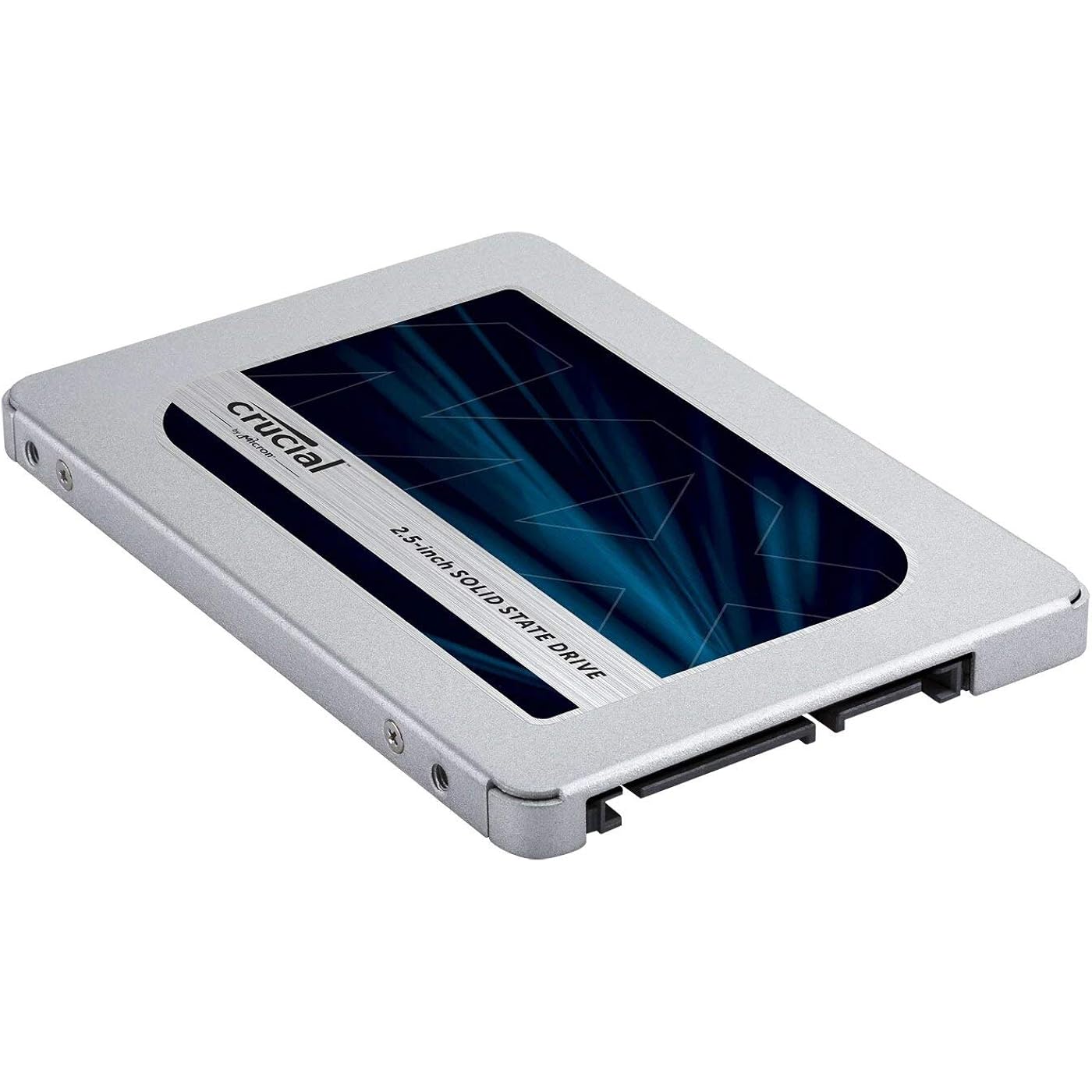
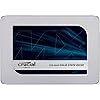
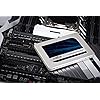
Crucial MX500 1TB SATA 6Gbps 2.5" Internal SSD

  • Based on 21,516 reviews
Condition: New
Checking for the best price...
$379.99 Why this price?

Buy Now, Pay Later


As low as / mo
  • – Up to 36-month term if approved
  • – No impact on credit to apply
  • – Instant approval decision
  • – Secure and straightforward checkout

Ready to go? Add this product to your cart and select a plan during checkout.

Payment plans are offered through our trusted finance partners Klarna, Affirm, Afterpay, Apple Pay, and PayTomorrow. No-credit-needed leasing options through Acima may also be available at checkout.

Learn more about financing & leasing here.

Selected Option

Free shipping on this product

30-day refund/replacement

To qualify for a full refund, items must be returned in their original, unused condition. If an item is returned in a used, damaged, or materially different state, you may be granted a partial refund.

To initiate a return, please visit our Returns Center.

View our full returns policy here.


Availability: In Stock.
Fulfilled by PENNPC

Arrives Wednesday, Jul 29
Order within 1 hour and 26 minutes
Available payment plans shown during checkout

Protection Plan Protect Your Purchase
Checking for protection plans...

Capacity: 1TB


Features

  • 2.5-inch Solid State Drive
  • 1TB

Description

Start your system in seconds, store up to 2TB of data, and upgrade with an SSD you can count on. Join more and more people who are keeping their family videos, travel photos, music, and important documents on an SSD, and get the near-instant performance and lasting reliability that comes with solid state storage. Upgrade with the Crucial MX500 SSD, a drive built on quality, speed, and security that's all backed by helpful service and support. Even if you've never installed an SSD, don't fear – our step-by-step guide walks you through the process to make installation easy. It's worth it.

Digital Storage Capacity: 1024 GB


Hard Disk Interface: Solid State


Connectivity Technology: SATA


Brand: Crucial


Special Feature: Portable


Hard Disk Form Factor: 2.5 Inches


Hard Disk Description: Solid State Drive


Compatible Devices: This drive is compatible with desktops and laptops that accept 2.5" 7mm SATA drives


Installation Type: Internal Hard Drive


Hard Disk Size: 1 TB


Digital Storage Capacity: 1024 GB


Hard Disk Interface: Solid State


Connectivity Technology: SATA


Additional Features: Portable


Hard Disk Form Factor: 2.5 Inches


Compatible Devices: This drive is compatible with desktops and laptops that accept 2.5" 7mm SATA drives


Specific Uses For Product: Business, Gaming, Personal


Read Speed: 560 Megabytes Per Second


Media Speed: 510


Cache Memory Installed Size: 1


Data Transfer Rate: 6 Gigabits Per Second


Form Factor: 2.5-inch


Hardware Connectivity: Solid State Drive


Hardware Platform: Linux, Mac, PC


Hard-Drive Size: 1 TB


Item Weight: 0.02 Pounds


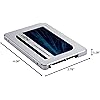
Item Dimensions L x W x Thickness: 4.06"L x 2.76"W x 0.28"Th


Number of Items: 1


Unit Count: 1.0 Count


Customer Package Type: Frustration Free Packaging


Brand: Crucial


Model Number: CT1000MX500SSD1Z


Hard Disk Description: Solid State Drive


Built-In Media: Internal Solid State Hard Drive


Model Name: MX500


Manufacturer: Crucial


Global Trade Identification Number: 52


UPC: 649528785107 689851333989 174859423133 649528785152


Mfr Part Number: CT1000MX500SSD1Z


Item Type Name: Crucial MX500 1TB SATA 2.5 Inch Internal Solid State Drive - CT1000MX500SSD1Z


Warranty Description: Limited 5-year warranty


Installation Type: Internal Hard Drive


Frequently asked questions

If you place your order now, the estimated arrival date for this product is: Wednesday, Jul 29

Yes, absolutely! You may return this product for a full refund within 30 days of receiving it.

To initiate a return, please visit our Returns Center.

View our full returns policy here.

  • Klarna Financing
  • Affirm Pay in 4
  • Affirm Financing
  • Afterpay Financing
  • PayTomorrow Financing
  • Financing through Apple Pay
Leasing options through Acima may also be available during checkout.

Learn more about financing & leasing here.

Top Amazon Reviews


  • Fixed! (Updated Review/Rating From 3 Stars to 4 Stars To 5 Stars)
Update (11 Feb 18): I'm not sure whether it is the drive or the solution provided by Crucial in the comments to this review, but I now have a working SSD on my troublesome Windows 10 machine. I followed the suggestion to turn off "Secure Boot" for the clone to see what would happened. I cloned my Win10 HD to a Micron 1100 2TB SATA 6Gb/s 2.5-inch MTFDDAK2T0TBN-1AR1ZABYY using Macrium Reflect (rather than Acronis) with Secure Boot disabled. Cloned fine, installed fine, booted up and...froze. Thought I was going to be in the same place as before. But I hard rebooted, got to the "Windows Repair" screen, rebooted and let it run. This time it fully booted and is running. I've been using it now for about two hours and have only experienced one hiccup where Windows froze for about 30 seconds (I attribute it to "break-in" if there's such a s thing!). Anyway, I started with a 3-star review/rating. Then, when it installed flawlessly into a MacBook Pro I upgraded to 4 stars. Now that I have been able to clone my Win10 machine successfully using the suggestions provided by Crucial I've upped it to 5 stars (maybe I'm wrong, but Micron and Crucial to me are the same company (or used to be, anyway)). Frankly, this is the level of satisfaction and support I've received in the past and come to expect from Crucial. +++++++++++++++++++++++++++++++++++++++++++++++++++ Original Review: "Ten Attempts Over 4 Days; No Success Attempting A Win 10 Clone. Worked Like A Charm On A Mac" This SSD is a bit of a mess. Previously having great results with Crucial SSDs I should have read reviews at Crucial's web site before purchasing. There are a number of threads that detail issues with Crucial's edition of the Acronis cloning software. Sure enough, I had problems with Acronis locking up. So out with Acronis, in with two other cloning software packages. They didn't lock up, but the computer would always hang mid-boot (Windows 10). Sure enough, there are threads about this drive not playing nice with Windows 10 (on certain laptops?). Finally, I pulled out another computer and attempted a clone with the source drive on USB and the target SSD on USB. And guess what, same problem. Can't even get it to boot far enough to try to put Crucial Storage Exec into action (not that that would have necessarily helped; but it certainly could have). Anyway, after ten or so attempts over four days (and quite a bit of lost sleep) I gave up. (FYI, this is not my first rodeo with SSDs; so while I'm no IT expert I'm not a beginner either.) Next try will be to a Mac OS laptop. Reviews here on Amazon seem to say no worries. We'll see. If successful, will keep and potentially up-rate this drive. If not, it's a definite down-rate and a return to Amazon. Update (01 Feb 18): Installation on my MacBook Pro was a breeze. Cloned using Bombich's Carbon Copy cloning software, installed without issue, ran without a single glitch. Very pleased. So we know the SSD works just fine. What I can't say for sure is if the issue is an SSD construct problem with regard to Windows or a Windows 10 failing. At this point, very disappointed. Will probably give another manufacturer a shot (have also had luck with Samsung SSDs). We'll update as required. 3 stars. Tops (at this point). Update (01 Feb 2018): As promised, rating up one star to 4 stars. Runs like a charm on my MBP13. Very pleased. ... show more
Reviewed in the United States on January 31, 2018 by X. Fossor

  • Great Performance Boost for an Aging Workhorse
My girlfriend's older Dell Inspiron N5110 Laptop was starting to get pretty slow despite being maxed out on ram, so I talked her into letting me install an SSD for her. I had previously installed a 525 gb MX300 on my laptop and was impressed with the results. The MX500 has good reviews, a fair price, excellent reliability, solid performance and a 5 year warranty. C/Net has an excellent article on installing an SSD so I used that as a guide. The hardest part was actually getting to the hard drive. My HP was easy to access, but her Dell required a fairly major disassembly. Luckily I had previously replaced the motherboard to fix a charging problem, so I am familiar with the disassembly. I bought a simple external SSD enclosure with a USB connection so I could clone the old hard drive. C/Net suggested using Macrium Reflect software to create the clone. The program is easy to use and worked flawlessly. Crucial offers their own software, but I was already familiar with Reflect. Compared to the old hard drive, the MX500 is lightweight, fast and quiet. After the installation, I used Crucial's free Storage Executive software to make sure I had the most up to date firmware. My girlfriend was very happy with the significantly shorter boot time as well as the time it takes to open a program. No more lag time and freeze ups. I had done everything I could to speed up her older drive, but nothing worked and it is probably 10 years old. ... show more
Reviewed in the United States on October 31, 2019 by Matthew C. Halbert

  • Greatly increased the boot and program loading speeds of my Toshiba laptop
I bought two of these. This first review is for the 500GB SSD. My review for the 1TB drive is below. This serves two purposes for me. It greatly speeded up myToshiba i3 laptop as compared to the HDD. Also, the HDD now serves as a backup in case the SSD fails. The original HDD is 500GB so I went for the same size SSD. I downloaded and installed the Acronis True Image software from the Crucial web site. I cloned the drive using a USB to SATA adapter and the software said it was successful. The software runs in the Windows 10 environment. I removed the HDD, installed the SSD and the computer booted up much faster. Programs also start much faster. I did not need the included spacer for this computer. This second review is for the 1TB SSD. I downloaded and installed the Acronis True Image software from the Crucial web site. I cloned the drive using a USB to SATA adapter and the software said it was successful. However, when I installed it into my laptop, the computer would not boot. I put the HDD back in and connected the SSD. Windows Explorer did not recognize the drive, but it was visible in disk management. After spending a lot of time trying to figure out what was wrong, I found cloning software called AOMEI Backupper Standard. This software successfully cloned the HDD to the SSD. The computer boots up and works normally. It greatly speeded up myToshiba i5 laptop as compared to the HDD. After doing more research, I found out that the recommended process is to create a Media Recovery CD or USB flash drive to boot from that, and also to have the SSD installed in the computer and the original HDD connected to a USB to SATA adapter. This will enable the SSD to be bootable after the cloning. However, I believe that the original HDD will no longer be bootable after cloning it using this method. I have not tried doing it this way since I had success with AOMEI Backupper Standard. I needed the included spacer for this computer. I recommend both of these drives since the end result of cloning the HDDs with SSDs is much faster laptop computers, and having drop-in backups of the original HDDs in case a drive fails. ... show more
Reviewed in the United States on May 29, 2019 by Stew

  • Wow! Makes all the Difference
I have an older model Dell XPS 630i running dual 5.5" 1 TB Western Digital WD1002FBYS (Enterprise Storage) drives with 32M cache setup in a RAID 0 configuration in order to maximize read/write operations. I'm also running Windows 7 Ultimate 64-bit. I decided to replace that config with a single 3.5" Crucial MX500 1TB drive (no RAID) and I'm glad I did. As others have stated, my performance went through the roof. You might think that a disk really only gets affected when you try to save a file or launch a program. That is really not the case. The disk plays a central role to the overall performance of your system and is directly involved in moving data from physical storage to virtual (memory). Depending upon how much memory (RAM) you have, your system might need to do a lot of paging from RAM to disk. If so, this can clobber your performance especially if your disk is not up to it. If your disk is a clunky, slow mess then your performance will be the same. To give you an idea of how this simple drive replacement affected my system (I won't quote read/write metrics as others have stated those in their reviews) - before the replacement the Microsoft Windows Experience Index (WEI - scale of 1.0 to 7.9) for my machine was 5.9 largely due to the disk. After the replacement my WEI is now 7.0. It would be better if my machine wasn't 10+ years old. (Note: Over the years I've upgraded my graphics & sound card, added a USB 3.0 card, and replaced my RAM a couple of times. I replaced my Western Digital drives about a year ago). So that is all well and good, but how does it actually affect my experience. Well, login used to take about 1-2 minutes from a fresh boot (login, wait until the desktop paints, wait until all my auto-start programs launch and are ready, etc.). Now login takes about 10 seconds. Launching apps like MS Office takes about 1-2 seconds. A couple of things to note about Crucial and the migration process from current to new disk: 0. You need to initialize and format the SSD disk so that your system, and the migration tools, will recognize it. The instructions do not mention this. 1. You need to either purchase a SATA-to-USB cable to connect your drive to a USB port in order to "prep" it, or you need a free bay and SATA port inside your computer to install the drive along side your existing drives.Remember, you need to actually clone your current disk to SSD 2. The Crucial software tools (Software Executive) and migration tool (Acronis Migration) tool just didn't/dont' work. Neither tool could recognize the new Crucial disk and neither would run without recognition. Crucial instructions are to use Acronis to perform the partition migration (clone) to the new drive 3. I used a freeware tool called MiniTool Partition Wizard which worked phenomenally well. It has an option for cloning to SSD. It immediately identified my new disk migrated the partition, wiped my old disk and rebooted my machine. After a couple of hours I came back and simply logged in and was good to go. I ran CheckDisk to verify the files, etc. on the new disk and everything was perfect. I'm super happy with this upgrade and my 10+ year old Dell tower is now running like a brand new machine. If you're thinking its time to buy a new machine, you might want to consider an SSD upgrade first. ... show more
Reviewed in the United States on June 28, 2018 by Bob the Engineer

  • Quality you'd expect
I have been using Crucial SSDs since 2010. After getting my first one, I never went with a different brand unless there was some unavoidable reason. Crucial has consistently delivered me quality products with excellent performance and longevity. To this day, I still use my first SSD from them and it works just as well as the day I got it. The drives have only gotten faster and cheaper since. The MX500 is no exception. It gives you the vast edge that you want over a traditional HDD. You can't go back after making the switch. Operating System boot time, application loading, and general file access are leagues faster. One of the best things about this product is that once you buy it, you won't need a replacement for a very long time. This will very likely outlive the rest of the computer it is housed in. Mine has outlived several laptop/desktop configurations. Every single one I have bought for myself or others still works. If you do run into an issue, Crucial's tech support is fantastic. I ran into a problem a few years ago where my laptop wasn't detecting the SSD. It turns out that the machine itself was the problem(voltage issue), not the drive. The representative I got on the line was respectful and spoke clear English. They even make the RMA process painless. I fully recommend this product. The MX series from Crucial does exactly what it's supposed to do. It's going to save you time and practically pay for itself over its lifetime. ... show more
Reviewed in the United States on December 6, 2018 by Zach

  • New Life for Old Laptop
I was nervous, i was hesitant but now I'm delighted! After a forced upgrade from Windows 7 to windows 10 my older, but very competent Dell 5559 laptop (8GB RAM) just couldn't keep pace. Long boot times, waiting for programs to open, even a simple jpg took 20 seconds to load into photo viewer. it became, for all practical purposes, unusable. encouraged by reviews, YouTube and a "sale" i bought this SSD. I took nearly 5 hours, using Macrium Reflect, to clone the drive, but once it was complete I swapped out the old 5400RPM mechanical drive for this one and I had my "old" laptop back again. Fast boot, no delays with programs, just a nice, clean effiecient experience that has me feeling like a champ for finally getting this done. I wish I'd done it years ago! The hardest part was my failing eyes trying to screw the drive caddy to the new drive. If you can follow simple instructions and a desire to keep your old laptop instead of buying a new one then this is for you BUY IT! The only snag I ran into was my laptop not "seeing" the drive when I plugged it in. It took a while, some reboots, checking my BIOS settings and some Googling, but it was eventually recognized. Honestly, i think i should have just been patient when i initially plugged it in for cloning and waited an hour or so for it to be recognized. I went to a track meet before my laptop could see the drive and when i got back it was there. The 5 hour cloning process was a lot longer than i expected but given how slowly my laptop executed the most basic of tasks I guess i shouldn't have been surprised. I have a number or older laptops that are now candidates for new life as "streaming stations" for my kids sporting events. I plan to buy more!!! ... show more
Reviewed in the United States on May 4, 2021 by Karen

  • Seem to be great consumer level drives with caveat
I have over 2,000 hours of operation at the time of this writing on a 4 disk array of these in a hardware RAID 5 on a MegaRAID 9361-8i controller. On the plus side this has partial power loss protection and RAIN protections and it looks like it covers what it needs to while the controller with RAID controller BBU covers the rest. They are also really fast and especially in a 4 disk RAID the performance is quite impressive. One thing I am finding out is hardware RAID tends not to support TRIM. (Don't know of any hardware RAID controller that do, but sounds like software RAID will depending.) I have tried all kinds of things to reduce the amount of writing to these drives, but no matter what I do they are way higher than any other SSD I have. I started off averaging anywhere from .44 DWPD to .54 DWPD to physical media with a write amplification of 5 - 8. I have done a number of things to reduce the writing to the drives and reduce write amplification, but so far I have not seen this number drop by nearly as much as I would like. My latest calculations for a 2 week average is 0.36 DWPD to physical media with a write amplification in the 20 - 30 range depending on individual drives. In other words my total host writes have dropped off dramatically, but I have only been able to make a relatively small dent on what gets written to the physical media. While the drives are rated for 360 TBW for the 1 TB version I have, something interesting I have come across is SMART attribute 202. According to this once each drive (attribute 173) went over 30 cycles, attribute 202 went from 1% to 2%. This suggests the physical media writes possible are 1,500 P/E cycles. In other words the manufacturer anticipates a write amplification factor of a little over 4 in their estimate for how much you can write to the drive. My calculations are I have upwards of 11 years of operation before exceeding the physical P/E limit. The growing body of evidence is suggesting the background operations are being overly aggressive to the point where I feel confident enough to knock off a star, especially as I have seen Intel drives that seem to have this under much better control than Crucial/Micron has it. Maybe they need to learn from their flash partner on how to program their background routines such as GC (garbage collection) and wear leveling. Also the power_on_hours attributes tend to be way off. For example ~13.5 real days of continuous uptime gets reported at 10.2 days of uptime and each drive varies wildly in the uptime number reported even though they have all been on for about the same amount of time. Some things I have done to reduce "host writes" to the drive, which better highlights this issue of overly aggressive background operations are: 1. Over-provision by an addition 20%. I went the full measure by downloading Micron's utilities for Linux (for some reason Crucial, which is the same company does not have Linux utilities and their Windows GUI is a non functional piece of junk) and using the CLI tool to over-provision as the CLI tool is the only way that works. This tool specifically said that it 'sanitize'(es) the drive which should mean erased and thus even without trim that space should be permanently set aside for background operations. I suppose I can go back and do the manufacturer secure erase just in case the 'sanitize' operation while resizing did not actually free up the reserved space it should have, but it is a PITA erasing and restoring a system drive array, especially when one is so dubious that the end result would be any better. 2. Turned off atime. What this means under Linux / UNIX is every time a file is read from, its access time gets updated. The default it to update once every 24 hours so multiple read accesses over a short period does not cause a write storm (of atime updates written), but I am looking to get rid of any writes that are not necessary so I set the attribute in /etc/fstab to noatime. 3. Moved /var and swap to mechanical drives. /var is a place where Linux / UNIX does a number of small writes for various system tasks and state tr and tends to not be performance dependent, so it lives just fine on mechanical drives. The computer I stuck a 4 disk SSD array has lots of RAM, so I use swap more as an indicator that something has gone over-budget unexpectedly or if unused pages are determined to not need to be in RAM anymore. So for me it is fine if these (/var and swap) live on mechanical drives. In fact if swapping happened too quickly I might not notice there is a memory allocation problem, so defeating the purpose of why I really use swap while at the same time grinding these SSDs into the dirt. This is also done for my VMs. 4. Set the sync rate on the RAID controller to 120s. Especially as I am doing a redundant RAID 5, when the system is mostly idle, small writes are common, so it helps to provide time to group up writes into a stripe set. I was finding at the default 4s the writes on average were not very well grouped. Switching to 120s the host writes dropped dramatically as the writes became grouped much better. I have a super-cap and flash backup on the controller, so in the event of unexpected power loss this data sitting in the controller's cache will be preserved until the system is powered back on. There is actually a guide on the Internet suggesting to just use write through with SSDs for best random I/O performance with this RAID controller, but with drives like these the protection is partial, plus you want to do all you can to minimize writes to them. Maybe if you used real "Enterprise" SSDs with full capacitor backup on the drives you could comfortably use them in write through mode. I would consider this drive acceptable for an entry level hardware RAID at home. Would probably toast these drives in no time flat in a more industrial or heavy use home / power user setting. Otherwise it would be cheaper to get enterprise class drives with full capacitor backup, generous over-provisioning already configured, and a reasonably high DWPD rating (at least 0.5 or higher depending on workload and probably 1.0 or more) as even for home use so you can get through the warranty period without voiding it way too early by exceeding the P/E cycle rating of the drives. Please note I am using these drives on a home computer and I have had a lot of non computer related distractions as of late, so am not banging on these anywhere near as hard as I would have in the past. While I have seen some SSDs at work go significantly (but not drastically) above and beyond their write endurance rating over the years (while at least 5 years old or younger), I have also had SSDs at home fail after about 6 years with tonnes of read errors while still well below their rated P/E cycle limit. Single or software RAID you probably have much better chance as my single SSD drive machines see 10 - 50x less writes to the physical media. Something that makes this acceptable for my RAID setup is even if the use was inline with my single drive systems, SSDs seem to have a limited shelf life. So with some tweaks I am fairly confident that I pushed down the writing to media down enough to see a full life of these drives as I suspect age will get them first like what has happened with all of my older flash media. I am just not happy that I could not go further and have larger margins like I should be able to, especially if the pace of work picks up on this system and I end up wearing these out prematurely after all due to the margin being eaten up by overzealous background operations on these drives. ... show more
Reviewed in the United States on March 6, 2018 by BatteryKing

  • Be aware, once you make this switch, you'll never use an HDD again.
You can feel the improvement upon installation. I bought two of these, 500GB and 1000GB versions. We first installed the 500GB on my brother's laptop. He previously had a 5400RPM 2TB HDD which was really slow. We installed this in a few minutes, performed clean Windows installation which took about 20 minutes in total including restarts. Anyway, my brother uses Matlab heavily for his work. On his old HDD it used to take 1-2 minutes to start Matlab (if it wasn't cached of course) while on the new SSD, it takes about 10 seconds (again, not cached). After I saw how much it improved my brother's laptop, I decided to get one for myself. I had 7200 RPM 700GB HDD which performed quite well compared to most HDDs. However, I use a lot of Virtual Machines (sometimes 4 together) which always use the Page-file (swap area) that's solely based on the storage device. It used to take me about 10-15 minutes to start up all my VMs and get working which was very problematic for me especially when I need to do something quick using them. Moreover, the VMs performance was poor due to a lot of page faults (and hence storage device accesses). After I switched to this, I fire up 4 VMs in less than 2 minutes. In a matter of fact, it took me exactly 4 minutes to INSTALL Ubuntu 16.04LTS on a new Virtual Machine. Anyway, gaming-wise this improves so little to nothing which is completely expected as games do not heavily (if at all) rely on storage. If you're buying this solely for better gaming performance and if you're already satisfied with your OS's perforamance, then don't get it. If you want to see a really improved OS performence then by all means, buy it. I would extremely recommend this to students who rely on heavy software, it will simply make your life better. But be aware, once you get this, no HDD will ever satisfy you ever again. Update: I've installed Crucial Storage Executive and used it to enable Momentum Cache and boy oh boy is it much faster. Using benchmark tools I can get speeds over 4GiB/second. Yes that's faster than what SATA allows and yes it makes sense. The SSD will use RAM as cache when you want to move files around which will allow you much higher speeds and hence much better performance. I downloaded NVIDIA CUDA toolkit (about 1.5GB) on my C drive and when I moved it to my D drive, it literally moved it in about 1 second. ... show more
Reviewed in the United States on April 7, 2018 by Ammar Salman

Can't find a product?

Find it on Amazon first, then paste the link below.
Checking for best price...