

Search  for anything...

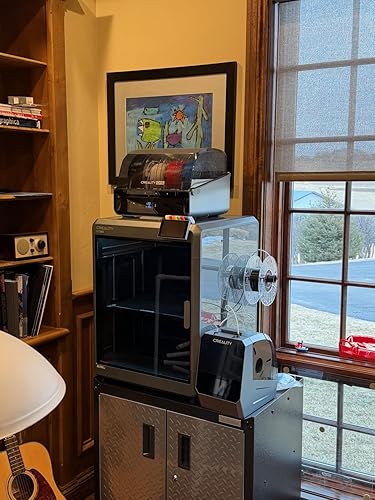
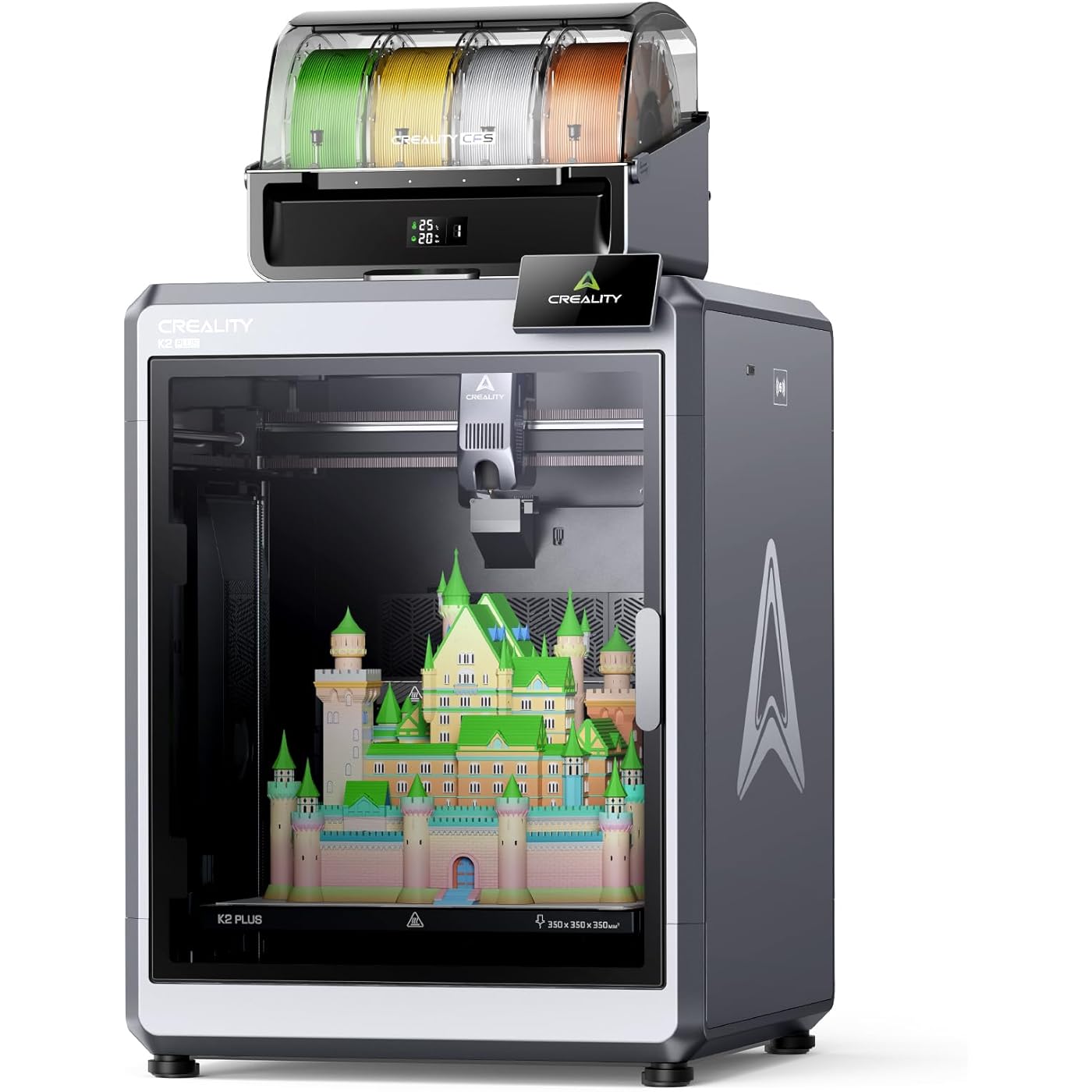
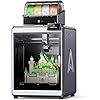
Creality K2 Plus Combo 3D Printer, Multi Color Printing with New CFS, Max 600mm/s Printing Speed, Full-auto Leveling, Next-Gen Direct Drive Extruder, Dual Al Camera, Build Volume 350 * 350 * 350mm

  • Based on 457 reviews
Condition: New
Checking for the best price...
$1,299.00 Why this price?
Save $230.00 was $1,529.00

Buy Now, Pay Later


As low as / mo
  • – Up to 36-month term if approved
  • – No impact on credit
  • – Instant approval decision
  • – Secure and straightforward checkout

Ready to go? Add this product to your cart and select a plan during checkout.

Payment plans are offered through our trusted finance partners Klarna, Affirm, Afterpay, Apple Pay, and PayTomorrow. No-credit-needed leasing options through Acima may also be available at checkout.

Learn more about financing & leasing here.

Selected Option

Free shipping on this product

30-day refund / replacement

To qualify for a full refund, items must be returned in their original, unused condition. If an item is returned in a used, damaged, or materially different state, you may be granted a partial refund.

To initiate a return, please visit our Returns Center.

View our full returns policy here.


Availability: In Stock.
Fulfilled by Amazon

Arrives Friday, Mar 20
Order within 7 hours and 49 minutes
Available payment plans shown during checkout

Protection Plan Protect Your Purchase
Checking for protection plans...

Size: K2 Plus Combo


Features

  • Enjoy Printing in Multiple Colors: By hooking up as many as four CFS units together, you are able to print in the splendor of 16 colors. Saves the need for extra painting afterward. With Creality Automatic Material System. Intelligent Management of Multiple Filaments
  • High Speed Printing: Step-servo Motor System 30000mm/s2 accelaration, 40mm3/s High-flow and quiet. For a large-format machine, 600mm/s is pretty fast, but that's not the whole story. Turbocharged by the step-servo motors, it can accelerate at a staggering 30000mm/s2
  • Multi Material Capability: K2 Plus Combo equipped with Actively Heated Chamber & High-temp Nozzle with Hardened Steel Tip.Unlocks a wider selection of materials, including PLA/ABS/PETG/PA-CF/PLA-CF/ PET/ASA/PPA-CF
  • Dual AI Cameras: K2 Plus uses an Al camera on the chamber side to watch over spaghetti failure, foreign objects, idling, etc. It will alert you when an error occurs. It also supports real-time monitoring and time-lapse filming
  • Ingenious Anti-tilt Auto Leveling: K2 Plus features dual independently motorized Z-axes for automatic tilt reduction, strain gauge-based auto-leveling compensation, and a pro-level first layer capability that ensures a smooth and neat initial layer without manual intervention
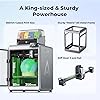
  • High Quality Printing: Sturdy "Matrix" Frame, Die-cast tech for superb rigidity. Dual Z-axis Assisted by 4 Linear Rods. Extremely steady while carrying the print bed up and down. Virtually no layer shift. Aslo equipped with Automated Run-out & Sensor Filament Cutter
  • *K2 Plus Combo: K2 Plus + 1* CFS+1*500g filament (In the box)

Brand: Creality


Material: Aluminum, Metal


Color: Grey


Product Dimensions: 24.09"D x 22.91"W x 28.54"H


Item Weight: 12.5 Kilograms


Product Dimensions: 19.49 x 36.06 x 20.28 inches


Item Weight: 27.5 pounds


Item model number: K2 Plus Combo


Date First Available: November 12, 2024


Manufacturer: Creality


Frequently asked questions

If you place your order now, the estimated arrival date for this product is: Friday, Mar 20

Yes, absolutely! You may return this product for a full refund within 30 days of receiving it.

To initiate a return, please visit our Returns Center.

View our full returns policy here.

  • Klarna Financing
  • Affirm Pay in 4
  • Affirm Financing
  • Afterpay Financing
  • PayTomorrow Financing
  • Financing through Apple Pay
Leasing options through Acima may also be available during checkout.

Learn more about financing & leasing here.

Top Amazon Reviews


  • Excellent 3d Printing
Size: K2 Plus Combo
If you are looking for a 3d printer, check this one out. Well worth the money for an enclosed system that maintains the print temp and also your PLA. The software is easy to use, and printing is so smooth and fast. The assembly wasn't a problem if you followed the instructions. It is heavy and needs a quality support setup. Currently, the largest print area for a 3d printer. ... show more
Reviewed in the United States on February 15, 2026 by Dan Hawkins (Hawk)

  • Great Quality!
Size: K2 Plus Combo
Wow, what a great printer for the price. I come from the industrial world and the TT printers are crazy-priced versus this unit. There, this K2 Plus would cost $15K+ I am not an expert in 3D printing yet, but I was able to start printing in about 1.5 hours and creating solid models in a week with Ashlar Xenon. BTW, I did have a problem with the camera not working on my first print. I popped an email over to support and it started working soon after. Support however was spot-on and extremely responsive (Aggressive?) even days later with multiple inquiries about my problem. I feel if I had a REAL problem, they would do a great job of taking care of it. The quality of the Creality hardware is A+ in my opinion. It could use a little more documentation in the box outside of the Web/YouTube, etc. A hard-copy manual would be cool. ... show more
Reviewed in the United States on February 3, 2026 by Colorado Jim Colorado Jim

  • The Creality 2K Pro Combo is not for the faint of heart or a non-technical individual.
Size: K2 Plus Combo
At for now, I am giving the Creality K2 Plus Combo one star, I tried zero but it wouldn't except it.. My printer was delivered late in the evening on Thursday (after 8pm). I unpacked everything, which was no easy chore. Once I had everything unpacked, I power on the printer and was presented with the initial setup. As I proceeded with the on screen setup steps, I suddenly receive a communication failure with the Y axis step servo. After researching online, I saw many people have had this issue and claimed reseating the communication cable would fix it. So, I set out removing the (16) screw to remove the back panel. Once the cable was exposed, I could see it was glued into place; as are most of the other cables. Not wanting to break anything, I decided to contact Creality Support for steps to proceed (chat support is available 24x7). After a considerable wait, I was chatting with a support person. I gave him the error code and explained it was a brand new printer. After several minutes, the support guy sent me a link to the wiki I already read (saying to reseat the cables). I explained to him that the cable were glued in place. I was next told he would create a ticket and an engineer would get back to me by email in 24. - 48 hours. Once I got done chatting with the support person, I continued to read articles online. There was a YouTube video of someone having to replace their extruder. In the video he makes not of the cables being built in, " don't over think it, just remove the glue". So, I removed the glue and reseated the cable, then powered on the printer again. I was able to complete the setup menu and have not received the Y axis error again. I have to wonder, how did the cable come lose if it was glued in, seems more like somebody put it in wrong then glued it. Now, I have the printer powered on and the initial configuration is complete with no errors. Next step is to load filament. I insert the filament according to the directions, the filament indicator tells me the filament is detected. Next, I press the extrude button, which should extrude 10mm of filament into the waste shoot. Instead, the filament falls out. I repeat this process several time, with no success. Now, I get a communications failure on the E axis (the extruder). I set out to reseat the extruder cables, it worded for the Y axis so why not for the E axis. To reseat the extruder cables, you have to remove the extruder and motor from the unit. The control cable for the motor is at the back of the motor, which is behind the extruder. After taking our more tiny screw and reseating the cables, I power on the printer once again. With luck, it powers on with no errors. I proceed to load the filament again, and again, it just falls out. But, now with the cover off the extruder I can see the gears, and they appear to be spinning the wrong way. To test my new theory, I press the retract button to back the filament out. But, to my surprise it pulls the filament in and loads it. Another round of searching on the internet, and I learn this is a winding/wiring issue with the motor. And, I learn the Klipper firmware has a switch to reverse the servo motor. I wont get into the logic behind creating a reverse in the firmware, instead of winding the motor correctly. Now, after changing the firmware setting, I once again power on the printer and attempt to load the filament. Success, the motor is now spinning in the correct direction and the filament is loaded. This now proves the E axis servo and the extruder are working. So, what's next?? Of course the next thing to do is try to print Benchy. Filament loaded, I push the button and stand back, ready to see the power of this beast in action. And, it is moving like crazy, like a blur it moves back and forth, up and down printing Benchy for all it's worth. Except, there is no filament coming out. No errors, no fault in the movements of the printhead, just a little PLA dust on the heating plate. Thirty-six hours in, and I have not even been able to print a line. To be honest, I probably would have returned it, but I can't remember how to get everything back into the box. Maybe some day soon, some support magic will fix my printer, or I will figure out how to get it back in the box. At that time, I will update my review with the final verdict. Update: after replacing the extruder and one of the stepper motors, my 3D printer is up and working. So far, it prints well. I still have my doubts about Creality’s quality control. Creality was not the easiest to get in contact with, but they were willing to send replacement parts. The normal delivery for them on spare parts is about two weeks. As I was approaching my return window, I ordered new parts from Amazon (about $100 total). With the new parts from Amazon, I got the printer working. I am keeping the warranty parts from Creality as spares. ... show more
Reviewed in the United States on July 14, 2025 by ChrisC

  • K2 Plus is a Beast
Size: K2 Plus Combo
Bought the K2 Plus Combo and this thing is a beast lets get that right. I have read the reviews before I purchased and I have to say, I'm not sure what they did but I didn't have any of those problems with the machine out of the box. Really take the time taking stuff out and you really need a second person to help take it out of the box and place it on a table, it is heavy. Printed 5 items in it so far without any issues, in fact they came out excellent. No bed warping, not filament going backwards, no clogging. The touch screen is awesome and clear to read. Make sure you upgrade it before you print anything, mine did have an update. Love the bed leveling on setup and you before each print. Pro: This thing is fast. Love the camera view. print quality is awesome. Nice enclosed case. Love the magnetic bed, makes parts come off easier. Packaged really awesome and ingenious. They do have a YouTube video on how to unbox and setup, really helpful. Cons: Instructions to assemble are vague and seem incomplete. Some of the screws that hold it down for shipping were really tight, so go slow with removing them before the heads strip or the "Unboxing Wrench" strips. It is loud at times when printing or changing colors, but, it's in another room so not really a issue. ... show more
Reviewed in the United States on December 5, 2025 by Scoutt Scoutt

  • Good for the price just not for the AI features
Size: K2 Plus Combo
Good solid printer. If your buying it for its AI features dont cause they dont work. The multi color feature is cool but will add hours or even days to your print. It clogs a lot so buy extra hotends and rebuildable parts. App works good. CFS works good. Extruder and cutter needs working on. Ive had the best working with PETG just turn the temp up to 240 and lower the printing speed. ... show more
Reviewed in the United States on February 9, 2026 by Tim Traue

  • Amazing printer!
Size: K2 Plus Combo
The media could not be loaded. This printer is absolutely amazing. After coming from an Ender 3 and Ender 5 this is a completely different ball game. There is basically no setup or calibrating or hassle at all. Just perfect prints every single time. I have yet to have a failed print and it’s been printing non stop since I bought it. It’s very heavy but also very sturdy and well built. Cannot recommend this enough. And the CFS system is a must! It keeps filament dry and makes multi filament printing so easy. It’s exceptional for doing large prints that need multiple rolls of filament. Once a spool runs out, the CFS seamlessly transitions to the next spool. ... show more
Reviewed in the United States on January 18, 2026 by Seth Lee Seth Lee

Can't find a product?

Find it on Amazon first, then paste the link below.
Checking for best price...