Search  for anything...

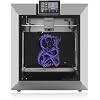
QIDI PLUS4 3D Printer, 65℃ Chamber Heating, 370°C Integrated Nozzle

  • Based on 443 reviews
Condition: New
Checking for the best price...
$649.00 Why this price?
Save $50.00 was $699.00

Buy Now, Pay Later


As low as / mo
  • – Up to 36-month term if approved
  • – No impact on credit to apply
  • – Instant approval decision
  • – Secure and straightforward checkout

Ready to go? Add this product to your cart and select a plan during checkout.

Payment plans are offered through our trusted finance partners Klarna, Affirm, Afterpay, Zip, Apple Pay, and Google Pay. No-credit-needed leasing options through Acima may also be available at checkout.

Learn more about financing & leasing here.

Selected Option

Free shipping on this product

30-day refund / replacement

To qualify for a full refund, items must be returned in their original, unused condition. If an item is returned in a used, damaged, or materially different state, you may be granted a partial refund.

To initiate a return, please visit our Returns Center.

View our full returns policy here.


Availability: In Stock.
Fulfilled by Amazon

Arrives Monday, Aug 31
Order within 13 hours and 23 minutes
Available payment plans shown during checkout

Protection Plan Protect Your Purchase
Checking for protection plans...

Size: 01 PLUS4


Features

  • Second Generation Active Chamber Heating System: QIDI PLUS4 has upgraded the chamber heating function. It has a Ultra-high heating power of 400W. And it adds air circulation design and dual-layer insulation to make the chamber temperature more balance and consisten. It can effectively reduce warping and cracking when printing high-temperature filaments and improve print quality.
  • Higher printing temperature & Wide Material Compatibility: The X-PLUS4 comes with an upgraded 80W high-temperature hotend and multi-metal integrated throat nozzle, reaching a maximum temperature of 370C. Designed for faster installation and removal, it reduces clogging risks and offers exceptional wear resistance. This setup supports a wide range of high-temp filaments, including PPS-CF, PPA-CF/GF, ABS, ASA, PC, PA, PET and more, making it perfect for diverse printing applications.
  • Powerful & Easy to Operate: Unbox to print in 10 mins. Remote print, real-time progress tracking is always available through the qidi mobile app or qidi studio slicer. X-PLUS4 is also equipped with a HD camera for real-time remote monitoring and time-lapse photography. Filament wrap and break detection features reduce filament waste. It makes it easy for you to achieve total intelligent control, ensuring a safer, more efficient and convenient experience.
  • Stronger and More Durable: The PLUS4 features an independent dual motor-driven Z-axis, a 6mm thickened aluminium hot bed platform, while upgraded linear shafts & lead screws to 10mm diameter. This increases the strength and flatness of the printer, ensuring high precision and quality printing.
  • Multi-Colour Printing: QIDI X-PLUS4 3D Printer has the integrated filament cutter, is compatible with the QIDI BOXMulti-filaments automatic feeding box(a kind of MMU). It will be launched in the first quarter of 2025. It allows you to easily achieve multi-colour printing and freely create personalised designs.

Description

X-PLUS4 QIDI Max4 Combo Q2 Q1 Pro PA12-CF PET-CF ABS-GF25

Brand: R QIDI TECHNOLOGY


Material: ABS and metal


Color: silver


Product Dimensions: 19.29"D x 20.07"W x 22.24"H


Item Weight: 27 kg


Product Dimensions: 19.29 x 20.07 x 22.24 inches


Item Weight: 59.4 pounds


Item model number: AU-PLUS4


Date First Available: July 31, 2024


Manufacturer: Zhejiang QIDI TECHNOLOGY CO.,LTD


Frequently asked questions

If you place your order now, the estimated arrival date for this product is: Monday, Aug 31

Yes, absolutely! You may return this product for a full refund within 30 days of receiving it.

To initiate a return, please visit our Returns Center.

View our full returns policy here.

  • Klarna Financing
  • Affirm Pay in 4
  • Affirm Financing
  • Afterpay Financing
  • Zip Pay in 4
  • Financing through Apple Pay
  • Financing through Google Pay
Leasing options through Acima may also be available during checkout.

Learn more about financing & leasing here.

Top Amazon Reviews


  • Quality machine that came packaged amazingly well.
Size: 01 PLUS4
I do not have a lot of 3D printing experience, but that lack of experience is part of the reason I believe this printer is so great. Going from an Anycubic Mega Pro that I endlessly tried to dial in and could not get to ever print anything at all, the Qidi Plus 4 is a breeze in comparison. I followed the instructions and put it together which includes attaching the door handle, putting on the glass top, removing the bed retaining blocks, cutting a few zip ties, attaching the screen and loading the filament spool. Overall, it is a 10–20 minute assembly with another 10–20 minute setup to dial it in. It goes through an input shaping procedure for calibration, then a bed leveling setup, and it was ready to go. I ran the little test boat print that comes pre-installed in the docs menu and it printed flawlessly in 22 minutes. I did notice it would not let me dial in the nozzle or bed temp specifically for the filament I was using for this print because it goes by the temps that are baked into the model file. This is not an issue, just something to be aware of because you need to make sure you set the temps for the filament you are going to be using when compiling your print file. Every issue I have had with printers in the past, the Qidi Plus 4 does automatically. Before printing it automatically cuts the filament, cleans the nozzle and sets itself up for a perfect print. Everything about this unit feels well made and high quality. The housing, frame, bed and internal parts all seem to be quality even down to the way the machine was packaged. It comes in a thick corrugated box packed with high quality foam and thick rubber corner covers on all edges. Most things you buy that require assembly come with the crappiest tools money can buy. This on the other hand actually comes with really nice tools. It includes a polished chrome vanadium wrench, a quality soft grip screwdriver with a hardened tip and heat treated ball-end Allen wrenches made of S2 steel. The whole package is impressive and I expect great things from it in the future. I can tell it is a printer for more experienced users because it does require more manual tuning as far as settings, but if you know what you are doing I am sure that is a plus and allows for higher quality prints. If you know nothing about 3D printing like I do, just do your research, spend some time learning the machine and it will work well. For the $600–$650 price tag, I think this is an extraordinary value and I am very happy with the quality of the machine. ... show more
Reviewed in the United States on July 12, 2026 by Skyler

  • Qidi Plus4 beats BBL in every category. Klipper, Size, Quality, High-temp, Security/Privacy
Size: 01 PLUS4
Qidi Plus4 is the best printer in its price range! Wow - guided and easy 5 min set up (excluding updates and calibration). Ok, it probably took me 15 min or a little longer from opening the box to starting the print, but I had to spend a few minutes on finding one of the screws that I have dropped :) Seriously, the printer is great even when compared to my old X1C, actually better than X1C, whether it is printing or because of all the drama with BBL firmware updates. Many people have stated that they will leave BBL as a result, and Plus4 is a very good printer to get instead of BBL. X1C comparison: Finish and Looks - different but it holds on its own. Although it is plastic around the front, in my room lighting I could not tell the difference. I do not fuss about minor stuff, like why "this" is "here" and not "there" or why did they do "this" instead of "that." Often, this is just personal/design preference rather than a work stoppage. I can find minor stuff in every printer. Build - feels strong, Z-axis has two drive screws and 4 columns to stabilize the bed - so this makes it stronger than BBL. Thick bed is very flat, but it does feel that it takes a little longer to warm up or cool down. Qidi belts undoubtedly make a big difference. Plus4 is obviously larger than X1C with significant expansion of the printable area, while the size of the printer overall does not feel overwhelming. Ease of use - I find it very intuitive and very easy to use. Since it has Klipper, you can monitor and adjust pretty much everything, while with BBL you can only do what you are allowed, which is almost nothing. Even X1Plus cannot open the printer to the same extent as Klipper on Qidi. Please note that X1Plus is only available for the X1C and not for P1/A1 printers. BBL did not mention that they are going to block X1Plus installations, but new printer models, will probably not be compatible anyway. Moreover, from what we know today, even Orca slicer may not work (or users may have to take extra steps) with BBL printers in the future. Networking - Both WiFi and wired Ethernet are provided. Although switching between the two is not automatic, but it was very easy as and intuitive. Security/Privacy - BBL has little to no security/privacy at the moment, and requires all data to go through their cloud, with LAN-only mode is being crippled or difficult to use now and certainly in the future. I cannot say anything about Qidi cloud security, but Plus4 has excellent support for the LAN mode and other ways to secure communications with the printer. Print quality/capabilities - Qidi seems to have an edge over X1C print quality with no visible VFA. Besides Benchy, I have printed Poop chute using Orca, which also came out flawless. Unfortunately, no multicolor capabilities, but hopefully we will have it soon. On the other hand, if possible, I try to avoid multicolor prints anyway because of time and filament waste. IDEX or something like that would be ideal for multicolor printing. Print speed is comparable, some settings in Qidi profiles looked very conservative, but I did not have time to look into it. One great thing going for Qidi is high-temp/heated chamber capabilities. It is possible to insulate X1C and install chamber heater, but it is not possible to increase the nozzle temp on X1C, and aftermarket chamber heater will not be integrated into print settings, not easily anyway. Qidi routine before printing seems to be slightly more optimized than X1C. I would also say Qidi is somewhat quieter, but this is subjective, I have not done any tests. Issues - When you watch older Qidi reviews, they find some issues with Plus4, but it seems that new updates have addressed those issues (I have not checked the SSR issue yet, but I believe it was taken care of). My printer came with 1.4.x firmware, with an easy OTA upgrade to 1.6.0. That said, BBL printers also had some issues at launch, which later have been addressed. Even if BBL comes out with IDEX, or anything else, I will not be going back to BBL because of their disrespect of others, issues with security/privacy, and other policies, which limit my use of my printer. This is also a word of caution for all manufacturers, please be nice to your customers and to 3D printing legacy. Thank you Qidi. Just get the Plus4, and you will not be disappointed. I am not sponsored by Qidi or received anything from them. ... show more
Reviewed in the United States on February 6, 2025 by TJ

  • BUYERS BEWARE !!!!!!!
Size: 01 PLUS4
Why did you pick this product vs others?: Hi everyone I am writing this review because I don’t want anyone to go through what I have with this company so far. I got the printer towards the end of April and when I buy something I put my all into learning about it. From what all these professionals on YouTube were saying this was the machine to buy. Plus it was coming out with the Qidi box soon after my purchase. All those pros are getting tons of free stuff to say these things. It’s hard to find reliable reviews so I’m here to tell you to avoid this company all together. They may seem like they got it together they don’t. All kinds of issues arrived before I bought it but again all the pros claimed Qidi was on top of it and fixed everything but that was before my purchase so I’m not going into detail on that. When I bought this printer it was my first 3d printer. However I was used to working with an Axiom Cnc machine so that was a huge leap in learning. I still read the entire manuel and watched tons of videos before I turned it on. During my studying I found out that it is very highly recommended to mod this printer in several ways for it to efficiently print. I mean this guy even is recommended to have a bigger fan to cool correctly from the get go. Anyway I turn the thing on and start to print. I print the stock bench with Qidi filament and it looked like crap. I figure I need to learn more about the settings and oh boy do I. I spend day after day trying to get a good print but nothing ever come out looking real good. I even buy 2 more heat plates and ordered that bigger fan all though I didn’t think I should have to tear apart a brand new printer. So I finally email Qidi because I notice that when I try to level the bed it that the tool head is on the left edge of the plate probing while on the right side it stops at 3 inches from the bed. Not only that but when doing screw tilt calculate( a bed leveling move) it comes up with a different number each time even if I don’t turn a screw. Qidi told me the front right area was to activate the filament cutter and that it was a common setup like bamboo labs. In other words they treated me like I didn’t spend over 100 hours investigating this printer before I emailed them. So I order that bamboo printer too. I needed to have something to compare to. By the way during this time I’ve already replace the nozzle 3 times and changed the hot end on my on. When I setup and run the bamboo labs p1s I am blown the freak away. I didn’t know that you could get that kind of quality at home plug and play as Qidi claimed. I knew right away that my Plus4 was never in the right working order. The bamboo gave me the best stock benchy I’ve ever made. My stomach was in knots now though because I now knew that I gave Qidi over a grand altogether with supplies for a huge paper weight. That’s a lot of money for my family because I’m disabled. This was my shot for making money for my family and I totally put it on the wrong horse. I got a reply that suggested I clean out my hotend and that had nothing to do with anything I was discussing. I made a video so hopefully someone else from Qidi would get my email and help me. Also it started not wanting to load filament during this event so I had to email about that too. Plus since day 1 my x and y drivers were running at 126degrees Celsius and they told me that they can withstand up to 150 so your ok basically about that. Really?!!! Also we’re going to send a new filament run out sensor and here’s a video of how to fix our bad. Then about the bed they said We’ll in that case here we will send u new bed leveling sensors, all 4 and here’s a video of how to fix our mess, again. Oh and by the way I will send you the main module for you to replace and again here’s a video for you to follow along with. All of this in just a couple months. I’m now waiting for the first part to arrive. They don’t tell u that in order to buy a printer from them you should now how to put it together. They sell as a plug and play and it’s the furthest from my experience. I wrote an email last night doing my best to be professional and friendly. My subject on this email was To make it right. Their reply to this was jaw dropping so I copied and am pasting it now, You can remove the print head front cover and hot end silicone sock to see if the nozzle is installed correctly. It is my belief that chat gpt is now replying to our emails from QIDI. I will try them again but I’m not holding my breath. I doubt they will do anything to make this right. I wish I would have went with the other printer to start with at this time. I will follow up this review as more info is to come I’m sure. The plus 4 was a terrible experience for me and I hope this review will help you make the better choice ... show more
Reviewed in the United States on July 8, 2025 by Wayne W.

  • I Like The Plus 4 So Much, I Bought A Second One
Size: 01 PLUS4
I have previous experience with QIDI printers (X-CF Pro) and their tech support is very good. I started my 3D printing journey with a Taz Lulzbot Mini. So, I have a little knowledge and expectations for my 3d printers at this point. Looking to have the capability to print the newest hottest printing filament, have a heated chamber and gain speed and 3D print size/volume, the QIDI Plus 4 caught my eye. After hours of watching review videos and weighing the pros and cons, I ordered my first QIDI Plus 4. Fully aware that this is a newly released printer, a couple of issues had already been found by early reviewers and QIDI had either updated firmware or provided instructions to make corrections/fixes. My first Plus 4 arrived in about 10 days and I immediately setup the printer and one of the first things that you really must do is download the newest firmware onto the included USB drive, from the QIDITech website, and update the printer's firmware through the touch screen menu, selecting 'Set', 'Check for updates', 'Offline Update'. I have many successful prints and well over 100 hours on the first printer, with various filaments (ASA, ABS-GF, PA12-CF, PLA+). The only filament issue I had, was when unloading/loading between filaments, I selected the incorrect, too low of a temp, for the filament that the printer cut off and was about to extrude out of the drive gears. The lower temp caused the filament stub to hang in the nozzle and drive gears. Two small hex bolts hold the hot-end on the printer head. With the bolts and hot-end removed, it was easy to pull the stub of 'cold' filament down and out of the way and back to loading new filament and printing. Lesson learned ... be sure you select the correct temperature for the nozzle to be plenty hot enough to extrude out the remainder of the old filament stub. One of the first print jobs was the 'Poop Chute', to catch the purge filament that ejects out the back of the printer. Close to a 8 hour print job and I printed in Polymaker PLA Pro. Flawless print quality for this large-ish print. The longest print job so far was 24 and 1/2 hours of some large cable organizing trays. I printed them in PA12-CF, for strengh. Probably overkill, but might hang heavier items in the trays in the future? Again, impeccable print quality. So, with over 100 hours of pretty much trouble-free printing, I continued to watch for more experiences of other new owners. Mostly positive, with a few early adopter issues, as we can expect. I was having so much fun with the Plus 4, that I decided to buy a second one. The second printer came in only about a week. I already knew the new Plus 4 setup routine and took much less time getting up and going the second time around. After updating the firmware to the newest, I attempted to heat the print bed, before running auto bed leveling and input shaping. As soon I select the temp to heat the bead, the printer shut down. Powered the printer back on and repeated the process, with same shut down results. I had already seen some reviews and new owners, with this issue. Some printers are shipped with the power supply switched for 230V-240V operation, even with a sticker beside the power switch, that says, 'The input power of the machine is 100V-130V'. You cannot always believe what you read. Tipping the printer up on the side with the power switch, you can see the red slide switch on the power supply to switch it to 100V-130V operation. No shut downs after make the change. NOTE: My first Plus 4 never had to be switched, so you milage may vary. Just be aware that you might have to toggle the little switch. Just finished the 'Poop Chute' on the second Plus 4, again in just under 8 hours. This time I printed in ABS-GF and same amazing quality of print, just like the first Plus 4. I had looked closely at the Bambu Lab printers, especially with the multi color filament option (AMU). QIDI has announced their own AMU, for the Plus 4 and possibly other recent QIDI models, that should be out in first quarter 2025. I figured I could wait and get familiar with the Plus 4's capabilities and any quirks in the mean time. The speed, heated chamber, print size/volume and ability to print the most extreme heat filaments and already being familiar with QIDI, eased my decision making. Oh, and did I forget to mention price? Seems to be a very good value for the price. Of course time will tell. So, I am very happy, so far, with both printers. My previous interactions with QIDI tech support has always been positive. They have always been easy to work with, for me. ... show more
Reviewed in the United States on October 22, 2024 by Amazon Customer

  • Great Printer - Set and Forget
Size: 01 PLUS4
This printer is amazing. I went from an old Creality CR-6 to this and it’s a huge difference. Nothing against the Creality (it was 5 years old) but this is like going from a toy. Incredibly fast. My only complaint is how long it takes for the bed and chamber to heat up, and all the time the printer spends preparing for a print. It’s typically about 10+ minutes before it actually starts the print job after leveling the bed and heating up, but probably improves the build and reduces mis-starts so worth it. ... show more
Reviewed in the United States on August 11, 2026 by Rich Weinberg

  • An amazing printer when it works perfectly
Size: 01 PLUS4
I was excited to have received the Qidi 4 Plus and tryout the potential of the machine from a business point if view. The machine arrived with a broken filament cutter bar, redering the swap filament feature useless until I receive a replacement extruder from the Qidi Tech. I am still waiting on the part and the experience from the Qidi Tech has been lackluster to say the least. The boat benchy still printed flawlessly, but the real test is using the whole build plate to print a multiple part bass enclosure I created. I did a test run of my build and loved the beautiful first layer it made, sliced with the Qidi software at default settings at .2mm height. Then I updated the firmware and everything went to hell. The nozzle kept rubbing after automatic level calibration and I couldn't figure out what exactly went wrong, as it was working correctly before without any z offset adjustment needed. To make a long story short to the solution, the Z offset now has to made +0 .1mm to keep the nozzle from scraping into the build plate and clearance for the print itself to avoid any rub. Not what I expected from a 850 dollar machine and a company who puts out firmware that just does not work right, needlessly increasing the frustration and confusion from its users. To further exacerbate the issue, the machine remembers the offset setting but will do an auto bed level before the print despite me turning the option off. This is turn 0s the bed plate but still shows the +.1mm offset sending the nozzle into the build plate or scraping the model itself. At first I thought it was an extrusion issue since I was using a cardboard spool of Rapid PlA + and it made hard rubbing sounds when attached to the the Qidi spool holder. So after manually cutting the filament, remember it's broken, and purging what was left through a benchy, the spool went into my dry Sunlu s4 dry box and there it will stay. It has been a frustrating experience, of which the Qidi Cool Plate, purchased to stop corner lift, has my finger tips tingling from burning on the build plate as I remove the first layer of support from every failed print. Fix the firmware and send my extruder already so I can get my project rolling. ... show more
Reviewed in the United States on February 11, 2025 by Anthony Ortiz

  • 18 Months In: Great Printer, Even Better Customer Support!
Size: 01 PLUS4
I've owned the Qidi Plus 4 for 18 months now and have printed roll after roll of a wide variety of filaments with it. Its accuracy is comparable to printers costing hundreds of dollars more, and overall I've been extremely impressed with its performance. I recently moved the printer to another location where it operates in an ambient environment with temperatures in the upper 90s. Under those conditions, I experienced a failure of the print-head controller board, along with high temperatures on the X and Y motor controllers. This is where Qidi's customer support really impressed me. Thanks to their superb support—and especially Evelyn on the Plus 4 team—I was able to get the printer back up and running as soon as the replacement part arrived, which was very quickly. On the same day the replacement print-head controller arrived, Evelyn also sent me an upgraded SSR board. And she didn't just send the board. The package included the tools needed for the installation and even extra screws. That level of attention to detail and customer support is something you don't see very often. After 18 months of heavy use, including a wide range of engineering filaments, I continue to be very impressed with the Plus 4. It's an accurate, capable printer, and Qidi's willingness to stand behind their product and take care of their customers makes it an even better value. A special thanks to Evelyn and the Qidi Plus 4 support team! See the attached image of a Starlink Receiver mount printed in ASA carbon fiber at 270 C in a 95 F shop environment. ... show more
Reviewed in the United States on August 21, 2026 by Amazon Customer

  • Great Durable Printer with Outstanding Support – Minor UI Annoyances
Size: 01 PLUS4
TLDR: Great printer with great customer service Pro's Built like a tank Great customer service Prints tons of materials smooth and fast Doesn't need much maintenance Con's Screen is laggy No UI button to delete prior prints Good luck adjusting Z-offset while printing I ran this printer for 3-4 months without doing much upkeep. Finally I had a clog of TPU because I forgot to change the temp settings. When I was fixing it I remembered I wanted to delete some prior prints. Well the onboard screen doesn't have an option delete it. I contacted customer support and they told me to delete it from the computer side. I guess I screwed that up and deleted the firmware. They ran me through several firmware reset/replacement steps with files. None of them ended up working so they sent me a free replacement motherboard with instructions. Whole thing took 30 minutes to set up and it fixed the issue. Overall it's a nice reliable unit, though I do have some qualms. I should be able to delete print history from the actual printer in case I want to sell it. The Z-offset on screen doesn't actually register your adjustments unless the print is actively printing, and it often delays. This causes problems when your z is 0.1 too close and the only way to correct it is to let the printer grind the nozzle against the metal plate for a few seconds while it registers. This also causes overcorrections. Say you are at 0.1 and go to adjust it by 0.1. It doesn't register, so you click it a few more times, well don't worry, it will all at once apply those corrections so now it jumps by 0.5. The screen is needlessly laggy when going through prior prints. It loads the thumbnail which for some reason takes 6 seconds per screen of 6 prints. Though you can disable thumbnails and reduce this to 2 seconds per page it should have the CPU to just be faster. These are minor issues once you get dialed in and printing. This beast will print for months with minimal upkeep. Special thanks to Evelyn at customer service for helping me out with the replacement motherboard and patience. ... show more
Reviewed in the United States on January 14, 2026 by Customer 117

Can't find a product?

Find it on Amazon first, then paste the link below.
Checking for best price...