Search  for anything...

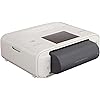
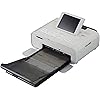
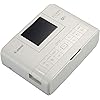
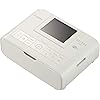
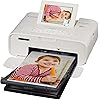
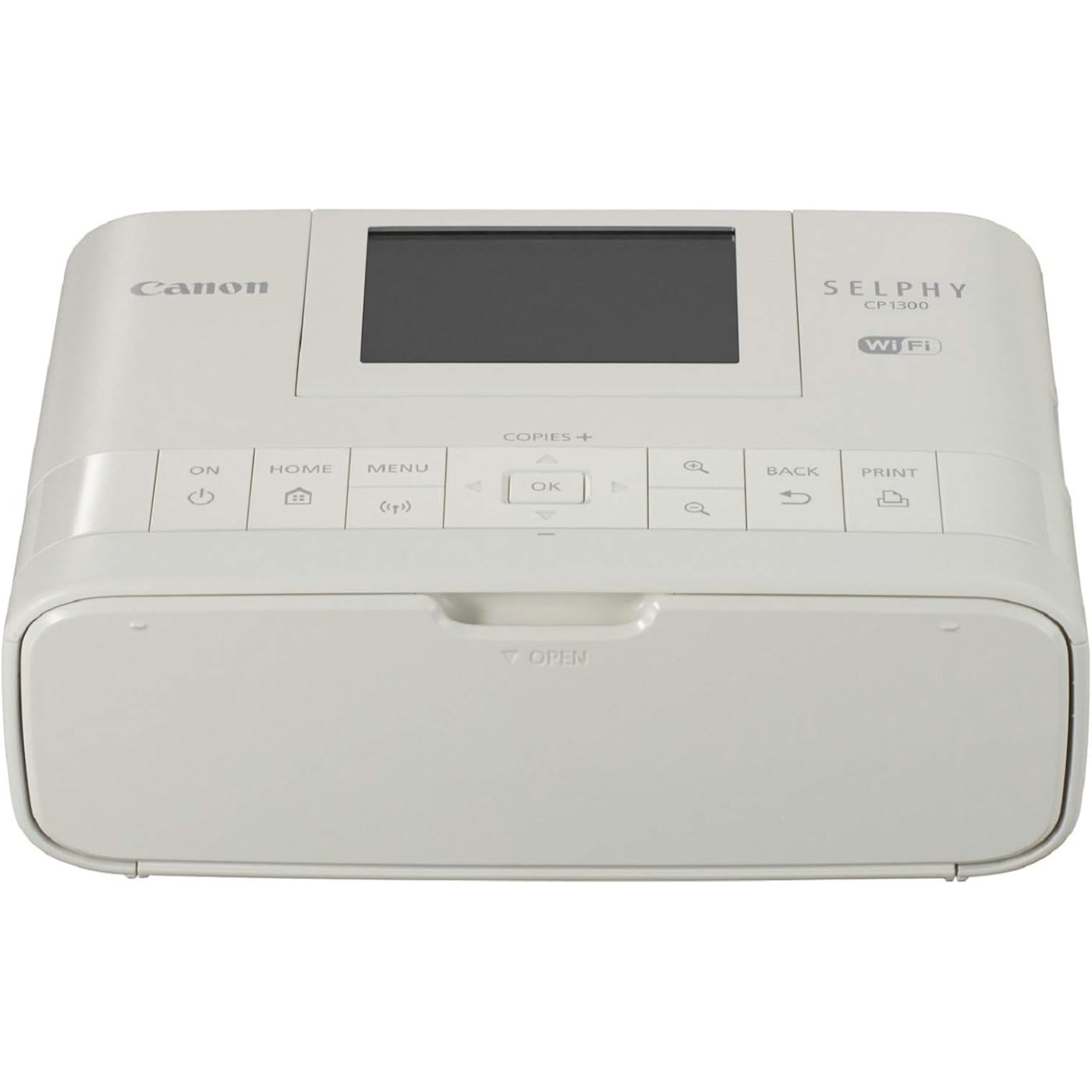
Canon Selphy CP1300 Wireless Compact Photo Printer with AirPrint and Mopria Device Printing, White
  • Based on 2,793 reviews
Condition: New
Checking for the best price...
$209.99 Why this price?
Save $90.00 was $299.99

Buy Now, Pay Later


As low as $35.00 / mo
  • – 6-month term
  • – No impact on credit to apply
  • – Instant approval decision
  • – Secure and straightforward checkout

Ready to go? Add this product to your cart and select a plan during checkout.

Payment plans are offered through our trusted finance partners Klarna, Affirm, Afterpay, Zip, Apple Pay, and Google Pay. No-credit-needed leasing options through Acima may also be available at checkout.

Learn more about financing & leasing here.

Free shipping on this product

This item is eligible for return within 30 days of receipt

To qualify for a full refund, items must be returned in their original, unused condition. If an item is returned in a used, damaged, or materially different state, you may be granted a partial refund.

To initiate a return, please visit our Returns Center.

View our full returns policy here.


Availability: Only 6 left in stock, order soon!
Fulfilled by toys texas

Arrives Sunday, Aug 2
Order within 23 hours and 20 minutes
Available payment plans shown during checkout

Protection Plan Protect Your Purchase
Checking for protection plans...

Features

  • Not only will your photos be instantly dry, but they will also look great for up to 100 Years4 and are even water resistant
  • Enjoy the simplicity of connecting your smartphone and tablet with ease, through the Canon Print App3 ; You can even Print directly from USB, or your camera's memory Card2
  • The sleek, portable design lets you bring the selphy CP1300 with you and with the optional battery back you can Print and share your memories wherever you are

Description

Introducing the Canon sylph CP1300 compact photo printer, A wireless compact photo printer, The perfect portable photo printer for at home and on the go. Simply print with air Print, Your camera's memory card, or from Facebook and Instagram with the Canon print app, so your memories are ready to share wherever you are! Even print fun collages with friends from multiple devices with party shuffle Print or 2"x6" Photo booth layout prints. You choose the right size for the right photo - from 4"x6", 2.1"X2.1" Square and even sticker paper, all made to last up to 100 years and are even water resistant! Take the sylph CP1300 almost anywhere with the optional battery pack. Not only will your photos be instantly dry, but they will also look great for up to 100 years and are even water resistant! Enjoy the simplicity of connecting your smartphone and tablet with ease, through the Canon print app. You can even print directly from USB, or your camera's memory card. The sleek, portable design lets you bring the sylph CP1300 with you - and with the optional battery back you can print and share your memories wherever you are. With the tilting 3.2" Lcd screen it's easy to choose, edit and print Your favorite photos, and with the optional battery pack take your sylph with you and print from almost anywhere right from your smartphone or memory card. Use your camera and sylph CP1300 together at your next party to make a photo booth. Take fun shots, then print them in photo booth mode which lets you print out two strips of four images each on 4x6 paper, then cut it in half for photo strips give them to your guests! With square (2.1"X2.1") photo Labels, Print Your best square images and stick them anywhere you want! With party shuffle, all of your friends can send images from their smartphones to the CP1300 which will combine them into a collage that you can print out and share. Everyone will want a copy!features: dye-sub technology allows your prints to last for up to 100

Brand: Canon


Connectivity Technology: USB, Wi-Fi


Printing Technology: Dye Sublimation


Special Feature: Display Screen, Memory Card Slot, Network-Ready, Portable


Color: White


Model Name: Selphy CP1300


Printer Output: Color


Maximum Print Speed (Color): 1 ppm


Max Printspeed Monochrome: 1 ppm


Item Weight: 1.9 Pounds


Printer Type: Dye Sublimation


Other Special Features of the Product: Display Screen, Memory Card Slot, Network-Ready, Portable


Printer Output Type: Color


Item Weight: 1.9 Pounds


Item Dimensions D x W x H: 5.4"D x 7.1"W x 2.5"H


Controller Type: Android


Print media: Glossy photo paper, Labels


Scanner Type: Photo, Portable


Maximum Copy Speed Black and White: 1 ppm


Compatible Devices: Laptops, PC, Smartphones


Warranty Type: limited warranty


Ink Color: cyan, magenta, yellow, black


Additional Printer Functions: Print Only


Control Method: App


Number of Trays: 1


Resolution: 300 x 300


Display Type: LCD


Maximum Media Size: 4 x 6 inch


Maximum Sheet Capacity: 18


Paper Size: 2.1 x 3.4; 4 x 6


Output sheet capacity: 18


Maximum print Resolution Color: 300 Dots Per Inch


Maximum Print Resolution Black and White: 300 dots_per_inch


Power Consumption: 60 Watts


Wattage: 60 watts


Maximum Copy Resolution Color: 300 dots_per_inch


Maximum Copy Resolution Black and White: 300 dpi


Brand: Canon


Model Name: Selphy CP1300


Model Number: CP1300


Built-In Media: Compact Power Adapter, Paper, SELPHY CP1300 Compact Photo Printer


Model Series: SELPHY


Specific Uses For Product: Home


UPC: 013803290776


Global Trade Identification Number: 76, 36


Manufacturer: Canon USA Inc.


Warranty Description: Limited warranty


Item Type Name: Selphy cp1300 white.


Unit Count: 1.0 Count


Color Pages per Minute: 1 ppm


B&W Pages per Minute: 1 ppm


Color: White


Color Depth: 8


Printer Connectivity Type: USB, Wi-Fi


Hardware Interface: USB


Total Usb Ports: 1


Dual-sided printing: No


Duplex: Simplex


Frequently asked questions

If you place your order now, the estimated arrival date for this product is: Sunday, Aug 2

Yes, absolutely! You may return this product for a full refund within 30 days of receiving it.

To initiate a return, please visit our Returns Center.

View our full returns policy here.

  • Klarna Financing
  • Affirm Pay in 4
  • Affirm Financing
  • Afterpay Financing
  • Zip Pay in 4
  • Financing through Apple Pay
  • Financing through Google Pay
Leasing options through Acima may also be available during checkout.

Learn more about financing & leasing here.

Top Amazon Reviews


  • BEST PURCHASE OF 2020!
We set this up at our wedding reception so guests could print out photos, keep them and leave copies with us for the guest book. Once you get the hang of how the basics work, you can really make it work for you quickly. I not only printed out photos to display/hang for our reception wedding table, but the guests had fun, our kids are having a blast making small photos for their journals (they love mini things!) and I've been adding photos to my wedding gift thank you cards of our honeymoon, or how their gifts are being used already. This is the gift that keeps on giving. I bought a few packs of the Canon RP-108 Color Ink/Paper sets through Amazon too, for about $25-$30. We've owned this since Aug 2020 and I've only just started using the second pack of paper. I find that the easiest mode to use it in is the Direct Mode. First set the printer to the "Direct Connect" feature, so it sends out a wireless signal. Then you need to go into your wireless settings (smartphone or computer) and choose that wireless connection as your internet (only while you're printing). There are apps you can upload but I find that some of the phone or computer programs can print directly to the printer with ease too. You just become limited in functions (choosing borders or how many photos print on one page) sometimes if you're not using the apps. I feel like I have so much more to explore with this printer but my kids and I are having a blast getting more into journaling and scrapbooking. This would be an epic gift for all ages. I'm gifting each of our kids one of the boxes of paper/ink that they can use however and whenever they want. Buy them while you can get it in stock!!! My only complaint is that when I first started printing photos, the images were super radiant and impressive. Somehow over the past month many of the prints are coming out a bit too dark. I will read and look up if there's something I can do to recalibrate it. This is even after changing out the ink cartridge...dang it. ... show more
Reviewed in the United States on December 1, 2020 by R. Ernst

  • Amazing print quality and fun for printing your photos
We purchased this printer so we could print out our digital photos. I researched it a bit, and after reading reviews and info about it online, this sounded like it would have a better print quality then the instant cameras we were considering buying. We were not disappointed the prints are amazing, even better than photos from old film developing! You can transfer the photos many different ways, via bluetooth for phone photos and some cameras. You can use a memory card or a usb flash drive. It takes a little bit of reading the manual to see how to print the photos, it was set to automatically print the photos with borders (which crops the photos a bit), I have to go into the menu and set it to print with borders, then the photos come out showing all the detail in the photo. The only thing I don't like about the printer is, the little screen is not very clear, and it is hard to preview the photos using it. I chose to look at them on the computer and transfer the ones to print to a usb flash drive. The quality of the prints makes it worth the bother though! You do still have to remember to print your digital photos! Though, I think I still have some old 35 mm film spools that haven't been developed yet! The nice thing is you can choose what you want to print! ... show more
Reviewed in the United States on April 28, 2024 by Amazon Customer

  • terrific prints very easy to use
opened the box unwrapped the items and plugged it in. inserting the ink cartridge was simple enough (hint: hold it so the text engraved on one side of the cartridge faces up) and loaded the sheets of photo paper into the tray then inserted the tray into the printer. i choose to use WiFi from an iPhone using my own WiFi network. typing the password letter-by-letter took a little time but was no different from doing that on a TV remote to log into a service like Netflix. Once the printer was on my WiFi network I found a picture in my photos then tapped "share" and one of the options was Print. I choose the Slephy printer and that was it. No need to install any app on the iPhone when I just wanted to print an image. The screen on the Selphy printer said "Busy" which was reassuring that something was happening. after about 45 seconds the print was finished and looked amazing. to achieve borderless prints a small sliver of the image at each end it lost. not ideal but for the half dozen pictures i printed to sort of mess around and see what this thing could do none of them were spoiled by having about 3-2 mm cropped off each end. the sheets of glossy printer paper have fine perforations that will cleanly snap off from each end on the finished print giving you a sharp-edged borderless print. people refer to the paper size as being 4x6 but in reality the finished prints are about 3-15/16" tall by 5=13/16th" wide. close enough for me. the only trouble i have with the printer is that is so much fun that i want to go crazy and print every photo i have. if you want to get back into having physical prints of your photos and the the size of 4x6 prints is satisfactory for you this machine is pretty great. if you have an iPhone it seems to be able to just print your photos directly from the camera roll without additional software (this amy also be true of Android but I haven't tried that myself). ... show more
Reviewed in the United States on July 12, 2021 by Splendid

  • Easy to set up, great size, prints well!
Very happy with this compact photo printer for a photo booth at a party. Worked quickly and efficiently. Size is perfect for travel. Good price for the quality of prints. I’m a professional photographer so I have a picky eye for print quality, and while these aren’t exactly pro-level prints, they are quick and look good. My only critiques would be that the viewing window is very small, and you can’t tell quality well on the preview window, so I accidentally printed a couple blurry images instead of the sharper image. I also couldn’t get the collage function to work even tho I followed the direction. But the single 4x6 prints (you have to tear the perforated edges off) come out quickly and look good. The whole thing is well designed and simple to use. Impressed overall! ... show more
Reviewed in the United States on March 21, 2019 by Kay

  • Buy this and don't look back
If you need to print high quality glossy photos, including government ID photos, this is the printer to buy. I purchased 2 other Canon before this: IVY Mobile Mini and SELPHY QX10 and was not satisfied until I had this printer. IVY Mobile Mini uses Zink technology and has the worst quality. The colors look terribly washed out and low quality. It's so bad that I don't know why this technology even exists. QX10 uses dye sublimation and prints great-quality photos but it has some serious limitations such as: small paper size (2.7x2.7) thus having limited applications and can only print through a dedicated mobile app with limited features. CP1300 is perfect. It prints high-quality photos, like QX10 and supports many printing methods: mobile apps, AirPrint and laptop. After connecting the printer to my wi-fi, I could print directly from my Mac without installing any kind of driver software. This makes things much simply as I can do initial editing in my computer before printing (the mobile app of CP1300 is different from QX10, but it is still a terrible app). Besides, the 4x6 size means I can print ID photos of multiple people in the same sheet as well as other family photos. The downsides compared to the IVY and the QX10 are: this printer is bigger, has to be plugged in to a power outlet and the actual setup is a bit more involved: the paper tray is separate and outside the printer, so you have to connect it and there's no bluetooth printing, so you have to setup wireless connection. The instructions aren't particularly clear and the app, being a thoroughly terrible app, didn't help much (it couldn't find the printer at first and the online help didn't show this printer model). I gave up on setting up direct connection from the phone to the printer, instead, I connected the printer to my WiFi hotspot and everything worked perfectly. Hope Canon could improve the initial setup and their ridiculously bad app. ... show more
Reviewed in the United States on April 14, 2021 by Ng

  • Nice traveling camera
This printer does a very nice job printing from my cellphone camera. I've been very happy with the prints.
Reviewed in the United States on December 9, 2025 by Linda Dickinson

  • Better than Walgreen's! Better than Walgreen's!
Ok here we go I write to my best friend who is in federal prison and I was tired of the looks I got printing photos at Walgreen's. There is nothing to gossip about I told them the photos were for my best friend in federal prison. Anyways I am not tech savvy at all. It is easy set up. You need to download the canon app to print photos. I use direct link on my wifi which is easy to set up. Even though I have no clue what wifi is I know I have it. You can use a USB or an SD card. So happy I did not have to. I love the quality of my photos way better than Walgreen's. It is cute and small and easy to use. Order extra paper and cartridges. I am not sure how many pictures print per cartridge. I am not even a photo person but it makes me want to take photos and also print all the photos I uploaded to Facebook for when I break my phone. Who am I kidding I am too lazy to frame photos or make an album but I am not to lazy to send pictures to prison. ... show more
Reviewed in the United States on May 20, 2021 Reviewed in the United States on May 20, 2021 by Kaitlynn

  • Step on to perfection.
This is a magnificent scale. Very easy to read and provides good stabilization when you are on it. Easily pairs with your iPhone so you can record your readings.
Reviewed in the United States on April 11, 2026 by James Gavigan

Can't find a product?

Find it on Amazon first, then paste the link below.
Checking for best price...