Search  for anything...

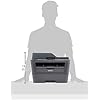
Brother MFCL2740DW Wireless Monochrome Printer with Scanner, Copier and Fax, Amazon Dash Replenishment Ready

  • Based on 1,800 reviews
Condition: New
Checking for the best price...
$689.00 Why this price?

Buy Now, Pay Later


As low as / mo
  • – Up to 36-month term if approved
  • – No impact on credit
  • – Instant approval decision
  • – Secure and straightforward checkout

Ready to go? Add this product to your cart and select a plan during checkout.

Payment plans are offered through our trusted finance partners Klarna, Affirm, Afterpay, Apple Pay, and PayTomorrow. No-credit-needed leasing options through Acima may also be available at checkout.

Learn more about financing & leasing here.

Selected Option

Free shipping on this product

This item is eligible for return within 30 days of receipt

To qualify for a full refund, items must be returned in their original, unused condition. If an item is returned in a used, damaged, or materially different state, you may be granted a partial refund.

To initiate a return, please visit our Returns Center.

View our full returns policy here.


Availability: In Stock.
Fulfilled by Max Tech Depot (Serial Numer Recorded)

Arrives Jan 8 – Jan 14
Order within 8 hours and 56 minutes
Available payment plans shown during checkout

Protection Plan Protect Your Purchase
Checking for protection plans...

Style: MFCL2740DW


Pattern Name: Printer


Features

  • 2.7" color touchscreen display offers intuitive navigation to cloud services Dropbox, Google Drive, Evernote and more
  • Fast high quality printing and copying up to 32 ppm and up to 2400 x 600 dpi resolution.Operating Temperature:50 F to 90 F (10 to 32 C) "
  • Wireless printing from your mobile device via AirPrint, Google Cloud Print, Brother iPrint & Scan, Cortado Workplace, Wi-Fi Direct
  • 4-in-1 functionality (Print, Copy, Scan and Fax) with a 250 sheet capacity paper tray. Print Technology: Black & White Laser Technology
  • Class 1 Laser Product, power output is enclosed. Scanning Capability: B/W &Color
  • Note: Kindly refer user manual before use

Description

Monochrome laser all in one. Connect via wireless or wired networking or USB. Print/ copy speed up to 32 ppm. Duplex printing with single pass duplex copy/scan/fax. 2.7" touchscreen display.


Manufacturer: ‎Brother Printer


Brand: ‎Brother


Item Weight: ‎25.8 pounds


Product Dimensions: ‎15.7 x 16.1 x 12.5 inches


Item model number: ‎MFCL2740DW


Is Discontinued By Manufacturer: ‎No


Color: ‎Black


Number of Items: ‎1


Manufacturer Part Number: ‎MFCL2740DW


Date First Available: August 15, 2014


Frequently asked questions

If you place your order now, the estimated arrival date for this product is: Jan 8 – Jan 14

Yes, absolutely! You may return this product for a full refund within 30 days of receiving it.

To initiate a return, please visit our Returns Center.

View our full returns policy here.

  • Klarna Financing
  • Affirm Pay in 4
  • Affirm Financing
  • Afterpay Financing
  • PayTomorrow Financing
  • Financing through Apple Pay
Leasing options through Acima may also be available during checkout.

Learn more about financing & leasing here.

Top Amazon Reviews


  • More work required for scan-to-email function
Style: MFCL2740DW Pattern Name: Printer
I bought this printer for a small office environment. I wanted the printer to be a standalone network printer. Everything worked great until I wanted to use the scan-to-email function. While this printer does have scan-to-email, it's not what I expected. In order to use the scan-to email function that's included with this printer, the machine uses the email program on your PC and opens an email on your PC with the scan as an attachment. It's not what most office workers are accustomed to. Most office workers will be accustomed to going to a machine, scanning a document and having the machine email the document to them. It doesn't have built-in outgoing email UNLESS YOU DOWNLOAD THE INTERNET FAX UTILITY FROM THE BROTHER WEBSITE. You need to go to the support page for the model MFC-L2740DW printer and download the "Internet FAX* / Scan to E-mail Server/ Fax to Server*/ LDAP* Install Tool". Once you do that your machine will have a new icon and you can scan to email like most users are accustomed to. The website for the download is http://support.brother.com/g/b/downloadend.aspx?c=us&lang=en&prod=mfcl2740dw_us_eu_as&os=93&dlid=dlf004627_000&flang=4&type3=78 ... show more
Reviewed in the United States on September 15, 2015 by Big Josh

  • When this printer first arrived i was delighted with it because wireless setup was so easy
Style: MFCL2740DW Pattern Name: Printer
When this printer first arrived i was delighted with it because wireless setup was so easy. As others have mentioned the scanner cocked the paper about 5 degrees, but i could live with that. Then, after about two weeks every time i tried to print i got a printer offline response. nothing in any of the instructions said what to do to bring it back on line. the only thing that seemed to work was unplugging it from power and causing it to restart itself. Then that stopped working. Tried the builtin troubleshooting application, which came back with a useless message that it had failed. Tried reinstalling the software. It recommends a usb connection during wireless setup, which had worked the first time. This time when the installation said to remove the usb cord the installation froze. the only option was to cancel. searched the Brother web page. found another troubleshooter that didn't work. Tried the advanced setup, which doesn't use the usb. Appeared to be working, but after completion the PC couldn't see the printer. finally called Brother and spent about an hour on the phone with a tech. We downloaded setup software from the web page to be sure it was the latest. Setup froze at the same place it had stopped with the CD. Reset printer back to factory defaults and tried setup again with the same result. Fortunately I had this experience while it was still within the return period. ... show more
Reviewed in the United States on June 8, 2016 by James H. Green

  • This is NOT the Brother printer that you are used to....
Style: MFCL2740DW Pattern Name: Printer
I've been using this MFC-L2740DW printer now for 6 mos. I thought it was a follow-on, or an improvement for the MFC7840 that I had been using for about 5 years. It is a completely different printer. The menus couldn't be more unrelated. The deep sleep mode is a problem. You can extend the time that it will not sleep up to about an hour, but then....you got it. Deep sleep cannot be turned off (per the Brother service tech that I contacted.) It is supposed to wake up when you send it a print job or when you tap on the control screen--that doesn't always work, and I have installed the latest firmware. I've printed from wireless, USB and finally last week converted to ethernet communications with it. I've updated the installation each time. My big complaint: It prints when it decides it wants to. I sent it a print job and it printed it 12 hours later!! No error messages, no faults, etc. The normal print routine is for it to print out a couple of pages, then go quiet, then after 3 or 4 minutes, it turns back on, prints the next couple of pages, then go quiet again. I found the "spooler" setting in the setup menu (that is on by default) and turned that off, thinking that it would then immediatey print when I sent it a print job, but NO, it does not. It does fax well, although even that has issues. When you set up your fax menu, you cannot permanently select "fine" for the quality. You must reselect it every time you send a fax because it defaults to "standard" resolution with every fax you send. All in all, I'm fed up with this little monster. I've spent waaay toooo much time trying to get this POJ to work. I'd return it to Amazon in a heartbeat if I could. ... show more
Reviewed in the United States on June 4, 2017 by T.T.

  • The printer would be great if it stayed connected
Style: MFCL2740DW Pattern Name: Printer
The network adapter is junk. This leads to constant "drops" from your network, exaggerated in Mac OSX. The printer would be great if it stayed connected. Simply put: this is a USB printer, not a network printer/scanner. If you need a MFC for use over a network (wired, wireless, etc) THIS IS NOT THE PRINTER YOU ARE LOOKING FOR. -- and yes, I'm a highly competent network engineer/user. ... show more
Reviewed in the United States on January 1, 2017 by Dr. S

  • Great for scanning, bad for printing.
Style: MFCL2740DW Pattern Name: Printer
In some ways I love this product. Set up is very easy, prints look good, and scans work very, very well. I'm very pleased with the Automatic Document Feeder, in particular. I can just drop in 30 corrected tests, press the "scan" button, and automatically get a folder full of high-quality two-sided scans. That said, I HATE that I can't use it as a replacement to my 2340, which is a standard Brother printer. With this printer, if you print more than 20 or 30 pages, whether it's one long document or a short document printed many times, it will say that it's out of memory, and cancel the print job in the middle. Keep in mind, this is just printing word files, not complicated graphs or pictures. Even if there was a way to fix that, the paper tray is not large enough to physically fit much more. Totally stupid design, and I can't recommend it for general use for that reason. ... show more
Reviewed in the United States on January 30, 2017 by Jeff R

Can't find a product?

Find it on Amazon first, then paste the link below.
Checking for best price...