Search  for anything...

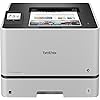
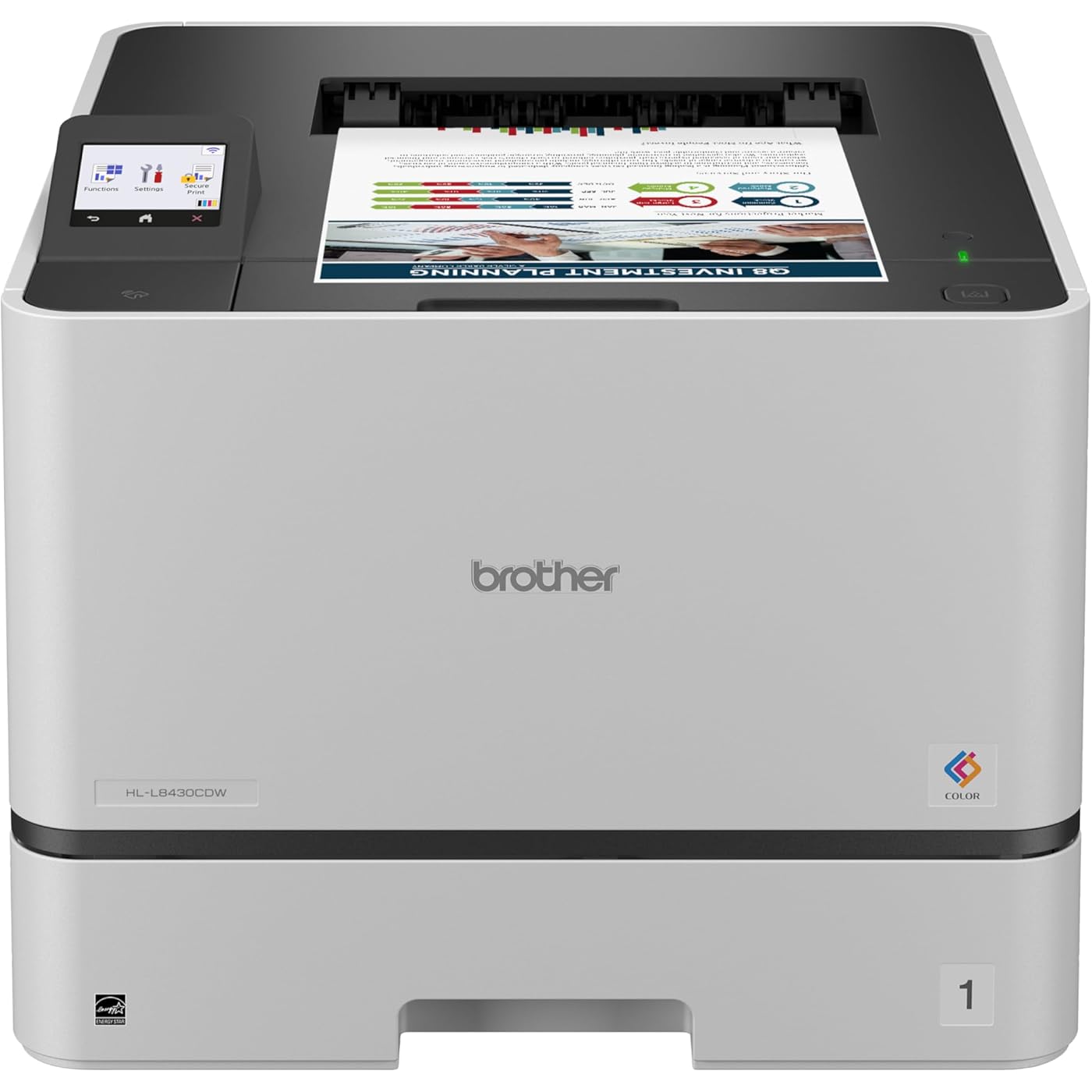
Brother HL-L8430CDW Business Color Laser Printer with Low-Cost Printing and Wireless Networking
  • Based on 0 reviews
Condition: New
Checking for the best price...
$537.30 Why this price?

Buy Now, Pay Later


As low as / mo
  • – Up to 36-month term if approved
  • – No impact on credit
  • – Instant approval decision
  • – Secure and straightforward checkout

Ready to go? Add this product to your cart and select a plan during checkout.

Payment plans are offered through our trusted finance partners Klarna, Affirm, Afterpay, Apple Pay, and PayTomorrow. No-credit-needed leasing options through Acima may also be available at checkout.

Learn more about financing & leasing here.

Selected Option

Free shipping on this product

Returnable until Jan 31, 2026

To qualify for a full refund, items must be returned in their original, unused condition. If an item is returned in a used, damaged, or materially different state, you may be granted a partial refund.

To initiate a return, please visit our Returns Center.

View our full returns policy here.


Availability: In Stock.
Fulfilled by Amazon

Arrives Feb 11 – Feb 12
Order within 19 hours and 52 minutes
Available payment plans shown during checkout

Protection Plan Protect Your Purchase
Checking for protection plans...

Style: Color Laser Printer


Pattern Name: HLL8430CDW (Current Model)


Features

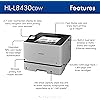
  • Optimize business productivity. Built for dependable performance and professional results with print speeds up to 33ppm(1), vibrant color, and sharp black output. Durable design ensures reliability to support busy offices and work teams.
  • Maximize printing budgets. Offers built-in value with included Brother Genuine 3,000-page black and 1,800-page color toner cartridges. Help lower printing costs by using the TN635XXL super high yield replacement toner cartridges, providing 7,500 pages black and 6,500 pages color(2).
  • Expandable paper capacity. 250-sheet capacity paper tray and 50-sheet capacity multipurpose tray for printing on custom media and envelopes. Expandable up to 1,340 sheets with optional trays(3).
  • Productivity-enhancing features. Flexible connectivity and a 2.7 color touchscreen enables seamless menu navigation and direct printing from popular business cloud services(4) and mobile devices(5). Default two-sided printing helps reduce paper use and lower costs.
  • Triple Layer Security. Advanced security features to help keep devices secure, protect documents in transit to and from print devices, and safeguard networks. Includes an integrated NFC card reader for easy badge authentication.
  • Eco-friendly printer features. EPS-free (expanded polystyrene) packaging, ENERGY STAR certified, and EPEAT Silver rated.

Description

The Brother HL-L8430CDW Business Color Laser Printer is ideal for business work teams, supporting maximum productivity in high-demand environments with reliable performance. It offers fast printing with lifelike color and sharp black output for professional documents, presentations, and marketing collateral. Maximize printing budgets with included Brother Genuine standard yield toner cartridges and achieve low-cost printing using TN635XXL super high yield replacement toner cartridges. Triple Layer Security features help to keep the device secure, protect documents in transit to and from print devices, and safeguard the network against intrusions. The printer includes dual-band (2.4GHz/5GHz) wireless and Gigabit Ethernet for wireless or wired networks, plus convenient mobile device printing1Disclaimers: (1) Based on one-sided printing. Change from default setting required. (2) Approximate toner cartridge yields in accordance with ISO/IEC 19798 (Letter/A4). (3) Maximum capacity based on using 20 lb. paper. (4) Requires an Internet connection and an account with desired service. (5) May require free download. Compatibility may vary by device and operating system. May require connection to a wireless network.

Brand: Brother


Connectivity Technology: Ethernet, USB, Wi-Fi


Printing Technology: Laser


Special Feature: Auto Document Feeder, Auto-Duplex, Envelope Printing, Network-Ready, Touch Screen


Color: White


Model Name: HL-L8430CDW


Printer Output: Color


Maximum Print Speed (Color): 33 ppm


Max Printspeed Monochrome: 33 ppm


Item Weight: 46.3 Pounds


Product Dimensions: 19.1"D x 16.1"W x 12.3"H


Maximum Media Size: Legal (8.5 x 14 inches)


Power Consumption: 600 Watts


Included Components: Toner Cartridges


Print media: Card stock, Envelopes, Glossy photo paper, Labels, Paper (plain)


Scanner Type: Sheetfed


Max Input Sheet Capacity: 1340


Max Copy Speed (Black & White): 33 ppm


Compatible Devices: Laptops


Maximum Color Print Resolution: 2400 x 600 dpi Dots Per Inch


Sheet Size: 8.5" x 14"


Maximum Black and White Print Resolution: 2400 x 600 dpi Dots Per Inch


Warranty Type: limited warranty


Dual-sided printing: Yes


Max copy resolution color: 2400 x 600 dpi


Max copy resolution black-white: 2400 dpi


Duplex: Automatic


Hardware Interface: Ethernet, USB


Additional Printer functions: Print Only


Compatible Cartridge: TN635 Standard Yield, TN635XL High Yield, TN635XXL Super High Yield


Number of Trays: 2


Total USB Ports: 1


Model Series: HL-L8430


Specific Uses For Product: Office


UPC: 012502676690


Printer Ink Type: toner


Item Weight: 46.3 pounds


Item model number: HLL8430CDW


Date First Available: September 16, 2025


Manufacturer: Brother


Frequently asked questions

If you place your order now, the estimated arrival date for this product is: Feb 11 – Feb 12

Yes, absolutely! You may return this product for a full refund within 30 days of receiving it.

To initiate a return, please visit our Returns Center.

View our full returns policy here.

  • Klarna Financing
  • Affirm Pay in 4
  • Affirm Financing
  • Afterpay Financing
  • PayTomorrow Financing
  • Financing through Apple Pay
Leasing options through Acima may also be available during checkout.

Learn more about financing & leasing here.

Top Amazon Reviews


  • Great printer!!
Style: New Pattern Name: HLL8360CDW (Previous Model)
Easy to use and set up. It prints very fast. Note that this is strictly a printer and not a scanner or copier. The colors are pretty vibrant. It isn’t really as noisy as I thought it might be. It has a relatively conservative footprint for its size. Overall, it’s a very nice machine. Brother is the way to go when it comes to printers. It connected very easily to my computer. It works very well for my needs and I would definitely buy it again. ... show more
Reviewed in the United States on November 30, 2025 by Amazon Customer

  • AWESOME PRINTER!!! This is an approx. 1 year update since purchase.
Style: New Pattern Name: HLL8360CDW (Previous Model)
The short version is that my wife & I are really liking this printer so far. As the headline reads, the color prints look great (including photo prints) and it prints fast (even from startup). So I chuckled reading some of the reviews (which I carefully did for several models). People talk about this printer being hefty (aprox 40lbs). This printer replaced an old HP 4550N Color LaserJet I had. THAT printer was hefty (113lbs!). So, the approx 40lbs was a JOY! :) I was very pleased with the HP but it was just getting old and was well beyond end of life. So I've been an HP fan for many years and felt I was really taking a risk trying out the Brother. My wife is a teacher and prints a lot of "stuff". So far we (especially my wife) have been just very impressed by this printer. I even printed my first double sided print (full duplex) today and it worked great. We've probably printed 30+ color pages and the toner and other perishables don't even show a dent in utilization (still 100% across the board). So thank you Brother for sending decent starter toner cartridges! I appreciated the one reviewer providing the password "initpass" for the built in web server on the printer. The information and configuration options on the printers web page are impressive. The pictures above are of the unboxing process. There are about nine pieces of tape that have to be removed and there are these orange clips that keep the toner cartridges in place during shipping. They are fairly easy to remove. You will need to pull down the main front door and pull out the cartridge drawer to get to them. Last, it has been great getting this printer. It immediately prompted me to download and install updates (twice). My WIN10 PCs immediately see the new printer and it worked flawlessly. We own iPhones and we can print very easily from them straight to the printer. On the iPhones, if the photo is large it takes a little longer to print which I assume is because it's going over WiFi to get to the printer. Speaking of which, I have this printer plugged into my network and am NOT using the built-in WiFi. APPROX. 1 YR UPDATE -------------------- So we purchased this in August of '19... now July '20. So far this printer has been VERY impressive. We've gone through the starter toner... got approx. 2k prints from those alone!!! I purchased the high yield toner cartridges... that's pricey but not when you compare number of prints to traditional toner. We've been so pleased I recommended this to my mother (and she purchased it). I'll occasionally log into the printer and upgrade the firmware (if a new one is available) and check the stats. So far we have 2,650 color & 151 b&w prints. Excluding toner, all the perishables (drum unit, fuser unit, laser unit, etc are above 90% with most being just under 100%. OVER 2 YR UPDATE -------------------- Printer is still going strong! My wife is a teacher and prints tons of stuff... I have three teens cranking out reports, you name it. I'm on my second FULL toner cartridge set (four). That is to say, I've gone through the starter, a regular full set and on another. So far I have 6,690 color pages & 548 B&W pages. As I mentioned... I have my second FULL / extended toner set in and they are almost 100% each. Sad to hear anyone has issues with this model... I can just tell you my experience. I DID however have one issue where I purchased a full (black, yellow, cyan, magenta) Brother toner replacement. ONE of the toner cartridges didn't work... it was brand new out of the package and the printer showed empty. I tend to purchase this stuff some months before they run out so I don't get caught empty. The bad thing about that is that it was past the seller's return date. I was disappointed with the seller for that. Unfortunately Brother wouldn't help me out either BUT... to Amazon's credit they gave me some credit for the single toner. I ended up purchasing a stand alone toner cartridge to replace the "defective" one and it worked great. ... show more
Reviewed in the United States on August 12, 2019 by Paul C Paul C

  • A sturdy Beast that can survive the worst UPS has to offer. Like the HP Laserjets of the 80's.
Style: New Pattern Name: HLL8360CDW (Previous Model)
After reading all the negative reviews AND living in an area where UPS delivery consists of kicking the package from one end of town to the other (after it is been opened to see if there is anything to steal) I was expecting the worst. That I would have to return it. Sure enough the box was badly mauled and dented as is every package I get from UPS. But I opened it up anyway. No damage to the printer and nothing missing. Yea!! The printer was very heavy. A good sign! And when I plugged it in it worked. The WPS did not work. But not being a novice, I had no difficulty setting it up on WiFi. Really its completely straightforward with no surprises. Once I had an IP address for it I downloaded the Brother Linux driver and it installed perfectly. Zero knowledge needed, the driver works by itself. And it prints beautiful full color pictures that look like photographs (because they were). My hat is off to Brother for supporting Linux just as well as HP does. They had better if they want to sell printers in China! Some people complained about a delay before printing. Yes,,, but the delay is no different from the HP laser jets I have and all the laser jets at work. In fact the longest delay is only after the printer has not been used for a while, lasts for about 30 seconds and then subsequent prints are much quicker. THATS A GOOD THING PEOPLE!! It means that Brother is not burning your electricity keeping the drums warm! In an office environment it would never be an issue because the printer would be constantly in use and the electricity saver would never kick in. The noise is no worse than any Laserjet I have had for the last 20 years and it is a lot quieter than most. The Laserjets at work make much more noise (but at an acceptable level - (the noise is useful because the printer is 20 feet away and thats how you can tell it worked). This printer could sit on your desk without a problem. The color on this printer is every bit as good as my old HP K80 office inkjet and the 2000 dollar commercial HP color laserjet at work. I am deducting one star because the instructions are not adequate for a beginner. There are plastic pieces and tape to be removed deep within the bowels of this beast that are nowhere in the instructions. And the instructions gives no hint that they are incomplete. I suspect the negative reviews are because people had no way to know they needed to take the thing apart to get all the tape and orange plastic gizmos out. Also while it may be Centurylink's and not Brother's fault, the WPS doesn't work at all even for an experienced person. If I run into any problems I will update but I am a very happy camper right now and recommend this printer. I did forget to mention that the printer does slightly curl the paper. My guess is that the drum is too hot. I will contact Brother to see if that can be adjusted. In the meantime the curl is not very bad so I can live wth it. EDIT: A year later still works perfectly. Zero problems. I have been printing almost every day and still have not had to replace the starter toner. Which is annoying because I bought new toner so I would have it on hand and its in the way! I keep hoping the starter toner will run out but it just keeps going. Also works perfectly with the Windows 10 I installed. Works perfectly in LINUX and Windows 10. ... show more
Reviewed in the United States on October 11, 2017 by mc

  • Good printer, good design
Style: New Pattern Name: HLL8360CDW (Previous Model)
The overall design and print quality are superb. The drum unit, waste toner box and belt unit are very easy to replace (and not too expensive) on these printers. The fuser is not as easy to replace plus the cost is more than 60% of the cost of the entire printer, which is why I junked the HL-L8260CDW and updated it with the 8360. I'm hoping that the fuser on the new printer will not have a catastrophic failure (fuser roller tore and left debris everywhere) after 3 years of operation on the old one. Time will tell if this will last longer than the old one which is very similar to this new one in design and functionality. This new one has twice the RAM and a better control panel. ... show more
Reviewed in the United States on August 10, 2023 by Nevada Geezer

Can't find a product?

Find it on Amazon first, then paste the link below.
Checking for best price...