Search  for anything...

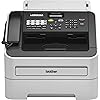
Brother FAX-2840 High Speed Mono Laser Fax Machine, Dark/Light Gray - FAX2840, 17.750x18.125x16.625

  • Based on 1,410 reviews
Condition: New
Checking for the best price...
$289.99 Why this price?

Buy Now, Pay Later


As low as $48.33 / mo
  • – 6-month term
  • – No impact on credit
  • – Instant approval decision
  • – Secure and straightforward checkout

Ready to go? Add this product to your cart and select a plan during checkout.

Payment plans are offered through our trusted finance partners Klarna, Affirm, Afterpay, Apple Pay, and PayTomorrow. No-credit-needed leasing options through Acima may also be available at checkout.

Learn more about financing & leasing here.

Selected Option

Free shipping on this product

FREE 30-day refund/replacement

To qualify for a full refund, items must be returned in their original, unused condition. If an item is returned in a used, damaged, or materially different state, you may be granted a partial refund.

To initiate a return, please visit our Returns Center.

View our full returns policy here.


Availability: In Stock.
Fulfilled by Amazon

Arrives Tuesday, Feb 10
Order within 3 hours and 6 minutes
Available payment plans shown during checkout

Protection Plan Protect Your Purchase
Checking for protection plans...

Style: New Model: FAX2840


Features

  • Adjustable 250-sheet capacity paper tray
  • 33.6K bps modem, approx. 2.5 sec/page transmission
  • 20-page capacity auto document feeder; Future printing capability. Built-in Hi-Speed USB 2.0 interface to connect to your computer for up to 21ppm laser printing.
  • 16MB memory (400 pages) with dual access
  • Up to 272 broadcast locations, 222 station auto dialing

Description

The IntelliFAX-2840 is a laser fax that is ideal for home offices or small offices. It features a 33.6K bps modem, 16MB memory and a 20-page capacity auto document feeder for faxing and copying multiple pages. This compact fax offers up to 272 broadcasting locations, 200 speed dial locations, 22 one- touch keys and can even receive fax and voice calls on the same telephone line. It has a generous paper tray capacity of 250 sheets and a USB interface for future printing capability. Also, an optional high capacity replacement toner cartridge is available to help lower your cost per page.

Brand: Brother


Connectivity Technology: USB


Printing Technology: Laser


Special Feature: Auto Document Feeder


Color: Dark/light gray


Model Name: 2840


Printer Output: Monochrome


Max Printspeed Monochrome: 30.00


Item Weight: 19.8 Pounds


Product Dimensions: 14.6"D x 14.7"W x 12.2"H


Controller Type: Push Button


Maximum Media Size: 8.5 x 14 inches


Included Components: IntelliFax-2840 High-Speed Laser Fax; Starter Toner Cartridge; DR420 Drum Unit; Telephone Line Cord; Telephone Handset; Handset Curled Cord; User fts Guide; Quick Setup Guide; Documentation CD-Rom; AC Power Cord


Print media: Paper (plain)


Scanner Type: Document


Max Input Sheet Capacity: 250


Max Copy Speed (Black & White): 21 ppm


Compatible Devices: Laptops, PC


Sheet Size: Letter or Legal


Maximum Black and White Print Resolution: 2400


Warranty Type: limited warranty


Color Depth: 1 bpp


Dual-sided printing: No


Wattage: 1080 watts


Max copy resolution black-white: 2400 x 600 dpi


Duplex: auto


Hardware Interface: USB


Ink Color: Dark/light gray


Additional Printer functions: Fax


Control Method: Touch


Number of Trays: 1


Processor Count: 1


Series Number: 28


Number of USB 2 Ports: 1


Total USB Ports: 1


Model Series: 20


Specific Uses For Product: home office


UPC: 012502632740


Printer Ink Type: toner


Memory Storage Capacity: 16 MB


Product Dimensions: 14.6 x 14.7 x 12.2 inches


Item Weight: 19.8 pounds


Item model number: FAX2840


Batteries: 1 Lithium Ion batteries required.


Is Discontinued By Manufacturer: No


Date First Available: November 22, 2010


Manufacturer: Brother Printer


Language: English


Frequently asked questions

If you place your order now, the estimated arrival date for this product is: Tuesday, Feb 10

Yes, absolutely! You may return this product for a full refund within 30 days of receiving it.

To initiate a return, please visit our Returns Center.

View our full returns policy here.

  • Klarna Financing
  • Affirm Pay in 4
  • Affirm Financing
  • Afterpay Financing
  • PayTomorrow Financing
  • Financing through Apple Pay
Leasing options through Acima may also be available during checkout.

Learn more about financing & leasing here.

Top Amazon Reviews


  • great machine
Style: New Model: FAX2840
Easy to operate/compact/reliable
Reviewed in the United States on January 18, 2025 by judith a.

  • Great fax!
Style: New Model: FAX2840
Thanks for having this fax available for purchase. Works great!
Reviewed in the United States on December 4, 2024 by Neenglo

  • Works well
Style: New Model: FAX2840
Pretty easy to set up. Nice option to use to make photocopies.
Reviewed in the United States on October 30, 2024 by Patrick Chan

  • The Deep Sleep resolved.
Style: New Model: FAX2840
This fax machine is excellent. However, the "deep sleep" mode problem is real. Pasting together several comments that appeared online, I learned the following. 1) The machine will spontaneously go into regular sleep mode when not in use. This saves energy. In regular sleep mode the machine will wake up and received faxes normally. So, that is good. 2) After a certain time (that you can set from the Ecology menu), left to its own devices, the machine will fall into "deep sleep" mode. This mode saves more power than regular sleep mode. However, the machine in deep sleep mode will only wake up and become able to receive faxes if: a) one physically touches a key, b) one lifts the handset, or c) if it received data from a computer or network. This will only happen if the fax machine is used as a printer, attached to a computer or a network. So, if one wants to use it as a stand-alone fax machine or one wants to receive faxes at all times, the deep sleep mode needs to be turned off. This is not an intuitive project. To turn off the Deep Sleep mode you need to do the following: Press Menu. With the up and down arrows select 1. General Setup, press OK. Select 4. Ecology, press OK. Select 2. Sleep Time, press OK. Then, with the two-digit sleep time still on the screen, PRESS TOGETHER the LOW ARROW + START keys. The Deep Sleep menu will appear. You can then choose yes or no with the up and down arrows. Enter OK, then press Stop/Exit to exit the Manu mode. As much as the deep sleep mode is ecologically friendly, it remains incomprehensible why Brother made the access to controlling the Deep Sleep mode so hidden and arcane. The machine makes excellent copies and is a great printer. As to durability and cost of maintenance, remains to be seen. ... show more
Reviewed in the United States on March 14, 2015 by Ubaldo L.

  • Exactly What I Wanted
Style: New Model: FAX2840
This is an excellent fax machine. In my home office, it replaces an HP FAX-900, which provided many years of yeoman service but finally reached the end of its useful service life. Before that, I had a thermal-printing Canon, for which, back in the day, I must have paid about ten times what I paid for this Brother unit. It's really quite astounding. You've read all the reviews. This machine delivers very high input and output quality. It's fast; it works; and consumables are affordable. I wouldn't haven't bothered you with yet another review were it not to report that the "deep sleep" issue seems to have been resolved. On my unit, at least, it is not a problem at all. All tests confirm that the machine comes out of deep sleep instantly and receives incoming faxes without missing a beat. Of course, I can't guarantee that you won't have the problem with your particular sample. I would also exhort buyers to RTFM (including the Advanced User's Guide on disk). Of particular importance, I think, is the telephone line compatibility setting (Menu, 2, 0, 1), which is actually an item in the quick setup guide. Many of you have VoIP service and don't even know it. Even if you have a traditional POTS copper pair, there might be VoIP involved in any given connection. So, if you're having problems, check that setting. There aren't a whole lot of options out there for dedicated fax machines these days. I'm really happy Brother has given me this choice. ... show more
Reviewed in the United States on September 27, 2015 by F. Drebin

  • Excellent Compact Laser Fax - once tweaked.
Style: New Model: FAX2840
After dealing with an HP inkjet fax in my restaurant that kept jamming and having dried up ink from, I decided I needed a compact laser that would fit in the allocated area.This fit the bill, except that it was white and every other piece of equipment in the area was black. Once I unboxed the unit, I used masking tape to cover the black areas and any open electronics. Using a simple flat black can of spray paint, I was able to make it all black. Nobody can tell it was painted even when I point it out to them. First problem fixed. I have had the unit for about 7 months and it has performed flawlessly. It even uses the same toner as a wireless Brother printer I have which is a bonus as well. This past week of course, I encountered the DEEP SLEEP curse that so many people speak of. The machine will do half a ring and act weird, but will not receive faxes. After some research and playing around, there is a solution, even though Brother has decided to hide the feature. You ARE able to disable DEEP SLEEP. Go to General Settings, Ecology, Sleep Mode. When it asks you to change the time before sleep, simultaneously press the START and DOWN ARROW buttons. You will now get the hidden option to Disable DEEP SLEEP mode. Disable it and enjoy your fax for many years to come. ... show more
Reviewed in the United States on September 5, 2014 by A. Diamond

  • I need to get a working fax machine to replace this one.
Style: New Model: FAX2840
I have bought this item in Feb, 2019, to replace my old Brother Intellex fax/phone machine which has the paper feeding problems. I bought this second Brother Fax/phone machine again because I need a Fax machine with the telephone function to use for the 2nd telephone line of my business. Otherwise, I would have bought the HP product. Now I have the same paper feeding problems. I have to open the paper compartment to push the paper backward, then to push the start button in order to get the fax coming in. I have to do this for an average after only getting 1 or 3 pages before the same problem happened again. The sign always said: No paper. The machine also made clicking noises while paper was loading. I know that I cannot return this machine after one month of the purchase. But this fax machine is not working, and useless. I would like to get an exchange of the same machine or a better designed model if there is an option. I can pay for the difference This Brother Phone/Fax machine basically is not usable. Please contact the manufacturer, and arrange a exchange for me. Thank you. RL ... show more
Reviewed in the United States on October 1, 2019 by RL

Can't find a product?

Find it on Amazon first, then paste the link below.
Checking for best price...