Buy Now, Pay Later
- – 6-month term
- – No impact on credit to apply
- – Instant approval decision
- – Secure and straightforward checkout
Ready to go? Add this product to your cart and select a plan during checkout.
Payment plans are offered through our trusted finance partners Klarna, Affirm, Afterpay, Zip, Apple Pay, and Google Pay. No-credit-needed leasing options through Acima may also be available at checkout.
Learn more about financing & leasing here.
FREE 30-day refund/replacement
To qualify for a full refund, items must be returned in their original, unused condition. If an item is returned in a used, damaged, or materially different state, you may be granted a partial refund.
To initiate a return, please visit our Returns Center.
View our full returns policy here.
Recently Viewed



At a glance
- Condition
- New
- Model
- MaxiVCI V200 VCI Wireless Dongle
- Screen size
- 1 in
- Power Source
- Corded Electric
- Operating System
- Windows XP
- Item Type Name
- MaxiVCI V200
- In the box
- Autel MaxiVCI V200
Features 7
- 2026 Autel V200, Enhanced Upgrade from V150/ V100Five Advantages of the Autel VCI 200: 1) It features built-in CAN-FD & DoIP protocols to scan 2026 and newer vehicles without requiring extra adapters. 2)164 feet Wireless diagnostic range-far superior to V100 33ft rangeeliminating cable constraints. 3) Dual Bluetooth & USB connections, plug and play. 4) Compatible with most Autel diagnostic scanners. 5) 1-year warranty and lifetime service.
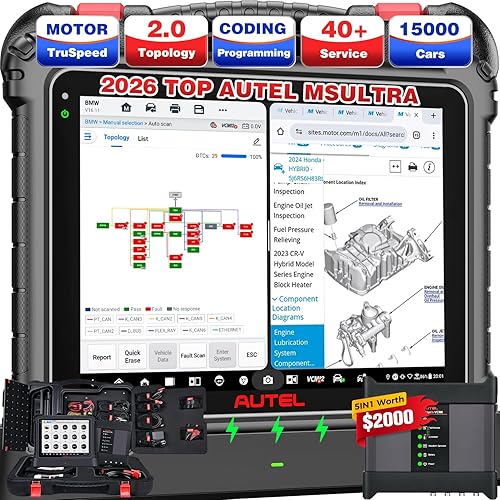
- Support 95% Autel Scanners2026 Autel latest VCI (Vehicle Communication Interface) supports Below Autel Scanners. 900 Series: MaxiCOM MK900BT, MK900-TS, MP900-BT, MP900BT Kit. 906 Series: MaxiSys MS906 Pro, MS906 MAX, MS906 Pro-TS, MK906 Pro, MK906S Pro, MK906 Pro-TS, MK906S Pro-TS, MK906 Pro2-TS. IM Series: KM100, KM100X, KM100E. MaxiBAS Models: BT608, BT609, ITS600. Intelligent Series: Elite II PRO, MS909, Ultra Lite, Ultra. Autel MaxiVCI V200 supports DoIP and CAN FD protocols, covering more models.
- CAN-FD & DoIP CompliantNo expensive CAN-FD & DoIP adapters needed; MaxiVCI V200 is equipped with CAN-FD and DoIP to diagnose the latest 2026 and newer vehicles unavailable to other tools. Its data transfer rate is up to 5Mbit/s to speed up scanning all vehicle systems, saving more time for technicians and garages. Autel MaxiVCI V200 also supports CAN, EOBD, OBD, OBDII interfaces to cover more cars both old and new.
- Max 164ft. Wireless Blu.To.oth ConnectionThis Autel V200 VCI Bluet-ooth Doogle saves you from having to curl up at the steering wheel with tedious wires to repair your car, allowing you to repair the car freely around the car in 164 Feet. The ultra-fast Autel V 200 OBDII port can quickly transfer vehicle data to the scanner for accurate diagnostic results. More stable and fast with wireless Technology, saving time and win more business.
- How to Pair V200, Plug & PlayEasy 3 Steps to connect vehicle and scanner: 1. Insert the Vehicle Data Connector on the MaxiVCl V200 into the vehicle's DLC; 2. Power up the scanner; 3. Pair the scanner with the MaxiVCl V200 to establish communication. In addition, you can also plug the USB cable into the VCI200 to establish communication, and the system will give priority to USB communication. Both connection methods are simple and easy to understand.
- NON-OBDII & OBD II Vehicle Connect WayIf your car with Non-OBDII port, you require OBDI adapter to complete connect: First locate the required OBDI adapter and connect its 16-pi-n jack to the Vehicle Data Connector on the MaxiVCI V200, then Connect the attached OBDI adapter to the vehicles DLC. If your vehicle is standard OBD II port, only Insert V200 into DLC, which is generally located under the vehicle dash.
- Lifetime Fre-e UpgradesAutel MaxiVCI V200 has continuous function updates to improve performance and help you avoid extra costs for new hardware. Simple upgrade steps: power on your Autel scanner, connect it to the V200 via Bluetooth or USB, open VCI Manager choose VCI Updatetap Update Now reconnect the V200. Autel MaxiVCI V200 VCI200 Interface comes with 1 year warranty, 30 days no reason return and replacement policy. Any connection/ update issues, please reach out to us via auteldirect @ outlook. com. Note: Turn off the vehicle ignition before plugging or unplugging the VCI to prevent current surge damage.
Description
When Vehicle/Connection LED is solid green, the VCI is connected via USB cable. When Vehicle/Connection LED is flashing green, the VCl is communicating via USB cable. When Vehicle/Connection LED is solid blue, the VCI is connected via Wireless. When Vehicle/Connection LED is flashing blue, the VCI is communicating via Wireless. How to connect the vehicle and the scanner? Power LED Description: Yellow: VCl is powered on and performing self-check; Green: Ready for use; Flashing Red: Firmware is Updating Connection LED Description: Solid Green: Cable Connected; Flashing green: Communicating via USB cable; Solid Blue: Wireless Connected; Flashing Blue: Communicating via Wireless
Specs 12
| Brand | Autel |
|---|---|
| Power Source | Corded Electric |
| Operating System | Windows XP |
| Screen Size | 1 inches |
| Item Highlight | 2026 2.0 of V150 VCI100 V100 Car Communication Interface, for MK900BT MP900BT MS906 PRO MS906MAX MS906 PRO-TS KM100 BT608 etc See more |
| Brand Name | Autel |
| UPC | 762917122250 |
| Manufacturer | Autel |
| Item Type Name | MaxiVCI V200 |
| Model Number | MaxiVCI V200 VCI Wireless Dongle |
| Manufacturer Part Number | VCI V200 |
| Manufacturer Warranty Description | Autel MaxiVCI V200 VCI200 OBD2 Bluetooth Connector Adapter Vehicle Communication Interface comes with 1 year warranty, 30 days no reason return and replacement policy. |
No specs match.
Frequently asked questions
To initiate a return, please visit our Returns Center.
View our full returns policy here.
- Klarna Financing
- Affirm Pay in 4
- Affirm Financing
- Afterpay Financing
- Zip Pay in 4
- Financing through Apple Pay
- Financing through Google Pay
Learn more about financing & leasing here.