Search  for anything...
AOC

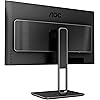
AOC U27U2DP 27" 4K Frameless Monitor, UHD 3840 x 2160, KVM, RJ45, USB-C Docking, Height Adjustable Stand

  • Based on 0 reviews
Condition: New
Checking for the best price...
$399.74 Why this price?

Buy Now, Pay Later


As low as / mo
  • – Up to 36-month term if approved
  • – No impact on credit
  • – Instant approval decision
  • – Secure and straightforward checkout

Ready to go? Add this product to your cart and select a plan during checkout.

Payment plans are offered through our trusted finance partners Klarna, Affirm, Afterpay, Apple Pay, and PayTomorrow. No-credit-needed leasing options through Acima may also be available at checkout.

Learn more about financing & leasing here.

Selected Option

Free shipping on this product

This item is eligible for return within 30 days of receipt

To qualify for a full refund, items must be returned in their original, unused condition. If an item is returned in a used, damaged, or materially different state, you may be granted a partial refund.

To initiate a return, please visit our Returns Center.

View our full returns policy here.


Availability: Only 10 left in stock, order soon!
Fulfilled by Morgan Ingland LLC

Arrives Monday, Mar 16
Order within 20 hours and 29 minutes
Available payment plans shown during checkout

Protection Plan Protect Your Purchase
Checking for protection plans...

Size: 27" UHD


Style: USB-C | RJ45 |KVM


Features

  • ASTONISHING CLARITY: Enjoy brilliantly sharp images with this frameless AOC monitor boasting a 27-inch IPS panel with 4K UHD resolution and 178/178 wide viewing angles
  • STREAMLINE YOUR WORKSPACE: USB-C docking brings order and convenience to your desktop by transferring high-speed data, high-resolution video signal, and power to your laptop (up to 90W of Power Delivery support) via a single USB-C cable. You can stream 4K videos while simultaneously charging your notebook
  • VIRTUALLY BORDERLESS: This sleek monitor is frameless on all four sides, so the screen looks even bigger for the viewer. This minimalistic design also allows for seamless multi-monitor setups that enhance your workflow and boost productivity
  • RICH COLORS FOR WORK AND PLAY: IPS display provides true-to-life images and more gradients with 98% DCI-P3 and DisplayHDR 400. The 178/178 degree extra wide viewing angle prevents the shifting of colors when viewed from an offset angle, so you always get consistent colors

Description

AOC’s U27U2DP Monitor is all about business. The 27-inch IPS panel features 4K UHD 3840 x 2160 resolution, so you get stunning, lifelike images. Thanks to 178/178 wide-viewing angles, documents and graphics look consistent wherever you sit. USB-C docking is also a big game changer, as it enables you to transmit high-resolution video signals and charge your notebook at the same time. This one-for-all solution reduces the number of cables on your desk and brings order and convenience to your workspace. There’s also a built-in USB hub with side mounting ports and multiple connections for practicality, including HDMI 2.0, USB-C and USB 3.2 Gen 2. You can enjoy high-speed data transfer and easily switch between your desktop and laptop with the KVM switch. AOC’s flicker-free feature lets you work with less strain and more efficiency. The included ergonomic stand is height, tilt and swivel- adjustable, so you can work from a comfortable position at all times. You can even switch between landscape and portrait modes by rotating the panel. This sleek monitor is bezel-free on all four sides, so the screen looks even bigger, ideal for multi-monitor setups, movies and gaming.

Brand: AOC


Screen Size: 27 Inches


Resolution: 4K UHD 2160p


Aspect Ratio: 169


Screen Surface Description: Glossy


Standing screen display size: ‎27 Inches


Screen Resolution: ‎3840x2160


Max Screen Resolution: ‎3840 x 2160 Pixels


Number of USB 3.0 Ports: ‎3


Brand: ‎AOC


Series: ‎U27


Item model number: ‎U27U2DP


Item Weight: ‎22.2 pounds


Product Dimensions: ‎8.48 x 24.17 x 20.98 inches


Item Dimensions LxWxH: ‎8.48 x 24.17 x 20.98 inches


Color: ‎Black


Manufacturer: ‎AOC


Date First Available: ‎September 17, 2024


Frequently asked questions

If you place your order now, the estimated arrival date for this product is: Monday, Mar 16

Yes, absolutely! You may return this product for a full refund within 30 days of receiving it.

To initiate a return, please visit our Returns Center.

View our full returns policy here.

  • Klarna Financing
  • Affirm Pay in 4
  • Affirm Financing
  • Afterpay Financing
  • PayTomorrow Financing
  • Financing through Apple Pay
Leasing options through Acima may also be available during checkout.

Learn more about financing & leasing here.

Top Amazon Reviews


  • Great for productivity and video
I have a 2 monitor set up that I use and switch between my personal and work computers. My other monitor has a KVM, so that makes it super convenient. Anyway, about this monitor. I was skeptical of this monitor at first because it is a VA panel. Turns out the picture quality is great. If there are any pixels burnt out, I couldn’t tell you as they are too small for me to see. This is my first curved monitor, and I have to say, I think I personally prefer curved monitors now. Especially whenever monitors start going above 27”. It just makes everything easier to see, for me. I’ve watched 4k videos/movies on this monitor and it’s flawless, with vibrant colors. I didn’t need anything super fancy or expensive for my secondary monitor, just something that works. 60Hz suits my needs. I did a lot of research between the VA panels and the IPS panels. The IPS monitors cost a lot more money, and for my primary use, which is office productivity, this is fine. If your primary use case is gaming or something with high accuracy color reproduction, then you might want to look at other monitors. I’ve played WoW on this monitor, and it worked fine, but I prefer my other monitor, which was made for gaming and higher FPS. After a year of owning this one, I am very pleased with it. Update: I have an M1 Mac Mini and running dark mode causes this screen to flicker, quite a lot. I have to run it in light mode, which I'm not a fan of, but this is not a problem of this monitor. The M1 Mac Mini, for some reason, doesn't support dark mode when running through HDMI. I haven't tried running this through USBC, so that may solve the issue, as I stated in my earlier review, this is my secondary monitor. I just wanted to provide that update in case you happen to have an M1 Mac, I can't speak to models other than the Mini, that you may experience this issue and it is your computer, not the monitor. My rating does not change as this monitor continues to be a great purchase. ... show more
Reviewed in the United States on August 20, 2023 by Kayleigh

  • The best at this price and for my needs
Size: 27" UHD Style: Flat Screen
I bought this at the end of 2019 as a gift for myself. I wanted a monitor that would be good for gaming and illustrations. Here's a run down of my specific wants: > 27" monitor (I felt 32" was too large. I would be fine with a 24", but this was, again, a gift for myself and I quite liked this size in comparison) > LED + IPS monitor > 4K Ultra HD resolution > High brightness > High color gamut > Low response time > High refresh rate > Anti-glare/Matte > VESA mountable If you've looked into this monitor some more, you will notice that it does not satisfy everything I wanted. The U2790VQ is NOT a LED monitor, but an LCD with WLED backlight, which is better than an LCD monitor without an LED backlight. It also does not have a high refresh rate; it caps at 60 fps (tested and true). But when put side by side to other 27" monitors with similar specs at this price, the U2790VQ was still the best option. This monitor has the highest brightness of 350 cd/m^2 compared to similar ones at this price point. There were others that had a higher refresh rate, but lower brightness and color gamut. Since I planned to use my computer for illustrations, the refresh rate wasn't as important of a factor as the brightness and color gamut. There were more expensive ones that could satisfy EVERYTHING I wanted, but I would be looking at, at minimum, a $150 increase in price, which I wasn't willing to shell out for. So, that is to say, I was willing to exchange these two points for the savings. -------------------------- I am back after a year just to see if the market has anything that might fit my wants better at the $200-$300 price point, but it seems that it is still the best option. I practically use it everyday for long periods of time, especially since COVID began, and it has not failed me in any regard. There is no bleeding, no dead cells, nothing. It's as good as it was right out of the box. I don't have to use it at full brightness--especially in the room I have it in--but it is nice to have that option. The screen is not AS consistent in color at different angles as I would like, but it is minimal and is only a slight nuisance when doing my illustrations. It is far better than a normal LCD monitor. Sometimes I do wish for higher fps, but I'm used to playing at lower fps rates anyhow, so it isn't something that bothers me--just a thing I would be looking for when I eventually upgrade to a monitor worth more than $500. I will be sticking with this one until then. ... show more
Reviewed in the United States on December 28, 2020 by Jastinee X

  • One of 2 nearly-identical excellent low-cost 4K monitors
Size: 27" UHD Style: Flat Screen
If you’re in the hunt for a low-cost 4K monitor, this should definitely hit your radar. I’m loving its 350 nits brightness, especially when watching video feeds. It’s a vast improvement over my previous 250 nit 4K monitor. The extra nits allow for greater contrast and deeper blacks. Performance-wise, it’s a good monitor. The settings menu system is a bit funky, but nothing a person with a bit of sense can’t deal with. The manual isn’t of much help, only stating the obvious. Once you’ve figured things out and made your selections, most of what you’ll need will be controlled by the joystick power switch on the back, which is simple. Many AOC monitors have Philips counterparts that are internally identical. In the case of the AOC U2790VQ, the counterpart is the Philips 276E8VJSB. Besides costing less, the Philips also comes with a 4 year advance replacement warranty, though I have no idea how well Philips stands behind it. Why did I buy the AOC rather than the Philips? For health reasons I need a monitor whose height can be adjusted. Neither the AOC nor the Philips comes with a height-adjustable stand. The AOC has a VESA mount, though—and the Philips does not. It's a snap to replace the stand that comes with the AOC with a good, solid, inexpensive VESA stand. The base-hinged stands that come with these monitors aren’t nearly as firm. Also, the cables are hidden better with the AOC than with the Philips. But that's a quibble. Note: you could get the Philips 278E1A, which is virtually identical in specs to the 276E8VJSB and includes a VESA mount...but it’s been impossible to buy without also incurring a $40–50 shipping fee. So it turns out not to be less expensive than the AOC. So if you don't need a VESA mount or a really solid stand, go for the Philips monitor. If the stand is an issue, like it was for me, it only takes another $50 or so to fix you up. ... show more
Reviewed in the United States on October 21, 2020 by Panglos

Can't find a product?

Find it on Amazon first, then paste the link below.
Checking for best price...