Search  for anything...

Anycubic Kobra 3 Max 3D Printer Only, Support Multicolor Needs ACE Pro, 600mm/s High-Speed Printing Large Build Volume 420x420x500mm Auto Leveling & Smart Vibration

  • Based on 1,481 reviews
Condition: New
Checking for the best price...
$419.99 Why this price?
Holiday Deal · 7% off was $449.99

Buy Now, Pay Later


As low as / mo
  • – Up to 36-month term if approved
  • – No impact on credit
  • – Instant approval decision
  • – Secure and straightforward checkout

Ready to go? Add this product to your cart and select a plan during checkout.

Payment plans are offered through our trusted finance partners Klarna, Affirm, Afterpay, Apple Pay, and PayTomorrow. No-credit-needed leasing options through Acima may also be available at checkout.

Learn more about financing & leasing here.

Selected Option

Free shipping on this product
This item's return window has been extended for the holiday season: Returnable until Jan 31, 2026

To qualify for a full refund, items must be returned in their original, unused condition. If an item is returned in a used, damaged, or materially different state, you may be granted a partial refund.

To initiate a return, please visit our Returns Center.

View our full returns policy here.


Availability: Only 10 left in stock, order soon!
Fulfilled by Amazon

Arrives Thursday, Dec 18
Order within 4 hours and 47 minutes
Available payment plans shown during checkout

Protection Plan Protect Your Purchase
Checking for protection plans...

Size: Anycubic Kobra 3 Max


Features

  • 420x420x500mm Jumbo-Sized Build AreaCreate life-sized projects with ease! Anycubic Kobra 3 Maxs massive 16.5"x16.5"x19.7" workspace lets you print oversized models like pet playgrounds, or even full-scale DIY sand tablesall in one seamless piece
  • Amazing Multicolor PrintingNeed to connect additionally with the Anycubic ACE Pro, Anycubic Kobra 3 Max Combo 3d printer allows your printing in 4 colors. By pairing 2 ACE Pro units together, you can achieve brilliant 8-color printing, expanding possibilities for more vibrant and colorful creative projects
  • 600mm/s High-Speed Printing The Kobra OS firmware platform, paired with SG15 high-precision bearings and a dual-axis core design, enables printing speeds of up to 600mm/s and accelerations of 10000mm/s2. This combination shortens printing times, enhances stability and precision, facilitating quicker and more efficient printing process
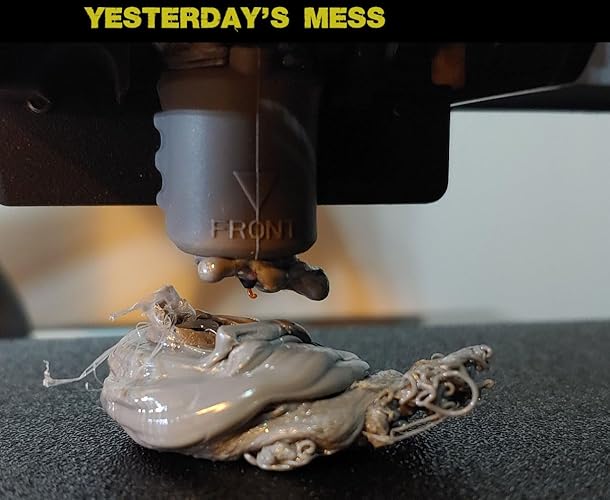
  • Intelligent Printing By utilizing AI recognition for real-time monitoring of the printing process, the system will automatically pause printing and alert the user if any abnormalities, such as "spaghetti" are detected in a specific model during bulk printing
  • Upgraded Anycubic SupportEach Anycubic Kobra 3 Max 3d printer will accept strict testing and excellent package before delivery, which comes with a one-year warranty(some parts warrantied 3-6 months) for your peace of mind and 24/7 customer service. If you have any questions or any needs, please contact us

Brand: ANYCUBIC


Material: PLA, PLA+, TPU, ABS, ASA, PETG、Matte PLA、Silk PLA


Product Dimensions: 29.5"D x 32.25"W x 7.25"H


Item Weight: 47 Pounds


Compatible Devices: Personal Computer


Product Dimensions: 29.5 x 32.25 x 7.25 inches


Item Weight: 47 pounds


Date First Available: July 27, 2024


Manufacturer: ANYCUBIC


Frequently asked questions

If you place your order now, the estimated arrival date for this product is: Thursday, Dec 18

Yes, absolutely! You may return this product for a full refund within 30 days of receiving it.

To initiate a return, please visit our Returns Center.

View our full returns policy here.

  • Klarna Financing
  • Affirm Pay in 4
  • Affirm Financing
  • Afterpay Financing
  • PayTomorrow Financing
  • Financing through Apple Pay
Leasing options through Acima may also be available during checkout.

Learn more about financing & leasing here.

Top Amazon Reviews


  • Huge build volume and super reliable prints
Size: Anycubic Kobra 3 Max
Verified Purchase — The Anycubic Kobra 3 Max has been a fantastic addition to my setup. The massive build volume makes printing large parts easy, and the multicolor support works better than I expected. Bed leveling is quick and accurate, and prints have come out clean with excellent adhesion. Setup took less than 30 minutes, and the touchscreen interface is simple to use. If you want a big, dependable printer without a big learning curve, this is a great choice. ... show more
Reviewed in the United States on December 3, 2025 by Scarecrowoif2 Scarecrowoif2

  • This is worth every penny spent
Size: Anycubic Kobra S1 Combo
out of the box I was able to print a small object and it looked perfect. Tweaking settings made even better prints. Read up on how to make supports if needed, the anycubic website has a great resource for these settings. I bought the combo unit with 4 colors If I had the money I would upgrade to 8, or buy one of their advanced models to make filament change a bit quicker and with less waste. This product is amazing!! ... show more
Reviewed in the United States on December 7, 2025 by kinman kinman

  • My second Anycubic printer purchased, the second that's a piece of junk
I bought this printer after my first Anycubic Kobra stopped heating the bed. Apparently that's a common problem with the first series of Kobras, but Anycubic's customer service is useless. After trying a couple of fixes on the first one, I gave up and just bought this version, because it seemed to be better reviewed. It arrived fine, but due to a variety of reasons, I didn't start it up for about 8 months. I put it together, went through all of the set up, ran the first test print, everything seemed fine, so I started my first real print. The quality of the first print wasn't great, so I made some adjustments and tried again. Better, but still not good. I read numerous articles and threads on a variety of sites, eventually coming up with a solution. The biggest issue is that, while the printer might be able to run at 500 - 600 mm/sec, unless you have filament that can keep up, you're still going to be limited to 100ish mm/sec. Even lower if you don't want the prints to look awful. But, whatever. I ordered some high-speed filament and just slowed down the print speed. Things look pretty good. Then, after about 18 hours of printing across a half dozen prints, in the middle of a print, I realized the extruder wasn't actually extruding any filament. When I took the thing apart, I found that the filament had hardened inside the nozzle and then the printer kept feeding filament into the hot end, completely destroying the thing. So, I ordered a new OEM hot end and an upgraded ceramic hot end. I installed the ceramic upgrade, and after three misstarts (because the ceramic item is also junk, apparently), I was FINALLY able to finish a test print. Everything looked great, but, considering all the problems I've had with FDM printers, I decided to try another test print. Less than 30 seconds into the print, the hot end was clogged with filament backing up. Bottom line, I've done everything I was supposed to do with these printers, and they STILL fail after only a few hours of printing. None of the components are high quality, and Anycubic's customer service is absolutely useless. I will NEVER purchase another Anycubic product again, and my experience with this crap has pretty well convinced me to give up on 3d printing completely. UPDATE: Anycubic customer service decided to reach out to me and offer me a new hot end, despite it being out of warranty. Like they're doing me some kind of favor, replacing a garbage component on their garbage printer when the component failed after less than six hours of use. Because apparently these clowns think that replacing a component on their POS printer will somehow solve all of the many issues this POS has. I may take them up on the offer just so I can replace it, follow all of their asinine instructions to the letter, then show them that the printer is still garbage. The worst part about this entire fiasco is that this is actually my THIRD FDM printer. My first was a Creality Ender 3 that absolutely would not level. I followed all of Creality's instructions, looked for solutions online from all kinds of places, and literally spent six months trying to get that piece of junk to work. I eventually gave up and purchased the first Kobra...and it worked, right out of the box. I didn't have a bit of issue getting it set up, getting it to print, nothing. Print quality was great, speed was decent, I had absolutely no problems with it. Until the stupid thermistor error that bricked a huge number of those first-gen Kobras. Now, the Kobra 2 Pro is arguably WORSE than that useless Creality I had. UPDATE TWO: I received the new "official" Anycubic hot end (which is identical to the aftermarket parts I purchased...they're probably made on the same assembly line at the same time and just packaged differently). Installed it, tried running a print, and to no one's surprise, it failed. I followed all of the instructions provided by Anycubic (all of which were things I had already done to troubleshoot the problem), and they didn't fix a thing. On the tensioner side of the X-Axis, the Z-offset was pretty good, and the filament was depositing pretty much the way it should. After a few passes, however, the filament was no longer adhering to the plate, and there were gaps between each "bead" of filament being extruded. That continued until the extruded filament was no longer even touching the plate. I decided to check the printer's overall level/alignment, and that of the X-Axis gantry's alignment to the hot bed to see if that might be the problem. The printer is about as level as I can get it.. With the gantry pressing on the block on the belt tensioner side, it's sitting more than 4mm ABOVE the block on the motor side of the gantry. That's AFTER I've loosened everything and adjusted the gantry as much as possible. It physically CANNOT be adjusted any more than it is. I have no idea if it's bent somehow (definitely not obviously so), or if Anycubic is simply incapable of the level of manufacturing precision required for something like this. I'm currently waiting on yet another response from Anycubic...which I assume will tell me to do things I've already done that won't actually work. Never again will I purchase anything from Anycubic. ... show more
Reviewed in the United States on August 30, 2025 by ATH ATH

  • Some false advertisements, great for detailed prints
This is my second 3D printer (first was an Ender 3 Pro), and it runs much more reliably and prints with higher detail than the Ender 3 Pro did. However, few things worth noting about this printer, especially for beginners. 1) Installation is *not* 1-2-3 steps easy as shown in their marketing video. You have to hold the printer almost completely upside-down to get screws into it, which sometimes trap cords underneath the frame bits, and after you've finished with the elbow grease assembly (screwing the frame together, screwing the LCD panel in, clamping the filament holder in), then you have to plug in virtually *all* the cords for this thing. For every step motor (4?), for the LCD screen, 3 for the hotend, connect the tubing, connect the larger black cord etc. Thankfully the cords are at least labelled with X, Y, ZR etc but the places they are meant to be plugged into are not labelled. Didn't count, but felt like there were at least 12 cords that needed to be plugged in to various places. Then after that, you have to channel your inner contortionist to cut all the zip ties that are buried on this printer without nicking any of the necessary cords or belts, in incredibly poorly visible spots like under the center of the bed. None of the tools provided could reach these zip ties, so I ended up folding myself in half with my cell phone flash light trying to carefully cut a zip tie with a pair of shears. This is not "beginner" level installation, and I would not recommend it for anyone who has even a minor disability or handicap. 2) The machine is *not* silent. It is very quiet, don't get me wrong, but it does make noise when it prints (a humming sound along with the whirring of the fans usually but occasionally a sort of buzzing thud if the nozzle catches on the print). The fans an be turned off, but even with them at 0% the printer still makes noise. I would guess its a little louder than the level of a loud AC unit or refrigerator. Again, ignore the marketing lies, this printer will make noise. 3) The filament feed is *not* direct to the hotend. This is important because that feature can reduce the amount of potential clogs for filament being fed into the printer. This printer (like most 3D printers) uses bowden tubing with a gear setup to feed filament into the hotend. I saw this in the specs on this amazon listing page and it is blatantly false advertising. 4) The scraper tool included with this printer is basically a putty knife. It is almost completely dull. I would not recommend it for actually scraping up prints, buy yourself a finer scraper made of metal and not plastic. Most of the time this tool is not necessary to get prints off the bed due to the textured surface that the Anycubic Vyper uses, but in the rare cases where you do need a little bit of extra oomph, don't waste your time with this scraper. 5) This printer runs quite a bit slower than average. A print that might take 1h or the Ender 3 Pro could take 3-4 on this printer. I think its due to the finer details this printer can achieve while printing, but worth knowing. You can change your print rate in the settings on a per print basis, but because of the fixed rate of filament extrusion, I haven't messed with this too much. I was worried it might affect the quality of my prints. If you're looking for fast production efficiency, this probably isn't the right printer for you. Some pros of this printer for beginners include the auto levelling bed, the easy to remove prints bed, and the touch screen. This printer works well, and has some very nice features. Auto levelling bed, textured and flexible bed for easier print removal, SD card reader with included microSD and SD cards, data cable for direct hookup to raspberry pis or arduinos, touch screen, 'quiet' printing all come to mind. I haven't had the printer clog yet (been using it for a few days 24/7), and the prints come out with very fine details (lines much less visible than on other 3D Printers I've tried), and they are easier to remove from the bed as well (I have only had to 'scrape off' one print so far and it was with a filament that is notoriously tough). I also haven't had any leaks or issues with this printer thus far. The inclusion of 5 or 6 alan wrenches was a nice touch, personally I really appreciated the data cable as well. The microSD card came preloaded with some test files (and formatted) so that was nice as well. The pliers that came with this printer are pretty poor, so maybe pick up a better pair for yourself if you're buying this printer. The zip ties were also a nice touch for the bowden tubing. If you're looking for highly detailed prints and don't care how long they take to produce, this is a top notch printer. If you're a beginner or looking for high production output, this is probably not the right printer for you. ... show more
Reviewed in the United States on July 2, 2022 by ladyvipaka

Can't find a product?

Find it on Amazon first, then paste the link below.
Checking for best price...