
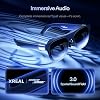
Search  for anything...

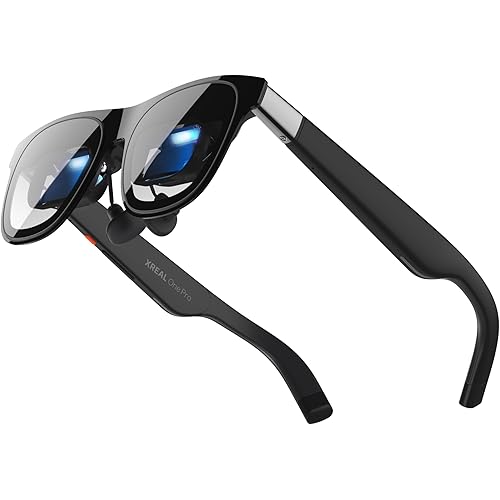
XREAL 1S AR/XR Glasses, 500" Virtual Screen Smart Glasses with 52° FOV, Native 3DoF, REAL 3D, Powered by X1 Chip, Supports All USB-C DP Devices Including iPhone 17/16 and Handhelds, like ROG/SteamDeck

  • Based on 0 reviews
Condition: New
Checking for the best price...
$449.00 Why this price?
Save $80.00 was $529.00

Buy Now, Pay Later


As low as / mo
  • – Up to 36-month term if approved
  • – No impact on credit to apply
  • – Instant approval decision
  • – Secure and straightforward checkout

Ready to go? Add this product to your cart and select a plan during checkout.

Payment plans are offered through our trusted finance partners Klarna, Affirm, Afterpay, Apple Pay, and PayTomorrow. No-credit-needed leasing options through Acima may also be available at checkout.

Learn more about financing & leasing here.

Free shipping on this product

FREE 30-day refund/replacement

To qualify for a full refund, items must be returned in their original, unused condition. If an item is returned in a used, damaged, or materially different state, you may be granted a partial refund.

To initiate a return, please visit our Returns Center.

View our full returns policy here.


Availability: Only 10 left in stock, order soon!
Fulfilled by Amazon

Arrives Thursday, Jun 11
Order within 17 hours and 47 minutes
Available payment plans shown during checkout

Protection Plan Protect Your Purchase
Checking for protection plans...

Features

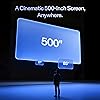
  • Giant Virtual Screen Immersive Theater Anywhere: Step into a breathtaking virtual screen up to 500 inches, transforming movies, games, and apps into largerthanlife experiences. Whether youre commuting, flying, or unwinding at home, your personal cinema travels with youbringing immersive entertainment wherever life goes.
  • Premium Display Quality Smooth, Sharp, and True-to-Life: XREAL 1S delivers ultrasmooth viewing with a 120Hz refresh rate in 3DoF mode and a 90Hz global refresh that eliminates flicker and blur. Every unit is individually colortuned for precise, natural hues. The redesigned optical engine boosts clarity by 9%, delivering crisp detail from center to edge. Advanced optical alignment ensures each image point locks perfectly to your eye, keeping visuals sharp, vivid, and lifelike.
  • Spatial Viewing Modes Work, Watch, and Play on Your Terms: Shape your environment with XREAL 1S. Effortlessly switch between 0DoF follow mode, 3DoF anchor mode, Ultrawide Mode (32:9 or 21:9), Real 3D Mode, and Side-View Mode ideal for both deep focus and entertainment. Pair with XREAL Eye to unlock 6DoF spatial anchoring, allowing for total freedom of movement while your screen stays pinned.
  • Native 3DoF Spatial Screen Plug & Play Freedom: XREAL 1S brings your AR experience to life with native 3DoF spatial viewing powered by the X1 chip. No apps, no setup simply connect to any USBC DPenabled device and step straight into expansive spatial content. With rocksolid stability and smooth head tracking, every session feels natural and comfortable, free from motion sickness and distractions, keeping you fully immersed.
  • REAL 3D Instant Spatial Depth for Everything You Watch: XREAL 1S debuts the worlds first onglasses REAL 3D spatial technology, instantly transforming all your contentfrom games and movies to apps and photosinto true 3D with a single switch. Experience richer depth and lifelike visuals across everything you watch or play, supported at up to 30fps with just 90100ms latency for smooth, natural viewing.
  • X1 Chip Designed for AR, Built for Speed and Precision: The selfdeveloped X1 chip is the worlds first spatial computing processor built specifically for AR glasses, delivering 3ms motiontophoton latency at 120Hzfar beyond the limits of what other AR glasses can achieve. Each unit is individually distortiontuned for precise, stable clarity, while X1powered ondevice controls let you instantly adjust brightness, color temperature, tint, distance, and 2D/3D modes with effortless precision.
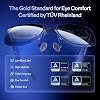
  • The Gold Standard For Eye Comfort TUV Rheinland Certified: Certified by TUV Rheinland, XREAL 1S delivers an eyefriendly display with low blue light, flickerfree fullscene viewing, motionblurfree 3DoF visuals, and 100% UV protection. Text remains perfectly stable without jitter or flicker, so you can enjoy long sessions with confidence and comfort. XREAL 1S features an IPD range of 59.570.5 mm, accommodating approximately 95% of users.
  • Sound by Bose Tuned for Immersion: Codeveloped with Bose, the audio system is meticulously engineered to harness the full power of custom ARgrade drivers and a dedicated acoustic chamber. The result is a spacious, balanced soundstage with deeper lows, crystalclear mids and highs, and exceptional vocal claritydelivering one of the most immersive openear audio experiences ever in AR glasses.

Brand: XREAL


Special Feature: Giant Virtual Screen, Premium Display Quality, Spatial Viewing Modes, Native 3DoF Spatial Screen, REAL 3D, X1 Chip, Eye Comfort Certification, Bose Audio See more


Connectivity Technology: USB-C DP


Included Components: Carrying Case, USB-C Cable, User Manual


Compatible Devices: Smartphone, Game Console, Personal Computer


Specific Uses For Product: Gaming, Video


Age Range (Description): Adult


Model Name: X1113


Operating System: iOS


Field Of View: 52 Degrees


Additional Features: Giant Virtual Screen, Premium Display Quality, Spatial Viewing Modes, Native 3DoF Spatial Screen, REAL 3D, X1 Chip, Eye Comfort Certification, Bose Audio


Connectivity Technology: USB-C DP


Compatible Devices: Smartphone, Game Console, Personal Computer


Specific Uses For Product: Gaming, Video


Operating System: iOS


Field Of View: 52 Degrees


Connector Type: USB Type C


Sensor Technology: Accelerometer Gyroscope


Display Resolution Maximum: 1920x1080


Platform: Android, iOS


Resolution: 1920 x 1080 per eye


Screen Size: 500 Inches


Display Type: OLED


Lens Technology: LCD


Is Mixed Reality Compatible: Yes


VR Operating Platform Compatibility: Console VR, PC VR, Smartphone VR


Display Refresh Rate in Hertz: 120


Display Maximum Resolution: 1920x1080


Brand: XREAL


Built-In Media: Carrying Case, USB-C Cable, User Manual


Age Range Description: Adult


Model Name: X1113


Model Number: X1113


Manufacturer: XREAL


Mfr Part Number: X1113


Unit Count: 1.0 Count


Warranty Description: 1 Year Warranty


Item Weight: 0.08 Kilograms


Frequently asked questions

If you place your order now, the estimated arrival date for this product is: Thursday, Jun 11

Yes, absolutely! You may return this product for a full refund within 30 days of receiving it.

To initiate a return, please visit our Returns Center.

View our full returns policy here.
  • Klarna Financing
  • Affirm Pay in 4
  • Affirm Financing
  • Afterpay Financing
  • PayTomorrow Financing
  • Financing through Apple Pay
Leasing options through Acima may also be available during checkout.

Learn more about financing & leasing here.

Top Amazon Reviews


  • SUPERB AR EXPERIENCE
I've been using the 1S with my Switch 2 and so far it's been great 90% of the time. To get the Switch 2 to work you need an additional dock accessory, and from Xreal their solution is the Neo. I am however using Viture's Pro Mobile Dock and so far they both mostly work great together despite not being the same brand. Sometimes I'll need to unplug and replug the cable from the Switch 2 to the Pro Mobile Dock for the glasses to detect a signal. I'm not sure if the issue is the glasses, the Switch 2, or the dock. I'm thinking it's probably a bit of the each, but the experience has been exceptional and smooth so I'm not complaining, well... at least not that much anyway! If you're wondering, I opted for Viture's Pro Mobile Dock because to me it just seems like the better product. I also looked at RayNeo's dock, but ultimately chose Viture's because of the ability to support two glasses output and 1 HDMI input. There's also an accessory that can connect the dock to the Switch 2, but I just leave it off because it'll mean I have to remove the Switch 2 protective case. Back to the glasses itself, the image is clean! I also have the RayNeo Air 3S and I can say with confidence that this Xreal 1S is significantly better. The real question is, at the time of this writing, is the Xreal 1S worth $250 more than the RayNeo Air 3S? I say yes and it depends. The 1S has a ton more options to change the image settings. You can change the screen size, set the screen distance, set whether the screen is a widescreen, anchored or stationary, and of course the not-a-gimmick Real3D processing. All those features I've just mentioned are non-existent on a more entry level model like the Air 3S. The Air 3S has the essentials to a good AR experience, a clean screen that's smooth. If you are wanting more features and adjustments to your AR experience then it maybe worth the upgrade to the medium-high glasses like this Xreal 1S. And even though it's not much on paper, the 1080p to 1200p is quite significant. Compared to my RayNeo Air 3S, this Xreal 1S is clearer and has better color reproduction. And because the FOV is also wider, the viewing experience feels more immersive. To me, the Real3D is a game changer. I've always been into the whole 3D experience, but like most people would agree it's always been finicky at best. But holy smokes I can't believe how well this feature works, it's like magic! Any content of your choice, just turn on the 3D feature, and BOOM! The 3D experience that you've had in the past now in your face through these glasses. The image isn't perfect and does has some artifacts, but overall it's very good! When 3D is enabled, the graphical fidelity takes a bit and becomes a bit less clear more fuzzy, but for the 3D feature asa tradeoff, I can accept it. Imagine your playing on your Switch 2, then with 3D enabled, now the graphics looks like your handheld 3DS. Lol 😅 well maybe not that bad, but it's not too far off? I also have been trying ultra-wide mode, which in the AR world takes a bit to get used to, but after about an hour I caught on and was able to be productive in my job. I've used it for a full work day so far and can imagine myself using this full time moving forward. I didn't experience any eye fatigue, the sound from conference calls were clear, and clients on the other line didn't have any complaints about the built-in microphone either! To me that's super convenient, an oversized virtual monitor, excellent sound ouptut, and acceptable microphone input all into one device that fits into my pocket and face? Whoa this 1S is amazing! I'd argue the 1S and it's competition of AR glasses are starting to be as big of a disruption in the computing and tech industry like the introduction of smart phones back in the late 2000s. It's exciting and refreshing to see something that I'm interested in while also being genuinely useful in work and fun in gaming! The 1S however is not perfect. Like other reviews I've read from this and other manufacturer models (Viture Luma for example) the anchor mode is good, but would occasionally drift. It's not a deal breaker, but more of a minor annoyance. Thankfully there's a way to reposition, press and hold the main button then the screen will center to where you're looking at. I'm not sure but I imagine if you purchase the 6DOF upgrade, then maybe the drift issue will be less likely to happen or eliminated altogether. In addition, a minor annoyance that I'm noticing is that I frequently have to go to the options and always change the settings back to the way that I like it. Apparently there's no way to save your settings so that the next time the glasses device wakes it'll start with the same settings where you last left it, but nope each time you boot the glasses it'll start with the default loadouts. I hope they'll eventually come out with a firmware update that'll at least allow users to create profiles of settings so I won't have to keep on going through the settings each time I use it. UPDATE: I learned that there's a "Quick" button on the frame (single button on top-right arm) that you can assign it different functions. There's 1 tap, 2 tap, and long press. For each, you can assign something different for it to toggle of which I opted for widescreen, REAL3D, and change sound mode. It's been a lot more convenient versus having to navigate the menu each time, but its still less than perfect and I would still like for Xreal to allow us to save settings and not reset it every time. Overall, these glasses are SUPER nice. The frame are metal and the general feels of the device feels feels very durable and high quality. The cobolt blue blue looks terrific, the buttons are responsive and the UI is pretty straightforward to navigate through the settings. There are still some minor drawbacks with the anchor drifts and settings not being saved, but I'm hopeful those issues can be resolved in a couple of patches. If you're considering AR glasses, these are an investment worth considering that won't disappoint, highly recommended! ... show more
Reviewed in the United States on January 27, 2026 by xxCross

  • With the XREAL 1S you get a great AR glasses experience without too many compromises
Even though there are several innate features packed into the XREAL 1S, like tweaking any 2D video to look more 3D with the press of a button, the main thing people want is good image quality and a product that's easy to use. And yes, the XREAL 1S delivers on those without too many horrible surprises. [WHAT ARE YOU BUYING?] It's important to understand, the illusion that's being sold to you here is that you're viewing a gigantic 500+ inch screen from 10 meters away. The FOV only lets you see so much of that screen at once though. For some the perceived effect is more like a 1200p 27 inch screen at 1 meter. With this in mind, you really have to try them on to decide if you're okay with that for the price. If you aren't sold on the illusion, you're not going to like any AR glasses in general. The glasses do let you adjust the size and perceived distance of the projected screen, you can even use ultrawide aspect ratios even if the host device doesn't have them. You can also lock the screen in space (3 DOF) or have it smoothly follow your eyes. You can do all this by tweaking the on-board Settings, no need for the super buggy Spacewlker app. I'm being reductive when I say this, but AR glasses like the 1S are like an external monitor, powered by the device they plug into. Whether you use a tablet, smartphone or laptop, the device must have a feature called DP Alt Mode (Displayport over USB-C) to send video/audio to the glasses. The cable must also be able to send video/audio signals, so pay attention to that if buying an extension cable. Assuming your device is compatible, that's all you need to use these glasses. [FIT AND LENSES] The 3 different nose pads sizes can be swapped out, they also move the glasses a little closer/farther from your face, which can impact visual clarity. The glasses can tilt at the arms to adjust how the glasses rest on your nose, and impact how centered the projected screen looks. The tips of the arms are flexible for comfort and flexing around your skull. ***ATTENTION*** These glasses have IPD (pupil distance) adjustment in the Settings Menu, however they DON'T have diopter adjustments, which may be a dealbreaker for you. If you use prescription glasses, you will have to order custom lenses to mount in there. I will say though, depending on how thick your glasses are you actually CAN wear these XR glasses over your prescription glasses. It's going to be uncomfortable after a while though, some kind of headstrap would really help here to keep them in place and take pressure off your nose. I am writing this review with this setup, and while it's not ideal to look like a mad scientist with tape on their face, it does mostly work. If you can't use your prescription lenses, unfortunately everything will look like a blurry mess until you order custom ones from XREAL. [VIEWING DISTANCE AND SCREEN SIZE] Using a very close viewing distance is like putting your face up to a computer monitor, the screen looks bigger but you can also start to see the screen's pixels. Using the farthest viewing distance of 10m and the largest screen size that will fit in your field of view is probably good for TV/movies, since it's like a kind of natural anti-alias. If you're working with multiple text windows, you might prefer to use one of the glasses' ultrawide aspect ratios to have more screen space, and maybe a closer viewing distance if it helps make the text crisper for you. The available Screen Sizes and Viewing Distances vary depending on the aspect ratio. For some reason you can't change the Viewing Distance if using an Ultrawide Mode, for example. Thankfully, so far I've found a combination of these settings that works with any situation I've run into. Pro Tip: If using the XREAL 1S with a Windows laptop, the 16:18 Ultrawide Mode is like a "Portrait" mode, it makes the screen tall like a vertical tablet, keeping the Taskbar at the bottom. This can be useful for reading comics, you can lock the screen in place and look up/down naturally as if you were holding a tablet. (Using "Portrait" option in Windows itself rotates the screen 90 degrees instead, so the 16:18 option on the glasses is the way to go.) [BUGS, ERRORS AND EGGPLANTS] Much like a VITURE pair of XR glasses I tried before, the XREAL 1S has its own random annoyances that may put a damper on whatever you intended to use them for. -During the tutorial, the calibration screen instructions stayed on screen and could not advance. The XR glasses kept functioning, but the overlayed tutorial screen itself wouldn't go away. -When connecting to a laptop, the glasses will sometimes display the error message "video is not supported by the device", even if it is supported. The same error message appears if you connect the glasses to a device that isn't compatible, so for whatever reason sometimes either the glasses or the device won't feel like cooperating. -The glasses can spazz out when changing aspect ratios or 3D modes if you're simultaneously using another monitor. Sometimes the laptop and glasses will get stuck in a loop of trying to figure out what screen is being used and what's going on. -Some of these can be "fixed" by unplugging and restarting the glasses. There's nothing else we can do on our end, it's up to XREAL to fix these things permanently. -Some stuff can't be fixed, like HDCP errors. For example, I have the glasses connected to my Alienware x16 R2 Windows laptop with the provided USB-C cable (DP Alt Mode). If I watch Amazon Prime Video through Firefox browser, I get a HDCP error that forces all video to play in 1080p, no higher. Unfortunately I don't have any phones or tablets compatible with the required DP Alt Mode. -I got the same issue when using some of VITURE's XR glasses and HDMI, plus I couldn't watch anything via a Roku Stick even with the external dock they sell. You may need an HDMI splitter/stripper to bypass that restriction on official/legit streaming services. [DO YOU REALLY NEED AR GLASSES?] I think the XR glasses are a useful gadget, and if you have the cash go ahead and try them. They have most of the on-board functionality I want without needing a buggy app like Spacewalker. If you download all your media and play it natively on your device you can dodge HDCP errors. These glasses are probably the most user friendly out right now. +I played the Toxic Commando Demo on Steam with them and had no issues, even the filthiest media you can imagine comes through crystal clear. +The audio is good, though it sounds like it's coming from near the center of your head. Playing Toxic Commando I could still tell where stuff was coming from based on audio cues though. +I tried the REAL 3D feature, and while it's not a dramatic effect I like it enough that I turn it on every chance I get just to see how much more I can make the Steam Lady pop off the screen and into my lap. +The glasses can also be used to play 3D video (Half SBS and Full SBS), and it worked fine with the laptop and VLC Media Player. +I'm not sure if the XREAL 1S glasses can display VR content, or if that requires the optional XREAL EYE camera. To take photos or record video or enable 6 DOF you definitely need it. Fortunately the glasses have innate 3 DOF, which is all I needed for my purposes. +The screen can be anchored off to the left or right, so you can jog or solder electronics and watch a vid safely. +I like the programmable Quick Action Button, 3 actions can be assigned to it to avoid digging in the settings for them. +It's also cool that you can blackout the lenses or make them transparent as needed. Leave the black protective sticker on them forever if you want them blacked out permanently. I can find excuses to like them, but the lack of diopter adjustment can be the dealbreaker, there's no point in getting XR glasses if you can't see anything, or at least be untethered from your brick of a laptop. Be sure to look into the prescripton lenses before buying these, and maybe grab a cheap compatible smartphone with a big battery to use exclusively with the glasses. The XREAL Beam Pro is another option if you need a dedicated device, but that's another $200-$300, plus $150 if you need prescription lenses, and another $100 if you want 6 DOF. That's a huge added expense just to be able to read comics in bed and stick your finger in Wolverine's ear lol ... show more
Reviewed in the United States on February 26, 2026 by Henchmen4Hire

  • Real review from first time user. Teaser: buy it !
Let's start with a bit of background. My only experience with VR was a HP 4k VR headset that I used for flight simulator. I thought the field was great, very immersive but...the device would get hot, heavy, and the area with clear vision was very narrow. Impossible to use for more than an hour Fast forward to 2026... I had been looking at VR glasses for a while, because of the form factor. Like many, I read a lot of reviews and post on Reddit, which all seem to be very biased and some reviews look plainly fake. You want the truth? from a newbie? here you go: The device is well packaged. The glasses feel qualitative. to me the most striking point was the lack of setup. There is no app, nothing to download, I just plugged it in my iPad and it worked (iPad m4). How does it fit? well, I think I have a pretty normal head, no adjustment were needed. The frame nose pads and temple fit just fine. The frame doesnt feel too heavy, I stayed comfortable for about 2 hours. (didnt try more). I didnt even have to adjust my pupillary distance. How is the image quality? This is were there is some subjectivity. The screen is optically placed at infinity, it means that it you need glasses for far you will need correction with the Xreal glasses. Like in real life, if you decide not to use your glasses it will be from a little bit blurry to unusable depending on your prescription. I have -1.00 in one eye, I could absolutely use them without prescription but text would be hard to read. Absolutely ok to watch a movie. I ended up wearing contact lenses for my first trial of those glasses. When you first put the glasses on, there is a on screen tutorial that is very straightforward. I got confused with the button a few times but after 10 minutes I was fine. The screen quality feels like 1080p resolution +. It doesnt strike me as bad resolution or poor resolution and Im used to high quality screens at my desk. The resolution is good on 90% of the screen. In a way than you can move your eyes to look at things and it doesnt get blurry. There is a bit of blur on the extreme edges of the screen. The colors are perfectly rendered, natural, not washed out and not overly saturated. The brightness is more than enough for a normal room light and of course very bright in the dark. Then there is the field of view, or "how big the screen is". I've read many posts about it and nothing made sense. So here my experience, overall, I would say that if feels much closer to a theater than any TV screen. When superimposed to my 70 inch TV I would say I have about 4 times that surface. I do believe the claim of 200" screen I think the field of view covers a normal horizontal visual field, meaning that if the screen was wider I would have to turn my head. There is an extended mode that makes the screen taller. It is more immersive BUT the subtitles at the bottom are slightly blurry forcing me to turn my head down, to get clarity (moving the subtitles toward the center) In normal mode, the subtitles are very legible. The 3D mode kinda works. It gives some sense of try-dimensional image, it feels a hint tiring on the eyes. I can see myself using it for certain movies or documentaries. I also think there is a loss of frame rate when 3D is on. B- For movies I say it's A+ I also tried to read media, like webpages and newspaper, it's more than legible, it's very good. A- Would I work on an excel spreadsheet all day? probably not. Would I read a website on a plane, absolutely. The anchoring functions is perfect. The screen doesnt move, there is no lag, no jitter the screen is stable in position. There is no input lag either. When you scroll on iPad, it scrolls immediately. No delay no jitter. Does it get hot? Not that much. Nothing that bothered me. I did notice a faster battery drain on my iPad while using the Xreal vs the iPad screen. That may be one of the product limitation you cannot connect to a source and charge at the same time (I think there is an accessory to do that) I can only imagine how cool this would be to play FPS or flying a drone. Overall I'm super impressed with the engineering and the quality at that price point. I'm even wondering why someone would go through the complexities of installing a video projector. This comes very close, cheaper and easier. ... show more
Reviewed in the United States on January 28, 2026 by Nicolas. g

  • Almost there!
I was pretty pumped about this tech. I thought maybe I could turn a cramped coach flight into a legit work session without having to T-Rex myself over a laptop. The functionality is honestly impressive. It does what it promises and feels like a glimpse into the future of portable displays. That said, I ran into a major issue with eye fatigue. After about 15 minutes, my eyes felt strained, and when I took the glasses off, my vision needed time to readjust. That alone made it tough to use for anything beyond short bursts. If you’re just experimenting or using it briefly, it’s a cool piece of tech. But for longer work sessions, it didn’t hold up for me. ... show more
Reviewed in the United States on April 3, 2026 by ProfB

  • Excellent Quality
Amazing. I hooked these up to my Alienware laptop, and watched Predator Badlands 4k version. But obviouly not rendered in 4k on the glasses. But man did it look great. Everything is crystal clear, including text. The audio was perfectly fine and heard everything clearly. All I had to do was plug it into my USB C port and they were up and running. You will need to go through the menu to get everything adjusted to your view. I wanted something for another 14inch alienware laptop for work, and these will fill that void. The mini oled in the glasses are impressive. I havent tried gaming on them yet, but I"m sure it will be just fine. The Real 3D seemed to work fine as well. It was really wierd seeing the depth of field for the rendered 3d. Now it isnt like "an arm" coming out of the screen, but there were areas it looked like you were right there. If you were on a trip/vacation traveling, man these are like your own personal movie screen. They do have the lens darkening as well, it's a manual button feature, not automatic. Has 3 levels are darkness and works well. The only issue for my taste is the included cable length. Maybe 4ft. I have a 10ft cable I use for and extra monitor and used that. I ordered some female to female connector to use the included cable with my 10ft one.... I cannot try these on a table/phone. I have an older s7 and Tab A tablet. No type C on them. I am sure they would be just fine. I am glad I ordered these. Highly recommend from me, a lifetime game and digital movie watcher. ... show more
Reviewed in the United States on January 11, 2026 by stephen g

  • Sadly Disappointed (Don't waste your money)
I was so hyped for this product. Looks good, seems good but unfortunately... Not Good. The text clarity isn't that bad, but motion blur, heat dissipation from front of glasses, and an IMPOSSIBLY annoying UI setup make this almost unusable. Plus I got so dizzy using it for 15 minutes.. although that could be me. ... show more
Reviewed in the United States on February 17, 2026 by sungod14th

  • You need these. Super sharp...and I wear reading glasses, but not needed!
Review is for the XREAL 1S AR Glasses.... First impression....these blew me away....here's why: I have had VR goggles for a while now....NEVER tried these type glasses...thought they were "gimicky"....little did I know.. I have had lasik so have just about perfect distance vision, BUT close vision sucks. I wear reading glasses, +1.75 for computer work, and of course, reading distance. I was really worried about the ability to focus on something that close to my eyes, with these type glasses. Keep in mind these are not virtual reality glasses, meaning....when you try the Quest 3 VR goggles, for example, you get a huge screen all around you....these are NOT that. For me, the Quest 3 with pancake lenses is pretty sharp, and reading small text is OK, but not perfect....not as sharp as I would like. These? OMG....these are CRYSTAL CLEAR.....even very tiny text is pin sharp for me. The OLED screens are fantastic! There are lots of adjustments you can make in the glasses, so that you can customize what you see to your liking. Screen size, distance away, color temp.....all that stuff etc. Enough customization that I am satisfied with the options, and I am a tech guy. Audio in the glasses is acceptable, and I enjoy good audio with a bunch of headphones, and high end earbuds. Its just easy to use with the built in audio....youtube..etc, all fine. Better audio requires you to use earbuds or headphones, paired to your video source. Everyday, casual use, the built in audio is fine. Direct comparison with the RayNeo Air4 Pros, these sound better, more full sound. Both are good, but these? Win. These provide a huge screen in front of your face in a box, if you will, that you can resize bigger than you can see in the glasses, meaning you can zoom into the screen...hopefully you get the idea....you have full control over the screen size you see. Colors and brightness....The color is fantastic, brightness at max is too bright for me for normal use indoors, except when I sat outside in sunlight. Then I went max bright, and with the auto dimming on these glasses, I could easily see the screen, and see past the screen at the same time, since it was very bright outside. Due to the "bird bath" type display, you will get reflections off your cheeks, and shirt in very bright light conditions. Distracting for sure, but not so much that I wouldn't use them, the tech is too good. I have ordered a printed "cover" to use on the glasses for outside use. With the custom button, you can be wearing these and with a click of the button immediately clear the screen and you are wearing sunglasses. Your source keeps playing, but you just can't see it....great for those times when you need clear vision. REAL 3D. YOU NEED THIS. ITS THAT GOOD. ITS BUILT INTO THE GLASSES!! I was and still am shocked at how good this is. It takes any input source and turns it into 3D. I also thought this was a "gimmick" based on a bunch of reviews I watched....Nope, its legit. Perfect, of course not, but its doing it in real time, and boy does it work well. I have drone videos that really are brought to life in these glasses with REAL 3D on, but even with that off, the OLED screens are so good.....its just fantastic. Couple of things I picked up that works well with these: https://www.amazon.com/dp/B0FNRP4QBB This is for charging your USB-C device at the same time when you use these. No battery drain on your device from the glasses. I also picked up this: https://www.amazon.com/dp/B0F48JSDGX Why? This is for connecting an HDMI source, like a computer that doesn't have USB-C video out...works great and HDMI carries the PC sounds to the glasses. This surprised me, but works great. Oh, you need a good case with room: https://www.amazon.com/dp/B0FCFNWC82 Lots of room for cables and adapters etc. Need more room? This one....holds both my glasses and all the rest: https://www.amazon.com/dp/B0FG7DTL7X Hope this helps. ... show more
Reviewed in the United States on March 18, 2026 by Terry G.

  • Mostly great, but got a bad pair. Birdbath reflections too distracting for my productivity use. Mostly great, but got a bad pair. Birdbath reflections too distracting for my productivity use.
Unfortunately, I got a bad pair, but it seems ultra rare this happens. Xreal was supportive, but I ended up returning them for now. I did love the overall auto dim, interface, lens quality for gaming, ultrawide implementation, and smooth follow for 3dof. Xreal did a great job with these. On my pair the tint on the left was green and oddly contrasted and the tint on the right was red and more saturated. Made everything feel odd due to the difference. To me the glare from the birdbath lenses here is severe and too distracting so I'm going for a flat prism pair at some point. A bit blurry and not uniform while using anchored wide screen with any head movement which prevented productivity from feeling tight. Almost wavy with a bump in the middle instead of feeling like one solid screen. Maybe from birdbath reflections of the curve, or my pairs mismatched screen issues. If the glare doesn't bug you then these are pretty awesome! Surely I just got unlucky with my mismatched screens and support was fast to correct it. For me, I realize the glare was too distracting for me internally for my planned MacBook productivity use. For gaming alone these are really great though and way better than rayneo s3 pro with all the features. 3d is fun, but felt gimmicky and not as accurate as I'd like for the things I tried. Confused on patterns, and around objects which was more distracting that amazing to me. So, overall if that birdbath glare doesn't bug you, and a little blur on productivity when moving your head on an anchored desktop doesn't bug you, these are great. Paritcularly for gaming. I'll assume my pair was a fluke. Changing rating to a 4* assuming my issue was a fluke because I liked most things about this pair better compared to the Rayneo S3 pro. ... show more
Reviewed in the United States on January 15, 2026 Reviewed in the United States on January 15, 2026 by AaronBrownSound

Can't find a product?

Find it on Amazon first, then paste the link below.
Checking for best price...