Search  for anything...

Seagate Expansion 12TB External Hard Drive HDD - USB 3.0, with Rescue Data Recovery Services (STKP12000402)

  • Based on 16,175 reviews
Condition: New
Checking for the best price...
$285.99 Why this price?
Holiday Deal · 5% off was $299.99

Buy Now, Pay Later


As low as $47.67 / mo
  • – 6-month term
  • – No impact on credit
  • – Instant approval decision
  • – Secure and straightforward checkout

Ready to go? Add this product to your cart and select a plan during checkout.

Payment plans are offered through our trusted finance partners Klarna, Affirm, Afterpay, Apple Pay, and PayTomorrow. No-credit-needed leasing options through Acima may also be available at checkout.

Learn more about financing & leasing here.

Selected Option

Free shipping on this product
This item's return window has been extended for the holiday season: FREE refund/replacement until Jan 31, 2026

To qualify for a full refund, items must be returned in their original, unused condition. If an item is returned in a used, damaged, or materially different state, you may be granted a partial refund.

To initiate a return, please visit our Returns Center.

View our full returns policy here.


Availability: Only 2 left in stock, order soon!
Fulfilled by planet technology (we record SN)

Arrives Friday, Dec 19
Order within 8 hours and 43 minutes
Available payment plans shown during checkout

Protection Plan Protect Your Purchase
Checking for protection plans...

Style: Desktop HDD


Capacity: 12TB


Features

  • Easy-to-use desktop hard drivesimply plug in the power adapter and USB cable.Specific uses: Business, personal
  • Fast file transfers with USB 3.0
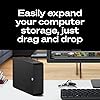
  • Drag-and-drop file saving right out of the box
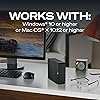
  • Automatic recognition of Windows and Mac computers for simple setup (Reformatting required for use with Time Machine)
  • The available storage capacity may vary.

Description

Ideal for the home, office, or dorm, Seagate Expansion desktop drive offers enormous desktop storage for photos, movies, music, and more. Backing up and transferring content is incredibly easy—just drag and drop! To get set up, connect the USB hard drive to Windows or Mac—no software required. For Apple Time Machine, simply reformat. Included is an 18-inch USB 3.0 cable and 18W power adapter.

Digital Storage Capacity: 12 TB


Hard Disk Interface: USB 3.0


Connectivity Technology: USB


Brand: Seagate


Special Feature: Portable


Hard Disk Form Factor: 3.5 Inches


Hard Disk Description: Mechanical Hard Disk


Compatible Devices: Desktop


Installation Type: Plug In


Color: Black


Hard Drive: ‎12 TB Mechanical Hard Disk


Brand: ‎Seagate


Series: ‎Expansion Desktop Drive


Item model number: ‎STKP12000402


Hardware Platform: ‎Mac


Item Weight: ‎2.59 pounds


Product Dimensions: ‎8.58 x 8.35 x 3.03 inches


Item Dimensions LxWxH: ‎8.58 x 8.35 x 3.03 inches


Color: ‎Black


Flash Memory Size: ‎12 TB


Hard Drive Interface: ‎USB 3.0


Hard Drive Rotational Speed: ‎7200


Manufacturer: ‎Seagate


Language: ‎English, English, English


Date First Available: ‎June 28, 2020


Frequently asked questions

If you place your order now, the estimated arrival date for this product is: Friday, Dec 19

Yes, absolutely! You may return this product for a full refund within 30 days of receiving it.

To initiate a return, please visit our Returns Center.

View our full returns policy here.

  • Klarna Financing
  • Affirm Pay in 4
  • Affirm Financing
  • Afterpay Financing
  • PayTomorrow Financing
  • Financing through Apple Pay
Leasing options through Acima may also be available during checkout.

Learn more about financing & leasing here.
Top Amazon Reviews


  • Absoultely Amazing
Style: Desktop HDD Capacity: 18TB
The item itself does not get hot,it is very easy to use,The size is about whats pictured,and it can hold up to at least 16 THOUSAND GIGABYTES of ANYTHING
Reviewed in the United States on November 13, 2025 by Martin rivet

  • How I got it to work on my mac (finally)...
Style: Desktop HDD Capacity: 10TB
I bought this drive (10TB version) to use as a media storage device for my Plex server. I run my Plex server on an older (2013) apple iMac that is running MacOS Catalina. When I first unboxed the drive, it looked nice, but when I plugged it into the power and then the USB on the back of my computer, it wouldn't show up. I couldn't get it to show up in my Finder window, on my desktop, or even in Disk Utility. I did all the tricks to show all drives and all volumes, but it just didn't even recognize that it was plugged in at all. I read some of the other reviews, lots of people complaining about how it wouldn't work on their mac etc..., I thought that maybe I was going to have to return the drive and figure out something else (it comes preformatted in exFAT, but as I said, MacOS Catalina wouldn't even acknowledge it was plugged in at all, so there was no way for me to reformat into the the system I wanted). Luckily I had a Mac Laptop with BigSur installed. On my laptop, it didn't show up in Finder or the desktop at first, but it did recognize it in Disk Utility (again, you have to set it to show all drives and volumes in the view). There I was able to select it, then reformat it as MacOS Journaled (or whatever file system you wanted, but that is what I use on my older Mac). Once I did that, I was able to plug it into my older Mac, and it showed up in Finder, Desktop, and Disk Utility. I actually reformatted again on the old mac (just to be safe, but probably not really needed as it was reading, I just wanted to make sure it would work on the old mac the way I wanted it to). As I'm typing this, it's just finishing backing up the 4TB of media from my old drive, it's been whirring away for about 24 hours now, no problems so far. So as long as you are willing (and have the newer macOS available), then this is a great external hard drive for Macs, just don't expect it to work natively right out of the box (but external hard drives rarely do). That being said, I am happy with the price and performance so far, hoping 10TB will last me quite a while (my old drive was 6TB and I thought I would never even come close to filling that up, but I don't like to run my drives too full, so using 4TB out of 6TB was more than I liked, so this 10TB should fit the bill nicely for a while anyway). ... show more
Reviewed in the United States on November 19, 2022 by M. Stevenson

  • High-capacity storage for backups or read-mostly data
Style: Desktop HDD Capacity: 8TB
Solid external 8 TB drive. Perfect for storing large read-mostly datasets, such as video. This drive should also function well for incremental backup. Note that this drive uses SMR technology. This means that very large writes can slow down, and the average write bandwidth will be much lower than the peak write bandwidth. Do not use this for a long-duration, random-access, write-heavy workload, such as blockchain archival. I obtained mine in January 2021 and it has just begun to show signs of failure after two years of extensive use in a home-built ML server, well exceeding the annual data transfer (read/write) rating, and including over 10000 spinning hours. This should be interpreted as a positive; it is a sign of good robustness. The nature of the failure is gradual, not catastrophic: several uncorrectable sectors have appeared. As such, we are transitioning this drive to scratch storage use. Unfortunately all hard drives fail eventually. For critical data, use a multiple backup solution such as 3-2-1, ideally with redundancy in each layer such as RAID, to minimize the probability of data loss. ... show more
Reviewed in the United States on April 12, 2023 by penlu

  • INITIAL review after setting up. Info on drive not showing up and reformatting for Time Machine...
Style: Desktop HDD Capacity: 12TB
I'm writing this because of all the reviews I see complaining about the drive not showing up on their computer initially, saying "it doesn't work right out of the box!" I often wonder if some of these people never even read the documentation before giving up. The included documentation for the drives is horrible, with only a Quick Start page that shows how to plug it in, but there is great info on Seagate's site that helps if you go look at it. There's also something else I found out that might be helpful, and I'll address that here. Once I've had it in use for a while I'll update this review for a more in-depth account of how well it works. I'll list my comments by issue: 1) Drive not getting recognized. After seeing so many "it doesn't show up" comments, I was concerned when mine didn't show up on my iMac either. I followed the instructions on plugging it in (in sequence, which may or may not make a difference, but you gotta do it correctly just in case), and the first thing you have to do is decide which US Standard plug to slide onto the universal plug adapter; there are two that are almost identical, two-prong plugs; one has holes in the prongs and the other doesn't. Docs say nothing about which to use, so I went with the one with holes. The unit powered up and sounded like it was initializing, but it wouldn't get recognized by my Late 2017 iMac. Unplugging and restarting did nothing. I went to the online documentation and did the recommended check to see if Show Hard Drives was checked in Finder/Preferences/Show-Hard Drives. It was (which I already knew because my others show there, but just in case I needed to recycle the command...). That did no good. After a bit of thought, I decided I'd try the other plug, and that did the trick. USE THE PLUG WITH NO HOLES IN IT if using in the US! Once that was solved, it showed up and all looked good. 2) Using with Time Machine on Mac. The info in the product description says the drive is ready to use with Time Machine, preformatted. The problem is, if you have Catalina or later, there is a new formatting called APFS that replaces xFat, and you will have to reformat to use with Time Machine. This is a simple process using Disc Utility, and it reformats quickly. Once I had that issue solved, I got Carbon Copy Cloner (trial version) and set up the tasks of copying my main hard drive (348.3 GB) and my 8 TB external drive to the new Seagate drive and let it go. The main drive was backed up in just over 47 minutes. Yeah, it's a tad noisy, but nothing that can't go on while working on the computer by any means unless you're maybe recording a YouTube video at the computer or something. The external drive, which had 6.58 TB of stuff on it took a little longer... 12 1/2 hours to be exact. Slow? I don't know, it's the first time I've copied a hard drive with that much stuff on it, but I set the task and left it alone and it was done in the morning. The image included here shows Carbon Copy's review page for the performed tasks. CAVIAT: you may need to use a program that allows the computer to work without shutting down after a period of inactivity. I use an app called "Amphetemine", which forces the computer to stay on in various circumstances that you can set. I set mine to remain on "as long as specified app is working" and chose Carbon Copy Cloner. Not sure you have to do this, but Amphetamine is a great app and I didn't want to take the chance of having to start over, so I used it, and it worked great. The noise some complain about could be other drives (I have the 12 TB version for desktop) or it may be a personal preference, but a drive in a plastic case like this with lots of air holes in it will make some noise, however I didn't find this "noisy" at all IMHO. So far, I'm impressed with Carbon Copy as well, but like the drive, I'm in my infancy with using it, so time will tell. I also have a 1 TB external I use for Time Machine, so instead of using this one for that, I will most likely also set up the drive to copy that drive so I have a backup of my Time Machine just in case. You can set Carbon Copy to copy whenever it detects a change in a drive, so once the initial copying is done, the lengthy copies are done, and it's only copying when things change. If you have issues with one of these drives not being recognized by your computer straight out of the box, FIRST make sure you have the correct US plug installed. THEN, make sure to reformat to APFS if you're running Catalina or later if you plan to use it for your Time Machine backups. At that point, so far in my experience, it's a great drive. I'm giving four stars only because of having to hunt down good documentation for the actually necessity for reformatting for the OSs, and for having NO information about the right plug to use. NO idea why the one with holes won't work, but it would be nice if they gave a heads-up on that. Once it's been working a while, I'll readdress this review. ... show more
Reviewed in the United States on March 10, 2022 by Kai Tiura Kai Tiura

Can't find a product?

Find it on Amazon first, then paste the link below.
Checking for best price...