




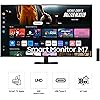
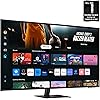
Samsung 43-Inch M7 (M70D) Series 4K UHD Smart Monitor with Streaming TV, Speakers, HDR10, USB-C, Multiple Ports, Gaming Hub, SolarCell Remote, Vision Accessibility Tools, LS43DM702UNXGO, 2024, Black






Notify me when this product is back in stock
Buy Now, Pay Later
- – Up to 36-month term if approved
- – No impact on credit to apply
- – Instant approval decision
- – Secure and straightforward checkout
Payment plans are offered through our trusted finance partners Klarna, Affirm, Afterpay, Zip, Apple Pay, and Google Pay. No-credit-needed leasing options through Acima may also be available at checkout.
Learn more about financing & leasing here.
Selected Option
30-day refund/replacement
To qualify for a full refund, items must be returned in their original, unused condition. If an item is returned in a used, damaged, or materially different state, you may be granted a partial refund.
To initiate a return, please visit our Returns Center.
View our full returns policy here.
Recently Viewed


At a glance
- Condition
- New
- Size
- 43-in
- Color
- Black
- Model
- LS43DM702UNXGO
- Screen size
- 43 in
- Dimensions
- 9.7 x 38 x 24.8 in
- Weight
- 23.4 lb
Features 10
- INSTANT ACCESS TO OTT CONTENT: Stream OTT content directly from monitor or tune into Samsung TV Plus1 to get live TV channels and on-demand content at zero cost
- 1 MOUSE & KEYBOARD ACROSS DEVICES: Maximize multitasking by controlling multiple devices with one mouse and keyboard; Seamlessly drag & drop content across the Smart Monitor, a Galaxy Tab & Galaxy mobile device, streamlining your workflow2
- ENJOY CONTENTS IN VIVID DETAIL: Crystal clear video; 4K UHD resolution brings your content to life with vivid clarity; Lose yourself while exploring nuanced settings with incredible detail3
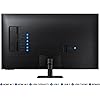
- CONNECT w/ CONVENIENCE: With USB-C, HDMI & USB-A ports, you can connect to the Smart Monitor without adapters; Charge devices, transmit data & make the most out of your multiscreen setup - or do all at once - thanks to the 4 available ports
- WHERE GAMING COMES TOGETHER: Samsung Gaming Hub is the ultimate home for gaming; Instantly play the biggest games from top streaming partners, with no PC or console needed; Discover new games or replay old favorites all in one place4
- SOLAR POWERED CONTROL: The SolarCell Remote, featuring a solar charging panel on its back, eliminates the need for disposable batteries, making it an eco-friendly choice
- DESIGNED FOR LOW VISION USERS: Designed with accessibility in mind, it comes equipped with tools that help low vision users see and use the screen more easily, including screen magnification, color switching and audio descriptions for TV settings
- EASY SWITCHING BETWEEN MONITOR & PC: Enjoy better control when switching between your PC and Smart Monitor's home screen controls; With the Easy Setting Box installed on your PC, move between these configurations with just one mouse and keyboard
- EASIER ACCESS TO YOUR WORK TOOLS: Access & control your PC remotely or work directly on the monitor; Embedded productivity apps like Microsoft 365 let you bypass the PC for a simpler, streamlined working environment5
- SIMPLE CONTROL FOR YOUR SMART HOME: See all your smart home devices in a new 3D Map View, for an easier way to manage devices in different rooms; See energy, usage and costs by device & save money by turning on energy-saving modes6
Description
Samsung’s Smart M7 Monitor is an all-in-one streaming TV and desktop monitor. Stream content directly from the monitor or tune into live TV channels. Maximize your multitasking using a single mouse and keyboard across devices. 4K UHD resolution brings content to life with vivid clarity and incredible detail, and multiple ports, including USB-C, eliminate the need for adapters. Samsung Gaming Hub allows instant gameplay with no PC or console needed. The updated SolarCell remote allows quick access to menu options such as settings for a convenient way to control.¹Features, services and app availability may vary by country and region. Samsung TV Plus and Universal Guide may not be available in some regions. Some features may require separate subscriptions. The user interface is subject to change without notice. Smart Monitor does not include a TV tuner, which is not necessary for streaming apps. Internet connection is required. Remote control specifications vary by country and region. Keyboard and mouse control compatibility varies by app. Access to the full range of smart features, such as network-based services, applications (including games and streaming services), and smart home functionality requires a Samsung account. Without logging in, functionality is limited to external devices, e.g. via HDMI. ²Each device must be registered with a single Samsung account and connected to the same Wi-Fi network. MultiControl requires updated Galaxy phones and tablets with One UI 5.1 or above and Galaxy Book series devices released in 2021 or later with Samsung Settings v1.5(Inter) or Samsung Settings v3.3(ARM). Some models may have limited feature support. Screen images simulated for illustrative purposes. ³4K availability in over- the-top content may vary, depending on content service subscription type and internet connection. ⁴Gaming Hub is available in limited countries, with app availability differing by country.
Specs 20
| Brand | Samsung |
|---|---|
| Screen Size | 43 Inches |
| Resolution | 4K |
| Aspect Ratio | 169 |
| Screen Surface Description | Glossy |
| Standing screen display size | 43 Inches |
| Screen Resolution | 3840x2160 |
| Max Screen Resolution | 3840 x 2160 Pixels |
| Number of USB 3.0 Ports | 1 |
| Series | SAMLS43DM702U |
| Item model number | LS43DM702UNXGO |
| Operating System | Tizen |
| Item Weight | 23.4 pounds |
| Product Dimensions | 9.7 x 38 x 24.8 inches |
| Item Dimensions LxWxH | 9.7 x 38 x 24.8 inches |
| Color | Black |
| Power Source | AC |
| Voltage | 240 Volts |
| Manufacturer | Samsung |
| Country of Origin | Mexico |
No specs match.
Frequently asked questions
To initiate a return, please visit our Returns Center.
View our full returns policy here.
- Klarna Financing
- Affirm Pay in 4
- Affirm Financing
- Afterpay Financing
- Zip Pay in 4
- Financing through Apple Pay
- Financing through Google Pay
Learn more about financing & leasing here.
Similar Products


Top Amazon Reviews

