Search  for anything...

Launch X431 PRO3 V+ Elite J2534 Programming Bidirectional Scanner ECU Code

  • Based on 254 reviews
Condition: New
Checking for the best price...
$1,419.00 Why this price?
Save $20.00 was $1,439.00

Buy Now, Pay Later


As low as / mo
  • – Up to 36-month term if approved
  • – No impact on credit to apply
  • – Instant approval decision
  • – Secure and straightforward checkout

Ready to go? Add this product to your cart and select a plan during checkout.

Payment plans are offered through our trusted finance partners Klarna, Affirm, Afterpay, Zip, Apple Pay, and Google Pay. No-credit-needed leasing options through Acima may also be available at checkout.

Learn more about financing & leasing here.

Selected Option

Free shipping on this product

FREE 30-day refund/replacement

To qualify for a full refund, items must be returned in their original, unused condition. If an item is returned in a used, damaged, or materially different state, you may be granted a partial refund.

To initiate a return, please visit our Returns Center.

View our full returns policy here.


Availability: In Stock.
Fulfilled by Amazon

Arrives Monday, Sep 28
Order within 13 hours and 26 minutes
Available payment plans shown during checkout

Protection Plan Protect Your Purchase
Checking for protection plans...

Color: Gray


Set name: X431 PRO3 V+ ELITE with Endoscope


Features

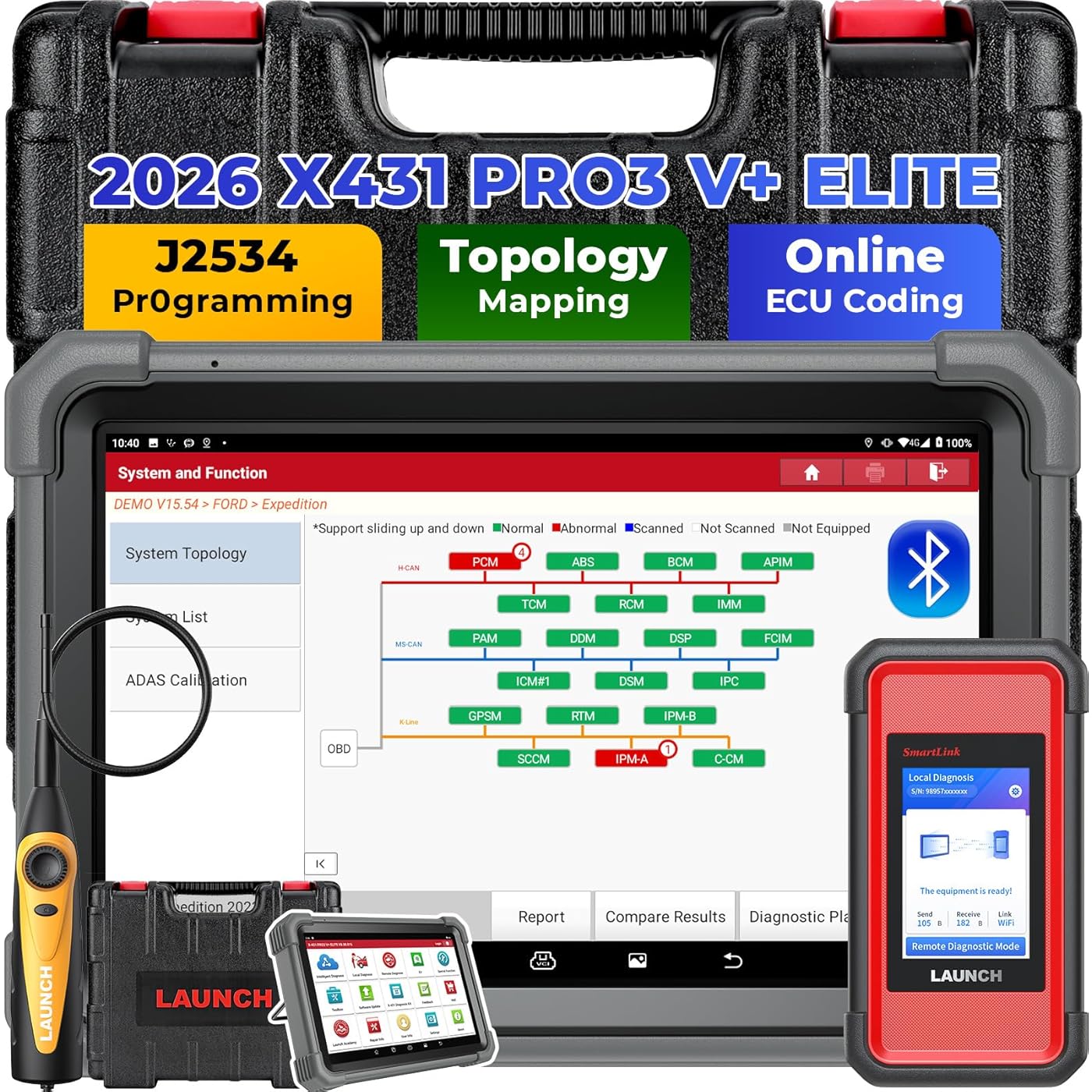
  • SmartLink C 2.0 & J2534 ECU ProtocolGives you the most cost-effective way to use J2534 protocol . With LAUNCH X431 PRO3 V+ Elite, youll also have a 1,000+ value SmartLink C V2.0 as J2534 pass-thru device, same as the X431 PRO 5, to protocol your vehicles ECU with OE protocol software. This 2026-upgraded SmartLink C V2.0 box features an LED screen and a 3-in-1 connection: Blu.t00th, Wi-Fi, or USB. It lifts your diagnostics to factory-level while making you 20X faster. NOTE: HD software is need purchase in the "MALL"
  • Topology Mapping, One-Touch Diagnostics The X431 PRO3 V+ Elite bidirectional scanner now offers an easy-to-read topology map that shows your vehicles complete system layout. It can test multiple systems at once, display color-coded status telling you how many control modules are available, whats being scanned, and what the test results are, so you can spot problems at a glance, cutting more than 15 minutes off every diagnosis
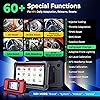
  • ECU Cod ing & 60+ Hot ServicesWith the LAUNCH X431 PRO3 V+ Elite ECU Coding, you can tweak preset settings, write adaptive data for new parts, and 0ptimize driving quality. A clear, step-by-step interface walks you through the process, online or offline, so any skill level can get it done. The LAUNCH scanner also expands its service function list from 40 to 60+, featuring E-PB, 0il Reset, D-PF, SAS, TPMS, BMS, Injector, Throttle, Suspension, and more. Whatever the job, its covered
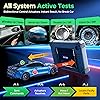
  • 3000+ Active TestsImagine sending signals directly to every part of your car, no need to remove or adjust anything. This bidirectional scanner runs 3000+ active tests and tells you in seconds or minutes: if a part needs fixing or replacing. You can quickly check every actuator: fans, lights, horn, doors, windows, br3kes, throttle, A/C, clutches, mirrors, pumps, and more, saving the time normally spent on single-item tests and getting mechanics straight to the problem
  • 2026 All-New SpecificationsThis LAUNCH scanner runs Android 10 and has a 10.1" Gorilla Glass screen thats dust-proof & impact-resistant. Other upgrades include 4 GB RAM + 64 GB storage, dual-band 2.4 GHz/5 GHz Wi-Fi, and a 6,300mAh battery for 15+ hours of use. The adjustable stand lets you prop it up or hang it anywhere. The included SmartLink C V2.0 box has a 3.97" LED screen and both Type-A & Type-C ports. This 2026 tech-forward hardware makes it smarter and faster than ever
  • Widespread CompatibilityThe X431 PRO3 V+ Elite boasts the late-st SmartLink C V2.0 box, which supports Online Protocol (for Be*z & B*W) and can be a J2534 pass-thru device (requires OE protocol software). It handles all major car protocols: CAN 2.0, CAN-FD, DoIP; covers 200+ brands including heavy-duty, new-energy, passenger vehicles, plus FCA & Ren3ult SGW-equipped cars. The interface is multilingual, offering menus in 25+ languages

Description

Founded in 1992, Launch Tech is a pioneer in automotive diagnostics, testing, maintenance, and tire-related equipment. As one of the first high-tech enterprises in the industry, Launch has built a reputation for its commitment to innovation and quality. With a focus on continuous improvement, Launch combines advanced technology with a customer-centric approach, providing cutting-edge solutions that empower professionals in the automotive sector. In 2026, the LAUNCH X431 series showcases its premier model, the LAUNCH X431 PRO3 V+ Elite & Smartlink C V2.0, which stands equal to the X431 PRO5. This combo delivers dealership-level capabilities in a user-friendly package, and is perfect for: ✓Professional Technicians who need a powerful, all-in-one tool for advanced diagnostics and protocol. ✓Fleet Managers requiring reliable diagnostics for a variety of vehicles. ✓Serious Enthusiasts who want to perform professional-level repairs and customizations at home. Superior Specifications: Flagship Power, Instant Response Stay Ahead to Diagnose Every System, Fix Other Scan Tools Can’t Fix: Tired of guessing what’s wrong with your car? Our LAUNCH X431 PRO3 V+ Elite gives you the power to see, understand, and fix your vehicle like a professional. Here’s how it transforms complex car repairs into simple, visual tasks: Powerful Protocol Support: Stay compatible with both classic and cutting-edge vehicle networks: Tired of missing out on advanced repairs because you lack expensive dealer tools? SMARTLINK V2.0 can turn your Windows laptop into a powerful J2534-compliant programming station, allowing you to perform dealership-level ECU protocol on a wide range of vehicles. Advantages of SmartLink V2.0: Getting Started is Simple: >>>>>1. Download the Driver: Visit LAUNCH official website to download the necessary driver for your computer (must connect PC) >>>>>2. Install OEM Software: Acquire and install the specific diagnostic software for the vehicle brand you are working on (e.g., F0rd IDS, T-y*ta TechStream). **Note: These are typically licensed separately from the vehicle manufacturers. >>>>>3. Connect the Device: Plug SmartLink V2.0 into your Windows laptop via USB port. >>>>>4. Connect to the Vehicle: Plug the device into the vehicle’s OBD-II port (an extension cable is optional for convenience). >> WARM TIPS: ECU protocol is a risky operation. Always connect a battery charger to the vehicle to prevent bricking the ECU. ECU Coding Like a Pro, Make Easy Money:ECU coding is a fantastic feature that is usually only seen on the top-ranking diagnostic scanners. It allows a mechanic to recode elements of a vehicle’s CPU. This could be to t*ne the vehicle to a customer’s specifications or to protocol a new component in: ECU Coding Backup/Recovery: Securely Backed Up in 3 Easy Steps:>>>>>1.Begin by copying the existing codes from the control module. >>>>>2.Save these codes as a file on your diagnostic tool --- this completes your backup. >>>>>3.If reverting to a previous configuration is necessary, simply select the appropriate backup file and restore it. This LAUNCH scanner will give you a clear, visual picture of all on-board systems, saving time and making diagnostics easier than ever. Advantages You’ll Get: ✓ ✓ ✓ Quickly see the whole system status instead of checking each part one-by-one. ✓ ✓ ✓ Easy to understand through color-coded visuals, no advanced technical knowledge needed. ✓ ✓ ✓ Perfect for showing customers what’s wrong and what needs repair What the Colors Mean: Green = normal and working // Red = fault or error detected // Gray = no response / not communicating Topology Maps Display Critical Systems Like:>>>>>Power-train: ECM (engine) and TCM (transmission) communicating over the CAN bus. If one drops out, the map flags the exact gap.>>>>>.Safety: air-bag module, ABS pump, and steering-angle sensor. One red icon tells you why the SRS light is on.>>>>>Comfort: infotainment, climate, and seat modules. Spot the gray area that explains why the touchscreen froze. AND MORE. All System Diagnostic Scanner: LAUNCH X431 PRO3 V+ Elite. What You Can Do: Advantages You’ll Get: >>>>Faster Repairs = Lower Labor Cost: Most jobs finish in half the time, and you can focus on the work that actually had to be done. >>>>Fewer Come-backs: Because the diagnosis is accurate the first time, you don’t waste effort on “let’s-try-this” parts. >>>>Longer Life for Expensive Parts: Early warnings on br3kes, tires, or battery let you replace them before they damage neighboring components, saving hundreds down the road. >>>>Happier Customers: Quick, transparent repairs build trust, and trust keeps customers coming back to your workshop they can rely on. This is Also a Bi-directional LAUNCH Scanner. What You Can Do: 3000+ Active Tests let the LAUNCH X431 PRO3 V+ Elite send commands to the car’s computers to fire up parts like injectors, throttle body, or sensors. That shows right away if the part is working. Advantages You’ll Get: >>>>>>Faster Work: the test pinpoints the bad part in seconds, so you can skip long tear-downs and hand checks.>>>>>Fewer Mistakes: the test is objective, cutting out human error and making the fix accurate the first time. This diagnostic scanner boasts 60+ HOT services span a wide range, from essential maintenance to sophisticated diagnostics: How to Get 100+ More >>>>>1.Read vehicle by Auto detect or manual input or manual selection. >>>>>2. Auto scan all accessible system on board. >>>>>3.Relevant System: e.g. P0wertrain/Body/Chassis, etc. >>>>>4.Relevant Module: e.g. PCM/ECM/EPS/PDM/BCM/TPM/SCCM/RADIO, etc. >>>>>5.Select the special function you need. EV Coverage (Need to Buy EV Software) HD Coverage (Need to Buy HD software in the MALL and HD adapters additional) Some spots in a car are almost impossible to see with your eyes alone. Work with the Videoscope (VSP600) on and every dark corner could be explored. Slide the slim camera into the engine, transmissi0n, or any tight space and look for cracks, leaks, or wear, without having to take everything apart. Pair with the BST360 to this LAUNCH scanner and you’ll get a plain-English report on your battery’s State of Health and State of Charge. You’ll see how much juice is really left, if it’s still holding a charge, and when it’s time for a replacement. So you avoid unexpected breakdowns and keep rolling. With TSGUN, you can ac-tivate, relearn universal sensors, and protocol LAUNCH tire sensors, ensuring that vehicle’s TPMS is always functioning correctly. And you can easily reset the system after changing tires or repairing a sensor, and you’ll have peace of mind knowing that your tires are at the right pressure. The ADAS ToolKit makes calibrating driver-assist systems quick and painless. It walks you through each step with accurate measurements, so your vehicle’s ADAS features --- every camera and radar works exactly right. Your customers get a safer car, and your shop gets a reputation for top-level service.

Brand: LAUNCH


Power Source: Battery Powered


Operating System: Android 10.0


Screen Size: 10.1 inches


Language: English


Brand Name: LAUNCH


UPC: 810139302810


Number of Items: 1


Manufacturer: LAUNCH


Included Components: HD15F to OBDII 16 Connector, DB15F to HD15F Cable, UK/EU/US Plug, Network Cable, Type A -Type B USB Cable, Type A -Type C USB Cable, User Manual, PIN envelope, Quick Start Guide, X431 PRO3 V+ ELITE Display Tablet, SmartLink C V2.0


Item Type Name: LAUNCH X431 PRO3 V+ ELITE, SCAN TOOL FOR CARS


Model Number: X431 PRO3 V+ ELITE


Manufacturer Part Number: X431 PRO3 V+ ELITE


Manufacturer Warranty Description: 5 Year


Power Source: Battery Powered


Operating System: Android 10.0


Screen Size: 10.1 inches


Language: English


Automotive Fit Type: Universal Fit


Native Resolution: 1280x800


Item Highlight: Include Endoscope, Topology Map, 2 Yrs Updates, ECU Coding, 3000+ Active Tests, 60 Services, CANFD DoIP, FCA SGW, 10" Screen


Frequently asked questions

If you place your order now, the estimated arrival date for this product is: Monday, Sep 28

Yes, absolutely! You may return this product for a full refund within 30 days of receiving it.

To initiate a return, please visit our Returns Center.

View our full returns policy here.

  • Klarna Financing
  • Affirm Pay in 4
  • Affirm Financing
  • Afterpay Financing
  • Zip Pay in 4
  • Financing through Apple Pay
  • Financing through Google Pay
Leasing options through Acima may also be available during checkout.

Learn more about financing & leasing here.

Top Amazon Reviews


  • Excellent Professional-Level Scanner for the Money
Color: Gray Set name: X431 PRO3 V+ ELITE
I’ve been very impressed with the LAUNCH X431 PRO3 V+ Elite. I was looking for a professional-level scan tool with bidirectional controls and J2534 capability without spending thousands of dollars, and this has been a great choice. The full-system scans are quick, the interface is easy to navigate, and the bidirectional controls are extremely useful when diagnosing problems. I also really like the topology view because it gives you a clear picture of the modules in the vehicle and makes communication issues much easier to identify. The SmartLink C was a big reason I chose this model. Having J2534 pass-thru capability gives me the option of using OEM software for programming when needed. Support for CAN FD and DoIP also makes it feel much more future-proof than some of the less expensive scanners. The 10.1-inch tablet has a nice display, feels well built, and the software has a huge amount of functionality. There is definitely a learning curve with some of the advanced features, and certain functions depend on the vehicle, but that’s expected with any professional diagnostic tool. Overall, I’m extremely happy with the purchase. For an advanced DIYer or someone who works on a variety of vehicles and wants capabilities beyond a typical scanner, the PRO3 V+ Elite offers a lot for the money. What would make this bundle more complete would be the OBD 1 connectors Highly recommended. ... show more
Reviewed in the United States on August 8, 2026 by Raging Ruckus

  • By far I think the top of the line Launch Scanner with ECU Coding!
Color: Gray Set name: X431 PRO3 V+ ELITE with Endoscope
Here's my honest, no-BS review of the Launch X431 PRO3 V+ Elite with SmartLink C 2.0 after using it for a few months in my garage and helping buddies at the shop.I’m a serious DIY guy who works on everything from my Subaru, my wife’s Honda, and random friends’ cars and trucks. I got tired of cheap scanners that only read basic codes and die after a year, so I stepped up and bought this one. Man, it was a game-changer!What It Actually Does (Super Simple)This thing is a big 10-inch Android tablet with a wireless dongle (the SmartLink) that plugs into your car. It talks to every computer in the vehicle — engine, transmission, airbags, brakes, stereo, you name it. It does full bidirectional stuff, meaning I can actually make parts move and test them. Want to cycle the fuel pump, roll down windows, test the AC clutch, or command the fan to spin without driving? Done in seconds.It has over 60 reset functions — oil light, brake bleed, battery registration, throttle relearn, steering angle, DPF regen, etc. Super handy.The Coolest Part: ECU ProgrammingThe J2534 part is what sold me. I’ve already flashed and coded modules on a couple of cars that would’ve cost hundreds at the dealer. It handles a ton of brands (Toyota, Honda, VW, Ford, GM, etc.) really well. Not every single new car on the planet, but for 90% of what I see, it gets the job done without sending it to the shop.Other Stuff I LoveTopology Map — shows the whole computer network in the car with colors so you can see what’s broken at a glance. Pretty slick. Live data is fast and you can graph a bunch of stuff at once. Auto VIN usually works great and it prints nice reports you can email to customers or keep for yourself. Battery lasts all day, screen is tough, and it feels pro-level. Real Talk – The DownsidesIt’s not perfect. Sometimes the software feels a little clunky and you have to click around more than you should. A few updates are big and take time. Auto VIN misses once in a while. And yeah, some really advanced stuff (like certain key programming or heavy trucks) needs extra paid add-ons. But honestly, even without them it’s still way more capable than most tools in this price range.Bottom LineIf you’re a home mechanic who’s serious or you run a small shop, this tool pays for itself really fast. I’ve saved so much time and money already that I don’t even regret dropping the cash. It handles cars from the mid-90s all the way up to current models, and with 2 years of free updates it stays fresh.I’d easily give it a solid 9 out of 10. It’s not quite as polished as some super-expensive dealer tools, but for the price and what you get? It’s one of the best bangs for your buck in the scanner world right now.Highly recommend it if you’re ready to level up your diagnostics game. Just buy from a good seller so you get proper support and updates. This thing makes me look like a pro even when I’m just wrenching in my driveway! Would I buy it again? 100% yes. ... show more
Reviewed in the United States on April 28, 2026 by Nick

  • Fast and accurate
Color: Gray Set name: X431 PRO3 V+ ELITE
This is my 3rd laugh scanner and is the most advanced tool from them so far. The start up, connection and task performance times are FAST. The bidirectional functions work without issue and I’m able to quickly diagnose and then estimate a repair cost for the customer. If you don’t have one of these in your toolbox, you’re costing yourself time and money. ... show more
Reviewed in the United States on August 11, 2026 by Brent Whitaker

  • Can write VINs to pre-DAS4 MB modules (at least for me)
Color: Gray Set name: X431 PRO3 V+ ELITE
Super impressed with this one so far. I own a Euro shop and had just bought an Autel MaxiSYS906MAX thinking it would be a good upgrade from my MP808 which wasn't allowing me to write a VIN to a used mercedes ESP module installed to a customer car. The 906MAX had the same limitation in spite of it being billed as having "programming/customization" functionality (with a submenu dedicated to "Expert Coding" supposedly including Special Functions where VIN writing should be, under Manual Settings). Called several local (PDX) MB specialists to see if they could assist and got the typical handwringing about needing Vediamo or Xentry and how hard this simple procedure would be. It is not that hard at all. Autel tools (both MP808 and 906MAX) had vin deletion/module virginization capabilities without J2534 passthorugh being used, and I had done that with those tools. The thing is Autel is just playing the feature limitation game and not providing the necessary access to Manual Settings with these tools, which doesn't actually require J2534 for pre-2013ish MB ESP modules (really any module that isn't at the ECM level of the topology). Customer support said "Maxisys906MAX is not a programming tool". Oh great, thanks for that - should be front and center on your marketing and you shouldn't have a "Programming" feature on the tool. So, to the point: The Launch X431 PRO3 V+ Elite handled this simple task in about 2 minutes. It honestly took longer to activate the software by creating a login and password. Once I had that done, updated the MB software to the latest rev, connected the SmartlinkC 2.0 (VCI) to the USB port of the Benzito, navigated to RBR (regenerative braking module, aka ESP module for the S400 Hyrbid) and went to special functions, manual settings, write vin and boom. Performed drive test (make sure the VCI is disconnected or it won't calibrate the ESP sensors), took 15 seconds for the new module to learn and the job was done. So if you're wondering, "Can this tool write VINs to pre-DAS4 ESP (or whatever other) modules?" the answer was yes for me on a 2010 S400 (W221). Literally had MB specialty shops saying that it absolutely needed online authentication and unlocking via Pass-Through. Even ELITEK, which when they come out to do these kinds of things charge us $650, said they could not even do it and needs to be done at MB dealer. This was not the case. I wrote this VIN using offline diagnostics module on the PRO3, without needing to compromise anything or connect to a shady server, or do any actual programming/software flashing. Great tool, seems plenty powerful and worth the price to get this overnight through Amazon vs. a few hundred dollars less at one of the online distributors of the CN Launch line. Do beware that this is NOT supported by Launch US customer support, but is likely the same hardware that they're selling and software that they license for one of their US market tools. I'm happy and impressed with what it can do at the pricepoint so far. ... show more
Reviewed in the United States on May 7, 2026 by SOCO

  • Major disappointment cx junk
Color: Gray Set name: X431 PRO3 V+ ELITE
Not a US product. The Launch brand does not sell on Amazon. This is a Chinese k/o. Is not a product that can be used in the US market with listed capabilities. It will read codes. Won't even do that without Internet connection. Order the US patented actual Launch product from all major US automotive retailers. ... show more
Reviewed in the United States on August 28, 2026 by County Line Automotive

  • Go to scanner
Color: Gray Set name: X431 PRO3 V+ ELITE with Endoscope
This is my second launch scanner and I have nothing bad to say about it. The scanner is very user friendly from quick code lookups, finding PIDs, the topology mapping, to even the community behind it. Out of all the scanners ive purchased (not just launch) I gotta say this scanner has the best battery life. I’ve had some competitors scanners where you turn them off for the weekend just to come back the next week and find them completely dead. I like that Launch also offers a lot of useful additional tools that are compatible with it such as the immo programming tool which it pairs well with and even a borescope. I’m looking to get there scope box and sensor box to pair with this scanner and see how those are. Overall I think this scanner is a great tool for the everyday mechanics or even for the DIY guys at home looking for something with more room to grow. It continues to be a reliable, go to tool for me. ... show more
Reviewed in the United States on May 12, 2026 by Derek

  • Great budget option for the home shop
Color: Gray Set name: X431 PRO3 V+ ELITE
Outstanding Professional-Grade Diagnostic Tool – Highly Recommended! I’ve been using the Launch X431 Pro3 V+ Elite for several months now in my garage, and it has quickly become my go-to scan tool. This isn’t just another basic code reader — it’s a true dealership-level diagnostic system that brings serious power and convenience to both professional mechanics and serious DIY enthusiasts. The 10.1-inch touchscreen is crisp, responsive, and large enough to display multiple data streams clearly, even in bright sunlight thanks to the solid build quality. Setup is incredibly fast — wireless Bluetooth connection via the SmartLink C interface means no more fumbling with cables for most jobs. The Android 10 system with a quad-core processor runs smoothly without any lag, even when performing deep system scans or bidirectional controls. What really stands out is the comprehensive coverage and functionality. It supports full-system diagnostics across a huge range of vehicles, including heavy-duty trucks with the right activations. The bidirectional (active) tests work flawlessly — I’ve used them to cycle actuators, test components like windows, locks, and even differential controls with excellent results. ECU coding, VAG guided functions, topology mapping, and over 60+ service/reset functions (EPB, BMS, DPF, injector coding, throttle relearn, etc.) make complex repairs much faster and more accurate. I love the expandable ecosystem too. Adding modules for TPMS, key programming (with X-PROG3), battery testing, or a videoscope turns this into a complete workshop solution that can grow with your needs. The included 2 years of free updates keep the software current, which is a huge plus for staying ahead of new vehicle models and protocols like CAN FD and DoIP. Battery life is solid for long diagnostic sessions, the build feels durable and professional, and the auto VIN scan plus repair data tips save a ton of time. Whether you’re tackling European, Asian, or domestic vehicles, this tool delivers impressive depth and reliability. If you’re looking for a powerful, future-proof scan tool that offers excellent value without breaking the bank compared to big-name dealership equipment, the Launch X431 Pro3 V+ Elite is absolutely worth it. It’s fast, feature-rich, user-friendly, and has genuinely improved my workflow. Five stars — I wouldn’t hesitate to buy it again! ... show more
Reviewed in the United States on April 1, 2026 by Jeremy

  • Easy to use
Color: Gray Set name: X431 PRO3 V+ ELITE
I like the automations and the real time data view. Has already helped me solve some overheating issues here at my automotive shop. Battery lasts a long time and the quality of the product seems high quality.
Reviewed in the United States on August 10, 2026 by James

Can't find a product?

Find it on Amazon first, then paste the link below.
Checking for best price...